Description
- Application Scenes. 1. USB data cable compatible for Bayer glucose meters Contour Plus, Breeze 2, Contour, Contour TS, Contour next EZ and Didget, from which you can download data to keep tracking on glycemic indices and blood sugar. 2. It can not charge your meter. 3. Also compatible for Contour next EZ, but not for Contour next.
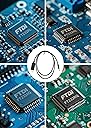
- Adapter Cable. Built with intelligent chip, USB A male to serial cable to connect PC/laptop and glucose meters. Support hot-plug. Made by Washinglee
- APP Supported. 1. Compatible for a serial of Software of Diabetes Data Management, for Bayer's GLUCOFACTS and Glucofacts Deluxe software. 2. For other online data management software (Diasend or Carelink) on Mac OS 9, Mac OS 8, Mac OS 10.11.6, Mac OS X.
- Driver and OS Supported. Driver Should Be Installed. Compatible for Windows/Mac OS/Linux/ Android, Win2000/XP/98/Vista/7/8/10/11, Windows ME.NET(4.2 or greater). DO NOT use the driver from Bayer, which can not work with this cable. Please install the driver provided by us.
- How to save your time and your money. 1. Before placing order, please read this product page carefully for detail information. 2. Before installing and using this cable, please read the user manual carefully. 3. Please don't forget that we provide technical support and 1 year warranty.
Technical Support 1. User Manual and Cable Driver will be sent to you by Email via desertcart platform, if you didn’t receive it, please contact our engineers by Email for technical support. 2. And, there is one printed label on the bag where the cable is, indicating where to download driver, indicating technical support Email address. 3. Made by Washinglee, 1 year warranty. Product Summary 1. Universal USB data cable, compatible for Bayer glucose meters, Contour Plus, Breeze 2, Contour, Contour TS, Didget and Contour next EZ, to upload data to your computer from glucose meter. 2. Also compatible for Contour next EZ, but NOT for Contour next. 3. Compatible for Diabetes Data Management, for Bayer's GLUCOFACTS and Glucofacts Deluxe software, could be downloaded from Bayer for free. 4. Compatible for other online data management software (Diasend or Carelink) on Mac OS 9, Mac OS 8, Mac OS 10.11.6, Mac OS X. 5. Compatible for Windows, Mac OS, Linux and Android. 6. The intelligent chip built inside. Support hot-plug. 7. Support plug and play. If the cable not recognized by your computer, please manually update its driver. Troubleshooting If it doesn’t work normally, please try following steps Step 1: Unplug the USB cable from PC or laptop, plug it again. Or try another USB port. Step 2: Check if the driver installed correctly. Do NOT use the driver from Bayer. If necessary, update driver from the device manager in the system folder, using the internet to search for the driver. Step 3: Restart the computer, and plug the USB cable. Step 4: Try the cable on other computer. Step 5: Contact us for technical support. Packing List 1 pc X 940-0024C Cable
Review: Possible solution "Does Not Work" - This adapter installed automatically on a Window's 7 machine. The Latest Windows 10 pro machine was a bit problematic, however. BEFORE connecting the adapter, or installing or trying to update the drivers mentioned in WashingLee's excellent email instructions you will receive, go to Control Panel, device manager. In 'device manager', find all the USB ROOT HUBS, and, for each one, under 'power management' UNTICK ALL "allow computer to turn off this device' and apply. Must do separately for EACH usb root hub. In my case, the ONLY driver that would install was the very latest (as of today) FTDI 2xx series, 2.12.36.3 dated July 5 2021. Then everything worked as expected.
Review: Necesario para tener registros gráficos de las glucemias. - Sirvió bien para el Bayer Contour Plus. Necesitas solicitar al fabricante los drivers de instalación para algunos casos.