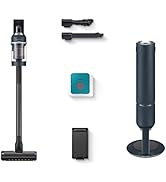
🤖 Elevate your clean game—because your home deserves precision and power on autopilot!
The Samsung Jet Bot+ Robot Vacuum with Clean Station combines cutting-edge LiDAR navigation, intelligent suction control, and a hygienic automatic emptying system. Its 5-layer HEPA filtration traps 99.99% of dust, while app and voice controls offer effortless customization. Designed for hardwood, carpets, and rugs, it delivers a thorough, hands-free clean tailored to your lifestyle.


| Brand | Samsung |
| Model Name | Jet Bot + |
| Special Feature | Filter |
| Colour | White |
| Product Dimensions | 40.1L x 35.1W x 52.6H Centimeters |
| Included Components | Brush, Filter |
| Filter Type | Disk |
| Battery Life | 60 Minutes |
| Capacity | 0.32 Quarts |
| Power Source | Battery Powered |
| Are Batteries Included | Yes |
| Control Method | Touch |
| Compatible Devices | samsung jet bot+ |
| Form Factor | Robotic |
| UPC | 887276473529 |
| Manufacturer | Samsung |
| Item model number | VR30T85513W/AA |
| ASIN | B0912V3VTZ |
M**I
Worst product and service
Worst product and service, never buy samsung robotic vacume cleaner, zero customer service. No spares avilable in india market, don't waste your money.
S**.
I had issues with actually receiving this item because they're in low stock everywhere. Im not weighing that in my review its just some background context, which is why Im still giving it 5 stars. But I ordered this thing 3 times and finally it was fulfilled and Im very glad I was patient and waited. Samsung has been killing it on the innovation side. This vaccum like most of their stuff is awesome. As for the performance of the vaccum. It is great if you have other Samsung products because everything links together on the Smart Things app, which you can still download if you dont have it. The app will allow you to control where, when, and how you want it to vaccum. Requires a little bit of setup the first time (~15-30 mins depending on the size of your house) but once its ready to go, you probably will never have to edit it again. Vaccum performance. If you live in a studio or very small home you can defenitly get away with using just one of these (that goes for all robot vaccums). If you have a home thats medium to large size you may want to consider 1 - 3 depending on how many stories/floors you have. You can sync multiple samsung jet bots together and schedule cleaning times where they can all clean at the same time (like before you wake up in the morning or after you go to bed). It is a game changer not having to constantly vaccum. Its just one less thing to do. All you really have to do is empty the trash bags at the base station where the robot empties its dust bin. Overall probably buying a 2nd one to add this first one.
S**N
Overall great product, makes life so easy, but somehow it feels like you just got very dumb trash eating cat. Pretty entertaining. It will chew any abandoned cords and will stuck in floor vents or slippers, on a piece of nut shell, and then will send distress signal buzzling your phone. Once it stuck on flat kitchen mat. Few times managed to pull the blanket from couch, get lost in the folds and drained battery to zero, trying to free itself. My parrots managed to accidentally switch it on few times too. Will pick up all trash and will get it stuck in a station. But cleans well. 1 hours is enough to go over 1000 feet. Easy to fix if stuff stuck in wheels or inside. Station cleaning also easy.
A**C
I've owned several robot vacuums the last few years, and had really high hopes for this super expensive Samsung one that would tie into my existing Smartthings system, but was incredibly disappointed by lack of software features and settings. The good: This is a well-made vacuum that has decent suction and a nice self-emptying dock. The bad: The integration with SmartThings is horrible, and the software and settings are extremely limited. For example, once you create a map of your floorplan, you can manually run it, but if you only want to clean one room, you can't just check that room, instead you have to uncheck every other room. Well I happen to be using this in a large space with many rooms, so it takes a while to uncheck every other room, and half the time the app "refreshes" and checks them all again and I have to start over. Minor inconvenience but not a dealbreaker. What IS a dealbreaker for me is the poor scheduling options. Unlike every other vacuum I've owned, Samsung doesn't let you schedule it to clean a particular room or set of rooms, you can only schedule it to do the entire map or not. So if you want it clean your kitchen every day but your bedroom only on certain days, you're out of luck. It makes the scheduling component completely useless. The other issue is if it gets stuck somewhere (as these vacuums tend to do), it won't try to free itself more than once, and it will go to sleep mode and offline, and you can no longer control it or see where it is on the map, so you have to then go searching all over for it and physically bring it back to the dock to charge. Other vacuums will stay online so you can still see it on the map. And despite the Samsung going offline, it still continues to use up the battery, so by the time you find it, it has no battery life and has to be charged. They really need to allow you to continue to connect with the vacuum even if it gets stuck. There's also questionable availability for replacement parts. I can find third-party replacement bags, but you can't order replacement brushes or rollers anywhere. And it came with 2 spinning edge brushes, and within a few uses, the brush lost one of the 3 ends, so I put on the replacement it came with, but if it happens again I'm left with a $600 vacuum with no side brush and no way to order another one? Every other vacuum I've owned I can always find replacement parts, as these side brushes don't last long. It's appalling that Samsung doesn't offer any of these for such an expensive vacuum. Based on it missing so many features, I would strongly recommend passing on this model, and stick with a trusted brand with better mapping and scheduling.
J**.
Ever try to convince your teenagers to do house chores while they're going thru their teen life crisis? It's easier to get a robot vacuum you can set and forget. It cleans up well and house has been a lot cleaner then if you let your kid vacuum while their on social media with their other hand. Kidding aside, I looked at several robot vacuums and reviews but decided to get Samsung Jetbot because it was a good price discount I got ordering from Treasure Truck. My wife scolded me when the product arrived. Now she loves it. The benifits, it does vacuum in several modes and I choose pattern mode with outer edges finished towards the end. The circular design allows it to turn around 360 pretty much in tight situations whereas Samsungs newer design looks like a dustpan was attached making it harder to turn around. You can designate multiple rooms after the robot has surveyed your house. You can designate off limit areas the robot will not enter to clean. The vacuum can move pretty well between different floor types, carpet and hard floor. It can even go over a few centimeters of height. It really does a clean job and you can see the difference after it's done vacuuming. The cons: ... Wish I could say, there is none. It's got a decent container size for vacuumed dust but you may want to check it every few weeks to a month, depending on how often you have it programmed to vacuum. Battery life has been decent and it takes about an hour and a half to clean my home. Battery is almost depleted when it's done, but it get back to its charger base and will be ready for the next cleanup schedule. It doesn't have obstacle avoidance like the newer and pricier models so if you have small items lying around the house like your usb cables. Make sure it's not on the floor. If you have pets and they leave their business on the floor, you may be making a bigger mess. Just saying. The schedule app is nice and works great as it's their smart things app but I wish they would update their program to allow it to have the option of selecting to do only certain rooms. Currently, i have mine set up to do all rooms, however, if I had the option, I would like to set schedule for certain days to do certain rooms and different t days for other rooms. Like most used areas of the home, do these rooms mon, we'd, fri. Rooms not used often, like guest room, once a week. Like any vacuum, the rollers will get tangled up with long hair, bit the thing is pretty easy to pull out the roller and clean it up. The filter and dust bin are easy to clean with water and dry out. I'm thankful I was able to get the vacuum at the nice discounted price and will hopefully get another one for the second floor soon.
N**I
First of all if you have an Apple device you'll have one of the worst experience because smartthings does not play well with Apple. I'm a huge samsung fan but I did try other competitors as well. First and least expensive robot vacuum I used was Shark AI2511 ($300 during 50% off deal on Amazon). Shark should stick with $300 price tag because the value is just not there. Shark app is horrible. Mapping is not accurate and does not adjust well to changes. Second vac I tried was roomba j7+, most expensive at $579. Everything was good about it, except for the price and the lack of lidar for mapping. Suction was great. Louder than samsung. Comparable build quality to samsung. Third one was the Samsung (paid $400 during cyber monday deal). SmartThings quickly found the vacuum and started mapping the house (quick mapping feature). It mapped the first floor (1400sq.ft.) in roughly 15 min. Quick mapping was not very accurate though. That night I ran complete cleaning cycle and the map greatly improved. It had to self empty twice during the max power cleaning cycle. This vacuum talks a lot, it tells you everything that it does. It has very good build quality. Been using it for a month now with no complains.
Trustpilot
1 month ago
2 weeks ago