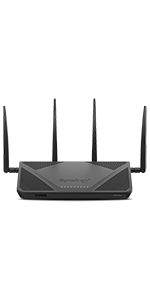
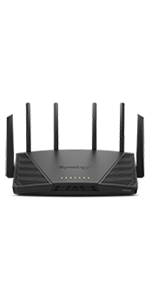
🚀 Elevate your network game with Synology RT2600ac – where speed meets security!
The Synology RT2600ac is a high-performance dual-band Gigabit Wi-Fi router featuring a 1.7GHz dual-core processor, 4x4 MU-MIMO 802.11ac wave 2 radios delivering up to 2.53Gbps speeds, and advanced security with Threat Prevention and multiple VPN protocols. Designed for both home and office, it offers smart bandwidth management, parental controls, and expandable mesh Wi-Fi coverage, all managed through the intuitive Synology Router Manager (SRM).


| ASIN | B01N5MPTG1 |
| Antenna Location | Monitoring |
| Antenna Type | Retractable |
| Best Sellers Rank | #21,608 in Electronics ( See Top 100 in Electronics ) #152 in Computer Routers |
| Brand | Synology |
| Built-In Media | 1 x AC power adapter, 1 x Quick Installation Guide, 1 x RJ-45 LAN cable, 1 x RT2600ac main unit, 4 x Antenna |
| Color | Black |
| Compatible Devices | Personal Computer, Smartphone |
| Connectivity Protocol | wi-fi |
| Connectivity Technology | wireless |
| Control Method | App |
| Controller Type | android, ios, vera |
| Coverage | Wide coverage |
| Customer Reviews | 4.4 out of 5 stars 3,612 Reviews |
| Data Transfer Rate | 2.53 Gigabits Per Second |
| Frequency | 5 GHz |
| Frequency Band Class | Dual-Band |
| Global Trade Identification Number | 00846504002498, 04711174722327 |
| Has Internet Connectivity | Yes |
| Has Security Updates | Yes |
| Is Modem Compatible | Yes |
| Item Dimensions L x W x H | 11.02"L x 6.65"W x 3.03"H |
| Item Type Name | Router |
| Item Weight | 1.54 Pounds |
| LAN Port Bandwidth | 1000 Mbps |
| Manufacturer | Synology |
| Maximum Upstream Data Transfer Rate | 797 Megabits Per Second |
| Mfr Part Number | RT2600ac |
| Model Name | RT2600ac (US) |
| Model Number | RT2600ac (US) |
| Number of Antennas | 4 |
| Number of Ports | 5 |
| Operating System | Synology Router Manager (SRM) |
| Other Special Features of the Product | Beamforming, Parental Control |
| RAM Memory Installed | 0.51 GB |
| Router Network Type | Wireless Router |
| Security Protocol | WEP, WPA/WPA2-Personal, WPA/WPA2-Enterprise, WPA2/WPA3-Personal, WPA3-Personal/Enterprise, OWE |
| Smart Home Compatibility | Smart Home Compatible |
| Special Feature | Beamforming , Parental Control |
| UPC | 846504002320 846504002498 |
| Unit Count | 1.0 Count |
| Voltage | 120240 Volts |
| Warranty Description | 2 years |
| Wi-Fi Generation | Wi-Fi 5 |
| Wireless Communication Standard | 802.11ac |
| Wireless Compability | 802.11ac |
M**E
Small Enterprise Grade, Versatile, Powerful, and with Far More Security than Described on Amazon
This router does a lot more than most people are aware of. With a little tech savvy or ability to research what you're doing, almost anyone can customize the firewall to such an extent, you CAN prevent the snooping claimed by the most critical reviewer. If so desired, all one needs to do is spend time with the settings and learn how to create custom Policies. Here's how: Install the Safe Access, Security Monitor and Threat Prevention apps (these are free). Follow the instruction and use the Help pop-ups, using the "?" button found on EVERY PAGE, to make this easier. Set up alerts so you know every network event from snoopers, attempted information leaks, and other critical threats, including malicious attacks. You can drop and/or block both inbound and outbound threats. Look up the suspicious IP address on one of many free online IP lookup sites. (Tip: do your research on these sites. Every one of these IP Lookup's will drop cookies, but some of them offer this free service to drop malicious cookies and js on your browser. But safe ones do exist.) Then as each alert comes in, notice it's severity, where the IP's suspicious reputation comes from (very easy using a link on each alert), and decide how you want the firewall to handle the next time they appear. Keep checking on these notices as new ones will always appear from time to time, depending on the sites you visit or the apps you install on your devices. Additionally, you can block all incoming and outgoing connections to geographic regions you are unlikely going to be interacting with. All of this is incredibly easy. For myself, I've found that one company in particular, [who would this be?], is continuously snooping our [DVR cable box] to know what every show/movie we're watching, and if we're avoiding ads which happens to be doable on our box (everyone knows this brand). We don't even use their service on this box! The device we do use it on is an AppleTV which has a firewall of its own. Their own data centers have way too many IP addresses to set up a Policy for each one. But you are also able to set rules for an entire range of IP addresses using another section of the firewall settings. Lastly, run the included Security Advisor to run a scan for malware and check all your settings for security holes. It will guide you on how to fix these. For someone who is computer savvy, but not very IT savvy, this Synology router is extremely versatile, easy to learn, and very easy to customize. My review only covers the firewall, though. You can additionally set up multiple Profile(s) and assign smart home devices to an alternative Profile and set up limitation to keep them from snooping around the most important part of your network while still being able to run those smart objects from your protected devices in main network profile. Parental and guest controls are even easier to set up. For what this router packs into the size of comparable ones, this is a no-brainer. I'm extremely satisfied and highly recommend it. (FYI... Synology has operations and manufacturing facilities in Tiwan. Don't let this threaten you. Read their privacy policy and if you have questions, by all means submit them to Synology's legal team for further explanation. Setting Geo Policies can even block or drop their servers if that's what you really want to do. But most of what Synology is doing is making sure your router software is up to date and that you have the latest lists of identified threats installed, which update a fast as you can download them. The sources of these lists are excellent and identified on every threat notice you'll get. They are also publicly available for you to check out for yourself. No. This is not the most transparent router, such as some of the open source ones. But most of those routers are more complicated for non-IT people, which includes most of us.)
J**.
Finally found the perfect VPN router for iPhone. Adios to DDWRT, OpenWRT and TomatoUSB.
Excellent router. I've used NETGEAR R7500v2 before. I thought NETGEAR's Genie was easy enough. Boy, I was wrong. I am amazed by Synology RT2600AC its easy to use GUI, performance and tons of useful features. Unfortunately my ISP doesn't offer FTTH to my home so I have FTTB @ 500/500Mbps (My ISP throttles my connection speed from 1Gbps to 500Mbps which sucks) With NETGEAR R7500v2, Speedtest.net I get 4ms 429.82 Down/391.01 Up with my iPhone 7 Plus. With Synology RT2600AC, Speedtest.net I get 3ms 485.87 Down/464.74 Up with my iPhone 7 Plus. Synology RT2600AC maximizes my WiFi connection where there is no performance lost both WiFi and Ethernet. The reason I purchased Synology RT2600AC is its VPN feature. I wanted to use VPN with my iPhone 7 Plus but NETGEAR R7500v2 lacks L2TP VPN server feature. With Synology's VPN Plus App, I get easily connected wherever I am. It seamlessly reconnects iPhone to VPN while I am moving along (eg. WiFi - LTE- WiFi - 3G - LTE) The bonus feature I didn't know up until I actually setup the device was its support with Google DDNS. I am using Google Domains for my domain registrar. Up until now, there was no way to setup automatic DDNS updater because such client was nonexistent. Synology RT2600AC has built-in Google DDNS auto-update client. I was really happy to see that it actually works very well. I wish other router manufacturers follow Synology's approach. OS like GUI makes me think that this router is like a full-featured Linux computer. Package Center feels just like an App Store. It is intuitive and you won't get lost how to install and set it up. Synology's RT2600AC 802.11ac Wave2 router supports Multi User MIMO and your phone/tablet seamlessly connects between 2.4Ghz band and 5Ghz band based on your signal strength. SSIDs of both 2.4G and 5G are the same. User doesn't have to switch between 2.4G or 5G. It automatically finds the best signal and roam between them. Synology's RT2600AC is my best money spent on this year. You won't regret buying this router. I bought more than 10 routers and used various DD-WRT, OpenWRT and TomatoUSB firmwares. I will not go back to any of them again period.
A**Y
Awesome Router for Home or Office
I have owned this router for close to two years and it works so well that I have recommended to several other businesses for installation. Too often when a home or business has a need for a router, they let themselves be rushed into purchasing whatever is available nearby so they can get their network going again. When they do that, they are doing themselves a disservice. I researched this router extensively before making the purchase because I didn't want to get just another cheap wireless router. The things that I read about this Synology router said that it was an excellent blend of well thought out features without too hefty of a price tag. This router makes it easy to setup different wireless networks, supports MIMO, and is very fast. I have only needed to contact Synology support one time and found the process straightforward and within a few days the technician helping me was able to get the problem straightened out. I keep discovering new features that are supported on this router; just last week I was getting upset with my ISP for not yet supporting IPv6 but then as I investigated the router I found that I could setup a 6-in-4 tunnel and enable IPv6 on my local network which gets routed to the rest of the world's IPv6 internet by the router's tunnel over my ISP's IPv4 circuit. This really helped me out quite a bit. Synology frequently updates the firmware of this model to keep it secure and patch newly discovered vulnerabilities. I like that about them, and have found that other companies (think: Netgear) often release too many different models and do not take the time to provide ongoing support and development for their products. The configuration of this router is performed through their web-based DSM and looks and feels a lot like a Windows desktop. There, you can install different packages such as DNS or internet security to enable additional features that do not come factory installed. I would gladly recommend this router to anyone looking to upgrade and think you will be very pleased if you do.
S**N
Solid Router, Lots of Features, Worked Right Out of the Box, Delivered In Its BOX?
First off, I have to say the worst part of this was that it was delivered in no other box than its own. That meant anyone coming to my porch knows exactly what I ordered and could have tampered with it (no seals...nothing). Having that out of the way, it's a pretty impressive router, for what you pay for. Having said that, while the UI is much cleaner and nicer than all the other ones I've used over the years, it almost feels like everything is too divided. I was replacing a 7 year old router, so I expected this one to have better coverage and it did. I bought it with the Synology MR2200ac and use that as an add-on wifi point. This setup is a mesh setup, and works quite well so far. Setup took me about 3 min to get my wifi back up and running, but then it took about 10 min for the updated firmware to finish, so it went out during that time until it was almost finished. No big deal. Both the router and the wifi point were very painless to setup. Most of the options were clear, but I've been doing this sort of thing for a long time. What I would have preferred is that the options were grouped together more. I didn't see the point of a control panel, a wifi section, a package center, a network center, etc. The UI once you're in these is pretty clearly laid out, but they could have just made it one menu for almost everything. I also was looking forward to having this use my printer, but my printer is an old HP wifi printer and the WPS never worked in either direction with this router. Plus, if you want to use email or any kind of gmail you can't simply put your address in. You have to log into Gmail and give this thing access to your account...nope. So, while a great router and basically doing almost all that I intended, it wasn't 100% ideal. In essence, I have a love/sort-of-hate relationship with this thing. I bought it for the advanced features, most of which I can use, and for the range and better throughput (which seem to work very well).
B**K
Great router with excellent parental controls!
This is the best router that I have used that has straight forward parental controls that didn't require an extra subscription fee. The user interface is friendly, and while I am an IT professional, I believe it is simple enough for most people to be able to get it setup and configured. During setup the only issue I ran into is after the initial setup config, I could not connect my windows laptop to the newly created Wifi - it kept saying it needed a pin. Connecting a smartphone or tablet worked just fine, however all I needed to do was to run the firmware update and it was good to go - I'm not sure if other people will run into this issue, but it is the only foreseeable "hiccup" that I have noticed so far. The parental controls allow for profiles to be created, in my case I created a user profile for each family member, and of course the important "My Network (LAN)" profile for every device to get some kind of filtering. Each child user in my house then can have an individual internet schedule, time quota, web filter and safe search - which is great for my family as we have various ages and needs depending on the person. Blocking by category is also possible - if someone hits a block page, there is also the option (if enabled) to "submit a request" so if a particular website is miscategorized or it is a particular site that you wish to allow, you can do that pretty easily - Oh, and I didn't mention that when someone does hit a site that is blocked, you can get an app notification to your smart device in real-time. There is also the ability to turn on logging to see what devices are hitting which sites - this is under the network center > traffic control > monitor, and then use the drop downs to find what you are looking for. There also is a few settings that you may need to enable to get this working. Overall I have found this router a great options to keep my family safer while online - notice I didn't use the word safe. With all digital technologies, it is impossible to see / block / manage every aspect of a connection, however this product does a decent job at some of the basic blocking that many other routers seemed to be lacking. There are also other advanced features available that I am not using, including to create a media server (with an attached USB device) a DNS server, a Radius server, Cloud station and download station. I did just enable the threat protection service and am beginning to look at that now. The only downside is that this isn't a Wifi6 router, however being that it has what I was looking for where it came to parental controls - I simply set my Wifi6 router to Access Point mode, and plugged it into one of the lan ports and now I have the best of both worlds - this setup does require a good understanding of how to get an existing router into AP mode, but with the help of the web, you should be able to find a guide on how to do this. In this config anything that connects to my network, including devices to the WIFI6 (now AP) can get the parental control / protection.
R**Z
Great for Security, Poor Throughput with VPN
Everything about this router is perfect except for one thing, it data throughput when using a VPN. The Good: -- Vastly superior threat protection! This is the shining gem of this router. I added this router due to problems I was having with the internet dropping. As so as it was connected and the "Threat Protection" was turned on it found a Trojan on a Network Video Recorder on my system that I use for security cameras. This trojan was allowing a hacker to use up my bandwidth and causing my network to drop internet connection. So impressive since this threat was from inside my network. The router automatically identified and block this threat. you can also review and adjust the the blocks. You are notified by email or text immediately when a severe threat was detected. The threat protection inspects each packet before it get on your network and is blocked if a threat. -- No annual fee. All the above and more for no annual fee. An updated threat protection data base is updated almost daily and free with the purchase of the router. -- The user interface is fantastic. Easy to use, intuitive and similar to other Synology NAS products. -- Technical support is top notch. You really get people who are deeply technical and knowledgeable about the product. -- Easy to setup. Not problems at all using it so well done user interface. -- Allows deep configuration. If you a techie this router will allow you to get into the deep technical aspects of routing. The Bad: The only bad think and I mean the only bad is the data throughput when using a VPN. My internet service provides 280 Mbps download. When a VPN is used the download speed drops to 40 Mbps. That's about 15% of my total speed. Now this may be unfair as the router was released in 2017. When I turn off the VPN the rate achieves 280 Mbps download. This is because the router is inspecting each packet and when the packets are encrypted that's quite a workload for the routers processor to handle. As a workaround, Synology allows you to bypass Threat Protection packet inspection for any device on the network which helps significantly but still doesn't get to the max download speed I pay for or about 75% of the max. Conclusion: I'm going to give the router a lot of slack in the rating realizing its a 5 year old design. Even with the download issue I rate this a 5 star router.
J**F
Started out promising but end up being a disappointing experience
Initial Review 12-8-2017 I have AT&T gigabit symmetrical internet speeds and its been an adventure trying to find a router or whole home mesh system that can give me the speed over wifi that I am paying for ( although I understand in reality achieving gigabit speeds over wifi is near impossible). First let me say I have tried the Netgear Orbi, google wifi, Eero ( 1st generation), Ubiquiti HD, TP Link Archer C5400, Linksys ACM3200, Linksys EA9500, and the Netgear R7800. Yes believe it or not I have bought and tried that many routers; I end up having to keep a few them but most of them were returned. Some were bought from Amazon and some from brick and mortar stores. Out of every one of those devices, only two were able to give me near gigabit speeds over the 5ghz wifi band using my new 2017 MacBook Pro, The Netgear R7800 and the Synology blew away the competition . I have been able to achieve around 600-800 Mbps via wifi with both of those routers sitting in the same room as the router of course. I returned the Netgear and kept the Synology RT-AC2600. The reason I kept the synology router is because first it comes with a 2 year hardware warranty and I was informed by synology that they would provide tech support for the life of the product. Second, absolutely love the software! the user interface blows away any other that I have ever used; it is designed much like a windows system and it provides many robust features for the tech savvy and people that like to tweak their settings. Third, although this router would be difficult to mount on a wall I do like the design of it having two back legs that elevate it; this allows for heat dissipation which in my opinion is a major cause of router failure. I've been running this synology router for almost a month and its very cool to touch and it hasn't dropped internet connection not one time! Fourth, I absolutely love the IOS app DS Router which you can use to manage this router either while connected to your local network or remotely while away from home. The app is very intuitive and gives you a good amount of features to manage settings and most importantly it just works. So why didn't I give it 5 stars? because although this router comes with unlimited tech support , you have to basically submit a ticket via email to troubleshoot and that can be a painful experience should you run into any problems. They do have a US based customer support number but they are level 1 tech support and they can only help you with the very basic things .. should the problem be more complicated then you have to resolve it via email through a ticket. They have, however, started offering live chat support via your web browser that you will be able to find if you visit synology.com so its not all bad. Their customer support is only available Monday through Friday and it is not 24/7 and they are also not available on holidays so should you encounter problems during those times you'll have to wait. Overall this is the fastest router I have used and its user interface is the very best I have navigated. You can also download packages such as intrusion prevention, etc and that is free and comes at no charge with this router. Overall I am very happy with this router and I would recommend it especially if you have gigabit internet speeds and are looking for something that can keep up with those speeds. This router is dual band and for some reason I am having better luck and getting better speeds from dual band routers as opposed to tri band routers. 12-22-2017 (Update) Well this router worked flawless for 3 weeks and then for no apparent reason (being I made no configuration changes or anything) my LAN (wired) connections began to drop and would not reconnect. Wifi worked fine but ethernet connections dropped. I used the online chat support feature on synology's website and what a big disappointment that was. I basically told the tech support person everything that was going on and all of the troubleshooting steps I had went through before contacting them and his replies were slow and all he did was waste time by asking me things I had already made clear and had already done earlier in the conversation . His solution was for me to contact Microsoft! I mean like Microsoft is going to help me, lol.... It was getting close to 10pm and boom just like that he disconnected from the chat and that was that. Being this was the second unit to drop LAN connections and being that the tech support experience was terrible I am changing my initial review rating of 4 stars to one and I can no longer recommend this product. I will say that whenever it was working it was great and everything I stated in my above initial review is accurate but for this amount of money I expect a router that will be more stable and at least get some decent tech support but that just did not happen over a span of owning two of these routers for the last couple of months....I guess I will just use the AT&T provided gateway as I am convinced after trying just about everything out there that a good, stable router with good tech support doesn't exist or at least I haven't found it yet. I have returned the router back to Amazon thanks to their great holiday return policy so one star for Synology and 5 stars for Amazon.
R**B
Synology is doing it right
I've been using this router for about 4 months. I wanted to have some time with it to get past the honeymoon period. While the experience hasn't been perfect, there are many reasons why you should consider this router if you're shopping for a new one. Setup - It's pretty easy, the wizard will get most people up and running in a few minutes. Most of the out of the box settings will not only work, but provide a reasonable level of security that will accommodate people who just want WiFi. Performance - I have 3500 finished sq. ft and an unfinished basement and this router easily covers the whole house with Wi-Fi from a central location. I didn't have to mess with antennae or do anything special. Beamforming obviously works. 5Ghz performance is good (most of my devices connect to the 5Ghz network automatically using SmartConnect), and automatic channel selection seems to do a good job keeping me as far from conflicting devices as possible. I'm using the NAS (time machine), VPN server, parental controls, and traffic monitoring and the CPU hardly exceeds 40% and 50% memory utilization with 15-20 connected devices and multiple HD video streams. The router is cool and quiet. Interface - Easily the best interface of any router I've used. This router is very fully featured. The GUI looks and feels like a desktop operating system and it's pretty clear where to go and what to click to access the wealth of features and information this router can give you. If you just want reliable WI-FI and don't care, great. But, if you like to see traffic utilization on your network, control access to the internet by time or content, use a VPN remotely, or set up network services, this router makes it easy. Logging is robust and easy to use. If you want control of your network, this is the best consumer out of the box experience I've found. Security/Updates - Just like your computer, routers require frequent patching for security updates and bug fixes. The update schedule is at least monthly and usually includes the CVEs (security patches) that are required to ensure your router is not vulnerable to current exploits. In contrast to other vendors who update quarterly or less frequently, I have high confidence that I'm running a patched OS. Included features allow you to generate or use highly secure encryption certificates and algorithms to secure connections to the router, restrict traffic and services, and use two-factor authentication to access the router and VPN, which is a mandatory feature in today's security environment. Again, you don't have to do all of these things to use this router, but you CAN and it's simple. Support - Okay, so there have been an issue or two with my router. For example, there was a bug preventing parental controls from working properly. I contacted support and received a response within a day. I worked with support over the course of a few weeks (the devs are in Taiwan so there's a time delay), The developers worked directly on my issue (how many companies do that?) and identified the problem. They gave me a workaround and deployed the permanent fix for everyone in the next firmware release. I don't always get that level of support with even professional grade equipment. I feel like the company stands behind their product and will continue to do so. Synology is a new player in the router market, but they're serious. I've tried many of the other big players and I typically buy near the top of the line because the internet plays a large role in my work and my family's play. Many have gone back and I'm sticking with Synology.
J**N
Manage your kids internet
I was looking for a good router to mange my kids. This is a great router for this and it's was why more powerfull then i thouht reading up on it. Great choise for parents who need controll over your kids and all of there devices.
M**N
Best Parental Controls
No router was able to do it. It was able to block all YouTube URLs.
M**A
Au top, une solution efficace et simple de contrôle parental enfin en place !
Cas d'usage : maison avec tablettes, pc, mac, Domotique divers lecteurs multimédia, caméra ip, TV connectées etc. (30 périphériques connectés) Une solution simple et efficace pour gérer son réseau. Contrôle parental au top. Attention c'est chaque périphérique (considéré comme individuel) qui est associé à un utilisateur/profil ... donc ne fonctionne que si vous mettez le téléphone et/ou la tablette ou PC ou Mac associé au profil "enfant". Pour être très clair : pas de périphérique partager enfants/parents ! (fonction Safe access) Evite d'installer quelque chose que l'enfant pourra/saura désactiver ... la solution est centrale et traite tout ce qui est connecté au réseau ! Je croyais cela compliqué de conserver sa box et ses services (tv et téléphone) tout en mettant ce routeur derrière pour gérer tout le filaire et le wifi, du coup j'hésitai a sauter le pas. En fait avec les bons conseils ça reste simple ... Fidèle des solutions Synology (déjà 3 NAS), je ne suis pas déçu ! pas besoin de bricoler, ça marche tout simplement, bien intégré, bonne interface etc. On est parfois un peu surpris au début de ce qui circule sur son réseau et tout ce qui est envoyé parfois considéré (à tard ou à raison ...) comme dangereux ... (fonction threat prévention)
G**R
Love this router!
I've bought many of the "latest superfast routers" boasting every feature and looking like a cross between a stealth fighter and a hedgehog .... and every single one of them has been disappointing! Their interfaces are dreadful, and more money has been spent on how they look than how they work. This unit has understated looks (nice, but not like a modern trainer), but the inside is what matters! Love this router! It's done everything it said it would, and more. I now have a great VPN back to my home NAS, it's fast, and the interface is seriously good. This unit is expensive, but buy well buy once! (It's cheaper than the many routers that don't work properly!)
S**T
Un router realmente fuera de lo normal.
Tengo una NAS Synology y si hay 3 cosas que admiro de sus productos son: - Su confiabilidad. - Su interfase gráfica. - Sus continuas actualizaciones. Escribo eso a un par de semanas en que se descubrió una seria vulnerabilidad de WPA2, que en pocas palabras, significa que si tú pensabas que tu red era segura, pues resulta que no. Synology parchó la vulnerabilidad casi inmediatamente. Tengo un router Tp-Link y ni siquiera se les ve la intención de publicar un parche. Este router cumple y hasta excede todas mis expectativas, de igual forma parchó la vulnerabilidad crÃtica, sus prestaciones, su alcance, su fabuloso Control Parental que bloquea sitios por categorÃa, protege las búsquedas de Google y permite establecer horarios de uso de internet por dispositivo. Si eres padre, sabrás de la importancia de esta caracterÃstica. Es una maravilla de router, al dÃa de hoy no le encontrado un solo defecto.
Trustpilot
1 month ago
1 week ago