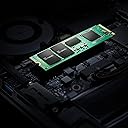
🚀 Upgrade your speed, expand your world — don’t get left behind!
The Intel 670p Series 2TB M.2 2280 SSD leverages PCIe 3.0 x4 and QLC 3D NAND technology to deliver up to 3500 MB/s sequential read and 2700 MB/s write speeds. Designed for professionals and gamers alike, it offers massive storage in a compact form factor, ensuring rapid multitasking and smooth performance across desktops and laptops. Ideal for upgrading older systems or boosting new builds, this SSD combines cutting-edge speed with reliable Intel engineering.
| ASIN | B08X4XL71S |
| Box Contents | ssd |
| Brand | Intel |
| Brand Name | Intel |
| Cache Memory Installed Size | 2 TB |
| Color | 2TB |
| Compatible Devices | Desktop, Laptop |
| Connectivity Technology | PCIe |
| Customer Reviews | 4.7 out of 5 stars 401 Reviews |
| Data Transfer Rate | 48 Gigabits Per Second |
| Digital Storage Capacity | 2000 GB |
| Enclosure Material | NAND flash memory |
| Form Factor | M 2 |
| Global Trade Identification Number | 00735858453325 |
| Hard Disk Form Factor | 2.5 Inches |
| Hard Disk Interface | Solid State |
| Hard Disk Type | Solid State Drive |
| Hard-Drive Size | 2 TB |
| Hardware Connectivity | PCI |
| Installation Type | Internal Hard Drive |
| Item Height | 0.8 Inches |
| Item Type Name | Internal SSD Drive |
| Item Weight | 45 Grams |
| Manufacturer | Intel |
| Media Speed | 2700 megabits_per_second |
| Model Name | 670p Series SSD |
| Model Number | SSDPEKNU020TZX1 |
| Network Connectivity Technology | PCIe |
| Number of Items | 1 |
| Product Features | Multitasking |
| Read Speed | 3500 Megabytes Per Second |
| Special Feature | Multitasking |
| Specific Uses For Product | Gaming, storage |
| UPC | 735858453318 735858453325 |
| Unit Count | 1.0 Count |
W**Y
Sostituzione HDD su Mac del 2015
Ho acquistato questo SSD Intel 670P per fare un upgrade sul mio Mac del 2015, ormai ultra piantato!! Il lavoro è stato importante e ha previsto la sostituzione del vecchio hard disk SSD (Blade) nvme M.2 Pci 3.0 x4 (2280) da 24 GB con SSD Intel Nvme da 2TB e il disco SATA III con un SSD di altro marchio. Usando un apposito adattatore (poiché la forma degli Nvme Apple è unica e non si adatta ai normale nvme in commercio) ( https://www.amazon.it/dp/B08JTDLMXJ ) Se avete intenzione di metter mano al vostro Mac verificate prima la serie e la compatibilità dei componenti. questi indicati sono specifici per i Mac del 2015-2017 dal 2017 in poi si possono usare dischi nvme più performanti (su google trovate ulteriori info googlando sostituzione blade mac e consigli sui componenti migliori da scegliere per il vostro Mac da upgradare che troverete poi qui su Amazon ai migliori prezzi) oltre i componenti sopra indicati necessitate di 2 serie di componenti di smontaggio e rimontaggio e una serie di adesivi per il display. Su YouTube trovate tutti i video che vi guidano passo passo all'esecuzione dell'operazione, si raccomanda un'adeguata manualità e capacità di mettere mano a componenti elettronici (io sono un tecnico e quindi di queste cose mi occupo nella quotidianità) altrimenti meglio cercare un bravo tecnico che si occupi lui di rianimare il vs Mac. Posso confermare che dopo questa operazione il mio Mac ha ripreso vita, e probabilmente è anche più veloce di come era in origine con la sua piccola memoria M2 da 24 GB e il disco meccanico da 1 TB. Adesso ha 2 TB di disco che gestisce sistema operativo e applicazioni e altri 2 TB dove ho messo Windows 10 e anche lui è una scheggia. Considerando che faccio editing anche di file multimediali, la velocità di elaborazione è importante e ora è davvero roba di attimi per ogni operazione anche in multitasking, eseguendo più procedure senza particolari problemi. Il benchmark dei dischi ha dato risultati eccezionali, 3.000 MB/s in lettura e 2.900 MB/s in scrittura, con connessione PCI 3.0 negoziata a 8 GT/s (prima del lavoro negoziava 5 GT/s con il disco da 24 GB del 2015 Apple) Su questo SSD ho installato Mac OS Monterey. Il prodotto è ottimo e assolutamente consigliato. Sono rimasto davvero soddisfatto di ogni componente utilizzato e con una spesa davvero valida ho ridato vita a un Mac che altrimenti era praticamente inutilizzabile (sul Mac del 2015 viaggia Monterey OS, la penultima versione supportata per questo Mac) Se avete bisogno di altre info, fate una domanda e vi risponderò volentieri Ho scelto i prodotti più performanti/compatibili per il mio Mac e con maggiore vita utile come TBW utili. Spero la mia esperienza possa essere stata utile, e resto a disposizione per chi avesse bisogno di altre info
な**な
ASUS TUF15のSSDが、SMRTの不良で
ASUS TUF15のSSDが、SMRTの不良で壊れたので、入れ替え用に買いました。 256、1TB共に売り切れだったので、2TB購入。 初期不良もなく普通に動いています。
M**E
ottimo acquisto su amazon warehouse
è il quinto che acquisto, grande affidabilità e compatibilità intel
I**N
快適
マザーボード「ASUS TUF GAMING B560M-PLUS」に取り付けました。商品自体の仕様(SEQ-Read:3500MB/s, SEQ-Write:2700MB/s)はほぼ仕様通りで、実際にPC自体の操作性もストレスなく快適になりました。
J**L
A good value 2TB NVME SSD but gets VERY hot during file copying though...
I needed a portable drive to store 1.2TB of video that was also fast enough for processing the video and this was the best value I could find that had good performance and a decent warranty, and that I could get next day. It didn't disappoint, copying over the 1.2TB went fast with minimal slowdown during the long copy and has been working great while the video is being processed. But... I had originally installed in into a small Orico SMART-FV25 NVMe enclosure with a minimal heatsink (more or less it's a piece of spring metal that clips to the SSD and fits inside the enclosure), and during the 1.2TB copy the drive got very hot - hot enough that you couldn't hold it (60c-70c at least). I transferred the SSD to another enclosure I have that uses the whole body of the enclosure as a heatsink (a SABRENT EC-SNVE NVMe enclosure) and this seemed to have tamed the heat for this drive. Note that it only heated up this much while doing heavy copying to the drive (which is primarily why I got it, BTW). In normal operation it gets warm to the touch based on how much it's being written to, so while writing to the drive heats it up, reading from the drive doesn't seem to be as much of a problem. Keep this in mind if you are buying this where you'll be writing a lot of files to the drive and using it for processing the material on the disk. If I were to use it in a computer as a general-purpose drive, I would still ensure that it was adequately heatsinked there to avoid any potential problems as well.
Trustpilot
1 month ago
1 week ago