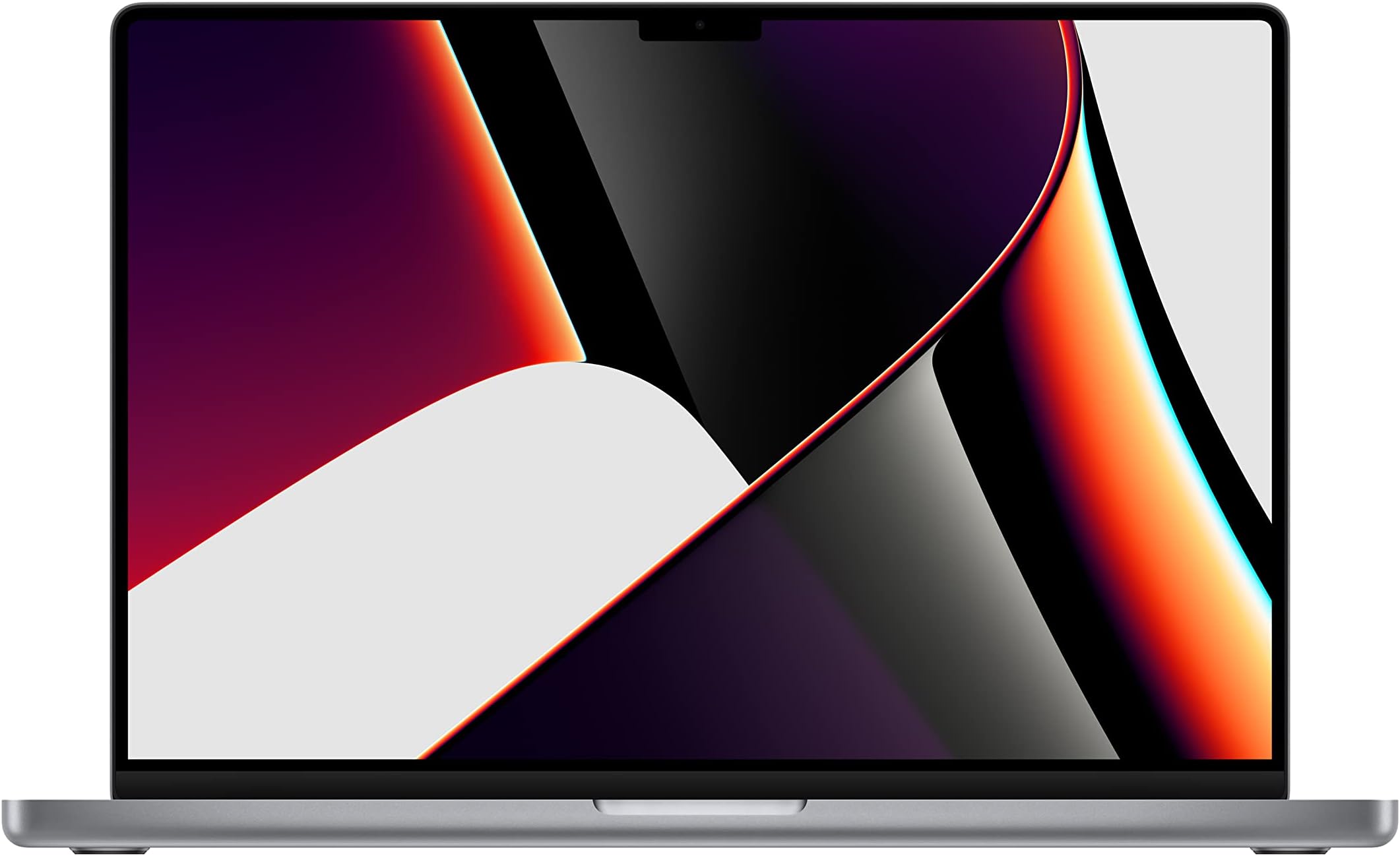
🚀 Elevate your professional edge with the MacBook Pro that means business.
The Apple 2021 MacBook Pro 16.2-inch in Space Gray is a professional-grade laptop powered by the M1 Pro chip featuring a 10-core CPU and 16-core GPU, 16GB RAM, and 512GB SSD. It boasts a stunning Liquid Retina XDR display, up to 21 hours of battery life, advanced connectivity options including MagSafe, HDMI, and SD card slot, and a premium six-speaker sound system. Designed for demanding workflows, it delivers exceptional speed, graphics, and machine learning performance in a sleek, durable form factor.


| ASIN | B09JQKBQSB |
| Batteries | 6 Lithium Ion batteries required. (included) |
| Date First Available | October 18, 2021 |
| Item Weight | 4.62 pounds |
| Item model number | MK183LL/A |
| Manufacturer | Apple |
| Product Dimensions | 9.77 x 14 x 0.66 inches |
B**V
Physically the Best MacBook Pro I've Had
I tend to use my laptops a LOT, and I could probably be more gentle with them, so I tend to wear them out before they would otherwise need replacement... Leading to this being my 4th MacBook Pro. (It would be helpful if Apple could make better keyboards, but that's outside what I can control.) My last one, a mid-2019 model, had the Touch Bar (which I hated) but the "improved" keyboard which worked well until it began failing one key at a time. I was finally driven to replace it when other problems began to occur. This "new" MacBook Pro is, so far, a definite improvement on its last 2 predecessors. -- KEYBOARD: It took a day or two for me to get used to the feel of the keyboard, but now I'm actually able to touch-type more easily than in the past and it's quiet enough for me to not bother anyone sitting on either side while I work. (It's also very nice to have all the keys work!) The fact that the Touch Bar has been replaced with "old fashioned" function keys is, for me, a major plus because I tended to accidentally activate commands on the Touch Bar when my fingers got too close (maybe I carry too strong an electrical charge?) without my being aware I might be touching it, so having actual physical keys that only react when I actually press them is wonderful. I miss the ability to easily adjust keyboard brightness on the keyboard (it was actually through the Touch Bar), but that's easily taken care of via the Menu Bar. -- SCREEN: The black "notch" at the top of the screen still looks a little odd, but does not affect me or my work negatively in any way; the narrow black bezel around the screen is especially welcome when watching movies or scrolling through social media in bed. Image resolution is very good and brightness is easily adjustable. -- PORTS/CONNECTIVITY: I'm a little torn about the change (from the mid-2019 model) in ports; I frequently find myself wishing I still had 2 USB-C ports on *both* sides but absolutely love the return of the original MagSafe power port (the damage protection of which I've accidentally availed myself of a couple of times already). As far as WiFi is concerned, I've had zero problems to date while connecting to devices in multiple locations. -- FORM FACTOR: After all these years I don't know why I'm always surprised at how hefty this laptop is, but the balance is good enough that it's not noticeable when resting on my knees in a doctor's waiting room. Also, although the edge of the body still seem sharp, this one doesn't seem as prone to leaving painful creases in my wrists & hands as the previous one did. -- OVERALL: I've been living inside the Mac ecosystem a long time; my first desktop unit was an SE30 and my first laptop a 1998 PowerBook G3, so I have a *lot* of Macs to compare this one to... and so far it's sitting very close to the top of my list. My only real argument is with the current version of MacOS, but that's a totally different can of worms. I know there are newer models of the MacBook Pro on the market, but (especially when looking at price) this is one I hope to be using through (at least) the 2020s.
C**.
Vast improvement over earlier models
Apple made a bunch of missteps over the course of designing the more recent MacBook Pro computers, most notably the poor keyboards followed by the god-awful Touch Bar. (Props to Apple for trying to innovate and the Touch Bar was a cool idea, but it was a solution that created more problems than it solved.) Eliminating more of the ports on more recent MBPs was also problematic, limiting everything to USB-C/Thunderbolt only, even down to killing the very popular MagSafe power plug. After getting one of those more recent models from my employer for work, I was able to find out first hand just how bad they really are. This new model reverses SO many of those poor design decisions. MagSafe has returned (while still retaining the ability to also charge over USB-C), the keyboard is far better, the Touch Bar has been eliminated and physical function keys have been brought back to replace it (YAY ESC), and a built-in HDMI port and SD card slot have also returned. As soon as I saw in the release announcement showing off what Apple had done with this machine, I ordered one immediately as I knew this was going to be a perfect replacement for my 2015 MBP - which I'd kept rather than upgrading to the subpar designs mentioned above. I don't regret the purchase at all. This is a fantastic machine. The only downsides I've experienced are due to the transition to the M1 processor. For 99% of users this won't matter one bit as the performance of the M1 Pro is exceptional. My individual problem is the migration of architecture; moving from x86/x64 to ARM meant instantly losing the ability to run VirtualBox and VMWare. VirtualBox will likely never run on the M1 architecture, and while VMWare is working on a new ARM version and Parallels is also available, they only allow for virtualization of ARM guest systems. Good enough for ARM builds of Linux (and limited versions of Windows), but Intel virtualization is now dead on the Mac. Again, this is not something that most people will ever run into, but for me it's a bit of an inconvenience. The trade-offs, however, are worth it.
C**N
Top 5 MacBook Pro of All Time
Perfect. The M1 Pro MacBook Pro is a more than capable, extremely capable machine even in 2025 due to its 8 performance cores and 2 efficiency cores for a total of 10 cores. There is no need to upgrade to an M4 Pro if you can find one of these in excellent condition. Mine was described as being like new, and it did indeed arrive in like new mint condition. It appears that someone opened the box and left the computer alone as all the accessories were still wrapped as new and untouched. I checked the battery cycles, it was at 1. That’s a new machine and a steal at only $900 since I was able to get it tax free. I use mine for music production and video editing. Logic Pro works extremely well, I also use Ableton, Reason and Pro Tools with zero issues. Sessions run smoothly. Battery lasts all day too! Keys feel nice, not too heavy but it is a sturdy machine. Get one!
A**A
Bought a “Brand New” 2021 MacBook in 2025 - Here’s How It Went
Yes, you read that right, I bought a brand new 2021 MacBook Pro in 2025. And before you scratch your head, let me explain. When Apple says “brand new,” they technically mean zero battery cycles. Mine came with 2 battery cycles, which means that somewhere between manufacturing and me opening it, someone powered it on and charged it. But here’s the twist; the laptop was completely factory sealed when I got it, and cosmetically it looked 110% new. Performance-wise, it’s everything you’d expect from an untouched MacBook Pro. No wear, no marks, no surprises — just that crisp new Mac smell (yes, it’s a thing). Here’s where it gets better: AppleCare+. Thanks to Apple’s newer Apple One program, I was able to get AppleCare+ on a MacBook that rolled off the line in 2021. The trick? You need to be on the latest macOS update, then run Apple’s built-in diagnostics. If it passes - boom - you can enroll in AppleCare just like a current-year model.
M**N
M1 Chip has amazing perfomance even after 3 years!
N**.
Good as a used item but the warranty is gone and I was concerned about keeping it
J**B
I chose this laptop over the M2 pro 16 as its SSD spend is twice as fast, is just as fast as the m2 in the real world for most things but stays cool when really pushed unlike the m2 and has a better sound. Even though I got this at a lower cost, I still would chose it over the m2 pro 16.
R**H
Purchased this unit for over $3000+, 3 MONTHS LATER WONT TURN ON, NO SUPPORT, NO SOLUTIONS. THOUSANDS OF DOLLARS BACKED UP IN WORKFLOW (VIDEO EDITOR) NO RESPONSES OR TECHNICAL RECTIFICATIONS. PLEASE RECONSIDER IF YOUR LIFE DEPENDS ON A LAPTOP. (ps. No third party plugins we cracked or hacked all purchased and paid licenses) it just wont turn on and when i did get it on it kept shutting down and restarting back to this screen. It has been updated to ventura from Monterey (automatically) wont allow me to reinstall Monterey as its a downgrade so i literally have a $3000+ paper weight at the moment. Please be careful, reconsider another computer, its my last time with apple. (Tried upgrading from a 27inch 5k 32gb imac which gives me the same kernel panic situation, here I am again once more with major clients asking to be updated on their delivery dates, its heart breaking to say the least.)
A**R
Would not accept Adobe lightroom or MS Office for Mac. This laptop is of no use to me and I would have to purchase 2 expensive pieces of new software in order to benefit from this purchase. Planned obsolescence is the name of Apple’s game. I’m not playing that game any more. No more Apple products for me!!!
Trustpilot
1 month ago
2 weeks ago