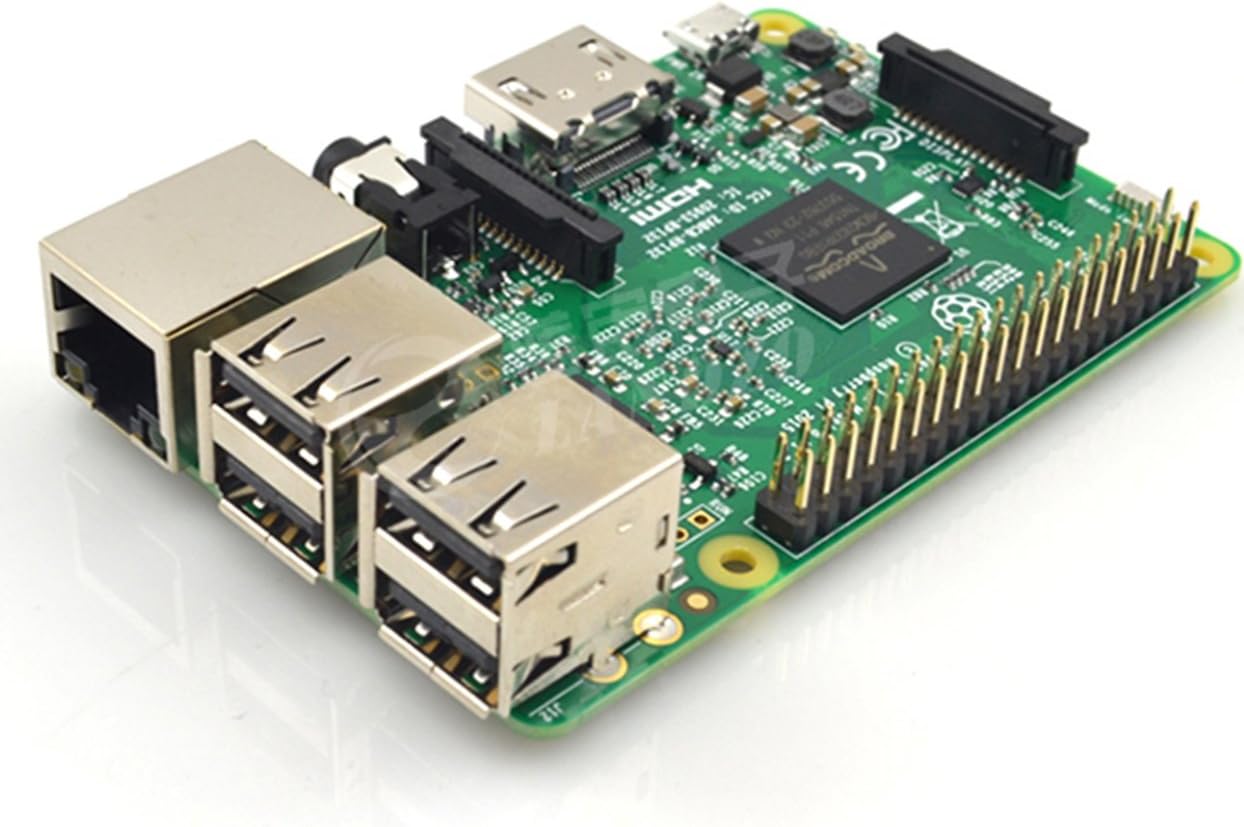


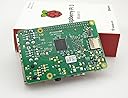
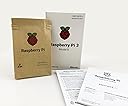
Raspberry Pi 3 Model B+ Board (3B)
Product ID: 36868382
Details
- BrandRaspberry Pi
- CPU ModelA Series Quad
- Memory Storage Capacity1 GB
- Model NameRaspberry Pi 3
- Ram Memory Installed Size1 GB
Buy anything from 5,000+ international stores. One checkout price. No surprise fees. Join 2M+ shoppers on Desertcart.
Desertcart purchases this item on your behalf and handles shipping, customs, and support to Spain.
Product description Raspberry pi 3 Model B Description Raspberry Pi 3 Model B SBC The Raspberry Pi 3 Model B looks identical to the Pi 2 B at first glance. It is the same size and has much of the same components on board. So what is the difference? The new Pi 3 brings more processing power and on-board connectivity, saving you time with the development of your applications. Perfect for your Internet of Things (IoT) designs. Difference of Element 14 version pi 3 and UK version pi 3 The Element 14 version pi 3 is made in p.r.c,but with the same appearance and function with UK version. They are the same thing but two versions of Raspberry pi 3 Model B Pi 3 compare to Pi 2 More processor speed. The CPU on the Pi 3 is one and a half times faster at 1.2 GHz. Your Pi board performs better. On-board connectivity. The Pi 3 features 802.11 b/g/n Wireless LAN and Bluetooth Classic & Low Energy (BLE). You can get connected much quicker without the need for any external device. 2.5 A power supply. With more processor speed and on-board connectivity, you'll need more power. Power supplies for previous Pi boards will not be sufficient. You will need the Official Raspberry Pi 3 Power Supply (9098126 — white) or (9098135 — black). New components. The Pi 3 features a chip antenna where status LEDs were located previously. The status LEDs are still on the board, right next to the microSD card slot. New to Raspberry Pi The Raspberry Pi is a single computer board — developed to encourage and aid the teaching of programming and computing. It is also a fantastic starting point for the development of the Internet of Things (IoT) projects. The low cost and 'plug and play' nature of Pi makes for a board that is accessible to all and has numerous connectivity options. Pi is the perfect experimental tool, whether you want to use it as a desktop computer, media centre, server or monitoring/security device within your home. No limits. Linux-based operating systems run on the Pi with plenty of access to free software and downloads. What is more, there is a great Pi community out there — look at DesignSpark, the design engineer community at internet. FAQ 1.Raspberry pi 3 operation system ? Linux,Raspberry pi 3 support Raspbian,Linux and windows IOT.We recommend Raspbian(Designed for Raspberry pi-Debian) 2.Is there official language? library supports python hardware support library, C / C + + hardware support library and bash hardware support library; the same can write their own language-driven library 3.How to connect keyboard and mouse? USB connector.Recommend wireless keyboard. 4.Can raspberry pi 3 use touch screen? Yes,it support 3.5 inch ,5 inch and 7 inch touch screen,Support 1080px output.All display needs install drivers Review: Works great as a pihole. - I'm using this for a pihole DNS server (check into this, it's simple and well worth setting up). It's a big improvement over the Zero I was using. Nice performance bump. Very stable so far. Review: A spectacularly versatile mini computer. Not for beginners. - This is a spectacular mini computer. For those familiar with computer hardware and Linux, this offers some great capabilities. From stopping annoying ads (pi-hole DNS), to your own VoIP server/PBX (Asterisk with or without FreePBX), to a cheap marine navigation+AIS device (add a BU-353 GPS, and RTL-SDR USB dongles, keep below deck/away from water, and broadcast AIS and backup GPS over WiFi to your Android/OpenCPN navigation station on deck), to setting up your own media server (multiple options), you can easily set up a custom server or servers that fit your needs, all at a very reasonable price. And I haven’t even mentioned automation/robotics possibilities. I wouldn’t recommend Pi for absolute beginners, as there’s a non-trivial learning curve, especially if you’re only buying the board. Novices would be better off with a kit that includes an SD card with a pre-installed operating system. The experienced will be fine buying just the board. As you partition/image a new SD card, keep in mind that default OS images may include multiple partitions, so if you attempt to write an image to an existing partition instead of overwriting the whole card, you’ll be stuck wondering why you’re only getting a red light, and no other activity :). If you can’t see files on the card after writing the image, you need to try again. Hope this helps!

| ASIN | B01LPLPBS8 |
| Best Sellers Rank | #898 in Single Board Computers (Computers & Accessories) |
| Brand | Raspberry Pi |
| CPU Model | A Series Quad Core A10 5700 |
| CPU Speed | 1.2 GHz |
| Compatible Devices | Personal Computer |
| Connectivity Technology | Bluetooth |
| Customer Reviews | 4.7 out of 5 stars 1,669 Reviews |
| Item Dimensions L x W x H | 3.35"L x 2.2"W x 0.67"H |
| Manufacturer | Raspberry Pi |
| Memory Storage Capacity | 1 GB |
| Mfr Part Number | PI |
| Model Name | Raspberry Pi 3 Model B |
| Model Number | 4328498196 |
| Operating System | Windows 10 IoT or Raspbian |
| Processor Brand | Broadcom |
| Processor Count | 4 |
| Processor Speed | 1.2 GHz |
| RAM Memory Installed | 1 GB |
| RAM Memory Technology | sdram |
| Ram Memory Installed Size | 1 GB |
| Total Usb Ports | 4 |
| UPC | 720405537696 713382670890 682710991498 733204454422 717520028451 712217518697 611029132049 608506354513 841454117407 732240734604 780411235481 603097206487 |
| Wireless Compability | Bluetooth |
B**U
Works great as a pihole.
I'm using this for a pihole DNS server (check into this, it's simple and well worth setting up). It's a big improvement over the Zero I was using. Nice performance bump. Very stable so far.
8**9
A spectacularly versatile mini computer. Not for beginners.
This is a spectacular mini computer. For those familiar with computer hardware and Linux, this offers some great capabilities. From stopping annoying ads (pi-hole DNS), to your own VoIP server/PBX (Asterisk with or without FreePBX), to a cheap marine navigation+AIS device (add a BU-353 GPS, and RTL-SDR USB dongles, keep below deck/away from water, and broadcast AIS and backup GPS over WiFi to your Android/OpenCPN navigation station on deck), to setting up your own media server (multiple options), you can easily set up a custom server or servers that fit your needs, all at a very reasonable price. And I haven’t even mentioned automation/robotics possibilities. I wouldn’t recommend Pi for absolute beginners, as there’s a non-trivial learning curve, especially if you’re only buying the board. Novices would be better off with a kit that includes an SD card with a pre-installed operating system. The experienced will be fine buying just the board. As you partition/image a new SD card, keep in mind that default OS images may include multiple partitions, so if you attempt to write an image to an existing partition instead of overwriting the whole card, you’ll be stuck wondering why you’re only getting a red light, and no other activity :). If you can’t see files on the card after writing the image, you need to try again. Hope this helps!
J**Y
Great! Arrived early.
Works just fine, workhorse lil' computer, perfect for a ad-block server, coding practice, educational environments. Arrived two days earlier than predicted.
J**N
Despite the growth of SBCs, the Pi 3 B remains a top contender.
*Edit: In addition to the personal use license of the Wolfram Programming Language, a free copy of Minecraft, it seems Intel has now made the Movidius Artificial Intelligence USB Compute Stick compatible with the Raspberry Pi 3 B - this means you can run Intelligent Systems on a SBC with an ARM chip (e.g., Google's TensorFlow) so long as the Pi has Stretch installed...and you own/purchase the Movidius Compute Stick (approx. $80). So with new boards coming out with integrated AI (e.g., the Kirin 970 chipset at ~$300), the RPi 3 B still remains relevant and competitive. Although the Rasbperry Pi 3 B has been eclipsed in some way or another by numerous SBCs that have recently become available, including it's own successor - the 3 B+ - the Pi 3 B remains lower in price and is a surprisingly robust computer. The Pi3s specs on paper vs countless other boards make it seem like the Pi3 is lagging behind severely. This is absolutely not the case - I can get the Pi3 to run smoother than other boards that claim double the computing power. The main advantage is in it's ease of use, ease of customization, and it's incredibly broad support community. If you run into problems, troubleshooting and overcoming the problem is utterly streamlined. For those unfamiliar with Linux, the Pi3 can teach you a lot. The Pi3 running Raspbian provides a lot of value in terms of software - for one, you are granted a personal use license to use the Wolfram Alpha programming language. For $35, that's a pretty big deal in my opinion. It also has a copy of Minecraft ready to go. And that's on top of the immense library of Linux open software. And the Pi3 lends itself to pushing the hardware - overclocking is simple, only requiring the modification of a config file. So it may have low specs standard, you can squeeze a decent amount of additional compute power. I definitely think the Pi3B is a great purchase for so many reasons. One thing to keep in mind is the need for an AC adapter (pref w a switch) and a microSD card for the OS. Also, some small heatsinks are a good idea and are inexpensive. So there is a little bit you will need to acquire if you don't already have the items needed.
R**Z
Exact match for a replacement
Perfect. No issuss
T**E
Works good
This item is exactly as advertised. Genuine Raspberry-pi.
T**W
Wow! Results are amazing!
I bought this Pi to accomplish the following: To block a significant amount of click-advertising in my home computing space -- any device when on wifi in my home. Results: Amazing. The pic I've attached is of the Raspberry pi-hole admin console which shows what's happening. SPEED performance report: Pages that were taking 7 seconds to load due to ALL the third party links phoning home to their mothers (especially on news sites) bogs down page loading. Boom. None of my fave sites take more than 3 seconds to load now. Ads are being blocked all over the place. AND if speed isn't your issue, think about the satisfaction you'll have from subverting so many companies that are gathering information on you -- just look at those numbers!!! I installed pi-hole as the software of choice. Pi-hole software is downloaded separately, and you have to buy a memory card for the Raspberry pi. I bought this case to go with: it:https://www.amazon.com/gp/product/B07BTHNW9W/ref=ppx_yo_dt_b_asin_title_o01_s00?ie=UTF8&psc=1 Flawless assembly. All the pieces went together, the software installed without a glitch.
A**R
Does exactly what I need
I bought this to build a WiFi print server. After adding an 8GB SD card I had kicking around and a USB power supply and cable that were collecting dust, I'm in business in about 30 minutes. Also re-used an old RP3 stock case which I may add some LED bling. Since Amazon won't let me post a link to the tutorial I followed, just Google "Raspberry Pi WiFi Print Server" and follow the most popular link. The URL for your printer will be (your server's IP):631/printers/(your printer name on the "manage printers" page) and it all worked great. What pleases me most of all is this DIY option is half the cost of the other Amazon offerings and no Windows 10 issues. In fact, it should work on any OS. Last, when this printer dies, I've got a Raspberry Pi 3 to repurpose.
K**R
ROV companion computer
I'm using this as a companion computer for a ROV project.
B**D
Cheap and reliable
Works well, never let me down, has less power consumption than PI4
U**S
Satisfecho con mi compra
Aun no lo uso pero espero que funcione a la perfección... Con el vendedor sin ningún problema todo bien recomendable
M**O
FENOMENALE
Raspberry non delude,si può fare qualsiasi cosa con questo aggeggio, consigliatissimo
C**S
This board was bought to make an observation post for a 3D printer, using OctoPi from the net.
Despite the board and the camera and the WiPi all working, OctoPi boots to a prompt, and refuses to do anything else. This is confounding, because the NOOBS Raspian allows surfing the web, but OctoPi doesn't seem to contact the router. Everybody knows Raspberry Pi works and the board does well. just don;t try to get OctoPI to boot up.
Trustpilot
1 week ago
2 weeks ago