
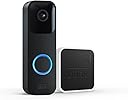



Blink Video Doorbell + Sync Module 2 — Two-way audio, HD video, two-year battery life, motion detection, chime app alerts, Works with Alexa (Black)
Product ID: 363555651
🎤Two-way audio communication
📹1080p HD video clarity
🔋2-year battery life
🚪🔔 Stay connected, secure, and in control—your front door’s smartest upgrade!
The Blink Video Doorbell + Sync Module 2 delivers 1080p HD video with infrared night vision, two-way audio, and a remarkable two-year battery life. Designed for easy DIY installation, it offers customizable motion alerts, cloud and local storage options, and seamless Alexa integration for hands-free control. Perfect for busy professionals who demand security and convenience at their doorstep.
| Field of view | 135° horizontal, 80° vertical |
| Video resolution | Record and view in 1080p HD video during the day and with infrared HD night vision after dark. |
| Photo resolution | View captured images in 640 x 360 nHD |
| Camera frame rate | Up to 30 fps |
| Size | 130 x 42 x 34 mm |
| Weight | 91 grams |
| Power | Blink Video Doorbell Power: 2 AA 1.5V lithium metal (non-rechargeable) batteries. Existing chime wiring: 16-24 VAC Sync Module 2 power: 100-220V AC to 5V DC converter included. *Battery life of up to two years, based on default settings. Features may vary with configuration and settings. Battery life will vary based on device settings, use, and environmental factors. |
| Requirements | Always-on high-speed internet connection (such as broadband, fiber, or DSL). Wifi network: 2.4 GHz 802.11b/g/n. |
| Connection | Battery or wired |
| Available colors | Black, White |
| Minimum smartphone requirements | iOS 17 Android 10 Fire OS 8 only |
| Blink app | Blink Home Monitor |
| Included in the box | Blink Video Doorbell, Sync Module 2, 2 1.5V non-rechargeable AA lithium metal batteries, mounting kit, USB cable, and power adapter. |
| Audio | Speaker output and 2-way audio recording. |
| LEDs | 1 LED ring to help you know when it’s active (optional). Flashes in blue, red, and green. |
| Warranty and service | 1-year limited warranty and service included. Use of Blink devices is subject to the terms found here. |
| Support | Click here to view more information on the Blink Video Doorbell support page. Click here to see the setup guide. |
| Generation | 1st Generation |
| Operating temperature | -4 to 113° F |
| Software Security Updates | Learn more about these software security updates and get information specific to your device. |
C**C
This checked all my boxes for home monitoring system
I was initially looking at another brand because they had a wireless video doorbell that came with its own chime. My home was built in 1897 and I don't have existing doorbell wiring or chime in the house. So wireless doorbell that came with a chime was the way I wanted to go. Only problem, this other brand didn't offer all the options and/or configurations I was hoping for. Then I was introduced to Blink. It had all the options I needed. Granted it doesn't have its own chime, BUT....you can use the mini or Alexa as your indoor chime. Perfect! Had the corner mount so I could point the video doorbell camera towards the entrance to the porch. Again, old home on a corner with a wrap around porch where the entrance to the porch was on the corner and the door was at the end of one side. Does me no good to have the camera pointing straight ahead into the front yard. You can mix and match all of the devices to get the optimum setup for your needs, and they all connect seamlessly. Then I started doing my research on Blink. Reading the reviews from customers really made me question if I should buy. Too difficult to install. Too difficult to set up. Can't connect to Alexa. Battery life a fraction of what they claim. Cameras always disconnecting. I'm glad I ignored the reviews, chalking up the technology issues to people just not being tech savvy. I was right. Installation was extremely simple. Not a fan of the online instructions instead of a booklet, but I managed. Sync Module, video doorbell, 3 outdoor cameras and 1 mini indoor camera connected to the Blink system with no issues. Connecting to Alexa was equally as flawless. Set up the Blink skill in Alexa and "she" immediately found all the Blink devices. Our Echo in the living room, Echo Dot in the bedroom and the indoor mini will all serve as chimes wherever we are in the house. The Echo devices will also announce any motion detection. We can arm and disarm the system by voice command with Alexa. Disarm does require a voice pin code which you have to set up in the Alexa app. Setting up and managing the devices in the blink app is fairly intuitive and straight forward. You can adjust the motion sensitivity, set up privacy and no detection zones. After setting up the doorbell out of the box, we would get random motion detection notifications. After checking the clips, it had to be either vehicles passing in the street facing the door, or a flag flapping in the wind at the end of the porch where the steps are. I shut off motion detection in the street, lowered the sensitivity slightly, but left the flag area on, and no more false detection's. So it was definitely not the flag tripping it. Camera still picks up people as they come to the top of the steps and alerts us. Video quality is pretty decent. I'm please so far. Haven't been able to test what the night video looks like, or the two way voice at the doorbell yet. Once I am able to and if there are any real issues, I will edit my review. As far as battery life, it's too early to tell. All the documentation I have read indicates that with the sync module and turning off settings or features you don't really need will extend the battery life to the 2 years claimed. Time will tell. If I had a complaint so far, it's the fact that the time it takes from notification until a live view of the camera finally comes up in the app, the person tripping the motion detection has dropped off the package and left. That timing needs reduced greatly.
S**T
Excellent product with incredible support
Not only is the product an excellent one but the support is off the charts! I purchased the Blink doorbell in Nov, 22 basically, to test it's ability to detect motion and to determine the quality of the recording. If it was as good as I hoped, I planned to add three outdoor cameras. I am most pleased to advise, the motion detection is excellent (picks up our resident wild rabbit at over 40 feet) and the video quality is extremely good. The IR quality diminishes with distance but up to about 50 feet, it is quite good. In Jan, 23, I added three outdoor cameras not for the purpose of security (although they would be excellent in that application) but to capture the nocturnal wildlife that frequent our Mountain ski resort home. We have captured excellent video footage of elk, deer, rabbits (we have a couple living under our deck) coyotes, raccoons, a bob cat and even one mountain lion. We could not be more pleased with a product for this purpose. Our home is multi story and somewhat spread out and we have found that we cannot always hear the centrally located door chime if we are away from the center of the house. In circs, we purchased (from Amazon) two Wasserstein wireless chimes - one for down stairs and one for up - that claimed to be compatible with the Blink system. We were unable to make them work. I asked Wasserstein for assistance via email (the only option) and received an ambiguous reply a couple of day later. In the mean time, I called Blink support and was blown away. Not only did they answer the call in less than 45 seconds but in about a half hour, they diagnosed the doorbell unit as faulty and said I would receive an email indicating resolution plus a replacement unit. Get this: THE EMAIL ARRIVED WITHIIN 30 SECONDS OF DISCONNECTING THE CALL and I had a second email within two hours advising Blink was overnighting the replacement doorbell unit and providing tracking information. Unfortunately ,UPS took two days to get the replacement to us due to our remote mountain location but that was not Blinks fault - BLINK WAS ALL OVER IT. We had similar issues with pairing the replacement unit with the Wasserstein chimes and I called Blink support a second time. Again, the phone was answered in less than a minute and the technician had the issues sorted out within 15 minutes EVEN THOUGH HE HAD NEVER HEARD OF THE WASSERSTEIN CHIMES. Absolutely incredible service. I recall reading a mission statement some where that stated it was Amazon's aim to become the best online retailer in the world and I must say, in my opinion, they have done it. Due to our remote location (the nearest Walmart is 80 miles away) we order heavily from Amazon - over 100 orders per year and I am glad to report that Blink, which is owned by Amazon, is every bit as good or even better than Amazon. Well done!
T**D
Has met my expectations.
The Blink doorbell and sync module have been working well for me. Both were easy to install and set up. I hardwired the doorbell. Purchased an adjustable bracket for the doorbell and a sync module wall mount holder with thumb drive separately. I first bought the wired Blink floodlight camera, and I liked it so much I purchased the doorbell camera and sync module. I have been using both for over a month now and have gone past the free cloud recording stage. The floodlight camera works better than the doorbell in my opinion. My primary reason for saying that is the doorbell camera is slower to open than the floodlight for some reason. The doorbell display spins for a longer period in the app before it opens. The picture is nicer with the floodlight camera. With the cloud service, the recording's viewing feature was very good. Happy with the operation. Now that my free cloud service has expired, my recordings are done thru the sync module via a max allowable sized thumb drive. I am happy with the sync module. It has been working well. There is a slight delay in being able to view the recordings after motion is detected and alerted on my phone with the sync module not noticeable with cloud recording. Appears to take some time for the system to record them for viewing on the sync module. Not a big deal. Just something I noticed. Overall, I am happy with the Blink cameras and sync module.
R**E
Second Time's the Charm
I first bought this in October of 2021 and my impression was, "it's good enough for the price." I've had two years and quite a story to tell, so get comfy. The short version is that I'd definitely recommend it, especially if Ring is a little too rich for your blood, but there are some caveats to be aware of. The first complaint I had with it was the sync module that it came with for storing the video clips. Put simply, there's really no using this without the subscription plan. Blink had told me the doorbell will sync with the module without a plan, but I never got that to work properly. I'm not mad; if I wanted a standalone, cloud-free solution, I had a myriad of other options besides Blink. Just be aware you should get a plan for it. It's a service first, a product second, if you follow. Something else to be aware of before we move on is to keep that little tool they include with it for dismounting the doorbell from the bracket. You can still remove the doorbell without it using a small screwdriver, but it's a pain. Whatever helps you hold onto that little metal key, go for it. My second complaint was the "motion zones" feature where you set blind spots so it doesn't get set off by every passing car. Trouble is, this never worked. I just resigned myself to scrubbing the clips everyday of anything that wasn't someone coming to the door and/or ringing the doorbell (the clips automatically erase after a set period of time, so you could simply wait it out rather than taking my proactive approach). What did work in this menu was the privacy zone. It's like the motion zones, only it puts a gray box over a designated area that's "baked in" to the video. The way I had the doorbell positioned, it was possible to see the keypad to my door. I didn't like the idea of that info being on the cloud, so I grayed it out. My third complaint is the most important one: fogging. This thing fogged up at the slightest drizzle. It would clear up with the sunshine, so I didn't think much of it. About a year and a half goes by and not only did it fog up again, but it stayed fogged up. I took a look at it and found the fog was on the inside. It looked like a mineral build up. This left a big, fuzzy blind spot in the center of the video, which rendered it almost useless. Faces were clear so long as they stood close enough to the door, but this was hardly ideal. I couldn't find any teardowns or anything that would help me get inside the camera and treat the lens from the inside, so I simply dealt with it, keeping my eyes open for other options. In December of 2023, I got another doorbell on sale for about half off. My thought was I'd pop the old doorbell off its mount and put the new one in its place, relegating the foggy one to another door (better than nothing). Trouble is, in the two years since I bought that first doorbell, Blink made improvements to the design. For starters, the batteries are no longer exposed. They're behind a panel and in fact I couldn't see any exposed circuitry like on the old one. I guess enough people had complained about the fogging for them to do something about it, though it remains to be seen if this one will have the same fogging problem (it's only been installed for about a week as of this writing). Unfortunately, this redesign meant I couldn't use the old mount, which angled the doorbell about 30 degrees so its field of view would encompass the whole porch. My solution was to move the doorbell to the opposite side of the door since it was closer to the knob and you could still see the stairs and walkway leading up to the door. As for value, I'm happy to say it's reached a point where, as far as I care, it's paid for itself. Even if I had paid full price for the second doorbell, it would be worth the peace of mind. I caught a porch pirate. The whole reason we got the doorbell in the first place 2 years ago was because our neighbors had the car broken into. All was quiet thereafter, until a few days ago when a package arrived from Amazon. I got a notification while I was on break at work, so I scrolled through the clips and there they were pinching my package in broad daylight. I won't share the screencaps, but I caught this person red-handed walking (awkwardly) up to my front stairs, leaning over, grabbing the package, and walking away. I got three whole clips of their vehicle as well, a very conspicuous looking red coupe with mismatched orange body panels. I downloaded the clips to my iPad, went to the Police station a few blocks away, gave them all the pertinent details, and showed them the clips. The officer asked me to email it to him, and informed me that they might know the suspect. Apparently, they'd gotten some reports of suspicious activity, but couldn't prove anything had been stolen. I'm still waiting to hear back from the officer, but hopefully justice has been served. If anything, I hope the thief found a good use for the parchment and foil pans.
S**E
Well, it works like it said it would
In the process of automating my home, and finally got around to adding a video doorbell. Awhile back I decided to go with amazon, mostly because the non-internet version (hubitat) I settled with was too involved a process to set up, and required more attention. I'm gone alot, and have a truckload of things to do when I get home, so I literally don't have the time to mess with something like that. Enter Alexa's repertoire of things I can utilize. Since I'm already subscribed to pretty much everything amazon has, may as well just go all in, right? Anyhow, item came in a day early (surprising, since I live in the middle of nowhere) along with my tp-link mesh system. Pretty much doing a tech overhaul at my house. Got rid of Starlink (great service, but support sucks in general) since spectrum entered into the area and signed up with them. Starlink uses just a single wireless router if you don't want to spend more $ for additional hardware. And then there's other issues I just didn't want to subject myself. I digress.... Set up the mesh system, got spectrum running, and started connecting things. First thing was the doorbell. This to me is still a novel thing. Yes I know its been around for awhile now, but remember, i'm doing a tech overhaul here. Didn't bother with such things before, nor cared too much about em. So, after some thinking, I installed it at the traditional place (front door), and used the wedge to angle it a bit to catch the front sidewalk. Connected it to the mesh system (took a minute, as I was unfamiliar with the system). It pretty much installs itself. It's all run off the phone as far as configuring and whatnot. You WILL be required to install the blink app. It's not part of the amazon app. Not sure why, ask Jeff about that one. Sync module is a no brainer, just follow the directions. Here's the interesting part. I don't need yet another subscription, so I opted out of the cloud storage thing. With the app, you can pull clips off the sync module using your phone, and do whatever you want with them anyhow, don't need a sub to get it. Save yourself a few dollars and go the route I went. Get a usb stick. HOWEVER, I didn't get a usb stick just for the sync module. I have a microsd storage card (350 gig) from my previous phone that I couldn't use in my new one (fold 5), so it just sat around being randomly used as a transfer tool between pc's. So why not use it as storage for the module? Well, I plugged it into a sd card multireader and stuck it into the module... AND IT WORKS. Amazon states max is 250, but I've got an extra 100 gigs with my microsd card :) Will tech support help if it breaks down? Doubt it. The research I did says that although higher capacity cards may or may not work in the module, support is limited to cards with a max of 250 gigs. Not sure how that works out, but I don't write software so whatever. Long story short, camera works great. Fiddle with the sensitivity though. I set it too high (lvl 7) and got alerts from the clouds going by. Dropped it to 6, but its too dark to tell if that helped. In the end, i'm happy with my purchase. Quality is great, and does what it says it's supposed to do. Good luck!
R**R
Poor battery life, issues with local storage
I've had the system installed for about 3 weeks, with a doorbell, and 1 outdoor camera and a sync module. My goal was to add some cameras to my property on top of my Ring doorbell and get out of a monthly/annual subscription. The main positives to this system were a straight forward and easy setup, and of course, the price point of the units is very attractive. But, past that, you get what you pay for and I'm getting ready to box back up and return because: 1) Doorbell battery life is HORRIBLE and unacceptable. No way anyone gets 2 years...I got about 3 weeks. And customer service tells me I'll get much WORSE battery life if I go to cheaper alkaline batteries. I have had a lot of traffic, and I've upped the video resolution setting to get the best video, but it's just dumb there isn't a hardwire and forget it option for this product. Replacing batteries, and spending up to $5 per MONTH (per device?) on Lithium batteries is stupid and wasteful and expensive. My ring doorbell has been installed for 4 or 5 years and I've never had to touch it...that's what a doorbell should be when you have power run there anyway. The outdoor camera does not give a % battery life, but is still listed as "OK", so I'm not sure how long I'll get out of that, which sees about the same, maybe more motion. 2) Local sync wasn't working. Customer service was responsive, although slow (think 1 response every 24 hours via email slow.) I was told there is a bug that the developers are working on to fix the sync to local usb option (for past 2 weeks). You can't have the trial membership and the local sync option at the same time, so if you go to local only to try it, you are done with your free trial. Without this feature, I'm running out of time to return and am simply just not impressed enough to take the risk. 3) Video quality is marginal. I knew this going in that it wasn't as high resolution as the Eufy options but I wasn't able to zoom in and read a license plate of a car parked maybe 20 ft from the camera. Deal breaker for me. 4) I felt time to see video was slower than Ring, such as the time from the alert popping up on my phone, pressing the alert, the app opening, and the video loading. And I am currently on cloud service because local sync is not working, which supposedly will slow down the response time further. In summary, at this price point, if the local sync function was working, and the doorbell had a direct wire option I'd probably be satisfied, but these are two big misses for me to keep the product. UPDATE: Lowered to 1 star. For 1 month, I've been trying to resolve the above issues with customer service. While they continued to respond approx 24 hours after any email I sent, the responses never provided a solution, never gave me an ETA of the software fix, and were vague in general. They simply kept trying to "reset" my system which never worked. After 1 month, I had save to local storage working in two spans for a total of less than 24 hours total. Today I uninstalled the equipment to return it, and installed a EUFY system which is up and running and saving to local storage. I also got a response from another BLINK customer agent that says the above issue was resolved weeks ago and should be working. (Spoiler: Is wasn't). They wanted me to set up another free cloud trial to get my save to local working (???) , but my patience with this product was done.
W**.
Works great
I really enjoy my blink video doorbell, it works great, especially with the right plan and sync module
K**K
Buggy and Slow
I needed cameras around my house outside so I purchased this along with three of the indoor cameras. (The indoor ones I positioned facing outward through windows rather than purchasing the outdoor-specific due to difficulty mounting in brick.) For the doorbell device: 1. It said it had long battery life. I installed this in mid July and the batteries already need replaced. And you have to get it off the mount to get to the batteries. Which leads to my second issue.. 2. It is a b**** to get into the mount. You screw the mount that comes with it into your wall of choosing and “simply” click the doorbell into it. NOPE. 45 mins later I FINALLY got it in after all kinds of YouTube videos and adjusting how far the screws were screwed into the mount. And after reading other reviews I see this has been an issue for others as well. 3. It’s glitchy and slow. I have one of my indoor cameras facing out the window that is right next to my front door (where the doorbell is mounted) and the indoor catches 4x the amount of motion as the doorbell cam. And it’s inside, behind glass, dealing with limited visibility and glare. 4. The quality of the camera and reaction time is very lacking. Is catches things just as they’re exiting the field of view and the night vision is blurry and horrendous no matter which settings you switch it to. 5. Last two points are for the blink system as a whole. I wish they had a recording option for continuous motion. After that 15 seconds is done, it’s DONE. When people come up towards any of my cameras, even if they’re still actively moving, it stops at the end of that clip and the motion will NOT re-trigger to begin a second clip. For example when I have people come up to my door to deliver a package they’ll be ALMOST to my door, the clip is over, and they clearly were still moving and stuff because then when I go to check the camera after the alert the package is there and the person and their vehicle are gone. 6. Which leads to my last point. The DELAY. If something was actively happening it alerts you AFTER the clip has been recorded and made, sometimes minutes afterwards, not as the action is happening. So then by the time you see the clip and then jump to the live feed, too bad so sad it’s done and over and oh well. And I’ve had several times happen where the camera infinitely loads and I’ll get an error message so the app itself is glitchy (I have gigabyte wifi so that’s not the issue.) With other systems such as Ring all of these are avoided. When motion happens you’re INSTANTLY alerted, it records for the ENTIRE time there is active movement, and it uses as a charging cord so battery life lasts MONTHS. Only reason I didn’t give this lower stars is because it technically works, but you definitely get what you pay for. Ring is a bit more expensive but it definitely works more effectively so I’m considered returning this system and sucking it up and paying more because even though this system is one of the cheaper options it’s still a decent amount of money at the end of the day for it to have all these issues.
Trustpilot
2 weeks ago
1 week ago