


Buy anything from 5,000+ international stores. One checkout price. No surprise fees. Join 2M+ shoppers on Desertcart.
Desertcart purchases this item on your behalf and handles shipping, customs, and support to Spain.
⚡ Elevate your MacBook Air setup—dock, connect, and conquer your workspace!
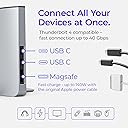
The Ascrono Docking Station is a precision-engineered vertical dock designed exclusively for 13" MacBook Air models (M2 through M5, 2022-2026). Featuring dual Thunderbolt 4 USB-C ports with 40Gbps speeds, it supports dual external displays and rapid charging. Its sleek space gray alloy design declutters your desk while advanced heat dissipation keeps your laptop cool during extended use. Perfect for professionals seeking a seamless transition between mobile and desktop productivity.


| ASIN | B0BNSQ2N52 |
| Best Sellers Rank | #12,547 in Electronics ( See Top 100 in Electronics ) #200 in Laptop Docking Stations |
| Brand | Ascrono |
| Color | Space Grey |
| Compatible Devices | 13" Air M2 (2022), 13" Air M3 (2024), 13" M4 Air (2025), 13" M5 Air (2026) |
| Customer Reviews | 4.0 out of 5 stars 392 Reviews |
| Global Trade Identification Number | 00850041543116 |
| Hardware Interface | USB Type C |
| Item Dimensions L x W x H | 11"L x 5"W x 5"H |
| Item Weight | 3.13 Pounds |
| Manufacturer | Ascrono |
| Mfr Part Number | DS-L-TE-R1 |
| Minimum Required Operating System Version | Mac OS 13 Ventura |
| Model Number | DS-L-TE-R1 |
| Number of Ports | 3 |
| Product Dimensions | 11"L x 5"W x 5"H |
| Smart Home Compatibility | Not Smart Home Compatible |
| Total USB Ports | 2 |
| Total Usb Ports | 2 |
| Unit Count | 1.0 Count |
| Warranty Description | 1 |
B**I
A Great Dock!!
Although it is a little pricey, this dock has worked great for me so far! I come to work and plug it in - BAM! I'm in business. Having the ports on one side still available is a great bonus. I do have 3 peripheral USB HUBS to connect all of my gear directly and one daisy chained to another. This is mostly to get 3 separate monitors that can all run their own - no mirroring. A mess of wires on the backside which I'd rather not have (open to product suggestions to achieve this more simply!!) On the front end though, it's all plug and play by just inserting my MacBook
S**G
Negative experience, turned around
Updating the review after a very positive experience with support. For full details, I purchased the dock in 2024, and the MagSafe connector stopped working in the sense that it would not securely connect to my MagSafe charger. I reached out on April 8, expecting either a solution for replacement or some form of support, and did not hear back from support. I also then reached out on April 14th, April 20th, and April 22nd. It was only after leaving the May negative review on Amazon that someone finally responded on April 29. However, I will say that despite the late response, they did make things right by providing a replacement at no cost and did the right thing by their customer, which I have to appreciate and acknowledge. Given my unique circumstances, the support team was able to work with me to get a replacement dock, and I really appreciate them doing the right thing by me as a company. Will buy again in the future.
C**Y
USB Ports Failing After 1 Year
Worked well for about a year, then devices connected to the USB-C ports began frequently disconnecting/reconnecting. Very disappointing considering the original cost of the dock.
D**B
Very nice dock
I was a little skeptical buying this given the price tag; I have to say it's nice! I leave everything hooked up and when I get to my office I just slide in my MacBook and get to work. I don't have random wires hanging out on my desk and it does take up less room than having my laptop laying down.
J**Y
Good for connecting multiple docks with multiple monitors v2
For some background, I’m using this docking station with an M2 MacBook Pro 14” which does not allow you to connect two HDMI displays to a single thunderbolt port. You also can’t daisy chain DisplayPort monitors. As far as I understand it’s only possible via daisy changing two thunderbolt displays, which are very expensive, or using a DisplayLink dock. With this docking station, I can leave my two OWC USB hubs plugged into it and connect everything at once by sliding my MacBook Pro in. The product seems very well made, although I can’t comment on the MagSafe port. Personally I don’t use the MagSafe port because my other connected devices charge my computer. One thing I noticed is it does take a few seconds for my monitors to turn on when I jiggle my mouse, but this is more of an issue with my monitors and using a MacBook it clamshell mode, not a commentary on the docking station. Overall, this product is pretty expensive for what it does and you could probably achieve something similar with a cheaper 2-port USB C extender, but I got this for convenience and because it’s sleek. I’m satisfied with it, so if you have the cash and a use case similar to mine, I’d recommend it.
P**G
Revised : Makes switching easier, glitches fixed
works well with regard to fit and general operation. My display at times goes out and then comes back on, I have played wit the cable but that did not fix it. Also if you have a powered external drive, anytime your computer goes to sleep, it will read your drive as being incorrectly ejected. I got 40 messages over one weekend. After reporting this to the company they proactively offered to refund my money and also stated I could keep my dock and offered solutions to try to keep my drive connected. In the end I was able to find a solution which was to keep my USB Hub powered not only by the USBC connected to the computer but the additional port for USBC power input on the dock. That solved the drive disconnection issue. Well done, and great customer service. Now this dock is a part of my daily workflow.
K**E
Space saver with functionality
This docking station is all I expected and more. It allows me to fully enjoy the functionality of my MacBook Pro and save space on my home office desk.
A**Y
Your WiFi connectivity will suffer
It is the only usable, solid dock out there but it, unfortunately, has one fundamental product flaw: Most sender/receiving hardware (particularly the wifi antenna) get shielded quite heavily when the macbook is in the dock -- expect speed & connectivity to drop 60-80%; I have around 800 mbits download when the macbook is closed, on the table and connected to a monitor and around 160 mbits when it's connected the same way but through the dock. There is also intermittent connection interruptions due to the dock, but otherwise it's great.
P**E
soporte
es muy comodo y carga
D**C
MacBook Pro dock that works
Excellent addition to my MacBook Pro. Great space saver on desk and saves additional power cables plus allows networking with desktop monitors and other Apple hardware. Substantial feel to the docking ‘cradle’ and easy to setup.
S**A
super handig!
super handig. werkt gewoon met mn Thunderbolt 4 aansluitingen. Je schuift je Macbook er met 1 hand in en uit.
K**G
Super Teil!!! Absolute Kaufenpfehlung!!
Die Dockingstation passt perfekt für den MackBook Pro und ist sehr platzsparend. Ich verwende diese mit der "Minisopuru USB C Dockingstation (13 in 1)" auch von AMAZON - alles prima!!!
C**R
Meilleure organisation du bureau
Top, parfait fonctionnement
Trustpilot
1 week ago
5 days ago