Buy anything from 5,000+ international stores. One checkout price. No surprise fees. Join 2M+ shoppers on Desertcart.
Desertcart purchases this item on your behalf and handles shipping, customs, and support to Spain.
๐ Elevate your network game with pro-grade speed, security, and control!
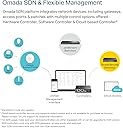
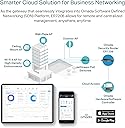
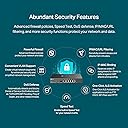
The TP-Link ER7206 is a high-performance multi-WAN gigabit VPN router designed for professional environments. Featuring 4 flexible WAN/LAN ports, it supports up to 150,000 connected devices and 700 clients simultaneously. Integrated with Omada SDN, it offers centralized cloud management and advanced security protocols, including support for over 250 VPN connections. Built for reliability and scalability, itโs ideal for modern offices and demanding home networks.


| ASIN | B08TQN7NMG |
| Antenna Location | Business |
| Antenna Type | Internal |
| Best Sellers Rank | #2,614 in Electronics ( See Top 100 in Electronics ) #26 in Computer Routers |
| Brand | TP-Link |
| Built-In Media | ER7206, Power Cord, Quick Installation Guide |
| Color | Black |
| Compatible Devices | Personal Computer |
| Connectivity Protocol | Ethernet |
| Connectivity Technology | Ethernet |
| Control Method | Remote |
| Controller Type | App Control |
| Coverage | Up to 150,000 devices |
| Customer Reviews | 4.5 out of 5 stars 611 Reviews |
| Data Transfer Rate | 1 Gigabits Per Second |
| Frequency Band Class | Dual-Band |
| Global Trade Identification Number | 00840030701474 |
| Has Internet Connectivity | Yes |
| Is Modem Compatible | No |
| Item Dimensions L x W x H | 8.9"L x 5.16"W x 1.38"H |
| Item Type Name | Router, Bridge, Wireless Access Point, Switch, Modem |
| Item Weight | 2.01 Pounds |
| LAN Port Bandwidth | 10/100/1000 Mbps |
| Manufacturer | TP-Link |
| Manufacturer Contact Information | Richmond Hill, ON L4B 1J5, CA |
| Maximum Upstream Data Transfer Rate | 4000 Megabits Per Second |
| Mfr Part Number | ER7206 |
| Model Name | ER7206 |
| Model Number | ER7206 |
| Number of Ports | 4 |
| Operating System | Linux |
| Other Special Features of the Product | Internet Security |
| RAM Memory Installed | 512 MB |
| Router Firewall Security Level | Advanced |
| Router Network Type | wired |
| Security Protocol | WPA2-PSK, WPA-PSK, WPA2-Enterprise, WPA-Enterprise, WPS, WEP, WPA3 |
| Smart Home Compatibility | Not Smart Home Compatible |
| Special Feature | Internet Security |
| UPC | 840030701474 840460604642 |
| Unit Count | 1.0 Count |
| Voltage | 110 Volts |
| Warranty Description | 5 Year Manufacturer |
| Wi-Fi Generation | Wi-Fi 5 |
| Wireless Communication Standard | 802.11ac |
| Wireless Compability | 802.11ac |
J**S
Great product and excellent tech support
I purchased this product, hardware version 1.6, more than 2 years ago, and it has been performing perfectly since then without any issues. The product has a good look of design as usual in a rectangular shape that is constructed proportionally so-called Golden Ratio - visually appealing. It supplies a web platform for administrators to manage networks via a very clean visual design of the user interface as well - actionable items or tasks are categorized and arranged very clearly for the administrators quickly locating the tasks to perform such as monitoring the runtime issues or solve specific problems in configurations. I use this product constructing my home network that is pre-wired in Cat. 6 Ethernet in every room, and VLAN segmenting Wi-Fi network from the wired network, my home office, children, and guest accesses. Technically, my review only pertains to the features of WAN/LAN, not VPN yet. This product provides what I need and performs well as expected without any issues. I haven't had chances to try out the other features such as VPN as mentioned before, including Omada SDN Integrated Load Balancer but the load balancing in software configuration will be my next plan to implement. I am definitely confident in its functionality. Also, the manufacture's tech support is very responsive in communications and the solution provided to solve the issue of the firmware update is efficient and quick. Overall, great product and the customer services, two-thumbs up!
M**R
Working non-stop for 18 months.
Bought mine on June 2024. Year and a half later no problems at all. The room is air conditioned and the router is supplied by an UPS. Working non stop. Excellent piece of equipment.
V**S
Well designed piece of equipment
I'm replacing an out of support Sonicwall with the TP-Link. No real complaints about the Sonicwall other than the cost of the replacement and yearly maintenance being a bit more than I want to spend at this point. Did some research and settled on the TP-Link ER7206. The cost of which is less than a year of Sonicwall support. History dictates one sets aside some time to set something like this up so I blocked out a day and started in the morning. Much to my amazement I was done with the basic setup and had internet connectivity in about 20 minutes. There were more settings to be tweaked of course but that was a really pleasant surprise. Setting up DHCP and assigning static addresses took about another 20 minutes. VPN was a bit more complicated. If I was going to pick one nit with the TP-Link it's that the online help did not always reflect exactly what was in the UI. But that is a minor complaint. The TP-Link ER7206 has been running without issue since the initial setup. I unreservedly recommend this device.
K**N
Outstanding Value for a well designed Wired (not WiFi) VPN Router
This offers much better VPN speeds (throughput) than the TP-LInk TL-ER605 so if someone is considering buying that model, they should consider this instead for a few dollars more it is much faster with more memory and processing power. Although considered a business product it is well suited for the home. I see many "VPN routers" advertised which actually only support VPN connectivity for connecting into the network where the router resides ONLY as a VPN SERVER - for people to connect to it from the outside through a VPN tunnel - NOT for their router to connect as CLIENT to a VPN tunnel where the other end is a VPN server (for example connecting to an office remotely FROM this router, or connecting directly to an external VPN server for internet access through a VPN service provider). This router does both. For people using a VPN provider for security this is a good option especially as it is smarter to split the WiFi and VPN processing work across two devices so as to minimize the processing load on any one piece of networking equipment. However, at this time, it does not yet support acting as VPN CLIENT to connect to a VPN provider or external VPN server using the OpenVPN standard (that is coming shortly through a firmware update as this is a new product). Note, although the support staff is very responsive in a timely manner, they sometimes do not correctly answer complicated technical questions - for example saying something cannot be done when I have found a way to make it work. Until a recent firmware update which was available a few days ago, this unit would run very hot although it does not anymore after the update. Also this router does not support WOL (Wake On Lan) but for what can be considered a business class Wired VPN Router, that is typically not a requirement. The interface takes a little getting used to, although it does work quite well. This is a quality product, they only reason why I did not give it 5 stars is because of the tech support item mentioned earlier. However, if you have this router you should strongly consider getting the TP-Link Controller (model OC200 (home) or the newer OC300 (business)) - please see my review for the OC300 which I also own.
K**M
This device has some issues. EDIT: tp-link support was responsive and corrected the issues
This review is for the "VPN Router" (TP-Link ER7206), Not the "Hardware Controller" that shares the same listing. This device has some issues. It would probably be fine for a Home user, but for a Business that relies on these functions it is severely limiting. Update: TP-Link support was able to help me resolve a few of the issues, but these remain: 1. The SNMP functions are broken. SNMP only gives you the Bandwidth for the One Cat5e WAN Port. It does not show bandwidth for the SFP/WAN or any of the WAN/LAN links. TP-Link support confirmed that they are aware of this issue. "This is a known issue, and our R&D team are already aware of this." 2. The DHCP Server is missing critical options. Setting up a PXE Server requires DHCP Options 66 and 67. This Router allows you to set Option 66, but not Option 67. It appears that this router was designed with Only IP Phones in mind when they wrote their DHCP Code. It does not allow you to set the necessary options for a PXE Server. TP-Link has not responded to my support request regarding this yet. TP-Link Support has been helpful in resolving the other issues I had configuring this device. Their Documentation is lacking, and Support requests some times take two or three days to receive an answer. EDIT: After many months, TP-Link has released a Firmware update that corrected the SNMP and DHCP issues. If you purchase this device, I highly recommend upgrading to the latest firmware.
D**N
Doubled my internet throughput from my old Meraki.
It takes some time to get used to the configuration of Omada gear. It's not normal and doesn't quite make sense. I've worked on networks and routers and switches for over 40 years, so I know what i'm talking about. Overall this gear works great, just a bit weird to configure, some of the controls and how and where you setup things, example: like static DHCP clients, sucks. I still don't think I could find where you set up a static DHCP, without going through 20 screens. All the normal network concepts are there for a business, but just in some odd places and the flow of the config doesn't always make sense. Once this is set up it working it's great. I put in this ER7206 and it has double the throughput of my old Meraki (end of life MX64). So I got a nice speed increase on my home internet using the Omada. Overall I prefer business grade equipment for my home use and I'm happy I went with TP-Link Omada great price for performance, but at the cost of odd configuration and setup.
B**N
TP-Link ER7206(UN) V2.6 - Omada Gigabit VPN Router
The TP-Link ER7206 VPN router is a crucial component of my upgraded home office network. Transitioning from a Nighthawk CAX80, this router has significantly improved my network's security and performance. The VPN features are robust, providing secure remote access to my network. The router integrates seamlessly with the TP-Link Omada system, making management a breeze. Network performance is excellent, with improved throughput and reliability. This VPN router is an excellent choice for anyone looking to enhance their network security and performance.
L**G
OC200 - make sure your router/switch has a POE port
I used to be pretty tech savvyโฆback in the day I upgraded RAM, added a secondary hard drive, partitioned a hard drive to run two different operating systems, and set up a home network with router, hubs, and switches. Notice I said used to beโฆover the last 10 years or so I havenโt had a need to do any of those things. I bought my computers configured how I wanted them. I used the router provided by my ISP. Last year, we were running in to signal/coverage problems with our home Wi-Fi. Iโd been reading about the mesh Wi-Fi systems, and when I found a killer deal on Woot, decided to give the Deco system from TP-link a try. The setup was easy, and it solved our coverage problems. In the last 3 years our ISP has had two major outages due to lines being cut by construction crews. These were both multi-day outages. The first time was annoying. The second time was a problem because I was working remotely that day, and had to get ready and drive in to work in the middle of my shift. After the second time I decided to sign up for a secondary ISP. Overkill? Probablyโฆbut I hated always worrying about whether the internet would go down again. With two inputs, I wanted a way to be able to use both of them, without having to physically disconnect one and plug the other in. Iโd read about load balancing routers. I did a lot of research, and finally decided on the TP-link ER7206. It looked like it would do everything I needed. Wellโฆit kind of didโฆ Once it came and I started to install it, I discovered that you need a controller to utilize the load balancing and multiple input features. You can either use a physical controller, or the cloud-based software. I was going to opt for the software, but then discovered you had to run it on Windows or Linuxโฆand I have a Mac ๐คฆ๐ผโโ๏ธ SoโฆI got back on Amazon and purchased a hardware controller (TP-link OC200 in case you wanted to know). The main difference between the OC200 and OC300 is the 200 is POE (power over EthernetโฆI.e. no power cordโฆit gets its power from the Ethernet cord). Ok, sounds like I have everything I needโฆrouter, hardware controller, and mesh system. We finally got the second ISP installed today, and I decided (on 3 hours of sleep) to bite the bullet and set up the new router. I started plugging things in, and was confused when the hardware controller didnโt power on when I connected the Ethernet cableโฆ. Yeah, about thatโฆthe hardware controller can be powered by POE, but the new router ports arenโt POE. I thought I was going to have to buy yet another piece of equipment and was getting quite frustrated at this point. Then I noticed there was a micro USB port in the back of the hardware controllerโฆhooray! I tracked down a cord, and realized I didnโt have any outlets left in the install area. That was an easy fix though, I grabbed a power cube and got everything plugged in! Whew! I called my first ISP to approve the new router, and had one input running through the setup. Next came the truly mind numbing steps, because I was about to jump off into the unknownโฆsetting up the router and hardware controller. I ended up in a 3 hour long chat with TP-link tech support. During that time I also had to call my second ISP to authorize the new router. And I had to change the configuration of the primary Deco from router mode to access point mode. But, after more than 4 hours total, we now have TWO internet services, running in to one router, with load balancing controlled by the hardware controller, and a mesh system for coverage. If the first ISP goes down, within 30-60 seconds the load balancing will automatically switch the network to the second one. I knew Iโd be sailing into uncharted territory, and didnโt expect things to go smoothly, but Iโd hoped that Iโd watched enough YouTube videos that Iโd be able to figure it out...notsomuch. Huge shout out to TP-link tech support for literally walking me through the set up and making sure everything was working as is should be!
A**N
Solid product for SMBs
TP-Link has been a solid brand for a number of years. We have used their switches and Wireless Access Points in the office. Given that modern broadband in urban India can easily cross 300Mbps, cheaper routers are a bad idea. We use this model for sometimes handling hundreds of devices but a minimum of 25. Couple that with modern functionality like Wireguard VPNs and multi-WAN support and you have a winner.
M**F
Many types of errors are appearing
P**N
Quick to install - more difficult to configure
Good unit. I have managed to set up a VPN after trial an error. There is not enough tutorial and support information to configure the system. Poor menu system. Really should be USB power supply by now.
V**A
very bad experience i had with tp-link omada and er7206 vpn router...
very bad experience i had with tp-link omada and er7206 vpn router...totally waste of money. i would like to send it back to the supplier but i dont know i could get refund or no? can the supplier let us know about the refund.
H**9
Soluzione per condividere linee internet contemporaneamente
Facile da installare e configurare
Trustpilot
5 days ago
1 month ago