Buy anything from 5,000+ international stores. One checkout price. No surprise fees. Join 2M+ shoppers on Desertcart.
Desertcart purchases this item on your behalf and handles shipping, customs, and support to Spain.
🚀 Elevate your home WiFi game—fast, secure, and unstoppable!
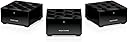
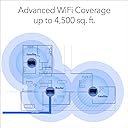
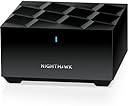
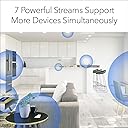
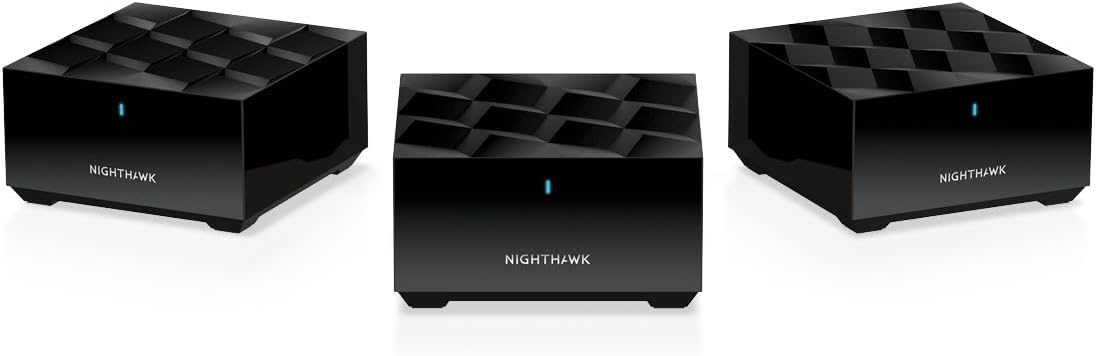
The NETGEAR Nighthawk MK63S Mesh WiFi 6 System delivers expansive 4,500 sq. ft. coverage with AX1800 dual-band speeds, supporting 25+ devices simultaneously. Featuring MU-MIMO and explicit beamforming, it ensures seamless streaming and gaming. Easy app-based setup and management, combined with NETGEAR Armor’s 90-day cybersecurity protection and Smart Parental Controls, make it a future-proof solution for modern connected homes.


| ASIN | B08V3PMGBR |
| Antenna Location | Gaming, Home |
| Antenna Type | Internal |
| Best Sellers Rank | #1,139 in Computers & Accessories ( See Top 100 in Computers & Accessories ) #41 in Whole Home & Mesh Wi-Fi Systems |
| Brand | NETGEAR |
| Built-In Media | One (1) Mesh WiFi 6 Router (MR60), Two (2) Mesh WiFi 6 Satellites (MS60), One (1) 2m Ethernet cable, Three (3) 12V/1.5A power adapters, Quick start guide |
| Color | black |
| Compatible Devices | Gaming Console, Smart Television, iPhone |
| Connectivity Protocol | ethernet, wi-fi |
| Connectivity Range | 4500 Square Feet |
| Connectivity Technology | Ethernet, Wi-Fi |
| Control Method | App |
| Controller Type | ios, vera |
| Coverage | Up to 4,500 sq. ft. |
| Customer Reviews | 4.2 out of 5 stars 1,813 Reviews |
| Data Transfer Rate | 1 Gigabits Per Second |
| Frequency | 5 GHz |
| Frequency Band Class | Dual-Band |
| Has Internet Connectivity | Yes |
| Has Security Updates | Yes |
| Is Modem Compatible | Yes |
| Item Dimensions L x W x H | 4.8"L x 4.8"W x 2.5"H |
| Item Type Name | Wireless Router |
| Item Weight | 4.05 Pounds |
| LAN Port Bandwidth | Gigabit Ethernet |
| Manufacturer | NETGEAR |
| Maximum Upstream Data Transfer Rate | 900 Megabits Per Second |
| Mfr Part Number | MK63S-100NAS |
| Model Name | MK63S-100NAS |
| Model Number | MK63S-100NAS |
| Number of Antennas | 4 |
| Number of Ports | 2 |
| Operating System | ZyNOS |
| Other Special Features of the Product | Internet Security, Parental Control, Remote Access |
| RAM Memory Installed | 512 MB |
| Router Firewall Security Level | High |
| Router Network Type | Dual-band |
| Security Protocol | WPA2, WPA3 |
| Special Feature | Internet Security, Parental Control, Remote Access |
| UPC | 606449154955 |
| Unit Count | 3.0 Count |
| Voltage | 240 Volts |
| Warranty Description | 1-year warranty |
| Wi-Fi Generation | WiFi 6 |
| Wireless Communication Standard | 802.11ax |
| Wireless Compability | 802.11ax |
F**2
5x speed upgrade - why pay for Fiber if your old wifi can't give you the benefits?
I was starting to see some delays in video conference calls while working from home and decided to upgrade my old Eero mesh system. I couldn't justify the expense of a Wifi7 system so I decided on the Netgear Nighthawk Wifi6 Mesh. Setup was easy and I had all my devices running and reconnected in less than an hour. Little trick - I used the same SSID and password for the new network as I used for my old one so everything reconnected without issue. I would recommend this mesh solution. I've used Netgear products in the past, pre-mesh technology and they were always high performing and reliable. I was happy to see the quality has continued.
G**O
Incredibly easy set up and great performance!
My ancient Netgear extender was giving up the ghost, and my Netgear router was around the same vintage. Saw this mesh system for 50% off with solid reviews. For set up, you download the app and it walks you right through it... basically does all the work for you with no mumbo-jumbo Honestly, up and running in about 10 minutes. I have a big L-shaped house and my router is unfortunately on the long end of the L. The two satellites that come with his mesh system have excellent connection and no signal loss. Great not to have slower internet in the family room and office anymore. VERY happy with his purchase!
K**G
High speed
Just got it couple weeks ago,my Verizon router assemble in the second floor,and when I am in the first and third,the wifi connection is so terrible,so I decide to buy the netgear to see, and finally,it works so good,the speed is so fast,I highly recommended
L**N
Eagerly awaited, extremely dissappointed
I have now had this device for a few weeks, and it has been nothing but a headache. I have a 2500 sq ft home and figured this would help me cover it correctly. I was previously using an Asus AC68u and had no problem with that up until I tried to solve the lack of Wi-Fi in my kids rooms. The Bad: 1. I have the Nighthawk AP's less than 25' away from main device and they just keep losing the connection, then turning orange. Manual says that when its orange, move it closer to the source. Well, I am 1 wall and about 3 ft from being in the same room as the other device, so that orange light does not even make sense. You are talking about 0% penetration on two layers of drywall and paint (this is an internal wall and it doesn’t even have insulation) 2. Several reviews report that the software does a horrible job at switching access points automatically, and this is 100% true. It is faster to disable and re-enable your Wi-Fi than waiting for it to do it itself. 3. The app allows you to nickname your devices. I've seen this in most software, but since I had the app open I figured it would be a good idea to name devices as I migrated them over to the new Wi-Fi. Well, I got about 20 devices in and suddenly the software wiped out all of my work :(. The Good: 1. The initial software setup/instructions were easy to follow, and I had no problem getting the device setup. 2. When working properly, I was able to reach speeds of 450/20 on my 400/20 connection. I was very happy when able to reach those speeds. Note* when you are feeding off the AP's your speed will be limited further. Overall: I think this product has the ability to be a good product but I'm not sure where Netgear went wrong. Is it the hardware? Did I receive a faulty system? Why is the software so glitchy? Why can’t the AP's stay connected? I cannot in good faith recommend this product to anyone. Unfortunately, I have already thrown away the box and Netgear policy says they will not take it back if I did not purchase it from them. Amazon says they will not take it back if I do not have the original packaging. So now, I'm out 230$ and I have a worse Wi-Fi setup than before. Please, stay away from this product unless you enjoy headaches and frustration.
T**N
What they don't tell you in the description . . .
I only got this wifi system a couple days ago so this is a short term report based on 3 days of use. A few buyers of this Netgear wifi system seem to have focused on the technical issues but glossed over the stuff that concerns us non-geeks. Yes, it sets up very quickly and painlessly once you have set up an online account with Netgear. And that should be easy if you're a first time Netgear customer. Otherwise, you need to remember your password. Resetting that (password) can be a pain, but installing the system afterwards is almost as simple as unboxing it and connecting it. The app you'll download to your smart phone finds the satellites and connects them to the router automatically. What they don't tell you is: not every one of your smart devices is going to work with WIFI 6. The RING doorbell, for instance. I also had a number of smart outlets that wouldn't work. I was able to phone Netgear support to fix this problem, but that was harder than it should have been. The woman sounded Russian and was reading from a script. It seemed like she wasn't that familiar with my problem - maybe she was new to Netgear. Anyway, once we got to the correct web page online we were able to make the router work in WIFI 5 which made it compatible with my legacy devices. Of course, if you have devices that you want WIFI6 for, you're screwed one way or the other. They also don't tell you that you're gonna need an ethernet switch if you're going to want to hardwire more than device to the router. You'll want to figure that out and get that switch when you initially purchase the system. You also might want to figure out where the satellites go in advance because they need to connect to AC - you might need extension cords. The power supply cords included with each satellite reach about 3 feet. As far as coverage is concerned, my 2500 sq.ft. house is indeed mostly well covered with wifi after I distributed the 2 satellites. Since this system is rated at 4500 feet, you might expect that would be way more than enough for my house, but not really. It seems just about right. Don't forget you're going to want wifi in the backyard, too.
B**Y
Very Satisfied!
Purchased this system to replace an old AC router as we recently had fiber internet installed and wanted to get the most out of it. I will say this: the reviews from others stating that they “have been in networking for x years” and are only getting 60% of their ISP speeds due to a “firmware” issue is false. Our advertised speeds are 1GB download and 1GB upload. As of this writing I have CONSISTENTLY hit speeds of 900 both download and upload. To expect 100% of advertised speeds is not only foolish, it’s nigh impossible. Reason being is that advertised speeds are obtained under ideal conditions. Meaning that the testing device was connected directly to the source with no network traffic. Everyday users should never expect to hit advertised speeds unless they live at their ISP and no one else is using the network 🤣 Now, with that out of the way, I have had ZERO issues with this system since installing it. It was insanely easy to set up and my speeds across the entire house have remained consistent. The only minor gripe I would have about this system is that it can sometimes take devices a little while to switch between nodes. This is such a minor issue though that I won’t take anything away from the overall stellar performance I have seen. I suspect that the majority of these negative reviews are due to faulty units or operator error. This mesh system has been the definition of “set it and forget it” since I installed it. Give it a try, if you don’t like it, return it.
D**D
Great coverage.
Purchased on sale just to give it a try and wow! The coverage inside my house is amazing and outside is awesome. I love how easy it was to setup and how almost everything seamlessly switched over. Had a slight issue with my garage door opener but its always been a little annoying. Buy all my devices and electronics and security system just switched over no problem.
G**R
Resolved My Network Problems
I wanted to wait a month before writing this review to ensure my home network was stable after installing this mesh network. I can say with total certainty that it is. I was trying to resolve problems I was having with a Tivo-mini connecting to my main Tivo-Edge unit. I had the Tivo's connected in my old wifi network which consisted of Netgear R7000, R6300 and R6200 routers. I was using the R6300 and R6200 routers as bridges to the main R7000 router. No matter how I tried, switching to the 2.4 Ghz or 5k Ghz channels, the Tivo-mini would have major dropouts. Doing what network troubleshooting I could (I am not the most skilled in this subject) I did come to understand that the location of the Tivo-mini was in a major dead zone (wifi wise) in my house. I got an advertisement that this set of mesh routers (I had never heard the term before the add) were on sale and I decided to give them a try. After watching some YouTube videos and doing some research, I set them up. And honestly, it could not have been any easier. I liked that each unit had one ethernet port as the Tivo-mini requires this for network connection. I have my desktop computer, Tivo-Edge and Tivo-mini each hardwired to their respective mesh routers. And I am happy to say, that the dropouts and performance issues I had with the Tivo-mini have vanished. But that's not all. Network speed in my house is good and stable. My iPhone Xs running OS 14.4.2 will connect to my wifi network at speeds up to 450 Mbs now (if it connects up to the main router, speeds at the satellites are a consistent 130 Mbs and frankly that is plenty fast for me - I am blessed with a Gigabit network from Xfinity). I also work from home and am able to connect my two Windows 10 machines up via an RDP connection without issue (I read that some Linux users did have network connection issues...I don't run any Linux devices in my home) Finally, I know it is quite simple, but I really like the iPhone Nighthawk app. I like being able to check and track what device is connecting to what router box. Overall, I think this is a wonderful product.
J**Z
Excelente cobertura, desempeño promedio
El producto llegó en la fecha comentada sin problemas con la caja, la configuración es muy sencilla y no tardas más de 5 minutos en levantar la base y los satélites. En una conexión de fibra de 300 megas por algún motivo el sistema solo muestra menos de 100, por lo que si deseas el máximo desempeño inalámbrico tendrás que buscar otro equipo. Pero eso sí, en una casa de 3 pisos la cobertura no tiene problemas.
D**P
Excelente calidad y funcionalidad.
Es justamente lo que estaba buscando, ofrecen una gran cobertura y permiten un control total de los dispositivos que se encuentran en la red.
J**E
Excelente compra
Muy facil de instalar, gran alcance de señal y muy estable, 100% recomendable
A**X
Se desconecta y reinicia muchas veces al dia, no hay soport tecnico en mexico
Es inestable la conexion y no hay servicio tecnico en mexico o en español
Trustpilot
1 month ago
2 weeks ago