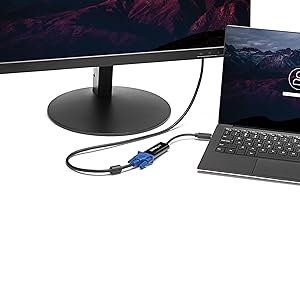
🖥️ Elevate your workspace—because one screen is never enough!
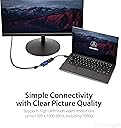
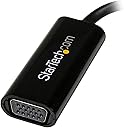
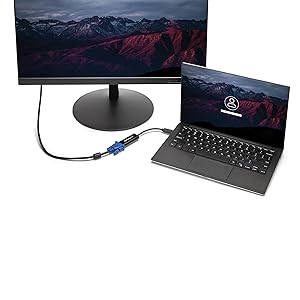
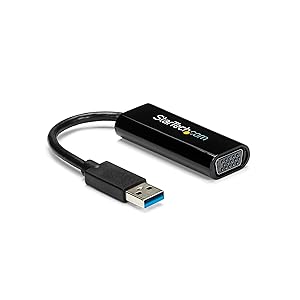
The StarTech.com USB 3.0 to VGA Adapter transforms any USB 3.0 port into a high-resolution VGA output, supporting up to 1920x1200 resolution. Its slim, lightweight design makes it ideal for professionals needing dual monitors on the go. Powered by SuperSpeed USB 3.0 technology, it delivers smooth video performance and is backed by a 2-year warranty with lifetime technical support.


| ASIN | B00H91BRZU |
| Best Sellers Rank | #89,325 in Computers ( See Top 100 in Computers ) #94 in USB to VGA Adapters |
| Brand | StarTech |
| Built-In Media | Drivers & Utilities, External video adapter, USB cable |
| Color | Black |
| Colour | Black |
| Compatible Devices | PC |
| Compatible devices | PC |
| Connector Type | VGA |
| Connector type | VGA |
| Current Rating | 1 Amps |
| Customer Reviews | 4.4 out of 5 stars 905 Reviews |
| External Testing Certification | CE, FCC, TAA, REACH |
| Finish | Matte |
| Global Trade Identification Number | 00065030854870 |
| Input Voltage | 12 Volts |
| Item Dimensions | 19.1 x 2.5 x 1.3 centimeters |
| Item Type Name | Startech.Com Slim USB 3.0 to VGA External Video Card Multi Monitor Adapter external video adapter - T5-302 (USB32VGAES) |
| Item Weight | 0.03 Kilograms |
| Item dimensions L x W x H | 19.1 x 2.5 x 1.3 centimeters |
| Item height | 0.5 inches |
| Manufacturer | STARTECH.COM |
| Model Number | USB32VGAES |
| Nominal Power | 32 Watts |
| Number of Items | 1 |
| Number of Ports | 1 |
| Package Quantity | 1 |
| Power Plug Type | No Plug |
| Specific Uses For Product | personal |
| Specific uses for product | personal |
| UPC | 065030854870 |
| Unit Count | 1.0 Count |
| Warranty Type | Limited |
F**A
Funcionando bien
Tengo un día probándolo continuamente y no he observado ninguna falla, parpadeos de pantalla o algo así. Lo estoy usando en un puerto USB 3.0 (el dispositivo también funciona en USB 2.0) y aunque la laptop no cumple los requisitos recomendados (procesador core i5 o equivalente) la verdad es que el dispositivo está funcionando bastante bien. Funciona como una tarjeta de video externa. Tienes que instalar los drivers o controladores primero, antes de conectar el dispositivo en la computadora. El instructivo que trae es claro aunque solo en inglés.
B**Z
Dell Inspiron DUO now connects to projector
This product does exactly what I wanted. I am writing a review so that others who are trying to add an external monitor capability to their netbook (specifically the Dell Inspiron DUO) can rest assured that this solution works. First try, right out of the box. My problem was that while my little flip-screen DUO does everything I want in a computer for travel, I sometimes need to bring my BIG laptop along if I want to connect to a projector. This is a big deal weight-wise and a hassle as well. I researched solutions and it appeared that a USB2-to-VGA external device would work, but I couldn't find any reviews making it clear that it would work for certain. I contacted StarTech.com's technical support and they got back to me very quickly. They advised buying the unit somewhere with a good return policy because they had seen some "issues" with touch screen devices. I was looking at a competing device and contacted their tech support with the same question and got a "we're sure it will work." I went with StarTech because I liked their response time AND their honesty. Turns out, it works just fine. One tip: Don't install from the enclosed CD at all. Just download the latest driver installation from the StarTech website. The only thing that happens if you install from the CD is that you have to then uninstall it to get the updated drivers installed. My mistake, but it would've been more clever to just tell me to get the drivers online and not bother with the CD. Anyway, a few minutes wasted time, but otherwise no big deal. After getting the drivers installed, I connected everything as directed in the brief manual. And it works! No fuss, no muss. Upon recognizing the device, it went immediately into dual monitor mode and mirrored everything from my screen to the projector. I'm good to go. By the way, it works just fine in touch screen mode as well. I didn't START the computer in tablet mode, but when I switched from keyboard to tablet mode, it had no problem paging through a PowerPoint slide presentation and showing that on the projector. UPDATE: Used it on a trip. I had to restart my laptop a couple of times as it "lost" the connection to the projector (or the projector lost it). But, after that, it ran like a charm for 2.5 hours without a glitch. EXCELLENT product.
M**Z
Excelente dispositivo.
Se rompió el display de una AllInOne y era usb 2.0, me sirvió perfecto aunque fue complicdo instalar los drivers debido a que no se veía bien el monitor.
B**S
If you're still running XP, this adapter works!
I still have an old PC running Windows XP. I wanted to add a 2nd monitor via USB. A USB to VGA adapter is needed to do this. I tried two other products before this one. Both claimed to work with Windows XP. Both were dirt cheap and I gave them a try. Neither worked and the reason is you need drivers for this to work on XP. The first product said to download a driver but didnt' say where to get it. The second one had a driver but it didn't work. I finally bought this product. It came with proper drivers. First I loaded the driver and then attached to 2nd monitor via the adapter cable. After rebooting my PC, the 2nd monitor came up and worked. I had to make a couple of tweaks in the video settings. The first was to extend my screen to the new monitor. The second was to flip the order of the monitors which were reversed (Monitor 1 was on the right and Monitor 2 was on the left). I told windows to flip it and then it worked great. This was a great solution that worked for my older system when two other products wouldn't. NOTE: if you're running Window 10, you can probably use almost any product. But if you're still running Windows XP, SP 2, just get this product.
G**P
Excelent
Livraison dans les temps Produit conforme à la description Installation facile Temps de réponse conforme (5 ms), suffisant pour de la bureautique. Je l'utilise en 3 ieme écrans pour surveiller mes e-mails. Ne pas s'attendre à la qualité visuel d'un écran branché classiquement sur le port VGA ou HDMI de votre PC.
Trustpilot
1 day ago
1 month ago