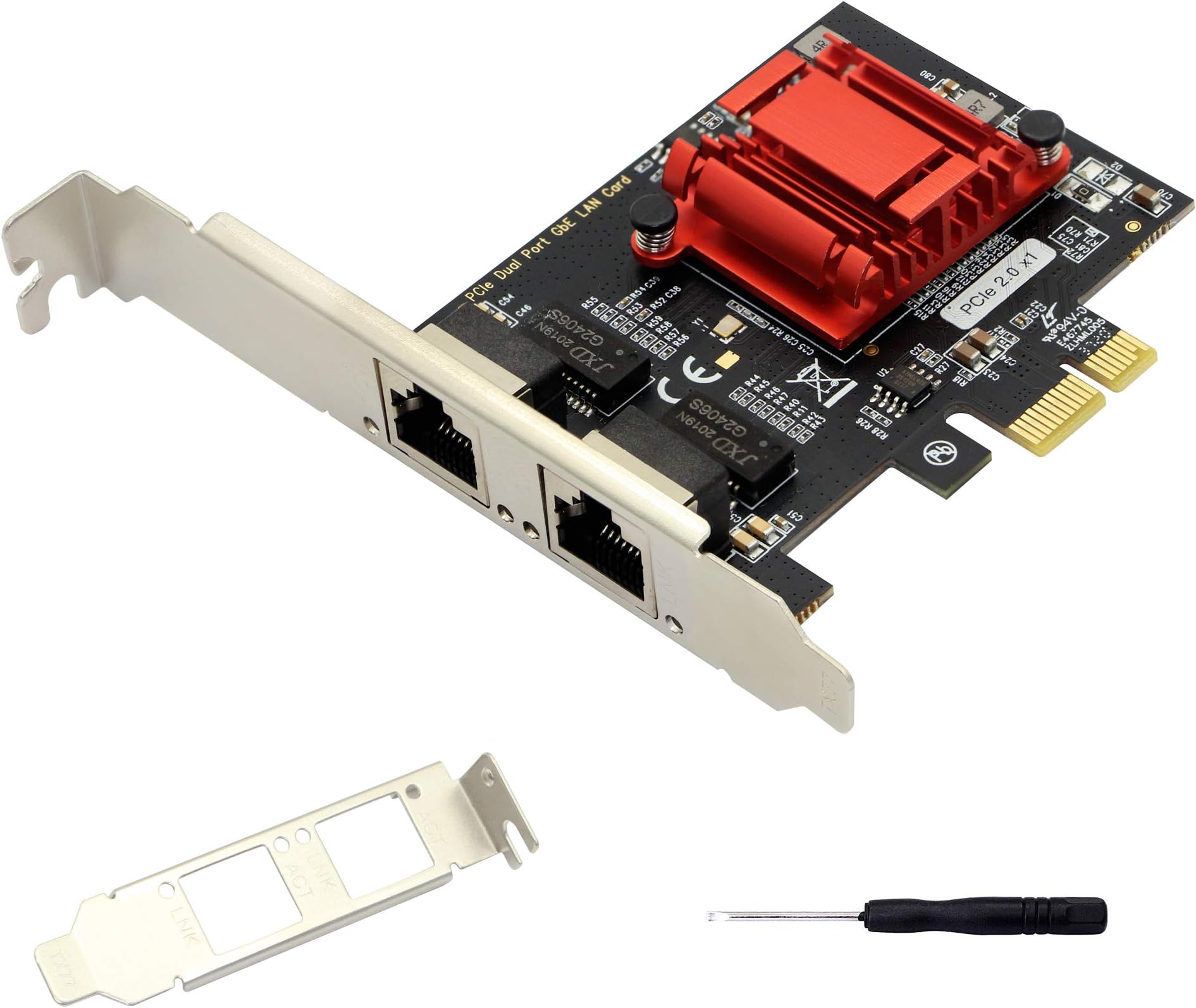
I'm going to be candid with everyone about this review. I had an serious computer/power supply malfunction immediately after installing this card, which led to my computer having a BSOD (blue screen of death). However, I cannot honestly and truly without a doubt say that installing this card was the reason it happened. I'm sorry to the seller if it wasn't, but I have to be honest about my experience and why I have come to this deduction. I installed this dual Ethernet card into my PCI express port on my motherboard, turned on my computer one time after installing it, used my computer for about 30-60 minutes. During this time I mostly browsed the internet, did speed testing, looked around in the adapters driver configuration options and that's about it. After I decided to go get another project done around the house, I fully powered down my computer and walked away. I own a HP 8300 CMT, with a Intel i7 3rd generation vPRO. When I came back to use my computer a few hours later, the power light on front of my computer was blinking red. Upon pushing power button, fans spun for a second or two and shutdown. Red light blinking about 3 times with a pause in between. So, the fear and worry set in which led to A LOT of troubleshooting. I have a 750W Thermal take power supply which is pretty old, but worked without any problems. In order to get my computer to even turn on, after trying the usual simple troubleshooting steps. Such as, unplug power supply, hold power button for x amount of time, removing all peripheral devices, including my graphics card EVGA GTX 770 SC, this network card, usb receiver for keyboard and mouse, etc. No luck. So I swapped out my power supply with the OEM one and removed the cmos battery. (Resetting my CMOS/BIOS is what I believe made the problem worse for me in the end) Finally, my device powered on, hooked up to vga monitor. I have a Power on Password, Secure Boot, TPM module, BIOS set to disallow PXE, WoL, NO AMT/ME enabled. My TPM was set to Virtualization On and all additional settings for VT except TxT, OS managing my TPM and No PPI enabled. I believe due to my TPM and secure boot I caused the BSOD by resetting BIOS/Etc., However, I believe the new peripheral device(not the first I have connected to my motherboard in the last month) was directly responsible for the red light and no boot situation which led up to it. Again let me repeat I can not say it was definitely related to a fault in this Ethernet card. However, with my bios settings, my 3rd generation legacy Intel vPRO i7, the TPM and secure boot, I believe it caused a fatal error where other cards plugged into same PCI express port did not. I am on the fence now about keeping this card and will probably return it because 2 days of trying to resolve my BSOD without reinstalling windows and now being wery of another power supply failure or even worse possibly my graphics card.... I just can't take that risk. I tried to provide as much honest information about what happened so that others can make their own decision and also so others can learn from my mistake with Secure Boot, TPM, etc and resetting BIOS via CMOS battery removal or CMOS reset button. I tired windows auto repair, command prompt bcedit, chkdsk, sfcscan, diskpart, boot in with safe mode(which only appeared as an option once) and I got into windows. My windows account password would not log me in for back up, recovery at all. Even though it was correct. (Probably due to TPM and OS not being able to exchange key IDs) How I solved my issue: I had over provisioned my Samsung 860 EVO 500GB SSD by 10%, which allowed me to install Win 10 with USB iso on the unallocated space. Disabled Secure boot, TPM, Drive Lock, Allowed legacy devices (just in case). Then was able to access my files on partition 3 within Windows. If you do not have any unallocated space for installation of Windows, either command line diskpart to shrink you system partition if space is available. Or use external USB hard drive enclosure on another computer to retrieve files. Or use another form of bootable USB media like GParted, Clonezilla, etc. To clone HDD or resize partitioning for another separate windows to boot to. ***Only applies of you have BSOD that was unable to be resolved due to a ACPI.Sys error. Hope this review is helpful to someone in any way. PS: The dual Ethernet card came in bubble wrap in generic box. No antistatic bag and the Ethernet chip is covered by heatsink, so you can't be sure if it is what it is, prior to install.