


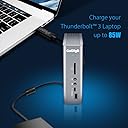


TS3 Plus
Product ID: 264542311
Details
- BrandCalDigit
- Colourرمادي فاتح
- Compatible devicesMacBook Air
- Total USB ports7
⚡87W laptop charging power
🔌15 versatile connectivity ports
🖥️Dual 4K@60Hz display support
⚡ Power your productivity with the ultimate dock for pros who demand more.
The CalDigit TS3 Plus Thunderbolt 3 Dock is a premium 15-port hub delivering 87W laptop charging, dual 4K display support, ultra-fast UHS-II SD card transfers, and broad Mac & PC compatibility, all housed in a sleek, fanless aluminum design.


| ASIN | B07CZPV8DF |
| Best Sellers Rank | #30,124 in Computers ( See Top 100 in Computers ) #438 in USB Hubs |
| Brand | CalDigit |
| Color | رمادي فاتح |
| Colour | رمادي فاتح |
| Compatible Devices | MacBook Air, Pro, iMac, iPad Windows Laptops, Desktops |
| Compatible devices | MacBook Air, Pro, iMac, iPad Windows Laptops, Desktops |
| Customer Reviews | 4.4 out of 5 stars 4,120 Reviews |
| Hardware Interface | Thunderbolt, Thunderbolt 4, USB 3.0 Type C, USB 3.1 Type C, USB 3.2 Gen 2, USB 3.2 Gen 2×2, USB Type C |
| Hardware interface | Thunderbolt, Thunderbolt 4, USB 3.0 Type C, USB 3.1 Type C, USB 3.2 Gen 2, USB 3.2 Gen 2×2, USB Type C Hardware interface Thunderbolt, Thunderbolt 4, USB 3.0 Type C, USB 3.1 Type C, USB 3.2 Gen 2, USB 3.2 Gen 2×2, USB Type C See more |
| Item Dimensions L x W x H | 17.3L x 13.7W x 12.2H centimeters |
| Item Weight | 1.32 Pounds |
| Manufacturer | CalDigit |
| Mfr Part Number | TS3PLUS-US07-SG |
| Minimum Required Operating System Version | Mac OS 10.12 Sierra, Windows 8 |
| Model Number | TS3PLUS-US07-SG |
| Number of Items | 1 |
| Number of Packs | 1 |
| Number of Ports | 15 |
| Product dimensions | 17.3L x 13.7W x 12.2H centimeters |
| Total USB ports | 7 |
| Total Usb Ports | 7 |
| Unit Count | 1 Count |
| Wattage | 85 watts |
R**F
about connection.....
what i have already connect to ts3 plus from my other devices. they are a lan cable between ethernet switch,netgear s8000 model gs808e to the port of gigabit ethernet on the dock.this switch have a lan cable with the router netgear x6s r800p. and this router have a lan cable to the modem. they are a thunderbolt 3 cable between the dock and my laptop asus zenbook pro 15 model ux580 ge. at this point make sure your laptop or computer are compatible with thunderbolt 3 technology. the laptop must have one or two ports usb 3.1 gen 2 type c. if you buy this dock, do not buy the thunderbolt 3 cable because it is include with the dock. other ports i use on the dock is a digital optical cable between a soundbar samsung hw-h750. the subwoofer of the soundbar can work wi fi. choose a high quality optical cable with the end in metal. i use a dp cable between my monitor samsung u28d590d and the dock. also i use a usb cable between the printer hp envy 4500 and the dock. buy a cable with a square port for the printer. with a lot of ports usb 3.1 gen 1 type a you can connect your smart phone like s10 plus or your tablet like tab s4 or a portable external drive like my passport ultra from wd. your headphone are plug in the front of the dock.i have not use yet the sd card reader. on the back of the dock they are a second port of thunderbolt 3,probably use if you want to connect a second laptop.many other use of this dock. i still have another hdmi cable between my laptot and the av receiver because with a arc hdmi port,the t.v., the blu ray player and the av receiver work together.i can send any content from the laptop to the t.v. with 5.1 surround sound. i can garanty this dock work very well with window 10. as you can see i don t have any apple product.i prefer cable to wi fi for obvious reason.i recommand without hesitation the caldigit ts3 plus.welcome to the 21 st century.ENJOY!
S**I
Arrived on time with great package
I would recommend this to anyone that has a standing desk and wants to mange their cables
A**K
El mejor adaptador del mercado
Probablemente de los mejores accesorios que he comprado, lo utilizo con una Mac mini y me ha solucionado todo el problema de los cables y conexiones, es un producto ya consolidado en el mercado que a pesar de que ya tiene sus años, sigue siendo 100% recomendado. La calidad es muy buena y justifica su precio.
I**K
This is the docking station you need with the new Apple MacBook Pros.
Yes, it's expensive but you get what you pay for with CalDigit's TS3 Plus. While I was also one of the many to bemoan the "lack of ports" on the new 2018 MacBook Pro 15", with a dock like this, you see the value of having four full speed TB3 ports on the MBP. You can either go with multiple dongles or you can go with one portable TB3 dock that you can put away in your laptop bag to use on the go and set up this TB3 Dock from CalDigit on your desk. The TS3 Plus is almost perfect. Lots of ports including many legacy ports for your older devices that use USB-A cables. I do wish the TS3 Plus had even more USB-C ports. But maybe they hit a power limit? I don't know. Everything simply works when using this with a MacBook Pro. One single cable goes from the TS3 Plus to any of the four open TB3 port on the MacBook pro. The one "con" i've noticed is that if my iPad Pro (2018) is low on battery, say under 60%, the TS3 Plus will charge the device but the "USB device using too much power" message constantly pops up in MacOS. Connecting the iPad Pro directly to the MacBook Pro works fine but the TS3 Plus wired thru TB3 to the MBP seems to be a challenge. Granted, I had two external drives and my iPhone and a 4K monitor connected at the same time so it could just be a bandwidth issue. I'm not complaining. Just saying :-) **EDIT**: Yeah, it's a bandwidth issue. If the iPad's battery is super low, don't connect it to the front USB-C Gen 1 port. MacOS will complain it's taking up to much power and you cannot sync anything (it will continue to charge, though). You can leave it like this and ignore the popups from MacOS and once the iPad is at 90%, the popups will go away. Presumably because the charging portion isn't using up a lot of the bandwidth. Instead, if the iPad battery is super low, use the rear USB-C Gen 2 or Thunderbolt ports instead. MacOS won't complain and you can charge and sync at the same time. Phones don't seem to have this problem. Probably due to much smaller battries. Everything travels along that single TB3 cable. Power, data, everything. The TS3 Plus provides enough power to keep the 15" MBP charged. Put away the charger you got from Apple. Leave that in your laptop bag, too. I love the DisplayPort 1.2 connection available on the TS3 Plus. 4K/5K at 60 HZ. Single port only so if you want to set up a dual monitor rig, you'll want to get a USB-C to either DP or HDMI for the second monitor. There's an extra USB-C TB3 port on the back of the dock you'll use for that. Well, that's about all I can say about this dock. Well done, CalDigit!
I**C
Excelente para centralizar dispositivos.
Es una buena herramienta para utilizar múltiples monitores y dispositivos al mismo tiempo y con excelentes velocidades. Funciona en Mac y Windows sin problema, recomiendo descargar las actualizaciones de la página de CalDigit para su funcionamiento óptimo.
Trustpilot
1 month ago
1 day ago