Desertcart purchases this item on your behalf and handles shipping, customs, and support to Spain.
⌨️ Elevate your couch command center—wireless control, zero compromises!
The iPazzPort 2.4G Mini Wireless Keyboard with Touchpad Mouse Combo offers a sleek, portable solution for seamless device control. Featuring advanced 2.4GHz RF wireless technology with up to 30 feet of interference-free range, it pairs instantly via USB plug-and-play. Its compact QWERTY layout integrates a responsive touchpad with customizable sensitivity and dedicated media keys, making it perfect for smart TVs, PC setups, gaming consoles, and more. Lightweight and ergonomic, it’s designed for professionals and tech enthusiasts who demand convenience and versatility without sacrificing performance.


| Additional Features | Ergonomic |
| Antenna Location | Multimedia |
| Asin | B01CE70TZC |
| Best Sellers Rank | #364 in Computer Keyboard & Mouse Combos |
| Brand | iPazzPort |
| Built In Media | Mouse, Touchpad, Backlit, Multimedia keys |
| Button Quantity | 81 |
| Color | black |
| Compatible Devices | Television,Google/Android TV Box,4K Media Stick,Notebook;Not for a Firestick/Fire tv |
| Compatible Operating System Family | Android, Linux, Windows |
| Compatible Tablet Computer Models | AAUB P30 |
| Connectivity Technology | RF |
| Customer Reviews | 3.7 3.7 out of 5 stars (1,855) 3.7 out of 5 stars |
| Enclosure Material | Plastic |
| External Testing Certification | Não |
| Generation | 3rd Generation |
| Hand Orientation | Ambidextrous |
| Item Dimensions L X W X H | 4.72"L x 1.97"W x 0.71"H |
| Item Type Name | mini keyboard |
| Item Weight | 1.6 ounces |
| Keyboard Backlighting Color Support | RGB |
| Keyboard Description | Wireless keyboard |
| Keyboard Layout | QWERTY |
| Manufacturer | Unisen limited |
| Mechanical Keyboard Switch Model | Membrane |
| Mfr Part Number | KP-810-19S |
| Minimum Required Operating System Version | Mac OS 10.12 Sierra, Windows 7 |
| Model Name | kp-810-19s |
| Model Number | KP-810-19S |
| Number Of Batteries Required | 2 |
| Number Of Keys | 92 |
| Number Of Packs | 1 |
| Power Source | Battery Powered |
| Style Name | 2.4G RF |
| Switch Type | Membrane |
| Theme | technology |
| Unit Count | 1 Count |
| Upc | 745369294027 |
| Water Resistance Level | Not Water Resistant |
User
An absolute jewel for anyone needing a tiny remote size keyboard
This thing is GREAT!! I run streaming software called vMix for both streaming and event/class presentation purposes. In one location I have a presenter with 10-15 various forms of media (videos, slides, audio files, etc). When all the inputs are loaded into vMix, I had a person standing at the laptop pushing F1, F2, F3, etc as each input needed to be moved to the live screen. I got this to do away with the need of having someone stand there and this little jewel works perfectly! It will allow the presenter (Children's Church pastor) to hold this and simply press the F1, F2, F3....buttons when he is ready to advance to the next media. I ordered both the Blutooth and the regular wifi (this one) and the Blutooth was terrible - not recomended. However, this model works flawlessly. When the remote "goes to sleep", it wakes up instantly with a button push. So there is no issue with waking up and advancing to the next media using the various shortcut keys. For whatever reason, the mouse pad did not work until I pressed the "mouse button" located in the very top left corner of the mini keyboard. It has a picture of a mouse on it. Once I pressed that, the mouse pad works great. I could not figure out how to turn the mouse pad off once I pressed that button but that is not an issue for me.This little jewel is worth double what it cost in my opinion. Absolutely wonderful. If anything changes, or we begin to have any problems, then I will certainly report back and let you know so that I do not have a flawed review. But right now I would give this 2 thumbs up for anyone who needs a tiny remote size keyboard.As others have stated, this things is made of cheap plastic. However, the buttons have a very nice feel to them (both to the touch and pressing them). But for less than $15, if it gets broken I will just buy another one. Absolutely one of the coolest little cheap gadgets I have bought in a good while.
User
I like it. A little quirky but super handy.
This little gadget is great for controlling videos on my desktop. It's not always convenient to use the keyboard or the mouse but the mini-keyboard does the job without being intrusive.It can be a little flaky at times but for the most part it just works. I never turn it off, and I usually don't notice any lag when connecting, even after a reboot or an extended time (e.g. overnight) of no use. This was a pleasant surprise.But at times it seems to "forget" how to interact with the computer. This is almost always fixed by either using the two side (scroll) buttons a time or two, or a quick wiggle of the computer's mouse. I think I've had to do the "pairing" one additional time since I've had it.Today is seven weeks since I bought it. I use it every day, though not a lot. It is still on the first set of batteries and shows no signs of battery weakening. One thing that started recently, which may impact battery life: one of the blue lights stays on for several seconds after I push a button. I don't know if this will matter but I don't think it did that at first. Maybe it'll change if I power it down and reconnect.I may buy a second one to use with my Raspberry Pi. This one is working great with a Windows 7 desktop. The keyboard works pretty well, although typing anything of any length would be tough. For controlling things, like the occasional "K" and other shortcut keys for videos, it's ideal.
User
Plain, Simple Mini Keyboard/Mouse Combo
Bought this little keyboard remote to use with my Chromebook when I have it hooked up to the TV for games. So far so good. First impressions, it's bigger than I thought it would be but still small enough to be comfortable in the hands. The trackpad is a little twitchy and doesn't travel fast under my thumb but I only need it for basic navigation. The separate mouse click buttons kinda make up for the short travel and scroll functions though. The keyboard itself reminds me of one on one of my first phones from the late 2000's, the LG enV2. So there is some nostalgic familiarity there. Thus far I've only tested it with Into The Dead 2 as far as actual gaming and it performs better than I expected it to. I've yet to test it with my other main game, Off The Road. On the whole it's comfortable, functional, and it's very affordable for less than $20. As far as battery life goes it does have a saver mode if you don't touch it for 5-10 min but I'm not super concerned about battery life on the whole because I use cheap alkaline batteries from the dollar store. When they die, I just buy more. Anyway, only time will tell how long this remote will last build wise. It's very lightweight and even feels a tad flimsy but only time will tell. I've only had this product for an hour but I can already recommend it. 😉
User
Touchpad is awful; do not buy if you need a pointing device!
The Good:-The keyboard works well, better than expected; no problems there.The Bad:-The device fairly quickly goes into a low power mode where any button needs to be pressed once before subsequent button presses will begin sending input. This is annoying.-This is probably the worst touchpad I have ever used; trying to use it is extemely frustrating:-Touch sensitivity seems random; sometimes you need to press hard, other times just soft.-There is no way to disable tap to click. In fact, tapping the touchpad sends the same input as clicking button 1, so don't bother trying to fix it in software.-There is no way to disable gestures. Using the touchpad with one finger sometimes caused input that should only be caused by gestures.-The horizontal scroll area at the bottom of the touchpad is not well separated from the rest of the touchpad.Note that it appears that gestures and tapping are all done in the hardware (or at least driver level). Trying to disable these in software settings does nothing.So, if you just need a small wireless keyboard, this should be fine. But if you also need a pointing device (like I did), try something else; the touchpad was so bad that I just threw it away ... absolutely awful.
User
Effortless set up with Pi5
Compatibility has been great with my Raspberry Pi 5 for streaming movies through VLC, and it gets the job done well. Setup was extremely easy, I just plugged in the USB dongle, turned on the remote, and it started working with no additional configuration needed.I also like that it has a small storage pouch for the USB dongle when it is not connected, and it only requires two AAA batteries. The keyboard itself feels tactile and comfortable to type on. I have used it a few times now and have not had any issues with connectivity.The only downside for me personally is that the trackpad feels a bit unnatural to use because of its small size. That is not really a fault of the manufacturer or designers, since it is marketed as a compact keyboard, but for me it feels a little awkward, especially when trying to drag a file across the screen.Overall, it is a convenient and easy-to-use mini wireless keyboard that works well for my Raspberry Pi 5 setup.
User
I'll mark it a 'Buy'.
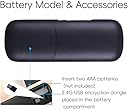
Exactly as I expected. I chose the non-bluetooth, just wireless version. It should be noted that this keyboard did not come with a battery pack, and to use it you'll have to use two AAA batteries. It would have been more convenient for me if it had it's own built-in battery, but for the price point it's a more than acceptable trade-off.I haven't used the device in a range more than 10-20 feet away, but in that distance it has performed reliably, and was usable on a large variety of devices, leading me to believe that it would work on nearly any computer with no problems or additional drivers installed.The mouse pad is a bit finicky, in that it is it very similar to most android phones. A solid touch on the pad, with no horizontal or vertical movements, will be picked up by your computer as a mouse press. and using two fingers, dragging horizontally on the pad, is used to scroll the mouse. I didn't like these particularly additions to the interface, but I suppose for a consumer-friendly device they're a necessary evil.I have yet to discharge the battery, even after using it for several hours.All in all, a high quality device, at a competitive price.
User
Leaky batteries (parasitic drain issues) ?
Ive had mine now for about 5 months. It works very nicely with my raspberry pi (running kodi).Initially I would give this this device 5 stars.What I am seeing with my unit is that after about 5~6 weeks, it stops working. The batteries are dead already!I don't use the unit that much - generally 2 evenings per week AND I use the power switch conveniently located on the side of the unit to turn it off when I'm done using it.So the batteries dont last last very long which I find annoying for what little usage it gets... But to make things worse ...Every time I open the device to change the batteries (either Duracell or Energizer) I see that they have leaked that fluffy corrosion stuff at the ends of the battery corroding the inside of the battery case.The inside of the case needs to be cleaned with (vinegar or lemon juice) to make it operable again (its a total mess in there ) - but then I usually need to wait 24 hours again to let it dry out.The inside battery box - is getting worse with every set of leaking batteries - so I expect that one day after my 24 hour waiting period the unit will no longer work and I will toss it in the trash and find a replacement for what was once a 5-star device.I'm now on my 4th set of batteries and fully expect these batteries to go the same way the last 3 sets went. ( 1 set closer to trashing the device).Ive done a bit of reading on leaking batteries and I see an article describing something called "parasitic drain". (When the device is left unattended for long periods of time (with the batteries installed) the drain will slowly kill the batteries (which will then leak)."This seems to be my problem as I have used fresh Duracell and Energizer batteries in this unit... It seems my only hope is to remove the batteries after every usage... That's not going to happen (I don't have to do this to my other battery operated keyboards)Has anyone else seen this problem ?
User
Love ittt
Its so small, it's the size of a remote. I thought it might be difficult or confusing but it was really easy and I use the fn functions oftenThe touchpad works better than I expected it to as well! You can click by tapping as well as the two left and right click buttons next to the touch padIt's pretty convenient and as people who often hook up our laptop to the TV, we use it very often!
User
Yes, It lives upto its claim
For the price and the features it offers i give it a 5 star. Its light weight, the buttons have a reasonable tactile feel to it so you dont end up applying pressure on those button more then whats required.. All in all, it gets your job done. Excellent connectivity even at distance of more then 10 ft. Plus it doesn't have to be line of sight when using this remote which is fantastic. Also the power conservation feature is good so you don't end up draining your battery. The track-pad too works very nicely and it easily registers the movements. Its been little over a month that i have been using it and it has gone through bit of an abuse from my little one and has survived so far without any flaws. I hope it lasts long.
User
muy buen producto
veo la tele en mi compu, necesitaba un teclado inalambrico, compre uno pero esta muy grande, este esta excelente, es del tamaño de un control remoto y trae un cuadrito para el raton, funciona muy bien, las letras son de buen tamaño, y no estorba tanto como el que compre primero, excelente, se los recomiendo
User
I bought this for my sony bravia smart tv but it was not connected
I bought this for my sony bravia smart tv but it was not connected. Dont know if any software required. Had to return with no choice and I got my money back very next day so no issue with that.
User
Fantastic small keyboard
I Use this keyboard/mouse combo plugged into a head unit in my car for those times when the on screen keyboard is too hard to use (mainly for my passengers). It just works! Happy to recommend this to anyone else :)
User
The layout isn't especially good, but it has all the keys you need ...
It does the job. I use this as a remote when I watch movies from the couch. The layout isn't especially good, but it has all the keys you need plus media keys (when you press the blue function key). The touch pad is small but works fine, and it has a handy scroll area on the edge.I like the battery-saving feature that makes it sleep when it's been idle for a while. You just need to press a key to wake it, then use it. So much better than draining the battery when you're not using it.The USB transmitter fits inside the battery compartment when you're not using it. Great way to keep it safe for travel.Overall, I'm happy with it. My only complaint is the button layout is on a grid instead of staggered like on a full keyboard, and that's a small complaint. Well worth the price.
Trustpilot
2 weeks ago
1 week ago