


Desertcart purchases this item on your behalf and handles shipping, customs, and support to Spain.
🚀 Elevate your home network—fast, smart, and future-ready!
The Amazon eero 6 mesh Wi-Fi router delivers robust Wi-Fi 6 dual-band coverage up to 1,500 sq. ft., supports internet speeds up to 900 Mbps, and connects over 75 devices simultaneously. Featuring TrueMesh technology for seamless connectivity, a built-in Zigbee smart home hub, and easy app-based setup, it’s designed to future-proof your home network with automatic updates and scalable expansion options.
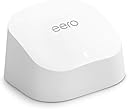
| Title | Amazon eero 6 mesh wifi router |
| Wifi coverage | Covers up to 1,500 sq. ft. |
| Type | Router (connects to modem as primary router) |
| Wireless network speed | Best for internet speeds up to 900 mbps. |
| Wifi connectivity | Wi-Fi 6 dual-band concurrent 2:2 (802.11ax), compatible with older wifi standard |
| Wired connectivity | Two auto-sensing gigabit Ethernet ports for WAN and/or LAN connectivity |
| Speed rating | AX1800 |
| Smart home connectivity | Works with Alexa, Amazon Frustration Free Setup, 802.15.4 radio (Zigbee, Thread), Bluetooth Low Energy 5.0. |
| Electrical Rating | 100-240V AC, 50-60Hz |
| Processor, memory, and storage | 1.2 GHz quad-core processor, 512 MB RAM, 4 GB flash storage |
| Network security and services | Profiles, WPA3 (eero Labs feature), WPA2, TLS v1.2+, VPN passthrough, IPv6, NAT, UPnP, port forwarding, DHCP, static IP, and cloud connectivity |
| Required for setup | Supported iOS or Android device and internet service (with cable or DSL modem, if required). See eero.com/requirements |
| Temperature Rating | Operating: 0˚C-40˚C Storage: -25˚C-60˚C Operating humidity: 0%-90%, non-condensing Operating altitude: <3000m |
| Dimensions | 3.9 in x 3.8 in x 2.4 in (99.4 mm x 97 mm x 61.4 mm). Actual size and weight may vary by manufacturing process. |
| Warranty and Support | 1-year limited warranty. Free customer support is available 7 days a week. Learn more warranty and support. |
| Software Security Updates | Learn more about these software security updates. |
| Subscription | 30-day eero Plus trial is limit one per new eero customer account. Additional terms apply, see the eero Plus Terms of Service for more details. eero Internet Backup performance will vary and you are responsible for data charges with backup connection providers. Learn more about eero Internet Backup requirements, performance, and compatibility here. |
| Legal Disclaimer | Some features require linking your Amazon account, and downloading the Alexa application or using a compatible Alexa device. Internet connection speeds and availability depend on your internet service provider; if your internet service provider does not provide you with the maximum supported speed, you will not experience that maximum speed. Maximum wireless signal rates are derived from IEEE 802.11 standard. Specifications assume wired Ethernet connection; your experienced speed may vary when connected to an eero device that is configured as a wireless extender. Coverage estimates are based on normal use conditions. Actual range and performance can vary, and maximum supported speeds may not be available to all customers, due to factors such as local regulations (including power limits), network configuration, interference, connected devices, device usage, building materials, and obstructions. Specifications are based on use of a Wi-Fi 6 or later generation client device. For more information about eero performance, visit support.eero.com. |
User
So Far So Good
My modem crashed a few months ago and Spectrum had to replace the system. I learned during that installation that I was being charged an extra $10/month for my router. Didn't realize that for 5 years, I was only "renting" my router. Which has been an absolute waste of $600. During the initial install, I was not informed of that and I have never seen an actual paper statement for my bill breaking down my plan.My first Spectrum router was very spotty towards the back of my house (1050sq ft. house) and the new router which was supposed to be an upgrade to Wi-Fi 6, was even worse. My phone would lose connection to the new router on my front porch which is 5 feet away from my router. I initially thought that all I needed was an extender and that is how the Spectrum guy and I got on the subject because I am NOT very tech savvy. I had already been looking at the Eero router and he recommended it. I found the one that is compatible to my internet plan (400Mbps) and went for it while it was on sale. This router is very well packaged. Very pretty packaging, too.OMG!! Super super easy to install. Your grandparents could install this. The only thing that I recommend is being sure of your password which you should be able to find in your providers app (at least I can with Spectrum). If you do happen to forget one digit to your password, and you accidentally change your password, you will have to reconnect each device individually.This router was compatible with my internet plan and provider. I'm very happy with the quality, signal strength, functionality. It has been very reliable for the three days that I have had it. I have not lost signal once. Not even on my front porch. My phone is now showing that I am connected to Wi-Fi 6 when before, it kept dropping it and dropping back down to 5G. Even with the 5G, it would buffer really bad.I got this on sale and I do think that the price is competitive for how well this router performs. The app is super easy to navigate and every device that is linked to your router is located in the app. You can monitor what devices are connecting to your router.I do think that this Eero router was the upgrade to my internet plan. I would recommend saving yourself the cost to "rent" your router through your service provider and upgrading to the Eero router. This will pay for itself in 6 months now that I am not "renting" my router.
User
Works great
I recently purchased the Eros internet extender, and I must say it lived up to its description perfectly. Setting it up was a breeze; the user-friendly instructions guided me through the process smoothly. Once connected, the extender significantly improved my Wi-Fi coverage, reaching areas of my home that were previously dead zones. Streaming shows and playing online games became much more enjoyable, with minimal lag and buffering issues. The device is sleek and compact, blending nicely with my home decor, which is an added bonus. I was particularly impressed by its stability; unlike other extenders I've tried, Eros maintains a strong connection even during peak usage times. Overall, this product delivers on its promises, enhancing my internet experience as advertised. If you’re looking for a reliable solution to boost your Wi-Fi signal throughout your home, I highly recommend the Eros internet extender based on my positive experience.
User
Great product
Easy set up and great price. Works great and is providing a good internet connection
User
A couple issues, overall good.
Does it mesh my house in glorious internet? Yep, and is easy to get devices attached.Does it provide the speed I expected? Yep on that as well.Is it perfect? Hardly.First, be aware of what you are specifically getting. If you think this is a normal router and you will be able to micromanage users locally.....well, you are wrong. This is, basically, a cloud based system. That means if you are hoping to see URL history like a normal router.... well you aren't getting that with this. The idea is that that is a privacy issue because the processing of url history isn't done on the local router, it's done on the EERO/Amazon servers. Thus, a privacy issue to display it to local users/admins.Second, to put it another way: This isn't your old-school router. It does not have the normal robust features of a stand-alone router. It's more like a simple dumb terminal that hooks up to the internet, but the horsepower is on the backend servers. You aren't going to get features you might want.Some features require a subscription, something that, in my opinion, isn't all that clear what you get and what you don't. Other features simply don't exist on EERO mesh units. PPPoe as an example.You also need a cell phone to set this up, or an internet connection that is separate from what you are trying to setup. This is also not clear. It specifies you need to setup the app on an internet connected device, but it doesn't explain why.Did i have problems? You bet. EERO could NOT get DHCP from my ISP. NO, it wasn't a weird setup. I tested with 4 other brand routers. All of them plugged in, grabbed ISP DHCP and started providing internet to devices. The EERO, not so much. After a VERY frustrating experience with support, I just let it sit and waited. It EVENTUALLY got DHCP, but then failed a couple days after that. Rinse, lather, repeat.If EERO is going to tout itself as a router, DHCP from an ISP modem should NOT be an issue under any circumstances. YES, I did turn off/on all the recommended things. YES, I did talk to EERO support. YES, I did talk to my ISP, who said it is clearly an EERO problem. I tend to agree. If ALL other routers were capable of getting an IP and going, EERO shouldn't have had an issue. Yet, it did. My fiber connection is not in any way a weird setup, and the other routers prove it. This is specifically an EERO issue.Overall it does coverage well. Setup and features are not what they should be, but they are adequate. Also should mention, there are "features" in the EERO app that aren't actually functional at this time. Like Voice assistant and device name sharing. They are clearly in the app, but a support person on another site said this "Those actually shouldn't be visible, it's a bug." Knowing that a major product like EERO can't get a dev to hide a toggle switch doesn't give the best warm and fuzzy.Would I buy EERO again if given the chance knowing what I know now? Probably not. Am I keeping it? Yes, because I do love the wi-fi coverage and speed. I just think, for the inflated price it carries that it is feature barren.
User
Trying out the eero 6 mesh wifi router.
Got this eero 6 thing because our wifi kept dying when everyone was streaming in the living room, and I hate waiting for videos to buffer, lol, so I grabbed a 1-pack and started setting it up with the app. I stuck it in the living room center, near the modem, and kept the old router plugged in to test the difference. Setup was quicker than I expected, the app walked me through it, and it kept telling me the network was safe with automatic updates, which felt kind of fancy. I wandered around the house with my phone and the signal felt stronger, even in the kitchen while I was cooking, and the buffering went away. The kids could stream, my mom jumped on a Zoom call, and no one dropped frames, which was a small win. The built-in Zigbee hub stuff surprised me a little-less gadgets, I guess. I keep it on the living room shelf, easy to grab if I need to tweak anything, and it’s handy when guests come over because more devices just connect. My sister used it on her phone, and it popped onto the network instantly. I’ll probably keep using it for Netflix nights, and if the bedrooms need a boost I might move the unit closer there. It’s not perfect, but it’s simple and it works, which is kinda nice.
User
Thanks to eero 6, I finally get internet in every corner of my house
This system could not have been simpler to set up and once I figured out the best place for the extenders, I now have internet access throughout my whole house. No dead spots at all, like I did with the cable modem/router placed in a central position (well, as central as I could get). For reference, my house is 2800 sq ft spread over 2.5 stories. My modem and the eero hub (router) are back in my 2nd floor bonus room "office" where they belong, one extender is on the 3rd floor where my husband is currently WFH, and the other extender is in a 2nd floor bedroom at the opposite end of the house from the hub. I tried putting that one on the first floor, but because of construction (beams, studs, etc.) and noise interference from kitchen appliances it actually works better on the second floor because it's directly above the family room where a lot of internet is used (phones, tablets, occasional laptop, roku). I see a lot of complaints about download speeds, but I get the 200+ Mbps that my internet plan advertises and that is more than sufficient. When I was using the Spectrum-provided router that's built in to the modem. I got 50-75 Mbps at best on Wi-Fi, 125 Mbps with an ethernet cord. The extenders don't always get the highest speed, but they still get over 100 Mbps (close to the ethernet hookup with the Spectrum router). Also, at any given time there are 13 active devices on the system - more when my older daughter is home from college or my husband is using the 3rd floor printer and/or his personal laptop. We have a roku on every floor and none have issues with buffering anymore.The units themselves are unobtrusive, especially if you get the brackets Amazon sells (see photo). I like that you can turn off the LED light, which I've done on the one that's in the bedroom. I have a number of wireless phone chargers and I can't use any of them in the bedroom because the LED indicators are too bright. The only thing I would caution is making sure the hub is placed on a hard surface with ample airflow/ventilation around it because it does get a little warm. But as I mentioned before, it's small and nicely designed so even sitting out on my desk it doesn't take up much space and looks attractive (see photo).The app is fairly straightforward and easy to navigate. There is nothing that comes to mind that I've had problems with as far as the app is concerned. I do find it hilarious that I can shut off everyone's internet from anywhere because I have the app on my phone, but that's just my twisted sense of humor. Seriously, it is nice to have that feature in the instance that my younger daughter needs to focus on schoolwork and I can shut off her access if necessary. I haven't had to do that yet because just the threat is enough to keep her on task. There are also other parental controls that you can set, but I have a 17yo at home and a 20yo at college so that's not really a thing I need.I got the eero 6 system before Christmas when it was on sale, but having used it and being so pleased with its performance I would still recommend it at the current price point. It's still less expensive than several of the other systems reviewed and recommended by c|net. Which, incidentally, is where I found the eero after having looked at the Google mesh system and one offered by Monoprice.com. I can't say the eero is better or worse than any other mesh system since it's the only one I've tried, but I can definitely recommend based on my experience with it. If for some reason I needed to buy another one, I would do it in a heartbeat.
User
Love it
I never write reviews but have to for this. I have procrastinated upgrading my route for literally years. I was so concerned that it would be a huge headache. My router finally died so I had no choice. The Eero was said to be easiest to ser up. Of course I had my doubts since I am not overly techy. Within a short time I had it set up and all of my devices hooked into it. (Another thing I was dreading). I could not be happier with it so far.
User
Save yourself from this nightmare.
After several hours of research, knowing I was prepared to spend around $1,000 on a Wi-Fi system, I decided to go with the Eero Pro 7 mesh system.We have a large house with a detached garage and a lot of Wi-Fi devices that we rely on. We have 2,000 up and 2,000 down fiber internet, which I was extremely excited about, and I wanted to buy the best system I could to match it. Something that could handle the speeds, handle all of our devices, cover the property, and be something I could invest in and rely on for years.This sounds like hyperbole. It isn’t.This is the worst tech purchase I’ve made in the last ten years of my life, and three months later I am STILL being penalized for making it.Do not buy an Eero mesh system. Seriously. Don’t.If you have any interest in relying on your internet actually being there when you need it, if you work from home, if you use smart home devices, if you watch football, stream music, use Sonos, make Zoom calls, upload files, or basically expect your Wi-Fi system to perform the basic function of providing Wi-Fi, read this review and immediately rule Eero out.I cannot begin to explain how bad this has been.It has been failure after failure after failure.My wife and I both work from home. We’re on video calls all day. We literally cannot rely on being able to have a Zoom call.Again, we have 2,000 Mbps up and 2,000 Mbps down fiber internet.The Eero will somehow bottleneck this to UNDER ONE MEGABIT UP or DOWN while simultaneously telling us through speed tests that we’re getting hundreds of megabits. The latency becomes so awful that websites just sit there and don’t load until we refresh them. Attachments won’t upload. Zoom calls become unusable. Devices drop out. Things just stop working.And then a speed test will tell you everything is fine.It is absolutely maddening.Given the amount of money I invested into this system, I have tried EVERYTHING because I desperately wanted to make it work. I’ve researched it. I’ve Googled it. I’ve asked ChatGPT. I’ve updated software. I’ve troubleshot settings. I’ve talked to tech support. I’ve asked Amazon to make an exception on a late return because this has been such a prolonged miserable experience and I spent so long trying to make it work rather than immediately boxing it back up.We bought one Eero. Then we bought TWO MORE because I thought maybe coverage was the issue and throwing even more money at this ecosystem would solve it.It didn’t.Our fiber connection continually reads approximately 2,000 up and 2,000 down at the source. Other people have reported similar problems with Eero, and the most damning test of all is incredibly simple: I can revert back to our old Google Wi-Fi system and the problem goes away.At some point you run out of things to blame.It’s the Eero.I previously left a review about the first Eero purchase and very quickly heard from Eero tech support asking if they could help. Great. I explained the problems. What followed was more hollow tech support and no willingness to make an exception for a late return after I had spent months trying to make their extremely expensive system work.But one interaction actually bothered me even more.Without me asking them to inspect my network, or even telling me they were doing it, tech support responded by LISTING DEVICES CONNECTED TO MY HOME NETWORK and giving me troubleshooting advice based on them.At face value, I guess that’s supposed to look like an impressive level of support.My reaction was the exact opposite.Wait. You just went into my home network information and looked at the devices connected to it without asking me or even mentioning that you were going to do that?They then told me to unplug my Sonos system because that could be causing the problem.I’m sorry, what?It’s 2026. I bought one of the most expensive consumer mesh Wi-Fi systems available and the solution is that I shouldn’t be able to use my SONOS SYSTEM with it?What are we doing here?I could give you literally 100 different examples and instances of why owning this system has been horrible. I’m condensing three months of anger and troubleshooting into this because otherwise this review would be a novel and nobody would read it.I’m not writing this because I expect a refund. They won’t give me one.I’m not writing it because I think my review is going to hurt Amazon or Eero. It won’t.I’m writing it because I genuinely want to save somebody else from making the mistake I made and going through the absolute nightmare this has become.Do not buy into this Wi-Fi ecosystem.I’m a tech-savvy software developer. I specialize in smart home devices, I have a lot of history dealing with networking, and fortunately I have a healthy enough tech budget that I could spend a stupid amount of money trying to fix this problem.And I still couldn’t make this system reliably perform the most basic job I bought it to do.Provide Wi-Fi.If this has been my experience, I cannot imagine telling a normal consumer to troubleshoot their way through it.Run.Seriously. Run away.
Trustpilot
2 weeks ago
1 week ago