Buy anything from 5,000+ international stores. One checkout price. No surprise fees. Join 2M+ shoppers on Desertcart.
Desertcart purchases this item on your behalf and handles shipping, customs, and support to Spain.
🚀 Elevate your cockpit game with precision and comfort—don’t just play, dominate!
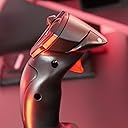
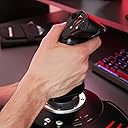
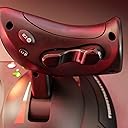
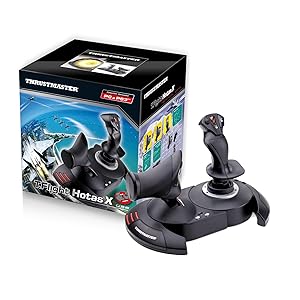
The Thrustmaster T-Flight Hotas X is a versatile, budget-friendly flight stick and throttle combo designed for PC gamers seeking immersive flight simulation. Featuring 12 programmable buttons, 5 axes with adjustable resistance, and ergonomic design including a detachable throttle, it offers customizable control and comfort. Its plug & play setup and internal memory for saved configurations make it ideal for both casual and serious flight sim enthusiasts aiming to upgrade their cockpit experience without breaking the bank.


| ASIN | B001CXYMFS |
| Additional Features | Ergonomic |
| Best Sellers Rank | #932 in Video Games ( See Top 100 in Video Games ) #6 in PC Game Flight Controls |
| Brand Name | Thrustmaster |
| Button Quantity | 12 |
| Color | Black |
| Compatible Devices | PC |
| Compatible Video Game Console Models | Sony PlayStation 3 CECH-4012C |
| Connectivity Technology | USB |
| Controller Type | Flight Stick |
| Customer Reviews | 4.4 4.4 out of 5 stars (8,245) |
| External Testing Certification | Não aplicável |
| Global Trade Identification Number | 03362932913535 |
| Hardware Platform | Desktop, Laptop |
| Included Components | Instructions manual & flightstick |
| Item Dimensions | 10.39 x 9.53 x 10.43 inches |
| Item Part Number | 2960703, 4160543 |
| Item Type Name | Flight Stick |
| Item Weight | 2165 Grams |
| Manufacturer | Thrustmaster VG |
| Manufacturer Part Number | 2960703 |
| Model Name | THRUSTMASTER T-Flight Hotas X Flight Stick |
| Model Number | 2960703 |
| Package Quantity | 1 |
| Power Source | Corded Electric |
| UPC | 071030532366 088021805026 887166196026 012301871210 080000259578 151902985152 611101218685 088020767042 080000350657 021112254617 088020980311 084007483189 962327424283 071030530522 780320052803 080000327369 021111317245 086000368937 071030174641 803246208427 675904128305 079532181464 115971251358 132017947938 105221984143 644535525814 001910723973 071021143250 707003244966 021113169415 0129515960… |
| Warranty Description | One year |
S**D
A great price positioned joystick/throttle combo that won't break the bank
I have looked at Thrustmaster sticks over the years with envy, to me they represented an elite level in joysticks. While I really like flight and spaceflight simulations, I could never quite warrant spending the big bucks on Thrustmaster or Saitek joysticks. Logitech and others had reasonably priced sticks for my level of gaming. For the past several years I have been on consoles so joysticks were not a big option. Recently I stepped back into PC gaming and I purchased one of the "Elite" space combat games. Even in the video for the game, the character used a stick combo that was very similar to a Thrustmaster setup...clever subliminal marketing? Maybe so because after trying somewhat unsuccessfully to fly on just a keyboard and mouse, I was looking for a stick I thought about going with one of the Logitech sticks, like what I had before, then I saw this setup. Where it would be asy to close in on or surpass 400.00 US on Thrustmaster sticks, here was both for a very very reasonable price. Was it discontinued? An inferior model or refurb? Nope, it is just a specific model that Thrustmaster produced to solicit a niche of bargain PC gamers and PS3 gamers(Yes! The stick works on PS3!!! I find out AFTER I have moved on to the PS4( I have yet to see if it works on PS4, but even if it does there are not many games that call for a stick like this)) The T-Flight is a great stick for the price-point. It is not going to be the same quality as the 200.00 individual components, but that is not to say this is not a quality device...Au Contraire... This is a great bang for the buck. The unit arrives together in the box but not connected. You have the option of screwing the throttle and the stick together via installed screws in the base. There also is an allen wrench included in the base, complete with its own snap in nook. This is good because the screw heads are of a star type. That being said, you should put them together to see if you are comfortable with them being that close together. Maybe you have space limitations...who knows. I tried it and personally felt it was a little close together for me and how I was using it, so I opted to separate the stick and throttle. The cord that connects them is about 3 feet long and will wrap up in the base of the throttle if you choose to connect them. True to good quality sticks like Thrustmaster, there are many buttons and they are programmable. Additionally there is an tensioning adjustment under the flight stick, but it didn't make a great bit of difference to me. All in all the joystick has a good feel to it and responds well. With one exception which I have seen in several reviews, I will add in mine as well. The throttle has a middle or neutral spot if you will and I guess in lieu of making a spring based solution, they mad moving out of this spot a little hard. It's almost like it sticks, you definitely will feel it and it can affect what you are trying to do, especially thrusting forward. I believe in time, with a good amount of usage, the stick should wear sufficiently to be more smooth but for now it is almost certainly a hindrance. For many it can be lived with, others it could be the straw that breaks the camels back in deciding on this stick. If you can put your hands on one before buying, I think that would help you formulate a better decision. A joystick or gamepad can be 10$ and feel perfectly right for you or a 200.00 professional model and still not quite cut it. It really comes down to how it feels to you. In the end, I think this is a fantastic stick, especially for the price. It has many features, very programmable and feels really good with the exception of the throttle mid point. For me, I can overlook it given how I use the stick and the frequency.
M**W
T-Flight Hotas X
I was looking for a decent joystick at a low price to play some new titles (A-10C Warthog), and some of my older favorites (Freespace). This was the only stick I found with detachable throttle for under 50$ that looked good. I was not expecting anything great from it for 35$, but decided it was better to try this out first and if I felt it was inadequate I could upgrade at a later time and not have wasted too much money. (edit: I see now Amazon has put it back at 50$, I'm glad I got it for a low price while I could). Having tried it out I am very pleased with it overall, especially for the price. The construction is solid on this stick. While the materials used are not high end (lots of plastic), for 35$ you can't expect higher grade material. They work and they won't break on you any time soon. There are lots of buttons on the stick and throttle that you can map. I can't imagine needing more. The dead zone is pretty good on this stick. When I fired up my first game I was unimpressed with the way the stick handled and what I thought was a horrible dead zone. Moving the stick in any direction slightly resulted in no movement on the screen. I felt like I was having to push the stick half way in any direction just to get some movement. I can assure you that if you are experiencing this in any game, it's the game / game settings that are causing it. To test, install the latest windows drivers from the Hotas website for this stick. Run the device information tool and watch the graph on the screen as you move the stick in any direction. This will show you what is being detected when the stick moves. I noticed this tool was detecting more movement than the game was. In my case, I found settings for dead zone in the games settings and set it to 0 which resolved the problem I was having. Cable length on this stick is great. I had read some other reviews saying the cables between the stick and the throttle are not long enough. I'm not sure what people expect, but I can assure you they have a lot of length between them. I was able to fit a full size keyboard with number pad and media keys between the stick and the throttle. + Construction is solid + Very minor dead zone + Long cables + Lots of buttons that can be mapped - Lots of plastic +/- Unsure how this stick will hold up over time. For 35$ if I can get 1-2 years out of it I would be happy.
A**N
Very good introductory product- perfect if not for noticeable dead zone and sensitivity issues.
Overall, this is a very solid product for a very very reasonable price- at least when compared to other similar products. I originally ordered this product when I first began playing games such as Elite: Dangerous and Star Citizen, when a keyboard and mouse just wouldn't cut it. Everything worked well out of the box, and the included instruction and user manuals covered many of the important aspects of the stick and throttle. You can customize the buttons to do whatever you want, and as I purchased it mainly for Elite: Dangerous, I was happy to see that they had a pre configured key mapping for this particular model. One important thing to note is that you will probably want to change the axis mode from 4 to 5 by hitting central button on the base of the throttle (I believe it glows red when it is in 4-axis mode, and it glows green when it is in 5-axis mode). Having the t-flight in 5-axis mode allows you to use the slider on the back of the throttle independently from the twisting motion on the stick. (Sorry if my terms are a little basic, I don't really know many of the proper names or anything). It is compatible with many versions of windows (including windows 7, 8, 8.1), and has plug and play technology, only requiring a compatible USB port and OS. Configuring it is fairly intuitive and instructions can be found both on the Internet and in the manual, however- at least in my experience, the plug and play features were not quite what I hoped they would be, and I chose to manually download the latest drivers and configuration software from the thustmaster website, which a quick search for "Thrustmaster T-Flight X Drivers" will most likely bring up. Having to look up the separate drivers, and the fact that the stick has a rather large dead zone and is not as sensitive as I like are the reasons I rate this product 4/5 stars- but for an introductory level product, it works very well and I would highly recommend it.
T**K
Will 100% fill your needs in Elite: Dangerous & other simulators -- **IF you download the community-made profiles**!
first off, let me say that I wasn't sure if a good flight stick setup could be had for anything less than a fortune; look at some of the $400 setups and you'll know what I mean. However, I really miss the 'glory days' of flight / space sims -- they were one of my favorite genres. Especially when it came to PC games, titles like Wing Commander, Tie Fighter, Falcon 3, US Navy Fighters -- those were some wonderful games. I always had a flight stick, and even at one point had a very expensive Thrustmaster F-16 Falcon flight stick that cost well over $100 at the time. Thankfully, with the re-emergence of hard-core flight / space sims like Star Citizen & Elite: Dangerous, it seems like simulators are making a comeback. And while they are playable with an Xbox 360 controller, etc -- it's just not the same...and having a keyboard along for the ride becomes a necessity. Without breaking the bank, I really was wanting to jump back into a control setup that felt more "context genuine", and that also might liberate me from keyboard reliance! Let me say that, yes -- this has completely filled all my needs! In Elite: Dangerous, I no longer need the keyboard at all while playing. I keep it close by just in case, but I haven't needed it at all. This is, however, due to a COMMUNITY MADE CONTROLLER PROFILE for the game. I hate typing in caps, but this is key to this unit receiving all 5 stars, since the default control scheme in Elite: Dangerous doesn't map the buttons in an efficient enough way to cover all the main usages. It's easy to do you -- you just drop it into the folder that is mentioned, and it will show up in the game. Otherwise I do not feel this setup would have had enough buttons to map everything to. I'd type in the site where I downloaded the profile, but I think that amazon typically takes out the links. Just google the name of this stick + Elite: Dangerous and you will likely run into a forum post really quick mentioning it with a download link and a button reference photo. Basically what it does is assign three button on the throttle to 'modifier' keys (shift, ctrl, etc) to where you hold one down, and all the others buttons perform 'flight-based' operations. Hold down another & it will fulfill all 'combat' based functions, etc. This essentially triples the buttons on the system -- though you do have to get used to using the modifiers. Again, I couldn't be happier with the setup. At the end of the day, this will likely fulfill your needs: it can be used as one or two pieces (I use it as one due to how I am situated), is highly flexible with profiles, and is solidly enough built to feel fully functional. It's not the most robust system out there, but you get an incredible amount of value for the money. If this hadn't fulfilled my hopes, I would have returned it -- but that has never crossed my mind. :)
G**9
Best Flight Stick I've Had To Date
My first flight stick (or joystick) was the Microsoft Force Feedback Pro which was a very good stick - it had some 'slop' in it which eventually got so bad that it was no longer tolerable. It was rugged and comfortable to use, but Microsoft quit making them & also quit supporting them in many flight Sims & newer games. I then had two Saitek Cyborg Evo Joysticks. The first one developed a problem after 11 months with little use, when it went out of calibration and the rudder output stuck in 50% left rudder position and couldn't be fixed by recalibration so it was replaced under 1-year warranty. Within 10 months switch #5 quit working on the second or replacement joystick so at this point I decided to look for a different manufacturers joystick because by now I had lost faith in Saitek being able to make a reliable joystick. I am seventy years old and I take good care of my equipment - I don't abuse my joysticks so if they don't last for me I doubt that they would last for anyone. I searched Amazon reading joystick reviews and came across the T-flight Hotas Stick Pc PS3. This joystick had the features I wanted and was rated very high - almost 5 stars even though at the time it had only five reviews - so I ordered it. This joystick can be used with either a PC or PlayStation 3. It has a PC-PS3 switch so you can select which one you use. It came with the throttle and joystick separated so I decided to try it this way for a while. I've had this joystick now since the first week in August 2009 and I really like this joystick. PRO: 1. It comes in two parts, the throttle & joystick, separated by an interconnecting cable approximately 18" between them - but, they can be mounted together as one assembly if desired as the necessary wrench is included and the throttle & joystick are designed to be mounted together as one unit. I like them separated as it is more realistic - with the throttle on my left and the joystick on my right. 2. Very simple to connect to your computer. You connect the joystick to the USB port on your computer via the integral USB cable & connector - that's it! No separate power supply or adapter is required because this joystick gets its power from your computer through the USB cable/connection. 3. No installation CD included or required as once you connect this joystick to your computer it is automatically recognized and calibrated - a plug & play joystick - they don't get any simpler than this! 4. The throttle & joystick are very comfortable to hold & use. Together they have twelve programmable switches which are very easy to use on both the throttle & joystick. There are four programmable switches on the joystick module and eight on the throttle module. The joystick can be twisted left-right for the rudder control - the throttle module has a slider switch which can also be used for rudder control if so desired. Also there is an eight-position hat switch located on top of the joystick - this is normally used for 'looking around' in flight simulator programs. Both modules are quite robust & heavy enough so they don't move around much unless you really give them some pushing around. 5. So far this joystick is performing excellent & a great buy for the money. CON: 1. None that I know of so far - except maybe it would be nice to have the interconnecting cable between the joystick & throttle modules be longer & have connectors that can be unplugged in case of damage they could be replaced. Also I'd like to be able to move them a little further apart. UNKNOWN: 1. How long will this last before something goes wrong? Only time will tell. T-flight Hotas Stick Pc PS3
K**S
I use this for Elite Dangerous: Horizons.
OMG I love this thing! It's cheap, fairly solid and has a good amount of buttons. Ergonomics and button placement is also great. Yeah it doesn't have as many buttons as a $200+ flight stick, but I purchased one of these as a gift last year for $33 USD right here on Amazon. Even at $50 USD it's a great value. Something that more hard core flight sim folks probably hate (but I love) about this little HOTAS is the throttle. In the muddle position it has a little notch. This is great for knowing where zero throttle is in Elite Dangerous. I have friends that play elite with $200 - $300+ HOTAS setups that don't have this notch. For Elite it's super important to know where zero throttle is. So, this thing DOES look like an old 15pin PC controller from 1997 but when you put your hands on it, you can really feel the ergonomics of this It feels great, but looks chinchy. I can't dock it a star for this. It's got it where it counts. It also seems well made. I have been using mine almost every single day for the last 6 months (probably 5 days a week on average) and it's perfect. It's made of plastic and does creek a little bit but it's fine. A friend of mine got one of these a couple years ago to play an A-10 sim. It's got WAY MORE "MILES" on it than mine. It seems like maybe it's a little more "creeky" than mine, but not annoyingly so and works just as good as mine does. Buttons... It could definitely use more buttons. But for a sub $50 HOTAS I think it comes with a generous supply of buttons. If you play Elite though you know how many buttons ones needs. It has plenty though for everything you need in flight and conflict. I have to use the keyboard though for things like ship lights, landing gear, switching fire groups. More minor stuff. I originally got this as a stepping stone to a much nicer HOTAS after 6 months now I have no desire to upgrade. It works perfectly for me. Oh a final note this does come apart into two parts, but the cable connecting the two parts is a hair short. If you have a gaming keyboard, it probably won't reach. I typically play with it together, it's a but more stable that way. Hope this was helpful.
R**N
Excellent Joystick, Good Price
My last good joystick, a Logitech WingMan Force Feedback, still works after about 12 years, but it's slowly wearing out. I've looked at several possible replacements and came across this Thrustmaster T.Flight Hotas X. The most helpful review to date is by gump92139 and, along with other reviews, convinced me to try the Thrustmaster. Gump's review has a good description and is well worth reading. I'm very impressed and pleased so far. I have used it in FSX, mostly with the Carenado Cessna 340, but also with DodoSim's Bell Jet Ranger using the helicopter's most difficult and realistic settings. The Thrustmaster provided very stable control, and the DodoSim helicopter is one of the most difficult to fly. The stick has a very solid, positive feel. From the photo, I was concerned about the ergonomics of the throttle – it looked like it might be uncomfortable to use. It might be a bit uncomfortable for some at first, but being able to separate it from the stick by about 18 inches in any direction allows for many different placements, at different levels from the stick, etc. I was surprised at how user friendly and comfortable it is. And regarding user friendliness, as gump92139 described, I simply plugged it into a USB port and ready to go. The manual says to access the control panel to configure and test the joystick, but I didn't need to do that – it was ready to go simply by plugging it in. (I'm using Windows 7, 32 bit.) However, during the first test “flight,” I accessed the settings in FlightSim X and made some changes in the button assignments, as well as adding a few assignments for the unused buttons: flaps, trim, views, etc. It's very easy and quick to do without exiting the simulator. One minor complaint is that buttons 3 and 4 are placed on the stick opposite each other, 4 on the back right towards the operator, and 3 on the front right. I found myself pressing both buttons at the same time with the thumb and index finger. Since the trim wheels in many airplanes are on the pilot's right, I had assigned these buttons on the right for trim up and trim down – not good to press both together, but the placement and right hand grip seems to encourage pressing both buttons at once. Might have to reassign them, or just get used to the placements. All in all, it's a fine HOTAS system at a very reasonable price.
B**E
Reasonable for basic gaming, not up to snuff for realistic simulation.
Works reasonably well for bog standard gaming and fixed wing simulation, not for cyclic and collective. Both the stick and "throttle" have a significant dead zone in the center. The joystick spring, while adjustable, is too strong for very light helicopter controls. and the throttle has a very hard detent in the center. I ended up taking the spring out, which helped a lot.. and it does still center, and removed the detent spring from the throttle. If not for the deadspot in the middle of the controls, this would be a close enough analog to a real Robinson R44. X-Plane 11, R22 R44
M**Y
Brilliant! and smooth controls
I love it. Smooth faultless operation, comfortable to handle, strong construction and most importantly works exceptionally well. I use it primarily with Flight Sim X Gold edition on Windows 10. Tip for those having problems using FS X on Windows 10 with registration problems is: To over-come the registration problem run FS X in "Administration" mode and registration confirmation is obtained.
Q**T
Realista, barato, comodo, ocupa poco.
Ha sido mi primer kit de vuelo ya que llevaba tiempo interesado en este mundillo y me decidí iniciar con este hotas que tenia muy buena valoración, y encima estaba en ofertas de prime day y me lo pille por 50 euros. ✅ Lo bueno - Muy barato (Me valió mas el juego que el hotas) - Fácil de configurar - Fácil de usar. - Buena calidad. - Perfecto para principiantes. ❌ Lo malo - Hay unos pocos botones que son algo difíciles de alcanzar y no se ni para que son, pero eso es cosa mía principalmente. En general es un hotas perfecto para iniciarse en este mundillo de la simulación de aviación, es totalmente recomendado, y si te lo encuentras en ofertas esta casi regalado, cuesta menos que el juego en si. Aunque el juego consume mucha potencia, si tienes un ordenador barato no te va a correr, mira si tu ordenador lo soporta primero y luego ya decides, además esta a punto de salir la versión del 2024 en noviembre, así que a lo mejor espérate un poquito.
P**I
ottimo prodotto dall'imbattibile qualità/prezzo
Questo joystick-hotas da volo è da un po' in catalogo ed è stato aggiornato in versioni specifiche per console più recenti (il mio è quello per PS3) ma per PC/Mac nulla cambia per cui questo "vecchio" ha un prezzo estremamente favorevole. Qualità eccellente in generale, accuratamente costruito con buoni materiali, ha una miriade di tasti e un asse anche davanti alla manetta della potenza motore che può essere configurato come timone - molto pratico. Ricordate di fissare le due parti (base joystick e base manetta) tra loro con le viti a brugola da sotto (apposito chiavino fornito sotto la base stessa) perché all'inizio non mi era così evidente di doverlo fare e i due pezzi, pur incastrandosi reciprocamente, ogni tanto tendevano a... liberarsi. Utilizzato sia con PC (Win7) che con Mac (iMac 27'') con X-Plane 11 che ne prevede la specifica configurazione. Se sul Mac non sapete come calibrarlo (non ho trovato l'apposita utility), e quella dell'applicazione non basta, a me ha funzionato farlo sul PC (con l'apposita utility ThrustMaster) e poi una volta riallacciato al Mac lo si ritroverà... stabile (evidentemente memorizza internamente la configurazione). Ottimo, confido che duri!
M**N
A kalite
Çok iyi
M**E
facile
super a utiliser
Trustpilot
2 weeks ago
1 day ago