Buy anything from 5,000+ international stores. One checkout price. No surprise fees. Join 2M+ shoppers on Desertcart.
Desertcart purchases this item on your behalf and handles shipping, customs, and support to Spain.
📼 Preserve your past with one touch—because memories deserve the spotlight!
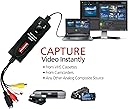
The Diamond Multimedia VC500 is a compact USB 2.0 video capture device designed for effortless digitization of analog video sources like VHS, Hi8, and camcorders. Featuring a one-touch hardware button, it captures video in standard MPG formats at up to 720x480 resolution (NTSC) and supports Composite RCA and S-Video inputs. Compatible with Windows 7 through 11, it includes Honestech software for capturing, editing, and DVD authoring, making it an ideal solution for professionals and enthusiasts eager to preserve and share vintage video content with ease.


| ASIN | B000VM60I8 |
| Best Sellers Rank | #41 in Internal TV Tuner & Video Capture Cards |
| Brand | Diamond Multimedia |
| Built-In Media | One-touch Video Capture & Share/usb To Composite & S-video |
| Color | One Color |
| Compatible Devices | Camcord, Personal Computer, Videocassette Recorder |
| Connector Type | RCA |
| Customer Reviews | 3.8 out of 5 stars 6,926 Reviews |
| EU Spare Part Availability Duration | 1 Years |
| External Testing Certification | Non |
| Finish | Composite |
| Global Trade Identification Number | 00031112829227, 00757448005080, 05147841663966 |
| Item Dimensions | 4 x 1 x 1 inches |
| Item Type Name | Video Capture |
| Item Weight | 7.2 ounces |
| Item dimensions L x W x H | 4 x 1 x 1 inches |
| Manufacturer | Diamond |
| Mfr Part Number | VC500 |
| Model Number | VC500 |
| Number of Items | 1 |
| Number of Ports | 2 |
| Package Quantity | 1 |
| Power Plug Type | No Plug |
| Smart Home Compatibility | Not Smart Home Compatible |
| Specific Uses For Product | personal |
| UPC | 132018346143 734911108370 115970739468 112840389341 132017723440 168141351129 033587175854 696582192839 044111921632 163120866946 782386063120 854587014826 734911366497 031112829227 757448005080 168141639982 |
| Unit Count | 1 Count |
| Warranty Description | One Year |
| Warranty Type | one-year warranty |
J**T
This was exactly what I needed to copy VHS to DVD
I came across this product while searching the internet for video capture software/equipment. This was the highest rated AND cheapest product on the market. I was skeptical that it was NOT available locally and that all the stores are pushing the comparable Roxio product for nearly 3x the price (with less favorable product reviews). I took a chance and ordered the VC500, and I'm quite pleased! I had, what appeared to be, a rather unique need for this item. I own a few movies on VHS that were never released on DVD. I attempted to copy these movies on a friend's VHS-to-DVD recorder but discovered that the movies were copy protected and were rejected by the recorder. The VC500 is NOT affected by "copy guard" and I was able to capture the video to my PC then burn to DVD. Although it was quite a time consuming process, it worked well and resulted in a pretty good quality DVD copy of a VHS movie. Please note: This device does not work miracles! Video tape recording were not in HD. They were low rez and sometimes grainy. If there is wear or damage to the tape, or tracking issues with the VCR, these blemishes will be present in the captured video. However, if you have a good clean VHS tape, and a high quality VCR, with clean heads and adjustable tracking, then capture your video, burn to DVD, when you playback the DVD in an up-converting BluRay player, you may be shocked at the quality of the final product. You just can't have unreasonable expectations. Pros - This product is dirt cheap! It works with any device that uses Red/White/Yellow RCA cables, or S-Video. It can capture still images from video. The capture software is ridiculously simple to use. It comes with a 30 inch Red/White/Yellow RCA cable. It also comes with broadcast software (I have NOT used it, but I understand that it allows you to stream live video and upload directly to your You Tube account.) Cons - The instruction manual is in poorly translated Chinese, and ONLY explains how to hook up the device and install the software. There are no instructions for how to use the software. You just have to play around with it til you figure it out. The video editing and movie making software that comes with the VC500 is junk. (I did try to use it and after 4 hours of burning I ended up with a DVD that wouldn't play.) During installation I receive a message that this was not Windows Logo approved software and to basically continue at my own risk. (It didn't seem to cause any problems with my computer.) Tips - Use your normal "New Software Wizard" to get started. Depending on your version of Windows the drivers may load automatically. Make sure you have lots of RAM and plenty of free hard disk space. Video capture is very sensitive, so I found it is best to reboot before starting and don't open any other programs. Avoid using the editing and burning software that comes with this device. I used Nero and ended up with very professional looking results. Other uses for this product include: transferring home video, capturing video clips for presentations, capturing still images from video, recording or broadcasting from gaming consoles, capturing stereo audio from analogue devices (that play cassette tape, reel-to-reel, vinyl, etc.).
G**B
Works OK for VHS tapes on Laptop w/ Windows Vista, but USB connector is cheaply made
Feb 20, 2012 Got this within five days of ordering. So far (9 VHS tapes) it works great. After looking at the reviews I wasn't sure this would work on my four year old laptop (HP Pavilion 4GB mem, 300 Gb Hard Dr, AMD Turion-X2 proc, Windows Vista) but it does. At first I noticed some lag in the sound and video and my processor was running at 100% running the EZGrabber software, but after I shutdown all the other processes that were running in the background( AVG anti-virus, windows security, Norton Ghost, Lexmark printer monitor, etc.)it performs great. Processor runs now at 62% running EZGrabber. However, you MUST follow the connection and start up procedures that are explained in a previous review (by someone else -- who did a very good job of explaining the sequence of each step by step) If you don't, you WILL get the blue screen with nothing showing. I got this at first and thought -- oh _ _ _ _ this is not going to work and I have the same problems that I read about in some of the reviews. After re-doing each step, I got it to work fine. I only loaded the drivers and the EZGrabber software from the enclosed disk. I already have Windows Movie Maker and Windows DVD Maker so I didn't want the video editing software -- from the reviews it sounded like its not too great anyway. I didn't load the streaming software either. It takes about two hours to do a 60 min VHS tape -- one hour to play and load the original 60 min tape, and another hour to edit and burn a DVD. EZGrabber will create about a 2.5GB file (from a 60 min VHS tape) which I then delete after the DVD is produced. Everytime you click the record button EZGrabber starts a new file. This makes it easy to split up a tape into smaller sections, edit out the parts or sections you don't want and then use the video editer to put it all back together again to burn a DVD. I have lots of tapes of family activities that I split up like this so I can rearrange the sequence and put it back together so it makes better viewing. Windows Movie Maker is a pretty good video editor, but takes a lot of my processor power to run. Video and sound quality is good -- considering I'm creating from old VHS tapes. However, there IS a slight delay in the sound vs video -- maybe a 1/4 sec delay. I dont find this objectionable, my DirectTV sat. signal does the same thing. I tweaked the EZGrabber settings to increase the color saturation a little. This seems to make the color intensity better bacause of the quality of the old VHS tapes. Also remember to check ALL your settings on EZGbrabber everytime you use it because when you re-start EZGrabber it forgets your previous settings. * * * * * * Change Rewiew * * * * * * Mar 11, 2012 I am changing this review because after converting 7 more hours of VHS tapes I experienced the same troubles that are posted on other reviews -- that is, a loud horrible scratchy noise that EZGrabber is introducing while converting tapes. Again I thought I would have to return this purchase to Amazon but I discovered that the problem is the USB connector. Apparently the USB connector on the One-Touch Video Capture device is pretty cheaply made. If I juggle it and play around with it where it connects to my laptop, I can get the loud scratchy noise to quit. This happen regardless of which USB port on the laptop I use. So, Im still using it to convert my tapes. I just have to be careful with the connector. If it gets really bad I guess I will have to cut it open and re-soulder the wires.
E**S
Simple, Reliable Way to Digitize Old VHS Memories
Simple, Reliable Way to Digitize Old VHS Memories I’ve been looking for a straightforward way to transfer old family VHS tapes into a digital format, and the Diamond Multimedia VC500 delivered exactly what I needed. Setup was painless: plug the USB device into my PC, connect the VCR with the included cables, and install the software. Within minutes I was previewing the footage. The software isn’t flashy, but it’s easy to use and gets the job done. I especially like that I can capture straight to my hard drive or create files ready for burning to DVD. The editing features are basic but useful for trimming out dead space or rewinding past static. The video quality is about as good as VHS gets—grainy in places, but that’s just the source. Audio stayed in sync, which is important. One thing to note: the device works best if your tapes and VCR are in decent condition. If the source material has a lot of tracking issues or damage, no converter will make it perfect. Also, the included cables are a bit short, so you may want to have longer ones on hand depending on your setup. Bottom line: A solid, user-friendly tool for anyone who wants to preserve VHS tapes before they degrade further. It’s not professional studio gear, but for personal archiving and family memories, it works beautifully.
J**B
PowerDirector and EZGrabber are garbage
This ships with two bits of software that allow you to capture video: PowerDirector and EZGrabber. From what I can gather, PowerDirector is usually paid software, which is unfortunate because its garbage. The picture quality is good enough and so is the sound. Why is it garbage? Well, you see, VHS tapes organize their data such that all the picture is on one part of the tape, all the sound is on another part, and there's an extra little part of the tape for storing metadata. When you have home videos that are recorded to VHS, lets say on a crappy VCR from the early nineties, sometimes the VCR would accidentally write some of the video into the audio and some of the audio into the metadata section and cause little blips of static in the tape. Apparently, it was customary for distribution companies to write static into that metadata part of the tape so that it was marked as "copy protected". Ok sure, that's fine. Piracy and all that. Power Director, though, has been lovingly crafted to vomit the instant that there is anything in that metadata part of the tape. Have a fuzzy video of your little brother's boy scout project? That's clearly copyrighted content and you must be a pirate. Time to stop all recording. This basically forces you to sit there for every minute to make sure that Power Director doesn't halt your multi-hour capture session because a breeze wafted by the VCR and caused it to track wrong for a second. This made capturing all the home movie footage that I had into a subject on torture. So here I am now trying out this EZGrabber software. It's spartan to say the least, with a tiny floating view screen, a button for record, and a button for stop. It, unlike Power Director, would not stop recording the minute it stumbled over the VHS tracking. So I left it running for an hour to capture vacation footage from 1997. I came back to find that it had captured the footage alright, and stored it in what looked like a 60 by 40 pixel resolution. I'm not even joking, the footage was literal garbage. The audio was also unsynchronized and playing three seconds too late. In the end after having spent two years of fretting with this garbage on and off again, I moved on and bought an Elgato capture device on here. It runs like a charm, has great picture and audio quality, and the software that comes with it doesn't make me yearn for death.
Z**E
I can only tell you about using it on my machines....
On the positive side, it captures video and audio just fine, within certain limitations. I had tried a KWorld unit, which would not even install properly, as well as a handful of assorted USB and PCI units and this seems to be the best of the lot. I installed the drivers and software on two computers, a Dell 8400 running WinXP SP2 with a 1 TB SATA drive as the target and a Sony VAIO VGN series running Win7. The Dell went through hysterics during the installation, giving me two BSODs (which are pretty rare on WinXP) but everything finally installed. The installation was smoother on the VAIO with Win7. One thing they don't tell you is that the capture utility acts funny when there is no video input to capture...you'll think your monitor is having an epileptic fit (at least in WinXP). Try hooking up a live video signal and things should calm down. Picture quality is pretty good overall. The Diamond capture utility (not to be confused with Ulead Studio)gives a decent preview that keeps pace with the capture. I used a DVD player output to test, so I knew I had a decent image source. The image was not formatted properly, though, giving me an aspect ratio that looked about 16:9, with a green band at the bottom of the preview window. (This was using the standard NTSC composite video output of the DVD player.) Interlacing artifacts were very noticeable, making me wonder if it was using just the odd or even fields for the preview. Picture adjustments (hue, saturation, tint, etc.) worked well. One irritating thing about these types of "one-step" devices is that they don't tell you what you really want to know about the capture and encoding. Instead of giving you the option of selecting MPEG-1, MPEG-2, or whatever, you get to choose "DVD," "SVCD,", "VCD," and so forth. I also couldn't see any way to select the image size or bit-rate. They all appear to be preset in the Diamond utility. So I chose "DVD" and went for it. Unfortunately, the end product using the Dell 8400 was not satisfactory. I'm going to assume that this was MPEG-2 (DVD standard), but I haven't checked the actual encoding on the file. The audio was fine, but the captured video lagged every five seconds or so. It did, however, keep the audio and video in synch. Performance on the VAIO laptop was better, but I can't say it was great. The VAIO is only a dual-core and it appears that horsepower counts. Performance using the "SVCD" or "VCD" settings was much better. There is also an "AVI" setting, but I don't have any idea what compression method or bit-rate this uses. I'll have to check it out and see. I don't expect it to be DVD quality, but I might be surprised. Now, if you want to know a secret, I'll tell you how to capture excellent quality video: don't compress it when you capture it. I'm serious. Get an inexpensive PCI video capture card (a Leadtek TV2000XP or something newer) and download VirtualDub (freeware) to capture the streams. When you capture, use the uncompressed RGB video and uncompressed PCM audio settings. As long as your HDDs can handle the writing (I use a couple older IDE drives in a RAID 0 configuration and they keep up just fine), you will have perfect 640 x 480 video with NO dropped or inserted frames and in perfect synch. Sure, it will be a big file (probably 140 to 160 GB for a 90 minute movie) and you'll have to compress it later, but all the original goodness and quality will be there for you. Just run it through VirtualDub again with Xvid at a maximum quality setting and the resulting file will be ready for final editing and MPEG-2 compression. It will look great! So, the VC500 is the best of a breed in my book. Spend a lot more money and you can get good hardware compression in an external unit. On the other hand, if you want VCD quality and have a decent PC, this unit will produce acceptable quality with literally "one touch" and without the complexities.
U**V
A true DIAMOND among countless USB VHS capture devices!
G**R
Don't be afraid to buy this, it works, Read my review
I looked and looked at all kinds of video recorders and all the reviews. All I wanted to do was to transfer my home VHS tapes over to DVDs. Diamond VC500 was rated number one on a review site that also had reviewed 10 others. They hit the nail on the head, IT WORKS GREAT. Inexpensive and easy to use. I used mine on windows Vista using a Panasonic 4 head VCR. I have never done reviews before but thought there has to be others out there like me. Someone wanting a recent review and give an honest one. Right now I am finishing my last DVD from my home tapes. I bought the VC500 back in December 2010 and now 66 DVD's later no problems. I am going to take the time to tell you what I did and how I set it up for slick operation. My set up is with my desk top Vista Hp and off to the side my VCR. Connecting the VCR from the OUTPUT RCA jacks through the VC 500 and to the USB port on the Desk top computer. I first set up a DVD folder on my hard drive and in it was other folders labled DVD#1, another DVD#2, etc. I used about 200 gbs of hard drive to hold about 18 DVD's. The directions that come with VC500 are crummy but are on the disc along with Arc Soft editing software that I thought was ok. Install the software disc that comes with the VC500. Leave a shortcut on the desk top for the "EZ Grabber" and the "Arc Soft Show Biz". Starting your first DVD (IN THIS ORDER), make sure the VCR and computer is on and ready to go. VC500 all hooked up and plugged in on both ends. There should be a blue light on at the VC500 if everything is hooked up right. Click on your EZ Grabber software. Most of the buttons that are seen on the monitor will not be used. The one I use the most was located at the top right, looks like a gear for setup. Click on the gear setup button. If everything is hooked up correctly a window will pop up for settings. Under Video Tab set NTSC_M and Video Source at Composite (for your RCA jacks). All the pointers on that page should be set at default (in the middle). Capture Button tab set at Capture Video. Snapshot Tab at JPG (doesn't matter burning movies). Record Tab set at DVD. Click Browse in Save Folder and locate the folder that was set up on the hard drive earlier. Click OK. If you aren't able to see these settings in grabber - you probably didn't follow the steps in ORDER. Start the VCR and watch your monitor. When you see the VCR movie starting - press the REC button on the front of the VC500. At that time, the red light beside the blue light thats on the VC500 will come on indicating that the VC500 is recording. Looking at the Grabber on the monitor will show the time elapsing and you can view the VCR tape being played. My computer came with "Windows DVD Maker" (maker). Works great. IMPORTANT- IMPORTANT Using maker will show how much can be put on a disc. Don't try to figure it out. Throw timing and GBs out the window. Download several VCR tapes to your file. Now open up DVD maker and drag and drop each tape into maker. Make note in maker at the bottom left the time indicator. Drag till its full and maker will indicate how many minutes over you are. Make note how many minutes that is needed to be edited off your tapes. Arc Soft Show Biz allows for the editing. I cleaned up the ends of my first tape in Show biz and the last tape I would edit the amount of minutes off the last tape so it would meet DVD makers time limit. Show Biz let you add fade ins-outs. This should get you going and I hope it helps
B**G
Audio and Video not in Sync
I am a multimedia specialist working from home and converting VHS media to DVD format for residents of my retirement community. The products works well recording with my Magnovox VHS player. However when viewing the recorded media the audio and video are not in sync. I have a video showing a person speaking to a church, and his lips do not match the audio. Sometimes it shows him not speaking, pausing, however there is audio as if he is speaking. The only option I have is to unlink the video and audio in my editor and sliding the tracks left or right to match the audio and video. I have contact the manufacturer in hopes that they have a fix for the software or an upgrade to the software. I currently an running Version 4.0 SE, the device is a VC500-SE. There are newer versions of the software available, and have to mention that Vidbox purchased Honestech also. I have written the manufacturer for a fix and hoping for a reply. Do not recommend purchasing any version below 7.0 hopefully this issue has been corrected with the new version.
T**O
Prodotto eccellente
Buon prodotto, buon rapporto qualità prezzo, confezionato correttamente, esegue la funzione senza problemi, si istalla facilmente . . . .
V**A
FUNCIONA BEM, mas leia isto antes!
É excelente a qualidade da captação. Só um detalhe, desative antes, se existir, o driver AVtoUSB. Ao instalar o driver, vai dar uma mensagem de erro após a instalação do driver falando que não conseguiu encontrar o dispositivo. Ignore! Ah! Não use o software que vem com ele, pois só capta em MPEG2 DVD. Capte em MP4 com o PotPlayer, que é muito melhor.
R**S
VHS y Beta a digital
Muy buena tarjeta, el software muy practico y la calidad excelente.
A**A
An effective capture card
Works fine and is easy to use. Latest version requires Windows 10, and once you install the drivers, you can install Cyberlink PowerDirector and capture there with ease. You need to select quality of recording (MPEG2 is best for interlaced material and can be set to be near lossless at 15000kbps, plus AC3 at max bitrate) and the source (play around with the few choices until you see and hear the signal, defaults rarely work). Button on product is useless. PowerDirector is a bad program for this however because every time there is a non-recorded part in a video, it complains of copyright abuse and deletes the video recorded thus far. This is the same for all commercial programs, since the snow effect of a blank VHS has been used for copyright protection at some point. Work around that (check the end of videos and be sure to program the end of recording at that mark or manually interrupt recording), and it is a simple way to save your videos. It is not worth going for free programs, as they complicate other matters. Just know that the hardware and drivers of the current version are for Windows 10, and you need a previous version for older Windows. The VCR needs also a TBC no matter what version of the product you use (either integrated or separate). SVHS PAL to MPEG2/AC3 on Windows 10 x64 works fine here. Quality is excellent (I used a DVDR previously), but not comparable to old TV or DVD quality. The finest of my SVHS has 450 lines of definition, VHS 250 lines on PAL (576 full SD resolution), and it is not even NTSC (480). But that is not the fault of the product. Don't use MPEG4/H264 as it works poorly with interlaced materials, and don't increase resolution above SD (no 720/1080).
G**Z
Fungera perfekt!
Nu har 11 band blivit digitala och det gick alldeles utmärkt! Bästa produkten!
Trustpilot
1 month ago
4 days ago