![Novation Launchkey Mini [MK3] — Portable 25-Key, USB, MIDI Keyboard Controller with DAW Integration. Fixed Chord Mode and Arpeggiator — for Music Production](https://m.media-amazon.com/images/I/61pqbD+rOhL._AC_SL3840_.jpg)



🎶 Your pocket-sized studio weapon for next-level music creation
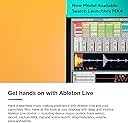
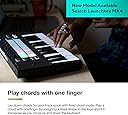
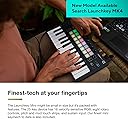
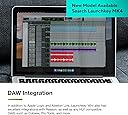
The Novation Launchkey Mini MK3 is a sleek, portable 25-key MIDI controller designed for professional and aspiring producers alike. Featuring velocity-sensitive RGB pads, 8 rotary knobs, pitch and modulation touch strips, and deep Ableton Live integration, it offers hands-on control over your DAW with minimal setup. Its fixed chord mode and versatile arpeggiator empower users to create complex melodies effortlessly. Lightweight and bus-powered, it’s perfect for on-the-go music production across Mac, Windows, and iOS platforms.


| ASIN | B07WJZCPT3 |
| Best Sellers Rank | 13,541 in Musical Instruments & DJ ( See Top 100 in Musical Instruments & DJ ) 71 in MIDI Controller |
| Brand | Novation |
| Brand Name | Novation |
| Colour | Black |
| Compatible Devices | Desktop, Laptop, Tablet (iOS) |
| Connectivity Technology | MIDI 3.5mm, USB |
| Connectivity technology | MIDI 3.5mm, USB |
| Connector Type | MIDI 3.5mm, USB |
| Control Method | Touch |
| Control Type | Keyboard Controller |
| Country of Origin | China |
| Customer Reviews | 4.6 out of 5 stars 5,162 Reviews |
| EU Spare Part Availability Duration | 3 Years |
| Global Trade Identification Number | 00815301001201 |
| Hardware Platform | Macintosh and iOS compatible |
| Human Interface Input | Keyboard |
| Included Components | Novation Launchkey Mini Mk3, Safety Information Sheet, USB Cable, User Manual |
| Instrument | Keyboard |
| Instrument Key | Any |
| Item Dimensions D x W x H | 17.2D x 33W x 4.1H centimetres |
| Item Type Name | MIDI Keyboard |
| Item Weight | 730 g |
| Keyboard Description | The Launchkey Mini keyboard features 25 speed sensitive mini keys with RGB backlit, pitch and modulation tactile strips, and fixed chord mode. |
| Manufacturer | Novation |
| Manufacturer Part Number | AMS-LAUNCHKEY-MINI-MK3 |
| Material Type | Plastic |
| Model Name | Novation Launchkey Mini [MK3] |
| Model Number | AMS-LAUNCHKEY-MINI-MK3 |
| Model Year | 2020 |
| Model name | Novation Launchkey Mini [MK3] |
| Noise Control | None |
| Number of Keys | 25 |
| Number of keys | 25 |
| Outer Material | Plastic |
| Platform | Mac, Windows 10, Windows 7, iOS |
| Product Style | MK3 |
| Product Warranty | 2 year warranty. |
| Product dimensions | 17.2D x 33W x 4.1H centimetres |
| Size | 25 Mini Keys |
| Special Features | Portable, Lightweight, Compact |
| Special feature | Portable, Lightweight, Compact |
| Supported Software | Ableton, Logic Pro, Cubase, HUI |
| Total USB Ports | 1 |
| UPC | 815301001201 |
| Unit Count | 1.0 count |
P**S
Really impressive - Seamless Ableton Integration!
I've just set up the Novation Launchkey 49 MK 3, and I can't get over how great it is! I upgraded from my M-Audio Oxygen 49. My old MIDI keyboard was a faff to get integrated with Ableton, so I wasn't really making use of the features outside the actual piano keys. The difference is like night & day, this really feels like an upgrade. Firstly, the Launchkey is class-compliant, which means you can truly plug & play. Ableton automatically detected the Launchkey and set it up, so no fiddling around in Ableton's settings. The first thing I did was register on the Novation website and watch a couple of tutorials. These explained how to make the most of your Launchkey. How the different menu functions work, the pads and the faders, how to use the pads for launching in session view, how to drum with the pads and to record MIDI musical parts. For me, the menu system will take some getting used to, but I can tell that when I've got my workflow sorted, it will become pretty easy. There are a few features for those who aren't skilled piano/keyboard players. From within the Launchkey, you can select a type of scale (F Minor for instance), and the keyboard will 'help' your playing so that you don't play any wrong notes. Great for a novice like me. There are also chord and arp functions, which are especially handy for those making electronic or house music. The product itself feels good quality, looks professional, and has so many features that I'm sure I'll still be learning new stuff in a month. If you buy this I really recommend watching the tutorials on the Novation website to get used to it, and you can really unlock the power of this keyboard. The Launchkey will work with other DAWs such as FL Studio, Cubase, etc, but I have not tested it on those so I could not comment on how well it integrates. But it is important to note that the Launchkey was designed for use with Ableton. I'm fairly sure you can map it to any DAW, as is usual these days, but it won't be as quick to use out of the box. Two Thumbs Fresh! System Requirements: Windows 10 or higher Ableton 10 or higher (Intro, Standard or Suite)
B**L
Best 3-Octave Full-Size Keys Keyboard I've Ever Played.
I bought this keyboard because my long-time Roland PC-150, though it still works, is a pain to tie into a modern USB-driven MIDI world. The Launchkey 37 mk3 is small enough to fit happily on my desk/workstation, being one octave shorter than the Roland, and only a small amount deeper (back to front) to house drum pads, pitch/mod wheels, rotary pots (fixed range, not infinite encoders) and some other buttons for assorted purposes. Main thing is, it plugged in and worked first time with Windows 10, without needing any additional drivers. I'm using it for note entry into notation software (Finale 2005, and soon-to-be, Dorico Pro 4). So I am not currently using or needing some of the DAW automation buttons. Having said which, once I learn how to set this up, I will be assigning them direct access to much needed features in my scoring software. I've bought, hated, and ultimately thrown away (literally!!) several "short" MIDI keyboards over the years. This one is the FIRST of them all, that I actually feel (as a trained pianist and organist) I can PLAY. Textured black keys, a firmly but evenly sprung action, and even a pivot point (SO important) slightly behind the "fall", so keys can be played along their entire length. In short, this is QUALITY. Could even be tempted to buy one of the longer ones (61 note?) for rehearsals and gigging. Good work Novation, this is one lovely controller!
C**C
Not only a keyboard but so much nore
This is a very good keyboard and MIDI controller it is well built and very conveniently sized and hardly takes any room up on my desktop it is powered by the USB socket on your PC so no extra cables needed to power it and you get quite a lot of software included in the purchase and the controller is immediately recognised by the DAW software that is supplied so is easy to play and record music the drum pads feel very nice to use and they can be assigned to a number of your own presets as can the 8 rotary knobs very reasonable price for what you get I would stress that you take a look at the user manual as this keyboard has many surprises that you will want no know about
S**S
Great integration with Abelton Live
I was looking for a small portable MIDI keyboard controller to use with a laptop and Abelton Live. I already own it’s bigger brother so was confident that Novation would work OK for this and I wasn’t wrong! The Novation Launchkey Mini fits in my laptop case along with my laptop and leads to provide a perfect portable solution for going to jams and recording sessions. It’s made of sturdy plastic and the keys/controls seem tough enough to withstand normal use. The device integrates perfectly with Abelton and connects instantly with the provided USB lead. It’s packed with functionality including coloured light up clip launch buttons & a cool arpeggiator. There’s a lot going on in this little keyboard so its worth looking up some tutorials on YouTube to get the best out of it.
T**9
Little gem
This is little midi is quality in a compact form. Its easy to use and connects automatically with Ableton and Reason. The keys and pads are velocity touched sensative so will have to apply a little pressure for a deep or sharp sound and plays in real time. Worth the money for a professional experience towards music production, plus you can find tons of tutorials on YouTube about the performance of this controller.
T**6
Good quality and loads of features
Quite sturdy and has lots of features for the price. Integrates very well with Ableton Live, but definitely give the user guide a good read beforehand, as the various options are not overly obvious at a glance. Note that it ships with a USB-B to USB-A cable, so if using on a recent Mac you'll need to purchase a separate USB-B to USB-C cable as well. Overall, very happy with this item.
R**D
Good keyboard, bad MIDI
As a USB keyboard, this one has quite a few crazy, unusual features (chord and arp, for instance) but it does not come with the midi cable (remember, here its not a straight normal din to din midi cable- its some wacko mole 3.5 to midi thing, so it should be supplied with it no questions asked). what i am saying is it is a mixed bag... it needs to have the specialist midi cable with it cos trust me, its still not obvious what it uses. also, i dunno if thats the prob, or something else. i do like how it sorta has its own id key or whatever stuck to it, so there is a bit less nonsense registering it, but it needs its midi cable thing sold with it! its not rocket science, novation- just think of the buyers you wanna sell your stuff to. not a strange idea at all, just make sure it works out of the box, without any bizarre glitches or need for software or firmware edits or anything.
A**R
Impressed
I'm a long-time rock guitarist but very much a beginner when it comes to home recording. I'm currently learning how to use Ableton and a bunch of plugins such as EZ Drummer. While I'm pleased with the results I'm getting so far, I wanted to start adding some drum patterns of my own. After some research it seemed that the Launchkey Mini should fit the bill and also allow me to add some keyboard sounds too. Still early days, but I was massively impressed that with Ableton, there's no setting up at all. I just plugged it in, brought up my EZ Drummer and it was on the pads already. Same with the Addictive Keys plugin that was part of the software bundle. I know that most people who purchase the Launchkey Mini will be using it in a very different way, but for my purposes, it works brilliantly.
K**R
Wow. recommend getting an audio interface with this if you haven't already done so.
No brainer for Ableton users. I surveyed the land of midi controllers. I wanted something with decent pads and a usable keyboard. Not sure about the other controllers obviously because I didn't buy all of them, but this one's integration with Ableton is awesome. Don't really need to set anything up, pads sync to drum racks and you just press the record button on the midi controller to capture and play. Syncs with session view really well if you produce that way. Arp is fun and the buttons are laid out so that the most important functions are easy to see (octave, capture midi, scale, arp etc.). Knobs feel great and doing automation with them rather than drawing in curves makes it sound better. modwheel and pitchwheel feels good. First keyboard I have ever gotten, The keys feel great. I got full sized keys, and I think it is worth it. Keys dont feel too stiff or too loose. The drum pads are responsive enough for my needs. If you are looking for something to actually do serious full on finger drumming with, might not be what you need because its not a square 4X4 layout and the pads probably aren't as extreme touch responsive as like a push 2 or a Maschine, but they are what you need for getting timing, and measuing velocity enough so that your hits sound good and on point. They are not mushy which is what I want. I got a midi controller for timing and inspiration, and this really is so much better than producing with only a mouse and really fulfills all I'm looking for. arp is awesome. This thing is really easy to use. We will see if this holds up, (i've only had it for like 3 days) so hopefully, this controller is durable. and none of the keys or pads break in the near future. Do yourself a favor and if you haven't already done so, accompany this purchase with an audio interface like a Focusrite solo or 2i2, (if you are looking for best budget and interface with good drivers) the latency difference is astounding. I can actually play along with my track on time. what a difference.
F**N
Nice Compact Controller at a Great Price
I'm pretty new to using DAW's (I was a Recording Engineer in the 1970's and 80's, we used Tape Machines, LOL). I'm building a new Music Workstation in my home and wanted a small, simple Controller with enough features for Drums as well as ARP and Sequencing to use with a DAW. (I already own a Arturia KeyStep 37 for my Modular Synths). I looked at quite a few YouTube Reviews and this LaunchKey Mini MK3 always stood out. It was designed to really work with Ableton but also integrates fairly well with Logic Pro which is what I thought I would use it with. After having it for a few weeks now I can say that yes it works pretty well with Logic Pro but really integrates even better with Ableton, so much so I have decided to make Ableton my DAW of choice. The learning curve for me was pretty easy being new to all of this and there are lots of good online tutorials. Overall this little beast is packed with a full range of great features. The build quality is ok, not great but not bad, it’s plastic but the Knobs Buttons and Pads have a solid feel. Just treat it well and it will be just fine! The Keyboard is not meant for a “virtuoso” but for me who is a hunt and peck keyboardist (I am a drummer) it works and I like the small size. Hey, you can’t beat the price for this much technical power. Setup was very easy using the Novation WebSite. The only thing I’m still confused about is setting up my own Custom Mode but I’ll figure it out. As for the person that complained about the lack of a MIDI Cable being included and then buying the wrong ones, that is just “USER” error. All he had to do is contact Novation/Focusrite Customer Support like I did, within an hour they got back to me and sent a Link to where to buy the correct cable. That says a lot about Novation Support! Bottom line, if you want a nice, compact Controller that’s full of features at a great price…. THIS IS IT
M**O
Super recomendo
Além de ser um produto de MUITA qualidade e ter chegado antes do esperado, ganhei vários "brindes", como uma cópia do Ableton Live Lite e alguns plugins por ter comprado o controlador.
一**て
アルペジエーターがあると役立つ
Studio Oneで半年ほど使用しています。 全てのノブとフェーダーを使用するには細かい設定が必要ですが、pad部分は特段設定しなくても使用できました。 1つの鍵盤を押すだけで和音を鳴らすコード機能や、arp(アルペジエーター)機能が備わっており、直感的な作曲に役立ちます。 VST側にarpが機能があるものが多いですが、やはり物理ボタンで直感的に操作できるのは、ひらめきが生まれて良いです。 キーボードの打鍵感は軽めで黒鍵は少しサラサラしているマット使用で、ピッチベンドやモジュレーションホイールはしっかりとした作りをしています。 トランスポートが簡単にでき、かつ操作した内容が左上のモニタに表示されるのがやはり便利です。 PADで直感的に操作ができ、アルペジエーター機能が欲しい、コード機能も欲しい、安価で格好いいものを! という方にお勧めです。
S**L
Génial!
Super clavier pour Ableton!!
Trustpilot
1 week ago
3 weeks ago