Buy anything from 5,000+ international stores. One checkout price. No surprise fees. Join 2M+ shoppers on Desertcart.
Desertcart purchases this item on your behalf and handles shipping, customs, and support to Spain.
🚀 Elevate your Wi-Fi game with TP-Link’s powerhouse access point!
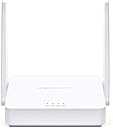
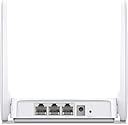
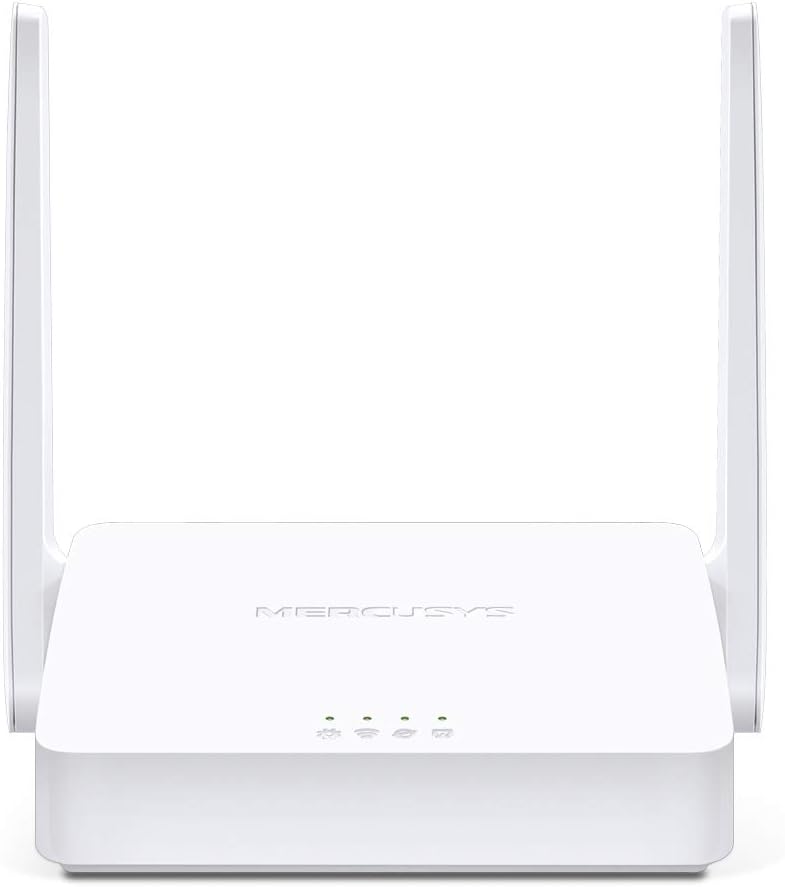
The TP-Link Wireless N300 TL-WA801ND is a versatile 2.4GHz access point delivering up to 300Mbps wireless speed. Supporting multiple modes—Access Point, Client, Repeater, and Bridge—it adapts to diverse networking setups. Equipped with dual 4dBi antennas and Passive PoE support up to 30 meters, it offers flexible placement options. Its one-touch QSS button ensures quick, secure WPA encryption, while CCA technology reduces interference for reliable connectivity. Ideal for extending or enhancing home and small office Wi-Fi coverage with professional-grade performance and ease.


| ASIN | B004UBU8IE |
| Antenna Location | Indoor/Outdoor |
| Best Sellers Rank | #453 in Computer Networking Wireless Access Points |
| Brand | MERCUSYS |
| Built-In Media | 2-Antennas, Access Point Tl-Wa801Nd, Ethernet Cable, Passive Poe Injector, Power Adapter, Quick Installation Guide, Resource Cd |
| Color | White |
| Compatible Devices | Laptop |
| Connectivity Protocol | Wi-Fi |
| Connectivity Technology | Wireless |
| Control Method | App |
| Coverage | up to 100 feet (indoors) |
| Customer Reviews | 4.2 out of 5 stars 4,592 Reviews |
| Data Transfer Rate | 300 Megabits Per Second |
| Frequency | 2.4 GHz |
| Frequency Band Class | Single-Band |
| Global Trade Identification Number | 06935364051419 |
| Has Internet Connectivity | Yes |
| Is Modem Compatible | No |
| Item Part Number | TL-WA801ND |
| LAN Port Bandwidth | 10/100 Mbps |
| Manufacturer | TP-Link IP Cams |
| Maximum Upstream Data Transfer Rate | 300 Megabits Per Second |
| Mfr Part Number | 2325140 |
| Model Name | TL-WA801ND |
| Model Number | TL-WA801ND |
| Number of Ports | 1 |
| Operating System | Microsoft Windows 98SE, NT, 2000, XP, Vista or Windows 7, 10, MAC OS, NetWare, UNIX or Linux. |
| Other Special Features of the Product | Access Point Mode, WPS |
| Router Network Type | wireless |
| Security Protocol | WPA-PSK |
| Special Feature | Access Point Mode, WPS |
| UPC | 809186281582 168141651267 112040011493 191120100593 745449844296 845973051419 115970741669 132018351284 151902933474 014444453865 809385676431 803982787224 809185824964 |
| Voltage | 240 Volts |
| Warranty Description | 2-year warranty |
| Wireless Communication Standard | 802.11n |
| Wireless Compability | 802.11n |
A**Y
WORKS GREAT AND SOME COMMON PROBLEMS ARE EXPLAINED HERE
I was having some trouble with a wireless D-link security camera in my detached garage constantly dropping offline as my router is a good distance away. I configured the TL-WA801N in the wireless repeater mode and placed it in a storage shed which is located halfway between my house and garage -- instantly my security camera came back online and has stayed that way with a strong connection. I am not a computer expert so I was a bit confused when I first tried to configure this but a quick phone call to TP-Link support and they patiently walked me through the process which in reality is quite simple to do. This repeater has been working so well in the shed that I just added a second TP-link repeater in my kitchen which has always been a dead zone for my Wifi. The second time I had to configure this repeater it took all of one minute to complete and I am embarrassed when I think back that I even had to call TP-link support for the first router as it is ridiculously simple even for an amateur like me. Someone else has posted a review here with a long list of networking terms that he said you should be familiar with before trying to configure this repeater and that is nonsense - I have no trouble configuring this now without even needing to review the instructions. My Kindle, laptop, and iPhone now have great Wifi reception in the kitchen. Just remember one very important point that I am sure many of the people who posted a review claiming this had poor range, would not connect, or needed to be rebooted often just do not realize...You must manually refresh your Wifi setting on your wireless devices whenever you move to another part of your house as that does not automatically happen even if you are using the same network name and password as I am. This allows your tablet, laptop, or smart phone to find whichever wireless access point is offering the strongest signal in that part of your house and lock onto it. if you don't do this it is possible to be sitting right next to this repeater but your Wifi connection on your laptop or tablet will still be locked onto your original access point or router on the other side of your home. Also, remember that if you set this up too close to another device with a repeater or access point enabled you will get a congestion of radio waves which cause a feedback effect that will knock your devices off the network and require them to be rebooted often. This feedback effect is similar to when you put a microphone too close to your speakers which causes a loop of over-amplification - the same thing can happen with radio waves and causes devices to crash. I have even talked to tech people who were unaware of this problem but I have seen it happen again and again with my own home network that includes several IP security cameras with repeater modes - as soon as I disabled one or two of the repeater modes that were too close to each other, or moved them farther away from each other, the crashes quit happening. UPDATE: I am the type of person who just can't leave things alone even when they are going well so I recently took the TP-link repeater in my kitchen and reconfigured it as a wireless access point and hooked it to a network cable...WOW...As a wireless access point it puts out the same speed as the Gateway router I have it hooked to which is 60 MB per second so obviously this is the best configuration to go with if you don't mind running wires around your place. When the weather gets a bit warmer I plan to run a wire out to my shed and reconfigure the TP-link repeater there to the wireless access point mode and have high speed internet allover my backyard. For the price this is an amazing piece of home-networking hardware. And by the way, if you are having problems with this access point crashing often the fix is simple -- UPDATE TO THE LATEST FIRMWARE at http://www.tp-link.com/lk/products/details/?model=TL-WA801ND#down
B**L
Easy to set up, and most importantly, It Works!
New Update 3/10/17: I was having trouble as I described below in my previous update. I was going to return it for a replacement from TP-Link. i called their toll free number, and it turns out I spoke to a very knowledgeable tech ( In China), that the problem I was experiencing can happen if I had my WAP set to a channel that would compete with a neighbors router that was using the same channel. I have an App on my cell phone called WiFi Analyzer from Kevin Yuan (free) that showed me the channels being used nearby in the neighborhood and recommended which channel(s) would be best for me to use on my TP-Link WAP. I did just that and also as the tech recommended, changed the channel width to 20 Mbs and VOILA, no more problems. The only reason I know the tech I was speaking to was in China is because I asked her. She really knows her stuff and was SO polite and willing to help. GREAT tech support from TP-Link! I restored my rating to 5 Stars ================================================================================================= OK, here is an update: It is about 2 1/2 months since I set up and installed this unit. It did work fine for a while, but I noticed a few weeks ago that the signal from this unit keeps dropping out. It is too late to return it to Amazon for a refund (only a 30 day window), so I have to contact the manufacturer and request an RMA repair under warranty. Shipping will most like be at my expense and may not be worth it. I'll see. The TP 801 unit I bought in 2013 is still working fine, so there is something wrong with this one and I downgraded the review to 3 stars from 5 stars. ============================================================================================== I've tried several methods of extending my WIFI coverage in my house from my Netgear WNDR3700 Router which is in a room at one end of my house. WIFI Coverage was spotty when I tried to connect to it more than 25 feet away because of several walls the radio signal seemed to have trouble with. I purchased this item because it is really inexpensive and is flexible in what in can do. I hooked it up with an Ethernet cable and used the POE power injector this unit came with, but before I did that, I used my Laptop to connect to it wirelessly using the default IP address this unit came with: 192.168.0.254 and logged in as instructed in the little quick setup manual that came with it. I made sure it was configured as an Access Point (it was by default) I changed its IP address to be within my networks range and set it up with my WIFI SSID and Pass phrase. I am not an expert on this by any means, but I've been through this when I tried using other devices to accomplish what I needed. This device works perfectly for what I need it for: A wireless access point. I did not try to use it as a repeater or any other of the selections possible to set this unit up as. Bottom line is I found what I need for very cheap. I hope this lasts a long time, and that will make this thing PERFECT. It's only one day so far, lol.
B**S
Good price/features. Has some quirks.
I bought this access point because the WiFi radio in my trusty old Linksys WRT-54GL router finally died. I run DD-WRT on my router, and have customized it to do a lot of stuff, including scripting to automatically wake my HTPC when one of the extenders is powered-on. It was much cheaper and easier to buy this Access Point (AP) instead of replacing the old router with another quality router that is compatible with DD-WRT. This AP has much, much better signal strength and range than my router's built-in AP had. The router covered my whole house, but due to the way my house is constructed (12" thick, steel-reinforced, solid concrete walls and windows that have metal in the glass to reflect heat from the sun), I only got coverage outside for a few feet from the outside walls. This new AP gives me coverage all the way across the street in front, and all the way to the fence in my back yard. The power injector is a nice option. My router is in a hallway closet, along with all my other networking gear. I mounted the AP on the ceiling in the hallway, and the power injector allowed me to do this while only running a single cable to the AP. The size and white color of the AP makes it a good fit for ceiling mounting. It doesn't look any worse than a smoke detector. The router is stable, requiring no reboots, as long as you don't change certain settings. For example, if you change the "Encryption" setting in wireless security (in the "WPA/WPA2 Personal" section) to anything but "Automatic", the AP will hang about every day. Setting it to Automatic works fine, and doesn't cause the AP to hang. I'm OK with it being set to Automatic, so it works well for me. I've read that this AP is compatible with Open-WRT. I may give that a try if I find myself with some extra time on my hands. Overall, this was a very good purchase. It is priced low, and has good features for a home environment.
R**Y
Seems good so far, with a minor Chromecast issue at first
I purchased the TP-Link TL-WA801ND to replace my aging Linksys WAP54G access point, which still works fine but since we only stream TV shows and movies now, it seems to be showing its age. The setup for the WA801ND was fairly simple. You will need to change your computer’s IP address to match its network settings initially unless you are already using the 192.168.0 network. Anywho, I set all the security settings to match my old Linksys and everything seemed to be happy with it. I tried leaving the version and encryption settings at the automatic default but it didn’t seem to be working out very good. Then I turned on my TV and Chromecast and things went downhill a bit. I thought my Chromecast didn’t care for changing the network equipment so I did a factory reset and ran through the setup again. It still wouldn’t connect to the wireless network. I finally found a reference to it on a TP-Link forum from a person who said his Chromecast stopped working after a firmware upgrade to the access point. Seems there is an issue with UPnP with the latest version. My access point also had that version of firmware which has 140425 in the name, published on 4/25/2014. I downloaded the previous firmware, 130121 published 1/21/2013, and downgraded the firmware on the access point. That wipes out all of your settings, but after putting everything back my Chromecast is working again. I then turned on our second TV and Chromecast and that one connected with no problems. Outside of the firmware/Chromecast issue, which isn’t the access point’s fault, the TL-WA801ND seems to be working fine. I did notice an improvement with casting a show from Syfy.com from my almost four year old laptop, so we’ll see how it does. UPDATE, 11 March, 2015 Still working quite well. I have noticed some pixelating and audio issues when casting a show from our laptop and we access the Wi-Fi from another device, smartphone or Kindle Fire. That only lasts for a few seconds and then it clears up. When casting from our smartphones, that issue never comes up. It does make a point for getting something with concurrent 2.4GHz/5GHz signals or at least some sort of QOS settings that would likely take care of that problem. But, if price is more important than extra features, this thing seems like a good choice.
N**K
Works well to extend WiFi to additional rooms.
I have a TP-Link C9 802.11ac router attached to our Motorola DOCSIS-3 cable modem. I was looking for ways to extend our WiFi into our family room (to talk to our with a TV with a Chromecast, internet-connected BluRay player, laptops, phones, tablets, etc.) and our two offices with various PCs, Macs, and printers (some without WiFi), without having to run Ethernet cables to the various rooms. I originally got 3 each TP-Link C5 boxes and tried to use the WDS Bridge mode to connect to the C9 box (bridging the 2.4 GHz radio band). I couldn't get it to work properly with more than one of the C5 boxes. Pings would fail, I wouldn't be able to see the printers attached to the C5s, etc. It seems like the WDS Bridge mode only works with one client Bridge with this combination of hardware. The WA801ND listed a few more bridge-like modes, so I took a chance and ordered 3 to replace the 3 C5 boxes, and ordered 3 each TP-Link gigabit switches to connect the fixed internet-enabled boxes. The setup was quick and painless. I ended up using the "Universal Repeater" mode on the WA801ND boxes, and everything works fine now. Everything can see everything else on the network, speeds are great, printers work find from all our PCs and Macs, our smart phones, Chromecast, tablet and Chromebook, all work fine. I see in another review here that someone apparently has a similar network working with the "Client" mode, though the details may be different. I didn't try that. The TP-Link hardware seems to be of high quality, and it works well once you get everything talking in the proper modes. If you have a similar home network, this combination of the C9 and WA801ND boxes is well worth considering. Hope this helps. Cheers, Scott.
J**O
Practically DOA on arrival, could not finish configuration without bricking the unit entirely.
I have purchased three of these units. The first one I bought quite a while ago... Probably in early 2016. It is still operating and going strong. Based on that purchase, I bought another one. That one worked for about a year, then starting flaking. It would need to be power-cycled in order to maintain its connectivity with the upstream router at the demarcation between AT&T DSL and my internal network. That second unit finally just stopped working although its SSID remains visible; if you connect to it, you get a connection but there's no data streaming through the device. I said, oh well, just buy another one, the first one was great, maybe the 2nd one is a bit of a lemon. So I ordered a new one thru Amazon. Right out of the box, I tried to plug it into my laptop, where it is easy to change the Ethernet port settings, and configure the thing as an Access Point in my local network. It would not talk.... IE, no configuration webpage at tplinkap.net or at 192.168.0.254. I ran WireShark to see exactly what was going on. I could see that the laptop, when I tried to open the webpage, was sending ARP broadcast requests, "Who is 192.168.0.254 tell 192.168.0.20" and the TPLink unit replies back to the ARP saying it is that IP address. So far so good. The next thing that happens is a TCP open connection handshake where the laptop sends the SYN message to port 80 at the 0.254 address, and the packet is clearly addressed to the TP-Link's MAC address (double confirmed via the MAC on the label matching both the ARP response and the Ethernet MAC in the TP-Link's header on outgoing IGMP broadcasts). However, the TP-Link isn't having any SYN-ACK handshake nonsense and just sits there, unresponsive. I thought, ok, try to go in via WiFi. So, I do that. I get the configuration web page. I change a couple of settings, reboot the router, and get the login page again. I login, I try to click a nav bar link to go somewhere in the setup, and bam! out to lunch, never to come back. POR does nothing. The thing must have corrupted itself. That's enough patience for one defective product for me. The fact that this is basically a DOA for all intents and purposes has turned me off to the brand entirely.
G**R
Works great nice range
We bought the TP-Link TL-WA801ND for a wireless access point to add wireless service to our 5,500 Sq Ft Log Home's hard-wired network (32 Cat5e 100 mbs interior/exterior network ports), so we and guests can get access to the web and the homes; home automation, security & video systems, and the Data & Media servers with Laptops, portable wireless devices, iPads, and mobil phones. Setup was easy and painless (though we are not novice computer users and do have extensive IT/Electronics knowledge). We found that the Range of this device works very well. We have located the unit in the middle of the home on the wall in a basement Data/Equipment room/Homerun-Structured wire center under the Stairs (all electric, data, phone, home automation, security alarm and video systems, infrared control systems, and audio/video equipment is located in this area). The basement walls are 3/4" wood paneled finished, R48 foam insulated, 10" thick steel reinforced concrete (Superior Walls System), the floating Stairs are reinforced with Steel angle irons, and the upper floors have aluminum plates installed through-out all the floor joists bays for heat transfer from the radiant heating system. The Log walls are 10" thick round Logs and Cables for phone, data, Audio/Video, eletric etc., run all over the place (miles of cable installed in walls, ceilings, and floors). With all that possible interference potential, we still get a Good signal on the third floor and out on the deck, 3rd floor balconies, and in the yard (we get Excellent signal in the lower 2 levels of the home). We chalk the good range up to the 4dBi amplified antennas, and like the fact that if we want even better range we can upgrade the amplified antennas to 7 or 9 dBi with a Third party antenna for under $15.00. We're very happy with this unit and would recommend it.
W**F
Hangs wireless when used with U-Verse 2Wire 3800HGV-B as Client Access Point
I have Ethernet wired to every room in my 4 bedroom two story house, except one - my daughter's room. She needed to connect her xbox (I finally let her have a tv in her room) so I either had to run another cable through the attic or buy a device that connects to our wireless system and lets her connect to that via wire. I decide to spend the money and save crawling around the attic and running a cable down the wall, so I bought this to serve as a Client Access Point, i.e. it connects to the wireless and I connect her xbox to the WA801 via wire. Set up was a little tricky ot get started, I needed to connect directly to the WA801 to configure, but I got it working quickly and easily enough. I was very happy that all seemed to work so well so quickly. Then, within a few minutes, my wife and daughter both complained the wireless wasn't working. I rebooted my router, all worked again for a few minutes, then wireless again seemed to hang. I then powered down the WA801 and the wireless began to work again within a couple of minutes. I did this about three times and concluded the WA801 is apparently just not compatible with my U-verse 3800hgv-b. So, in the attic I went, ran the wire to her room, some sore muscles and sweat later, she had her ethernet and xbox connected. Daughter is happy, I'm happy when she's happy and the WA801 has been returned. I marked this as three stars because I want to minimize my effect on the rating. I don't know if the WA801 is the culprit or my U-verse router, but I want to post this review so others with my router would be forewarned.
C**S
Ótimo produto
Ótimo produto, atendeu minha necessidade de repetição do sinal com perfeição. Além de ter chegado com rapidez.
M**T
Works as advertised!! Best Repeater
This is my two month review- Purchased this as a replacement after my 5 year old tp-link repeater (older model) stopped functioning. I am using this in the repeater/wireless bridge configuration to connect my two offices which are 40 meters apart. I have installed it in one of my offices to connect in total of five PC's wired and wireless Pros- 1. Excellent reception from my Dlink dsl-2750u modem-router. It extends the range of to my Dlink modem-router in one office to the entirety of my second office. 2. File access has improved considerably over my old repeater. Access times are excellent for files from my shared folders. 3. Excellent range despite 3 other offices and 4 walls and not to mention other wireless networks in between my two offices. 4. No connection drops Cons - 1. None so far. It works for my setup so no cons as far I can say. I haven't tried the other modes so can't help out there. Will keep posted in a years time.
F**O
Tut genau was er soll
Ich habe mir diesen Accesspoint gekauft, da ich mein WLAN gerne an einer anderen Stelle aufspannen wollte, als im hintersten Eck im Keller bei meiner Fritzbox. Diesen Zweck erfüllt das Gerät voll und ganz. Für alle die nur kurz wissen wollen, ob sie das Gerät kaufen sollten: Ja. Für alle anderen folgen ein paar weitere Details. Lieferumfang: Der Accesspoint bringt ein Netzteil, ein sehr kurzes Patchkabel, eine Anleitung und einen PoE-Injektor mit, näheres dazu später. Einrichtung: Hier gibt es grundlegend erstmal nicht viel zu beachten, ein grundlegendes Verständnis für Netzwerktechnik sollte man jedoch besitzen. Einfach mit eurem Router/Switch verbinden, Netzteil eintstecken und einschalten. Mittlerweile baut der AP ein eigenes WLAN auf mit dem ihr in konfigurieren könnt. Bei einer früheren Version war das meines Wissens zumindest noch nicht so und man musste die IP des AP im Router herausfinden. Danach klickt man sich durch die Menüs und konfiguriert ihn so wie man ihn haben will. Hierfür sollte man natürlich wissen, was man tut. Für alle die das nicht wissen, wählt den Betriebsmodus Accesspoint und schaltet DHCP aus. War alles erfolgreich könnt ihr euch nun mit dem richtigen WLAN verbinden und solltet auch Internetzugriff haben. An sich ist die Nutzeroberfläche einfach zu bedienen und über den Webbrowser zu erreichen, man muss nur die IP wissen die der AP erhalten hat. Nach möglichkeit im Router immer auf die gleiche fixieren oder gleich eine statische verwenden. Ein weiterer Betriebsmodus ist "Repeater". Hier wird ein vorhandenes WLAN verstärkt. Der AP kann noch weitere Betriesmodi, diese sind aber zu komplex um sie hier noch zu beschreiben. PoE (Passiv): Wie bereits erwähnt liegt dem AP ein PoE-Injektor bei. PoE bedeutet Power over Ethernet. Das bedeutet ihr könnt den AP auch an stellen betreiben an denen kein Strom vorhanden ist, da der Strom über zwei Adern des Patchkabels geliefert wird. Im Fall von diesem Accesspoint funktionert das so: Ihr verbindet den PoE-Injektor am Port "Lan" mit dem Router und verbindet auch das Netzteil mit dem PoE-Injektor. Am Port "PoE" könnt ihr jetzt den Accesspoint anschließen und er wird funktionieren, auch ohne Netzteil. ACHTUNG: Es handelt sich hier um passives PoE. Das ist nicht der PoE Standard den manche Switches beherschen. Bitte nicht diesen AP an einen PoE Switch anschließen. Außerdem ist zu beachten, das für PoE ein entsprechendes Patchkabel benötigt wird, da es den Stromfluss aushalten muss. Ich würde nicht über AWG 24 gehen, steht auf dem Kabel. Je höher die AWG Zahl desto dünner die einzelne Ader. Reichweite/Geschwindigkeit: Der AP hat eine durchschnittlich gute Reichweite. Ich habe massive Beton-Decken, nach mehr als einem Stockwerk wird es langsam eng, wenn der AP nicht gut plaziert ist. Die Geschwindigkeit ist so mittelmäßig. Ich habe überall Cat 6 Kabel verlegt und über Lan erhalte ich meine gebuchten 200 Mbit/s. Der AP kann wenn es gut läuft 60 bis 70 Mbit/s liefern. Auch wenn der AP bis 300 Mbit/s können soll, so ist es über WLAN einfach nicht möglich die volle Datenrate zu erhalten. Das bedeutet mehr als 60% des Inputspeeds sind beim a/b/g/n Standart nicht drin. Ob dieser Durchsatz jetzt aktzeptabel ist oder nicht, weiß auch nicht so genau, laut TP-Link ja. Wer mehr braucht muss sich einen AP mit ac Standard kaufen. Fazit: Ein gutes Gerät für alle die an einer bestimmten Stelle aus ihrem LAN WLAN machen wollen oder ein vorhandenes WLAN verstärken wollen. Der AP beherrscht auch Bridge-Modi für alle die etwas speziellere Anwendungen haben.
M**T
Très bon produit
Utilisé pour couvrir en Wi-Fi un hôtel en répétant ce produit nous donne pleine et entière satisfaction ! Simple à configurer en mode point d'accès ils sont opérationnels en moins de 5 minutes après avoir été reliés au réseau local.
N**R
Funciona Genial. Gran ampliación de cobertura
Funciona muy bien. Lo he probado solo en modo repetidor, pues es el modo que necesito. La cobertura que ofrece es muy amplia. Fácil de configurar. Las instrucciones son claras. En ocasiones el móvil no obtiene la ip. Pero con apagar y encender el aparato, es suficiente. Me ha pasado solo con Mi Xperia Z2. No es nada grave ni tiene importancia. Otro fallo que tiene es la "estabilidad ", pues tiene a irse hacia atrás, por el peso de las antenas, pero es una incidencia poco importante. Y,como siempre, Amazon lo empaqueta a la perfección. Envío rápido. Información continua y con la app para Android te mantiene actualizado en todo momento.
Trustpilot
5 days ago
3 weeks ago