


🔥 Ryzen 5 3600X: Power your play, no compromises 🎮
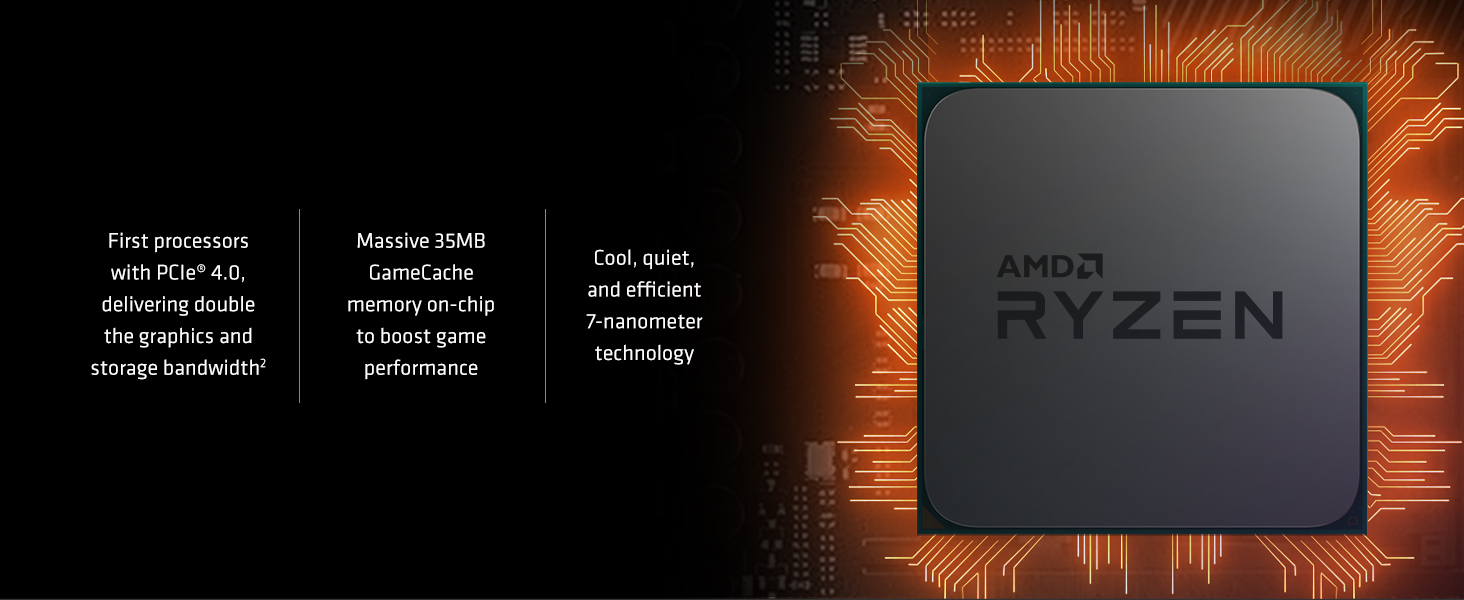
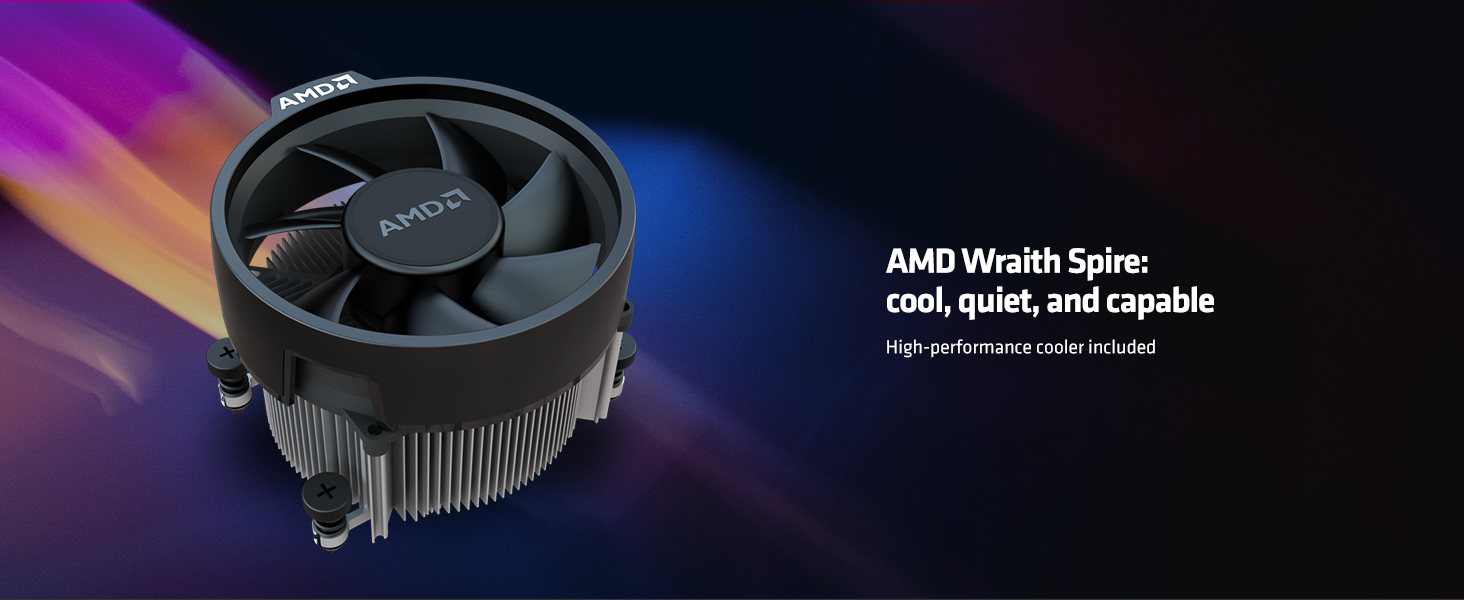
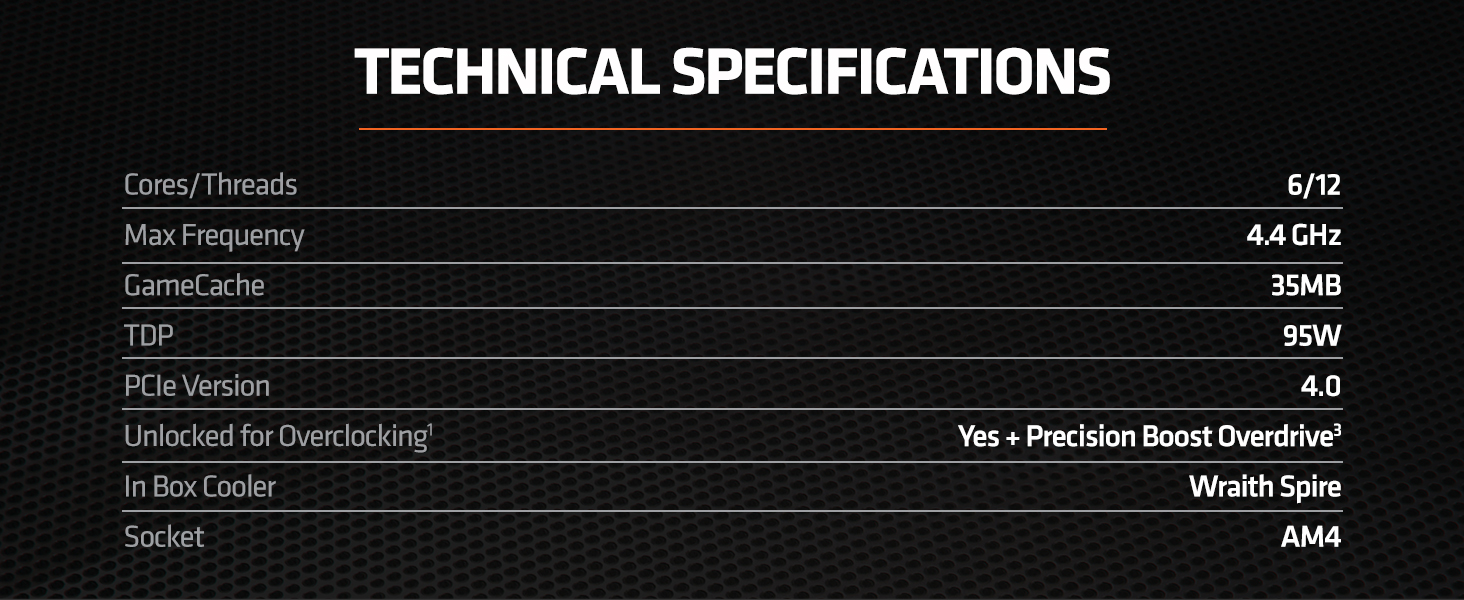
The AMD Ryzen 5 3600X is a 6-core, 12-thread desktop processor built on 7nm technology, delivering up to 4.4 GHz boost clock speeds. Designed for gamers and professionals alike, it includes the efficient Wraith Spire cooler and supports PCIe 4.0 on AM4 socket motherboards. With 35MB combined cache and optimized DDR4-3200 memory support, it offers exceptional multi-threaded performance and ultra-smooth 100+ FPS gaming experiences at a mainstream price point.
| ASIN | B07SQBFN2D |
| Best Sellers Rank | #233 in Computer CPU Processors |
| Brand | AMD |
| CPU Manufacturer | AMD |
| CPU Model | Ryzen 5 3600X |
| CPU Socket | Socket AM4 |
| CPU Speed | 4.4 GHz |
| Cache Memory Installed Size | 32 |
| Customer Reviews | 4.8 out of 5 stars 12,154 Reviews |
| Global Trade Identification Number | 00730143309912 |
| Item Dimensions L x W | 1.57"L x 1.57"W |
| Item Type Name | Desktop Processor |
| Item Weight | 0.9 Pounds |
| Manufacturer | AMD |
| Mfr Part Number | Ryzen 5 3600X |
| Model Number | Ryzen 5 3600X |
| Platform | Windows |
| Processor Brand | AMD |
| Processor Core Count | 6 |
| Processor Count | 1 |
| Processor Number of Concurrent Threads | 12 |
| Processor Series | Ryzen 5 3600X |
| Processor Socket | Socket AM4 |
| Processor Speed | 4.4 GHz |
| Secondary Cache | 3 MB |
| UPC | 730143309912 |
| Warranty Description | 3 year Manufacturer |
| Wattage | 95 watts |
D**S
6 cores 12 threads super fast!
This CPU is amazing. It is great at everything. It can game, multitask, stream, productivity, and more. It’s priced good enough that even if you just want it for general computing it’s still great. This thing comes pushed to the limit straight out of the box pretty much. Traditionally I overclock every CPU I buy but with this one AMD have pretty much pushed them to the max for us. Which is great because it’s plug n play! Mine with PBO and Thermal Limits set to max stays around 4.250ghz on all cores gaming under full load with 1 of the 6 cores boosting to 4.35-4.15ghz. So in a game 5 cores will be at 4.250 ghz and one core will always be around 4.35-4.15ghz with that 1 core alternating so they take turns. This gives great ipc and single threaded performance as well as multithreaded. This gives high FPS in games due to the strong single core performance than a 4.3ghz all core overclock gets. You can basically set PBO to max and TBU to max and your motherboard and system will boost it as high as it can. It’s amazing it’s literally drop it in and your good to go this time around. No overclocking needed. I have this CPU in the Asus Prime X570-Pro motherboard if anyone was curious. It was 260 dollar board so it’s pretty nice imo. So your numbers may be different than mine. For cooling I’m using a simple Cooler Master Hyper 212 Evo in Push/Pull with twin fans. Keeps my CPU in the mid 30sC idle, in the 50sC in gaming rather it’s an hour or all day long. Under Prime 95 stress test it topped out at 76C then dropped back to 74C and stayed there. For a 35 dollar cooler pretty insane. I have great case air flow so if you do not do not expect these results. The best way to get more performance from your Ryzen CPU since it’s basically pushed to the max out of the box is via memory. You can look it up if you wish. Memory speed significantly effects your cpus performance at least in gaming. It was shown going from 2666mhz to 3600mhz memory speed in games was giving huge FPS increases. In almost all games 10-20 FPS increase with some games increasing as much as 30-40fps. So if you buy a Ryzen CPU for the love of god buy 3600mhz memory with it. I have 32GB of G.Skill Ripjaws in mine all running at 3600mhz and that’s using all 4 dimm slots 4x8GB sticks in duel channel mode. Fast memory paired with this CPU in a good motherboard means you don’t have to overclock or touch anything this time around and you get amazing performance in all regards. I have my 3600x and 3600mhz memory paired with a RTX 2070 Super that is overclocked really well and I am playing any games I want at 1440P maxed out getting 100+ FPS in pretty much everything. If you want a nice CPU for gaming, streaming, content creation, or anything else well you’re looking at one. At this point in time the Ryzen 3600XT is out now which is basically this exact CPU except it runs around 4.6ghz in the boosting alternative core and probably around 4.4 on the other 5 core. So you gain roughly about 200mhz over this 3600x by going with the XT. Rather that’s worth it well that’s up to you. At most the difference in FPS between the two might be 5 FPS at max. So just get whichever is the best deal. Even the Ryzen 3600 non X or non XT does very very similar in performance to the X and XT and is 150 dollars right now. Everything I said pretty much applies to all 3 CPUs they are just an amazing gaming chip.
S**Y
Incredible for the price, watch the thermals
I will admit, I was hesitant to buy an AMD CPU. The benchmarks put it competing with Intel CPUs that cost nearly twice as much, so even though I've used Intel since my very first build I decided to try it out. And this CPU cannot be beat for the price. If you are planning on buying a CPU for a gaming rig, BUY THIS CPU. It blows the tits clean off any other Intel core at this price point, and every game I have thrown at it hits the 144 FPS mark. Before I upgraded (admittedly I was due for an upgrade, I'd been abusing the crap out of my i5 4690k with ridiculous overclocks) I had trouble reaching that 144fps on a couple games, namely warframe, GTA5, and Monster Hunter World. After this CPU, they all hit that cap across the board. Power consumption is relatively low for how much work it does, and the boost clock has run for about 2 weeks now without any instability or crashing. The only thing you should look at is buying a better heat sink. While the one they include is certainly better than any stock heat sink I've ever used, testing Monster Hunter World for an hour got the temps up to 78° at max with it installed, usually hovering around the high 60s. While that's still technically a safe temperature... it's still a bit high for my tastes, especially since I'm tired of constantly keeping an eye on coretemp. Plus, the fan isn't the quietest thing in the world, and the settings I used had the fan hit full power at 67° which meant it was almost always running at full whack. So I threw an old coolermaster on and the same tests maxed out at 69° averaging about 60°, which is much better. My mantra used to be Intel for CPUs and AMD for GPUs, but I'm an AMD man across the board now. I planned on buying the i9 9900k, but a friend told me to look into this CPU instead. I think I owe my friend a drink or two now since he saved me $200+! Bear in mind, the computer I use this on is used almost exclusively for gaming. The fact that this CPU is only 6 cores for a newer model makes me think it was specifically designed with gaming in mind. I cannot speak for other applications that are CPU intensive, especially those that benefit greatly from multiple cores. But for every current gen game, even crappy ports like Monster Hunter, this CPU is top-notch quality for a mainstream price.
M**D
Plug n play using newedt ASUS Prime x470 motherboard
*** FIRST BUILD, COMPLETE SUCCESS, w/ ASUS PRIME x470 PRO MOBO*** ABSTRACT: Its alive! First hand qualified source CONFIRMING this AMD Ryzen 5 3600X 6-Core, 12-Thread Unlocked processor IS OUT OF THE BOX FULLY COMPATIBLE with the ASUS Prime x470 Pro motherboards having a bios number of 5204. NO OLDER PROCESSOR OR MOBO BIOS UPDATE REQUIRED. Details: So for my first ever attempt at a custom build, I decided to create a gaming computer for my nearly 11 year old son. Yes a gaming pc for a 5th grader, lol! So of cource clock speed and graphics capability were the most relevant aspects for prospective hardware. The sum total of which had to meet the requirements I imposed due to my sons age: Cost containmemt and long term viability. The respective parameters for which were ~$1000 budget (tower components only) and 5-6 year prospective upgradability and relative viability lifespan. Oh and the pesky little detail being that when the power switch is on pressing the power button actually makes the computer begin the boot process. However, COMPATIBILITY was the inherent OVERRIDING REQUIREMENT that concerned me the most. I quickly discovered the significant challenge posed to me, by using the most contemporary Hardware and desiring absolute confidence regarding integration and compatibility between all system components. I suspect this concern is not something unique to me or first time builders. Though its degree is likely relative to one's experience. None the less, there is a constant rule regardless of experience: the the amount of existing information about component integration is inversely proportional how recently it was released. More recent, less info. Less recent, more info. Something that a fairly intelligent mammal shoukd intuitively realize. Yet escaps me until this endeavor. Duh. But with the resesrch and 24 hours strait spent on assembling the parts, I achieved what I sought, (save the two hours of panick that occured subsequent the first time I pressed THE POWER BUTTON!!!) Just a loose connection. A good thing. Otherwise its likely Id have spent Christmas on a 3 day mandatory "BAKER HOLD" in a psych unit, lol! Components: Tower/Case- Corsair Carbide Series SPEC-DELTA RGB LIGHTED, 3 FRONT 1 REAR FAN, BLACK W CLEAR SIDE PANEL ATX ENCLOSURE SYSTEM COMPONENTS/GUTS- Ryzen 5 3600X 6-Core, 12-Thread Unlocked processor, YES "X". ASUS Prime x470 Pro motherboard with BIOS 5204 MSI GeForce GTX TI VENTUS XS OC EDITION 6G G6 DUAL FAN HDMI graphics card Samsung EVO Plus 500GB V-NAND SSD, NVMe M.2 Corsair Vengeance LPX 3200 MHz DDR4 8GB (x2); 16 GM total RAM Corsair CX550M MODULAR ATX POWER SUPPLY Peace
T**.
CPU is great, but older motherboards are dicey, and new ones aren't cheap
I'm coming from an i7-4790K which I had set to a 4.6GHz all-core boost. This Ryzen chip gives me much smoother framerates in games, Windows boots faster, and the stock cooler is actually pretty solid. I have basically no complaints about the chip. If your primary use is games, then there's actually little reason to get the 8-core or 12-core versions. At $200 and $250, the 3600 and 3600X are fantastic values. You're getting really good performance at prices that Intel can't even get close to without losing its shirt. My problem is the older motherboards that are getting updated to recognize this new generation of AMD CPUs. In short, it's a crapshoot. If you're trying to save money by getting a B450 motherboard that can update, you may find it difficult for your PC to even boot. So if you do want one of these chips, I recommend going with an X570 board instead. Not only can they reliably boot, but you'll also be able to upgrade all the way to the 16-core chip without having to worry about your board overheating. Most of the older boards can't go that far. The thing is, the newer boards are not cheap. A solid choice like the ASUS X570-Plus or the Gigabyte Aorus Elite will cost you $200. A decent choice like the Gigabyte Gaming X or ASUS Prime X570-P will still cost you $170. That's quite a jump from the widely recommended MSI B450 Tomahawk that was recently going for about $100. That's the price difference between my 6-core 3600X CPU and the 8-core 3700X. You shouldn't have to sacrifice core count just to get a motherboard that works reliably. Alternatively, you can wait for MSI to release the "Max" versions of its older motherboards, which are claimed to be getting a few updates to their physical components to make them boot as reliably as the X570 boards. But there's no ETA on that, and no announced prices. So 5 stars for the CPUs, but 2 stars for how the motherboard makers have been handling them. AMD may also have waited a long time to send test chips to the makers, because they're notorious for leaking information to generate hype. Given how different these CPUs are from the previous gen, such a chain of events would explain the issues that we've been seeing.
A**R
I Bought the Ryzen 5 3600X, For the Wrong Reasons. I has really worked out well.
I recently became bond to my chair, and was looking to replace an old Intel processor to occupy my days. About the same time I started looking for computer equipment, AMD announced their new lineup of CPU's. I admit, I was pretty excited, and made almost every mistake the YouTubers warned us to avoid. Let's just say that I was ready to build a new PC way before AMD was ready for me to build what I wanted. I generally build a new machine every 5 years, and that was my plan this year. But, to get to 5 years, I felt I needed an X570 mobo, a Ryzen 9 3900X, 16 gigs of fast Ram, three M.2 drives, and an RTX 2080TI. Reality set in when I could not find a Ryzen 9 3900X, and the price of an RTX 2080TI, damnnnnnn. So, I changed my direction, and went with a Ryzen 5 3600X and a Vega 56 (which I found new for $270 - PowerColor Red Dragon). My thought was I could start with the 3600X, and resell it when the 3900X's were readily available. I had heard a lot about the Vega 56 (most of the information was to stay away for the card), but I decided it would be as much fun to play around with the Vega 56 as it would be to game with it. I think I made a good decision. My 3600X clock speed is always over 4300+MHz, and usually bounces between 4366MHz and 4399MHz. I am using an AIO and run the pump at full speed most of the time. The Vega 56 has been a wonderful GPU. Ok, no ray tracing, but I personally find Global WattMan incredibly easy to use, and I have no problem keeping the clock speed at 1643MHz. I have not put the Vega 64 bios on my Vega 56 yet, but I plan to soon. I did save some money with my current build. But, I still hope my wife will get me a Ryzen 9 3900X (I have no interest in the 3950X) for Christmas. If that does not happen, I will stick with my current CPU, and wait for a RX 5800 XT or RX 5900 XT if they ever come out; otherwise, will wait for the next AM5/6 CPU's when they come out. I really like my rig (highly Frankenstein'd case, with a Gigabyte X570 Aorus Pro Wifi - you can read my mobo review - I like the card very much). The PC will certainly last for 5 years, but not with me. I expect that once an AMD GPU with ray tracing becomes available, I will pick one up and sell the Vega 56. I will also sell my 3600X in a couple of years. The 3600X will hold its value I expect. It is hard to go wrong with whatever you decide to buy. Dont over spend and have fun is my only advice. I may have over spent, but I had a heck of a lot of fun.
C**Z
Not very powerful, but worth the price
Worked like a charm for 6 years, unfortunately, in the past year I noticed it was bottlenecking my GPU more and more, so had to change it, still got it stored away, it works perfectly, after all
N**T
Upgrade experience and performance tweaks
~4 stars, since its performance is so close to the 3600. Would be 5 stars if the difference with 3600 was under $20 or if it came bundled with a Wraith Prism cooler. Still waiting for my Xbox Pass after 2 weeks and several phone calls. May be a problem due to international shipping. Here's my experience with upgrading from a Ryzen 2600 with an Asus Strix B450. Quick take: Be ready to reset your CMOS on last-gen motherboards since any problem with memory, cpu fans, etc can result in total refusal to POST. Check your fabric speed to make sure it is matched 1:1 with your ram (fclk in BIOS). Overall, has taken a little more monkeying around than I expected, but still an exciting upgrade to my 2600. BIOS The BIOS on my Asus motherboard is pretty touchy about POSTing with the 3600x. It will often power on the components but stay stuck with the red standby light. This happens when I try to set the XMP profile for my RAM, overclock the RAM too aggressively, or have any problem with the CPU fans. If you run into this problem just reset the CMOS and try again. I was able to avoid the problem with XMP settings by just manually entering the RAM speed and timings, which work fine at XMP settings and even a little faster. I would start with the low auto memory settings for the first boot and then reset and readjust manually after it is booting smoothly. Make sure you double-check for newer BIOS, chipset drivers and windows updates before upgrading. I forgot to do this and had some instability while updating this stuff through Asus Grid. Infinity Fabric clock and RAM AMD recommends Ram at 3600 mhz because it will run 1:1 with the infinity fabric. In Ryzen Master this is called "coupled mode" under the memory settings. After I set my RAM to 3600mhz I the fabric clock did not couple automatically and was still running at 1600 . There is an option to couple in Ryzen Master, but it crashed. The solution is to manually set the fabric clock with the fClk setting in BIOS. The infinity fabric should be set at 1/2 the frequency of your ram (3600 RAM =1800 IF). This dropped memory latency in AIDA from 82 to about 72. I was able to further raise the fabric to 1833 coupled with the Ram at 3066, which may be the limit for my chip's fabric. With tightened timings my latency is about 69. Temperature, voltage, precision boost The idle voltage is quite high, bouncing around 4.2 to 4.5 and the idle temperatures are around 50-55. The cpu regularly hits 4400 mhz or just under on a single core at a time. Nzxt's CAM software isn't able to read the temperature so I set the pump and fan speeds to a fixed 100% for now. I may use the mbo AIO header to bypass CAM completely if there isn't a fix soon. I tried the "Gaming" preset in Ryzen Master and got a couple more points in the single thread score in Userbench. Precision Boost Overdrive and +200 mhz Auto Overclocking do not work through Ryzen Master but are possible to enable in the BIOS advanced settings. After quickly running a few benchmarks and games I haven't noticed any boost in performance or observed the processor ever surpassing 4400mhz. I'm not sure if this is a compatibility issue with the b450 mbo or just the limited overclocking ability of Ryzen 3000. Sytem: Ryzen 3600X (Upgraded from 2600) Asus B450-I Strix Gaming Viper RGB 3600 CL16 (2 x 8gb) 16-17-17-34 1.35v Zotac Amp RTX 2080 Kraken X42 (push-pull) Adata SX8200 Pro 1tb Define Nano S case (tested in a warm climate)
C**O
Best cpu to the moment
It’s great for what those times were like, and it came without any issues.
F**O
Muy bueno
Excelente procesador con 6 nucleos y 12 hilos de trabajo con una frecuencia de 3.8 hz y un oc de 4.4 hz es un procesador que está sobrado para gaming capaz de mover juegos de última generación siempre que tengas un buen cpu su temperatura en mi computadora es de 77 entre 89 y me funciona bien tiene un máximo de temperatura de 95 pero siempre es bueno tener un buen disipador y un buen flujo de aire para su mejor funcionamiento,este procesador me ha servido hasta para hacer streaming de videojuegos sin ningún problema y hay que tener en cuenta que para eso necesitas un buena conexión de internet de banda ancha y este procesador soporta memoria ram de hasta 3800 mz.
C**S
Great CPU; not worth it vs the 3600 unless this one is on sale and cheaper than the 3600.
Great CPU. Only buy it if it's on sale though; the extra price isn't justified given it's 5% performance gain over the 3600. I bought it on sale when it cheaper than the 3600! It gets excellent single threaded performance, scoring a 528.5 after running the CPU-Z stress test for 15 minutes. The problem with CPU-Z is that your initial performance will be better than your sustained performance, as it will heat up and overclock itself less to reduce the heat load. I got a sustained 4160 on CPUZ for multithreaded performance. Also; the temperature sensing algorithm is not like intel or older gen AMD CPU's. It only outputs the temperature of the hottest CPU core. It also doesn't use a time smoothing algorithm like most other CPU's do. Most other CPU's will average over the last 5 or so temperature readings when reporting the temperature. This would be the reported CPU temperature, which would then be offset by a certain value to produce the effective temperature which the fan uses to set it's speed. Ryzen cpu's just provide the current temperature value as the reported value, and it only provides the hottest core temp. This is done because of the way precision boost overclocks your CPU. They want it to be as up to date and conservative as possible. As a result you will see random temperature spikes on idle. This is normal; the cpu will be given a task randomly and it will overclock itself and finish it faster, but as a result it's temperature will briefly spike up. Of course this is only the temperature of the hottest core. It will quickly go back down to it's baseline. If using the stock cooler I suggest you go into the BIOS and set it's minimum fan speed to 50%, and have it increase after 50 degrees celsius. This ensures that you won't hear the fan rev up while idle, as it won't go beyond 50 degrees while idle. As a final note don't bother overclocking this. Precision boost will already overclock it essentially as high as it can comfortably go with the available cooling. If you want get an aftermarket cooler and precision boost will overclock it higher as the temperature will be lower. Only manually overclock if you want to go above 4.3-4.4 ghz.
C**I
Runs hot at idle - It's fast.
Update 20th January 2020: I upgraded to a 3900x. I've been using it for a couple of weeks and l'm loving it. A few things to note for those of you Ryzen 3rd Gen. users and prospective buyers: 1. Voltage offset is your friend. In my case and with my specific MOBO (Asus C6H - x370) the different Ryzen CPUs I had (3600x, 3700x and now 3900x) behaved in the same way: - High voltage at idle up to 1.5V - (Thus) 'high' idle temps: around 37-45ºC - Around 1.2-1.3V at load, temps around 60ºC (ranging from 55 to 65ºC on a Corsair H150i Pro, quiet pump and all fans spinning around 800 RPMs). I don't care what "Robert" from AMD says and I surely don't trust him; I trust the numbers I get on my PC. So, if you want a quieter, more efficient, longer lasting (probably) Ryzen 3rd. Gen. CPU, I advise to go the 'voltage offset' route. Personally, I have my chip set to -1.0V so the 3900x never has more than 1.4V fed to it (I did the same on the 3700x; l actually had this CPU with a 1.250V undervolt and it did just as good as stock. I haven't tried to go so 'low' on voltage on the 3900x yet. I bet it'll work just fine, but until I try it I won't know for certain). I have run benchmarks (games, Cinebench) and I get slightly better results with the offset voltage. YMMV. 2. If you want a totally silent PC experience (and have the appropriate components you'll need for it), I suggest you set a fan curve where fans won't spin up until the CPU reaches 62-63ºC AND you set the fans to have around 3 to 5 seconds response delay (you can actually set normal fan curves as long as you have a 5 seconds response delay. Just observe the CPU behavior and you'll understand the *rational for this). *This is all about trying to get around the 'low usage' and 'high voltage' Ryzen 3rd. Gen. behavior. Open an app and it'll boost up to its max., having the voltage fed to it to its max., too. This causes the temps to go much higher than at idle but just for literally a couple/few seconds. I've noticed the CPU won't care whether my fans are spinning at 2000 or 700 RPMs: it will still reach such temps. and settle there. Thus, the way to go is what l mentioned above. That way, your fans won't bother what the CPU is doing and will only spin up when the CPU truly needs it (beyond 62-63ºC). Funny enough that will hardly ever happen (almost never in my system) as, unless you don't have the appropriate airflow, your 3rd Gen. Ryzen CPU will hardly go beyond the aforementioned temps. Sure enough, again, your temps will vary according to the airflow in your case and ambient temps. 3. I don't think l have noticed a significant improvement when going from the 3600x to the 3700x and then to the 3900x (as expected). All these CPUs are pretty snappy and a joy to use (once it's all properly configured). Unless you have a workload that requires more than 6 cores OR you are an enthusiast like me who gets thrilled just by thinking you have a 12 cores and 24 threads CPU, you're probably better off with the 3600 (even the non x). If you aren't planning to change the CPU until 3 years or beyond (and you like gaming) l'd probably buy the 3700x. Games like Battlefield V do use those 8 cores and even 12! I've seen "BV" using 54% of the 3900x (that's using those 12 cores fully and some of one thread) and I see up to 64% usage when 'loading' the game "COD MW 2019" or the next level. That is insane. If you aren't a gamer, an enthusiast and/or you won't utilize applications that take advantage of extra cores, then, really, go and get a 3400G. It's an excellent CPU (on daily, 'normal' usage you wouldn't notice a big difference between that one and the 3900x. Of course there is a difference, but not the one you may have in mind; not a 4 VS 12 cores difference. I got a 3400G for my wife and she can't be happier. Mind you, l would've gotten her the best available in the market had l thought a difference was to be found (for her PC usage). The 3400G will save you money (cheaper, no GPU needed, less powerful PSU required... even the electricity bill will be cheaper... ;-) Girls and boys, if you have questions, down in the comments. I hope this helps! Update 1st October 2019: I switched to a 3700x. The only difference l notice between the 3600x and the 3700x is when looking at MSI Afterburner OSD overlay while playing Battlefield V. Now, CPU usage is a lot less than before. If you're just a gamer you should be more than fine with the 3600x, l surely was. It just that seeing that high CPU usage while playing BV was bugging me (YMMV, as ever). The 3700x at stock (PBO off) is hitting advertised clocks in most cores. More importantly, idle voltage and temps are now settled after upgrading to BIOS 7501 (on an Asus C6H x370). I'm using Ryzen Balanced Windows Power Plan. So yeah, so far so good. Boy this's been a journey! I guess l'll now wait for an offer on the 3900x, not because l need it (not by any means!) but because l can and l am a PC enthusiast. Having 6 cores is good, 8 is great and 12 is awesome. 16 cores, l hear you say? Yeah, bring them on baby! Update 18th September 2019: - Upgraded to 5 STARS. At this price (I paid GBP 220, bought from Amazon), this CPU is amazing. - Added picture showing 2 cores reaching 4468MHz (HWinfo). - Waiting for BIOS update of 30th September. I continue being very happy with this CPU. It's snappy and fast. I have observed games like "Battlefield V" using it up to 90%. The game runs as smooth as you would want it (paired to a MSI RTX 2080 Gaming X Trio) and it's a joy to play. Now, my plan is to upgrade to a better Ryzen CPU next year and hopefully keep it for a few years (I'd buy an 8 cores minimum). If you buy a CPU having in mind to keep it for 3+ years, and you like playing games that utilize 8 or more cores if available (like "BV" does) then I would suggest you going for a 3700x instead. It'll be a better buy in that case scenario. Update (a week after purchase): I got into terms with this CPU and decided to keep it. After a week of daily usage l can tell this processor is faster and snappier than the one it’s replacing, a [email protected]. The only problem I found is the idle temperatures are ‘somehow’ hotter than the 1700x (even when OC). Basically, when idling, the 3600x temperature jumps from around 35°C all the way to 60-63°C. It is a strange, ‘restless’ behavior (see my system’s specs at the bottom). I have come into terms with this by readjusting the fans’ curve. In any case, the fans every now and then rev up to speeds they never reached before (past 2000Rpms in the case of the CPU fans when the latter occasionally reaches 73°C for a few seconds while loading a game). This happens rarely, but I’ve seeing it. In most cases, while gaming or stress testing, the CPU tends to sit at 60-63°C with an ambient temperature of around 20°C. For example, playing Battlefield V (3840x1200@120Hz), as you can see in the (lousy) uploaded pictures. I’d happily say this CPU is pretty cool under load. Another ‘weird’ thing I observed is the voltage. At idle, 1.4V; under load 1.3V. I think this is why the CPU is hot and jumpy when idling VS cooler and more stable under load. I researched online and found that the higher idle voltage is meant to ‘assist’ the 1-2 cores higher clock speed, whereas the lower voltage under load is because of the slower 6 clocks core speed. Speaking of clock speed, my processor has no problem reaching the advertised 4.4Ghz and even 4.450Ghz occasionally. While playing games it sits at 4.275-4.3Ghz, often speeding up to 4.375Ghz. I used “GPU Tweak II” to see the CPU’s behavior ‘while playing games’ and “HWmonitor” to monitor it in general. One thing to notice is the CPU cooler l’m using: an AIO 360mm Corsair H150i PRO with 3x Be Quiet Silent Wings 3 fans. Keep in mind your clock speed and you temps may vary when pairing the 3600x with a different, less efficient cooler. I’ll try to take and add new, more informative pictures when l have the time. All in all, if you’re coming from a 1700x/2700x or slower, I’d recommend the upgrade if you’re looking for a faster ‘Single Core (SC)’ speed and a snappier feeling when using the PC (e.g. opening programs, loading websites, etc.). (Bear in mind, around half a year ago I tried the 2700x on my rig but l sent it back due to not noticing any improvement compared to my 1700x.) I keep the 4 stars rating due to the 'weird idle behavior'. Otherwise this CPU would completely deserve 5 stars. Price to performance it is a 5 stars CPU. My rig: - 3600x - C6H (x370) - RTX 2080 Strix - Corsair H150i PRO (with 3x Be Quiet Silent Wings 3) - NVME Samsung 960 PRO - 3200Mhz – 16GB RAM – Corsair Dominator Platinum - EVGA T2 - 850w - Be Quiet Dark Base 900 Pro ………………………………. (*As a side note and in order to help prospective buyers decide between this CPU and the 3700x.) If your usage is like mine (Word, 20+ tabs/two windows internet browsing, gaming AAA games, listening to music and watching movies) then this CPU will surely serve you very well. I would certainly also explore Intel options (specifically the 9700K if on offer). I’ve had an 8 cores CPU (the aforementioned 1700x) and trust me, if you want a fast, snappy feeling on your PC, you want high SC performance. Leave all those 8 cores for ‘video editors’ and other users of applications that utilize a high core/thread count. ‘Future proofing,’ I hear you say? I laugh at that concept. My beloved 1700x bought in the best region of the world (Cambridge, Massachusetts) in May 2017 (yeah, I was a Zen early adopter) is already outdated by a 6 cores CPU, 2 years later. There is no ‘future proofing’ in technology. Now, if you can’t afford an upgrade every 2 years or you just don’t bother, then surely, aim at the best you can buy today. I would then pay the extra 80 GBP and get the 3700x because those extra 2 cores may come handy in the coming 4-5 years. If your PC usage is like mine and you’re like me in that you’re already thinking of the new Ryzen CPU (Zen 5?) then get this one and save those 80 GBP for the next Ryzen generation. ‘Some games use 8 cores,’ you say. Well, check games benchmarks and tell me what the difference is: 5fps? 8fps in the best case scenario? Will you notice that? I surely won’t. ………………………………. (Initial review.) I have mixed feelings about the 3600x. On one hand it 'feels' snappier and faster than my old and trusty 1700x (even when OC to 3.9Ghz), on the other hand the 3600x runs hotter when idling. My PC was silent until upgrading to the 3600x. I can now hear the 3x Be Quiet Silent Wings 3 fans revving up (installed on a 360mm AIO Corsair 150i PRO) at idle. Ambient temperature: 19°C. The CPU reaches the advertised speed and l have seen it surpassing it, too (see pictures attached). When all cores are in use it seats at 4.09 while aleatory changing the speed of 1 core to 4.124Mhz (when benchmarking Cinebench r15 MC). So far it gets 4 stars because it runs significantly hotter than the 1700x (3.9Ghz OC) at idle. When gaming (BV) it sits at around 63-65°C (see attached pictures) (Front door of my case opened, 3x 140mm Be Quiet Silent Wings 3 located at the case front running at full speed). Conclusion, after a few hours of testing (To be updated): - It feels snappier/faster than a 1700x (OC to 3.9Ghz) when opening programs and ‘normal usage’. This time it’s not only about ‘numbers’ (benchmarks) but you can ‘feel’ the difference. - It runs hotter than a 1700x (even when OC to 3.9Ghz). - Metro Exodus Benchmark: l get the very same results with the 3600x and the 1700x on this benchmark. I guess l’m GPU limited/bottlenecked (but just to say). One star off because of the temps at idle. l'll conduct further testing and come back to update this review in a week.
S**C
Good Deal in a decade!
Great processor. Simply the best value for money processor. With the Cinebench score of 3587 with stock clocking and full load temperature reached 65 deg (used Cooler Master Hyper 212). This processor can be paired with latest graphic card to max performance. Best one for multi threaded operation with the price tag of 21400/-. Lil cheaper than i5-9600k, but way better in performance.
A**N
10 numara
Pandemi dönemindeki yoğunlukta sipariş ettiğim için 2 gün sonra gönderildi, araya bayram da girince elime 6-7 gün sonra ulaştı. Kutu çok özenliydi, kargo esnasında sağa sola atılsa bile bi sorun olmazdı, bu konuda çok memnun kaldım. Ürüne gelirsek zaten f/p bakılınca 10 numara bi ürün. PC açıkken 30-35 derece arasında çalışıyor, fan rpm artırınca sesi duyuluyor ama bu büyüklükte bi fan için normal sanırım. Amdlerin genel özelliği mi bilmiyorum belki Windows arka plan uygulamaları yüzünden olabilir, durduk yere 50 dereceleri görüyor, oyunlarda 60 küsürleri görüyor. 4. Nesil i5ten sonra çağ atlamış geldi.
Trustpilot
3 weeks ago
4 days ago