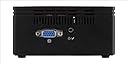
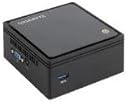
🚀 Tiny Titan: Big Performance, Zero Compromise
The Gigabyte GB-BXBT-2807 Mini PC Barebones packs an energy-efficient Intel Celeron N2807 processor with up to 2.17GHz turbo speed into a sleek, ultra-compact chassis. It supports up to 8GB DDR3L RAM and 2.5" SATA drives, enabling personalized upgrades. Dual display outputs (VGA and HDMI) deliver crisp visuals up to 2560x1600 resolution. Integrated Wi-Fi and Bluetooth ensure seamless connectivity, while fanless design guarantees silent operation. Perfect for professionals seeking a versatile, space-saving PC that blends power with portability.
| ASIN | B00KR0QHXW |
| Additional Features | Microphone |
| Aspect Ratio | Unknown |
| Brand | GIGABYTE |
| Built-In Media | Wi-Fi antenna |
| CPU Model | Celeron |
| CPU Model Number | N2807 |
| CPU Model Speed Maximum | 2160 MHz |
| CPU Speed | 1.58 GHz |
| Color | Black |
| Connectivity Technology | Bluetooth, Wi-Fi |
| Customer Reviews | 3.9 out of 5 stars 196 Reviews |
| Display Resolution Maximum | 1920x1080 |
| Display Type | LCD |
| Global Trade Identification Number | 00818313020413, 04719331241131, 08183130204134 |
| Graphics Card Description | Integrated |
| Graphics Card Interface | Integrated |
| Graphics Coprocessor | Integrated Graphics |
| Graphics Description | Integrated |
| Hard Disk Description | HDD |
| Hard Disk Interface | USB 3.0 |
| Hardware Interface | Bluetooth |
| Human-Interface Input | Microphone |
| Item Dimensions | 4.5 x 4.24 x 2.21 inches |
| Item Weight | 3.1 Pounds |
| Keyboard Description | No keyboard included |
| Manufacturer | Gigabyte |
| Memory Clock Speed | 1600 MHz |
| Memory Slots Available | 1 |
| Memory Speed | 1333 MHz |
| Model Name | GB-BXBT-2807 |
| Model Number | GB-BXBT-2807 |
| Model Year | 2014 |
| Native Resolution | 1920 x 1080 |
| Number of Component Outputs | 3 |
| Personal Computer Design Type | Mini PC |
| Processor Brand | Intel |
| Processor Count | 2 |
| Processor Series | Celeron |
| Processor Socket | BGA |
| Processor Speed | 1.58 GHz |
| RAM Memory Installed | 8 GB |
| RAM Memory Technology | ddr3l |
| RAM Type | SODIMM |
| Ram Memory Maximum Size | 8 GB |
| Resolution | 2560 x 1600 |
| Screen Size | 2.5 Inches |
| Speaker Type | headphones |
| Specific Uses For Product | personal |
| Specification Met | No |
| Style Name | GB-BXBT-2807 |
| Total Number of HDMI Ports | 1 |
| Total Usb Ports | 3 |
| UPC | 803982907554 807320221937 863121541674 065030856294 057143106533 787468102476 787468102483 803982907561 809394263097 787468102469 807320183402 846829715271 795092669845 818313020413 |
| Video Output | HDMI, VGA |
| Video Output Interface | VGA, HDMI |
| Video Processor | Intel |
| Wireless Compability | 802.11bgn |
| Wireless Network Technology | Wi-Fi |
| Wireless Technology | Bluetooth, Wi-Fi |
R**0
You will buy more NUCs, this NUC is quite unbelievable.... BUY ONE....
put 4 gb of memory a 250gb ssd into it, very easy to do, you only need a good small phillips. put an win 7 OS on it.. have loaded circuit analysis programs, math programs and office programs on it, no problem... not as fast as my I7 machines.... but this thing is 4"x4"x2.5" with no fan... I am old enough that i worked on PDP8 and PDP9s... In my lifetime to see this shrinkage wow..runs on 12vdc. i will be taking on a camping trip next week... i use and invertor to get 110, this with my ATT phones mobile hotspot great combination... 33Mb/sec reading from a 128gb HP usb3 flash drive, copied about 4Gb. no noise, that's weird.. running a VGA monitor with it now... The WIFI works great, downloaded big hunks of data from my NAS... It is not the fastest computer I have but it sure is cute and works great.. Have not tried the Bluetooth yet.. memory was $17/4gb and Samsung 250gb evo ssd was $70.... All I can say is this will not be my last NUC.... Update... took this with me to Nevada around Vegas no fan outside temp pushing 100 and it was running just a sweet as ever... Bluetooth worked WIFI reception was as good as I have seen.. it streamed from slingbox very nicely, good picture and sound.... Even have a copy of Mathematica on it, while not the fastest computer I have it still present a very useable capability. I liked it soo much I bought 2 more for a total of 3.. one will be dedicated to my big screen Vizio and the other to a smaller screen Seiki... the third will be my traveler. The performance of this cube, to me anyway is astounding for its size. It appears to be as fast as my old Lenovo T420 portable.. I have looked at the other NUCs no doubt there are many that will out perform it... no fan, good wifi, good Bluetooth, HDMI,VGA, audio in/out, USB3, USB2...I am running win 7 ultimate on this one will put Win 10 on the next...
M**2
Update Running Windows 10
***UPDATE 2017 - I own 2 of these and upgraded loaded Windows on the second one to make my multimedia life in the house easier. When the time came to update to Windows 10 I didn't know what to expect but I've been running Windows 10 on both machines flawlessly with no crashes. This machine is completely quiet and and I leave it on 24/7 and rarely shut it down. I have both machines wired to Ethernet so I can't comment on the built in wireless that I don't use. This box had trouble playing a BR MKV file over the network but regular DVDs play just fine. May update to a faster processor someday. For day to day operations (email, Office suite, social media, photos, movies, music, and web surfing) this box is perfect. ******** I bought this because it was inexpensive and I had an old 2.5 hard drive laying around so I figured I would give it a shot. I want to use it as a multimedia PC to play MKV movies and music. The device is well build and has a high quality feel. As far as operating systems go I set the BIOs for Windows 7 and loaded Vista 64 Ultimate. I could not find the drivers for the internal WIFI card so I used an external. Everything worked fine. Video defaulted to a VGA driver. The driver disk included supports Windows 7 and 8 only. Unfortunately this copy of Vista is also running on my Shuttle PC so Microsoft won't let me register it twice. So rather than load one of my old 32 bit O/Ss I downloaded Ubuntu 64, the latest version. Ubuntu loaded flawlessly, recognized all the devices immediately, including the internal WiFi and Bluetooth. I downloaded VLC Media Player and I'm all set. I used the Kingston Technology 4GB 1600MHz DDR3L PC3-12800 1.35V Non-ECC CL11 SODIMM Intel Laptop Memory KVR16LS11/4. It works great. I would give this box 5 stars if it had an S/PDIF audio out. It does push digital audio via the HDMI port.
B**Y
Finicky about RAM, underwhelming performance
Unit is a cute form-factor. has both VGA & HDMI outputs, which is nice. It is incredibly finicky on RAM, and requires ONLY 1.35v RAM SODIMMs (which are not standard). If you get one and it's "DOA" with NO video, it is the RAM. Typical of chineese mentality which doesn't value time, there are NO helpful instructions regarding this system. There is a mostly-worthless paper showing you how to install RAM or a HDD, but nothing regarding specs. So you may well waste several hours trying to get it going. It is slower than comparable other Mini's on the market, due to odd controllers used. It also has NO fan, which means it's likely to overheat and kill itself if installed in a location without a lot of airflow. Overall, I can't recommend - too many drawbacks. The power supply is a wall-wart, so it takes up more space than necessary. The plastic casing doesn't do well for increasing airflow, and the unit overall is rather cheap. For $125, it's ok.. but then again, you can buy a MUCH faster machine for the same money (in a larger package) and have actual usable performance.....
J**N
Home linux server.
The questions I had weren't covered in the reviews I had read. So: I have this up and running Proxmox_VE 3.4 using 8GB of corsair Value Select 1.35V Ram (CMSO8GX3M1C1333C9) (Listed in the supported ram list) and a 240GB Kingston SSD(SV300S37A/240G)(not in the supported SSD list). I setup my Proxmox installation using a Verbatim 32GB thumbrive without any special formatting. The instructions that I used to setup the thumbdrive Install were from the "How to create a bootable USB stick on OS X" just substituting where needed (I'm sure this would've been easier on windows ;P, but I'm stubborn and wanted to use terminal ). I had one hiccup in my installation/setup of this system. That hiccup would be at this point "sudo dd if=/path/to/downloaded.img of=/dev/rdiskN bs=1m" instead of using my target disk /dev/disk1 I put the install onto partition /dev/disk1s1. Started over...used /dev/disk1...... Good to go. Things to note: I didn't use /rdisk in the command. A little more about the machine: it came with Bios version F7 (02/10/2015), CSM Support is enabled, SATA set to AHCI (when I tried IDE the SSD wasn't visible) OS is set to Windows 8.x, and Secure Boot has been disabled. This machine is half way through the linux boot before my monitor can adjust the resolution when I power up. Exactly what I was looking for. Low power consumption linux server. I hope this review will help mitigate any potential negative reviews of this. Thank you
N**A
Mixed feelings
Updated review: I really wish I hadn't bought this. I've been experiencing unpredictable freezing with both windows 7 and windows 10. These are usually either heat or driver related. If drivers, it might be the aftermarket wireless LAN I installed, but the fact the supplied wireless LAN was *so* poor forced me to do that. Moreover the card I added (Intel 5100AGN) is very common, and works fine in a laptop of mine. If it's heat, well the whole reason for buying this is that it is supposed to run fanlessly. Other details in original review below: Mixed feelings. Running win 10 pro. Pro: Quiet, compact, very respectable performance (except wifi) for the price. If the wifi worked, it would be perfect for a home theater box in your bedroom or somewhere you want zero noise. Gets warm, but not super hot, impressive for fanless design. Cheap. Con: Terrible wifi performance - a commonly noted problem. Only communicates on 2.4Ghz, not 5Ghz band (aka doesn't support 802.11n), which for my network seriously degrades performance. I'll probably have to install a usb wifi card, adding $ and using 1 of the 3 ports :( . (Driver update doesn't fix performance btw). Support website transmits your password in unencrypted http plaintext when you login! Weird design quirks, e.g. upside down USB ports, back plate has a label "^^TOP^^" but given how symemtrical the unit it that really doesn't help since it's unclear which side is "up". The HDD bay has mediocre design (strange "lip" on the cage forces prevents you from attaching/detaching cable while in place, requires unscrew).
R**T
Linux is a struggle, several design issues
I have very mixed feelings about this machine. While it gave me no end of grief getting it set up, I would actually recommend it if the price dropped to around, say $100, as nearly 12 months later there still isn't much to choose from among the barebones machines with 5th-generation processors. Firstly the good: This was shipped in no time at all, maybe three days, might have been two. It came with a mini-screwdriver which is a very nice touch and a sheet of clear instructions so adding the memory and storage was no trouble at all. Now I wanted to install Linux and then run it 'headless' (no monitor, keyboard, mouse) and this is where the trouble started. With the monitor, keyboard and mouse it was easy to install Ubuntu from an SD card I prepared using the tools from Pen Drive Linux (but note *all* the USB ports are taken at this point). I thought everything was going smoothly, but then the troubles start ... before you're even ten minutes into applying the updates the wireless will give up. For me that means pressing the off button and starting up again. In order to get anything downloaded you're going to have to find a USB wireless adapter - I plugged in a six-year-old DLink adapter and everything went without hassle. Then unplugging the DLink adapter and doing some light browsing - bam! the wireless is dead again. Restart, plug DLink in, upgrade from 3.13 kernel to 3.16 ... now looking good, can browse the Internet okay ... for maybe thirty minutes this time and ... wireless is dead again. Long story short: Finally I have to add a line in a config file to stop the adapter (Realtek rtl8723be) from sleeping. After that the wireless works, at fairly slow speeds ... and you can just forget bluetooth. So the Brix is still not running headless. There were more surprises - would you believe the machine wouldn't start up if all the USB ports are empty?! I tried various combinations - adding *anything* - even a USB card reader with no card in it - would solve the problem. I investigated for hours until I found that this problem only existed when the HDMI cable was plugged in - arghh! So now I unplug everything, carry it over to the living room, plug in the speakers, attach the 2TB hard disk with the music on it, install Clementine ... wow it's all working! Controlling my music collection from my phone! So for $135 plus $110 for 4GB RAM and 128GB storage I have a headless server with a decent processor, pathetic wifi, no bluetooth, an ethernet port, audio out ... but no SD card slot and *only* one USB3 port and two USB2 ports. Just one more USB3 port would have been a huge improvement. And, get this ... the USB ports are upside down! Now depending where you're coming from you might think this is no big deal - but I only have one other device, an Anker portable charger, that has this retarded arrangement. I don't know what Gigabyte were thinking. Back to the positives: The case appears well built, if a little large - it's quite tall. And one very important thing, it requires no fan and it never gets hot, contrary to experiences in some reviews I've read. One final criticism: the power adapter is quite huge - it's a wall-wart type and a *lot* larger than the one for my 14 inch laptop. Finally I'm very happy to have this running, serving files, music, etc. It was a struggle.
L**.
Performance PC Kit makes a great HTPC and home PC.
I used this DIY pc to build a HTPC, and it's everything I wanted in a small form, energy-friendly home pc solution. This is more of their entry-level kit, but I maxed it out with 8GB of ram and it's super fast. I'm running Linux Mint Cinnamon and it booted from the usb stick to install without any changes to bios or hassles. I'm actually surprised it went this well - I kinda expected to have to mess with it to install linux and get it working as I wanted. No such problems! I did end up mounting it on the wall next to my desk to keep it protected - it's small enough that you could spill something on it, so I just did the best thing and used the included mounting plate and put it up on the wall. You can put this on the back of a monitor too, I think that's what most people do. Really happy with the performance of this as a home PC - it's serving two purposes and it will save us money on the monthly electric bill. Very happy with this, no complaints!
C**N
Might not be the best choice if you want a GPT labeled disk
It's a mixed bag. I bought this with the intention of setting it up with several variants of Linux as a birthday present for a friend's son. He's just started to get interested in Linux and I thought that having a multi-boot machine loaded with several distros would be a good thing for him. With 8 GB of RAM and a 120GB SSD drive it is quite responsive, much faster than his 8 year old Mac mini, and the total package only set me back about $200. Unfortunately the UEFI (sometimes referred to as "BIOS") implementation on this machine is somewhat broken. The UEFI bcfg command is missing from the internal UEFI shell and I can't figure out how to set NVRAM boot devices. If CSM ( aka legacy BIOS ) mode is enabled it will not recognize a GPT labeled disk, and if CSM is disabled it will not boot from an MBR labeled USB device. You can enable CSM and install linux on a GPT labeled drive, but booting the linux install is tricky. It throws an invalid disk error message and it's tricky to get back into the "BIOS" setup screen in order to disable CSM mode. I found that if I unplugged the mouse, I am eventually able to get into the BIOS setup ( multiple power cycles and hitting "Del" key at the right times). I'm still messing with it, re-installing linux's (or whatever the plural of Linux is...) and will try booting an "external" UEFI shell to see if I can find a way to use a "real" UEFI shell to boot a USB drive when the internal drive has a GPT label ( i.e.: CSM disabled ), but I'm not overly optimistic. I'd give it 5 stars if the "BIOS" ( actually UEFI ) implementation was better. Probably an OK machine if you don't need or want a GPT label on the internal disk. --- I upped my rating from 3 to 4 stars once I figured out that my problem booting Linux from a USB stick was because one of the Linux distros that I was trying to install was 32 bit ( i.e.: no EFI support ). bcfg works fine from an external UEFI shell, as does efibootmgr from an Ubuntu Linux instance. It's still a pain trying to access the "BIOS" setup screen when the internal drive has a GPT label *and* CSM is enabled. Hopefully I won't have to enable CSM now that I seem to have the Linux bits sorted out.
M**K
Preis-Leistung Hervorragend
Als Mini-PC, in den man eine separate Festplatte (SSD) und RAM einbauen kann. Für mich in dieser Preisklasse bisher noch nicht entdeckt. Daher musste ich einfach zu schlagen. Zwar ist das Mainboard für Windows7 & Windows 8 konfiguriert, aber WX OS sollte auch darauf laufen. Jedoch habe ich auf Windows 10 verzichtet und stattdessen es mit einigen Linux OS ausprobiert. Mit Ubuntu GNOME, Kubuntu und Xubuntu wurde ddas Gehäuse sehr warm und die USB-Anschlüsse sogar heiß und beeinträchtigen dabei sogar Maus wie Tastatur. Als sehr zu empfehlendes und einzig komfortabel nutzbares Linux OS kann ich nur zu Lubuntu raten. Denn das läuft äußerst resourcenschonend. Damit überhitzt auch der Mini-PC nicht mehr und mit Lubuntu kann man sogar sehr performant einiges gleichzeitig machen, ohne Überhitzung oder Systemüberforderung. Dabei habe ich mal einen Browser mit mehreren Taps offen gehabt, ein Programm, mit dem ich im Hintergrund minimiert einen Fernsehsender im Stream laufen lies und im Vordergrund habe ich mit einem 3D-Programm gearbeitet. Das hätte ich diesem Mini-PC, selbst in meinen kühnsten Vorstellungen unter Lubuntu nicht zugetraut. Aber offenbar spielt hier der RAM (bei mir nur 4GB) und eine SSD (120GB von Kingston) wohl auch eine entscheidende Rolle. Für mich genau das R!CHT!GE & genau was ich gesucht und gebraucht habe, um mit wenig Stromverbrauch, aber mit offenbar sehr guter Leistung im Wohnzimmer am TV zwischendurch zu chatten, surfen und für private Zwecke damit zu arbeiten. Und noch ein T!PP zu WX OS: Windows 10 nutze ich auf stärkeren PC's nur noch offline. Seit dem WX offline ist bei mir, gibt es keine Systemfehler mehr. Also wer sich über Windows 10 ärgert, sollte WX offline nutzen und sich für private Onlinenutzung diesen Mini-PC gönnen. Verbraucht laut meiner Messung zwischen 4 bis 10 Watt bei der oben beschriebenen vollen Systemlast.
B**S
great buy
exactly what i needed.
P**R
Using it for 4 years, good for low memory work
I'm using this to watch films and Ms apps . Does what is expected. I run windows 8 in it with 4gb ram. Update, I'm still using it without any problem! Update: it's 4 years since using it. It's worth every penny. The HDD got issues so had to reset it 2 times. No other issue yet. I'm planning to use a SDD and see what happens. Update Sept 2019: Still works good. SSD made a difference. Excel sheets open in 2 seconds! Click 'helpful' if you want more details.
D**R
So much for the price
Working great!
C**N
Muy buen producto
Cumplió las expectativas al 100%, muy buena compra. Yo pude poner el disco duro y la memoria, y soy muy poco manual para estos temas.
Trustpilot
2 weeks ago
1 week ago