โจ Light up your living room, sync your vibe, and never miss a beat! ๐ถ
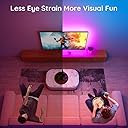
The Govee TV LED Backlight is a 10ft smart LED strip designed for 46-60 inch TVs, featuring 16 million customizable RGB colors, music synchronization via built-in microphone, and voice control compatibility with Alexa and Google Assistant. Powered by USB, it offers easy installation with clips and adhesives, multiple scene modes, and app-based DIY customization to elevate your home entertainment experience.


| ASIN | B07Q45SP9P |
| Additional Features | Remote Controlled, Color Changing, Voice Control |
| Best Sellers Rank | #604,999 in Tools & Home Improvement ( See Top 100 in Tools & Home Improvement ) #2,520 in LED Strip Lights |
| Brand | Govee |
| Brand Name | Govee |
| Bulb Base | Wedge |
| Color | Multicolor |
| Connectivity Protocol | Wi-Fi |
| Connectivity Technology | Wi-Fi |
| Control Method | App |
| Controller Type | Control Box Control&APP Control&Voice Control |
| Customer Reviews | 4.4 out of 5 stars 7,472 Reviews |
| Form Factor | strip |
| Included Components | TV LED Backlight |
| Indoor Outdoor Usage | Indoor |
| Indoor/Outdoor Usage | Indoor |
| Item Length | 10 Feet |
| Light Color | Multicolor |
| Light Source Type | LED |
| Manufacturer | Govee |
| Manufacturer Part Number | H61821A1 |
| Material Type | Plastic |
| Model Number | H6182 |
| Number of Batteries | 2 A batteries required. |
| Number of Items | 1 |
| Number of Light Sources | 90 |
| Occasion | Christmas |
| Power Source | Corded Electric |
| Smart Home Compatibility | Smart Home Compatible |
| Special Feature | Remote Controlled, Color Changing, Voice Control |
| Theme | Tv |
| UPC | 741663591589 |
| Unit Count | 9.8 Feet |
| Voltage | 5 Volts |
| Water Resistance Level | Not Water Resistant |
| Wattage | 10 watts |
| Wireless Communication Technology | Wi-Fi |
C**N
Great value and quality.
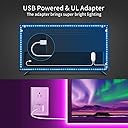
I had a 6ft Antec single color white strip on my 50" plasma that really bothered me that it only covered the sides and top, leaving no light coming from below the TV so I took a flyer on this kit. Install was easy once I figured out the trick to peeling the backing off the 3M adhesive. I found that slightly pushing/compressing the end of the strip made it easier to get a fingernail under the backing. I used the included clips and a few pieces of 1x2" clear packing tape in certain spots to make sure it stuck (did the same with the Antec strip and was still holding strong after 5 years). Got everything back up on the wall and connected, plugging strip into one of the two USB ports of my set and all the strip would do is flash red ever second or so. Started emailing Govee support to see what's up and after a few minutes my Panasonic TV came up with a warning message - "USB device under powered" or something like that. Unplugged from the TV and into the included wall wart and BAM! brilliant LED illumination. Don't know what one of the other reviewers is saying about not being able to get it white and only purple. His picture looks purple and mine kind of do as well, but can say in person it's damn near pure white. The 'music' setting is pretty nice (see video) as it uses a mic to pickup ambient sounds and reacts. My 7 year old daughter likes yelling at it to get it change colors :-) App works well and connects via bluetooth quickly. Overall bright and seems built well.
J**H
Good, cheap solution
Installed last night. Nice packaging. There's an app in the App Store (iPhone, also for Google but didn't try that) you can use to adjust the brightness, and the colors instead of using the wired remote. If you add the Alexa skill you can also control all of that with your voice which makes the most sense because I don't want to get up from the couch. But it's pretty amazing for the price, honestly. You pick a single color and all lights change to that same color. It's a cheap device, don't ask if it does some higher end lighting feature, like different colors on different segments, people. Don't be that person.... It can also pulse to the music but didn't use that because I'm not a teenager.... Now, it is a cheap device so who knows if it will last a year or what. It does the job. If you pay this little you should be fine if it doesn't last forever, people..... it's been a day, but I'm more than satisfied for the price.... There were only some minor issues; - If you pull off the paper that protects the adhesive backing, you might get no adhesive at all. It's easy to accidentally pull off the adhesive, and if so, you can use the clips or some tape to hold it. - Lights not super bright, but I only run them at 20% power so don't care - It's one long strip with 4 elbow bends so you can't trim the strip or extend it, so check your TV size - It can take USB power from your TV, but if I you switch lighting settings a few times my Panasonic Plasma gets upset and says the device is taking too much power and shuts off that port. Solution is just to use the included wall plug for power. This probably depends on the TV model. I use Alexa to turn it on / off instead.
S**N
The verdict is still out - Edited!!!
Edit: Govee was very responsive to emails, and had me do a few quick tasks to see if a reset would fix the issue. Unfortunately it didn't, and Govee was VERY quick to send a replacement. I was not asked to send back the defective lights, and the new ones work flawlessly so far. I'm thrilled with how Govee was so easy to communicate with, and handled the issue with absolute grace. The review was updated to 5 stars for their customer service and great product. For the money, you really can't go wrong! Tip - The adhesive on the power switch is PHENOMENAL....and I do mean it is PHENOMENAL. If you have any doubts about where you're putting it, I'd recommend pulling off the adhesive and getting some stick-on velcro patches instead. ---------------------------------------------------------------------------------------------------------------------- Easy to install and mostly works....my questions started when I noticed there's not enough of their adhesive clips to secure the strip lights. Easy enough fix, just use some scotch tape...no big deal. Lights seamed to work fine before mounting, but when I tried any of the white settings, the lights either shut off entirely, or reset to the last usable color. Not the end of the world, but definitely strange. That issue was only using the native app. Going through the google home preset colors however, various whites DO indeed work....perhaps it's a bug/glitch in the app? I tried calling the customer service number twice and a generic computer message saying "thank you for calling Govee, all agents are busy, please try again later" came up....it disconnected. Check their website...it seems VERY generic, using VERY obvious stock photography. I don't get a good feeling that there will be product support or any form of customer service. All that said, you get what you pay for. I mostly wanted dimmable lights for the TV that sync with google home....these do, with a couple strange (albeit minor) oddities. For $19 (clipped the $2 coupon) they're worth the risk to me, and when working, do a great job. I'm happy to give 5 stars for adhesion, brightness and ease of install, but to me the overall product is only as good as the company that produces and supports it. To that end, I give the product an overall 2 star rating since it MOSTLY does what it's supposed to do. I hope I can update this in the future, but I have to say I'm hoping Anker/Eufy comes out with strip lights.
P**S
Great product and great customer service, but these may not work for all USB monitors
If you plan on using these lights for a TV or monitor and plan to use the USB port to power them, do some research. I bought these for a 34 in LG monitor and planned to use a USB port on the back to power them so I wouldn't have to worry about any more cable management. When I first got the light strip I plugged it into a wall outlet before unspooling the whole thing to test them and everything worked great. However, once I plugged them into my monitor's USB port, I started having issues: it couldn't connect to my Wifi (yes I had my 2.4Ghz separate on my router) and every time I tried to change the color to a more whiter/brighter shade via the app, it temporarily lost all connectivity, including Bluetooth. It did this every single time. I went back and forth with customer service and as it turns out, whiter shades of color require the most power. And ultimately it was discovered that my monitor wasn't able to provide sufficient power to achieve this brighter colors. Customer service was great and helped me track down the issue. Once I told them I bought the lights solely for my monitor USB they were very understanding and even went so far as to offer a full refund. With all that said, overall these are pretty good lights for the price. If you plan on using these with the power adaptor and a wall outlet or if know your TV or monitor USB can fully power the lights, then I don't think you will be disappointed!
S**A
Really good lights
I have a lot of smart home tech in my house but the problem is they are all really expensive. $50 for a lightbulb is defiantly overkill. I found Govee when I was looking for a cheap light-strip to put around my desk and and to light up my kitchen counter. Normally for 30-40 dollars all you get are some cheep Chinese lights with a remote to change the colors. Govee not only offers a really good quality light strip, it also has a companion app that works really well and looks good! These lights do connect to wifi to offer Google assistant and Alexa support, but they also work with bluetooth which is more important than you might think. I suffer frequent connection losses with my $50 Lifx bulbs and there is no way to control them otherwise. With Govee you can still control their functions through the app with a Bluetooth connection, failing that they have buttons on on their base to control the lights. As you can tell I'm really impressed with this product and I hope to see this new company come out with more smart connected devices in the future.
H**H
Pretty decent strip. Couple issues though.
The brightness of the lights in the photos I provided were set 60% brightness for each photo because some colors simply do not work on max brightness. Also, in the dark, max brightness is too bright for my liking anyways. However, red, blue, green, and orange can be ran at max brightness as far as I have figured out. So thats kind of an issue for when you have other lights on in the room or there is some daylight still out for certain colors. Purple can only be ran around 60% brightness and white is limited to 50% brightness. However is you use the app and move the slider to "warm white" that can be ran at 100% brightness. Im not 100% sure if this is because I have it plugged into the usb on my tv instead of into a power brick but I wanted better cable management. I will test it out using a brick and if the brightness issue goes away, Ill update my reviee to a 4 star. However I cant give more than 3 stars currently because of that issue and there is only 5 cable clips included when really you need 10. Luckily I had some laying around from a previous strip I had that didnt work out. Other than those issues the lights look great with and without the lights on. I dont typically like a real bright backlight so for me I have the brightness down to 10% in the dark. Sometimes lower. In the light it just depends on the color. Not including photos with the lights on as it just really isnt intended to be used like that imo. Looks best in dark. Thats the review.
A**.
BUY NOW, STOP HESITATING!!
I love this product!! I have always wanted one. But finally pulled the trigger and got one and I am very pleased with it. Easy install. You litterally just have to not be scared and just do it. The installation card is kind of confusing. Half of it is easy, self explanatory then the second half is like WHAT!?!? But just dont be afraid of it. Clean TV or surface where you want to put it. Then peel 3M sticky tape and just put it on. But make sure you lay it out first before you stick it to surface. You want to make sure you have enough room for eveything and arent gonna screw yourself later. My bedroom TV is 42inches and I was about to do the outer layer and then again on the inside. Like a bulleyes just in the shape of a square/rectangle.. if its really close or not to the wall it will still back light your tv or whatever you want lit up NICELY!! also loved this product for the simple fact there is no remote you have to worry about losing. There is a Govee app that you can install on your phone and change the colors, turn on and off times and even themes of colors for it, also can turn up or down the brightness. Also you can connect it to your Google Home or Alexa smart speaker. So my girlfriend loves it she can tell google what color to make it and turn it on and off. Its amazing. I love it. I got it for my bedroom tv so when we watch tv in bed at night it isnt so hard on our eyes since there is another light source to help our eyes out when watching tv in the dark. Plus it looks amazing. Blue, Green and Red look the best!!! Red somehow looking the brightest. I dont know why but if you like red, your set!! I hope I was able to help. Thanks for reading my review!! I know you will enjoy this if you order it!!
N**X
Exactly what I was looking for for a good price
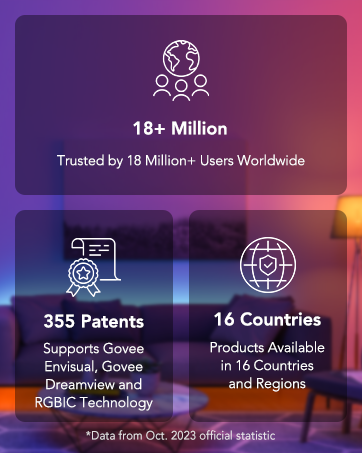
We have the Govee Envisual in our livin room which, not only works great but reads and matches the colors showing on the TV. I didn't need such an elaborate device in my office but wanted to stick with Govee since I'm confident in that brand and I wouldn't have to download another app to my phone. I couldn't be happier with this set. The installation was easy on my 43 inch TV. Because the TV is fairly new, it has enough wattage to power the lights (I've seen other reviews where Customers were unsuccessful unless the device was plugged in with the included power box). Once installed, connecting the device to the app was as easy as locating the model number (found on the cover of the guide book) in the app and connecting it to wi-fi. The manual remote has some quick access funtionality but it's worth connecting to the Govee app as there is a multitude of options for colors, themes and even sounds. So far, I'm really excited about all of the possibilities with this TV backlight.
Trustpilot
2 weeks ago
2 months ago