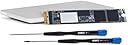
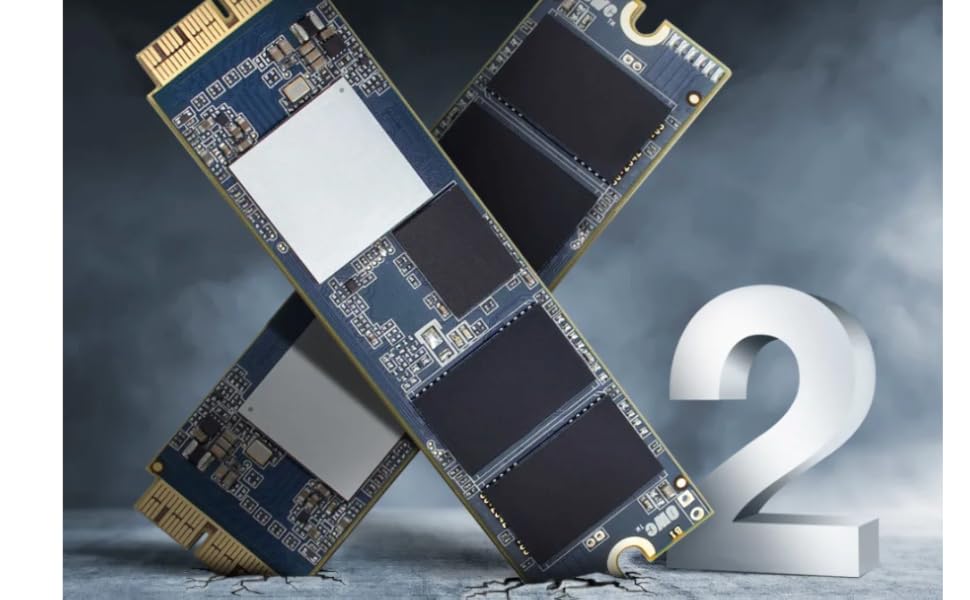
💡 Upgrade Your Mac, Elevate Your Game!
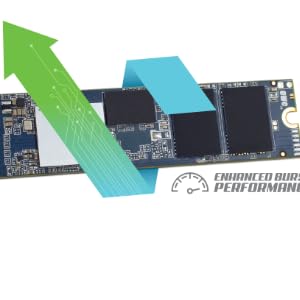
The OWC 480GB Aura Pro X2 Complete SSD Upgrade Solution is a high-performance storage upgrade designed specifically for MacBook Air and Pro models from 2013 to 2017. With lightning-fast read and write speeds, this portable SSD solution includes all necessary tools and accessories, ensuring a hassle-free installation and a significant boost in your device's performance.


| ASIN | B07QBR12F2 |
| Additional Features | Portable |
| Best Sellers Rank | #1,049 in Internal Solid State Drives |
| Brand | OWC |
| Built-In Media | 1 x USB 3. |
| Cache Memory Installed Size | 480 |
| Compatible Devices | Laptop |
| Connectivity Technology | USB |
| Customer Package Type | Standard Packaging |
| Customer Reviews | 3.9 3.9 out of 5 stars (191) |
| Data Transfer Rate | 6 Gigabits Per Second |
| Digital Storage Capacity | 480 GB |
| Enclosure Material | 3D Flash Speicher TLC NAND |
| Form Factor | Portable |
| Global Trade Identification Number | 00810586032025 |
| Hard Disk Description | Solid State Drive |
| Hard Disk Form Factor | 2.5 Inches |
| Hard Disk Interface | USB 1.1 |
| Hard-Drive Size | 480 GB |
| Hardware Connectivity | SATA 6.0 Gb/s |
| Installation Type | External Hard Drive |
| Item Weight | 268 Grams |
| Manufacturer | Other World Computing |
| Media Speed | 2432 MB/s |
| Model Name | Aura Pro |
| Model Number | OWCS3DAPT4MB05K |
| Read Speed | 3200 Megabytes Per Second |
| Specific Uses For Product | backup, storage |
| UPC | 810586032025 |
| Unit Count | 1.0 Count |
B**Q
Works Great, super easy!
Couldn’t be simpler. My OS was within spec so all I had to do was open the laptop, pull the old drive, swap it out and put it back together. (Disconnected battery first of course). Tools were great, housing worked with my old drive and I was able toninstall the OS using recovery on the new drive, then restore from backup from my old drive without issue. Kid 2015 MacBook Air went from 128 to 500ish Gb drive. Been running for weeks now. Performance is great.
V**G
SO EASY- Anyone can install this drive!
I was a bit fearful of attempting to install a new hard drive on my Macbook Pro but when I saw OWC's site and the instructional video, it looked very simple so decided to give it a shot. I called Best Buy's Geek Squad because I wanted to see what they would charge to install the drive just in case. They quoted me $95 plus tax to install the drive and then another $95 plus tax to transfer all of my data and apps over. I must admit, this was the part that scared me the most- transferring all of my apps to the new drive. I decided to go ahead and try it myself, and if I needed to, I could always take it in to Best Buy. Let me tell you, if I could give OWC 10 stars I would! Their videos on their website and step-by-step instructions are SO easy to follow, ANYONE can do this! It took me literally 10 minutes to remove and install the hard drive. Thanks Geek Squad- I saved myself $100 in this step! This product comes with a case for the old hard drive and the MUST have special screw drivers, do yourself a favor and purchase these items with the new drive! The time consuming part was reinstalling the Mojave OS- I have slow internet and that took about an hour. No problem, go do something while the installation is proceeding. Once OS was re-installed, I had the old hard drive already connected to the Mac and just followed the directions to transfer the files and apps to the new drive. Took about 25 minutes and DONE! Saved myself ANOTHER $100 Geek Squad... You can erase the old hard drive and use it as another USB/external hard drive, but I plan to keep it as is in case I ever need to reinstall the data for some reason. What I really love about OWC is that they have all of the videos and instructions you need to do this yourself and a hotline for help if you need it, but that was not necessary for me.
J**N
Nice packaging
I purchased this product on 9 April 2020 hoping to revitalise my MacBook Pro with more memory for my Bootcamp and Mac OS partitions. I have spent two days trying to get Bootcamp to boot to no avail. This may or may not be a result of the OS not recognising the new hard drive as an Apple native drive but no solutions fixed the installation problems for me. Also, one of the tools broke while I was replacing the screws after installing the drive. I'm happy with the new disk capacity but I am concerned that my new hard drive will one day break as easily as the screwdriver.
M**R
Great product with Excellentt Support
WOW!!! I have read other reviews how easy it was, but I wasn’t sure. The installation was synch, since the kit came with proper screw driver. When powered on - NOTHING happened - Mac did not power up properly. I called the tech support, they were extremely helpful and solved the issues with in minutes and stayed on the phone until I was comfortable. Excellent support. One key thing I did, I had installed Corbon Copy Cloner in my mac, which made it easy to get the data back and get mac running soon. I am ready to install it in another mac.
D**E
Had to return for refund due to repeated crashes with SSD installed.
I wish I could give this SSD upgrade 5 stars because I really wanted it to work so bad. And it took over 10 hours to install due partly to a defective cable and/or external SSD enclosure. So here's how it went: I got the SSD, exterior SSD case, connection cable, two screw drivers to open my MacBook Air and the 480 GB SSD memory. First problem was with the connection cable and/or external SSD housing. Because my MacBook Air did not recognize the external memory in the external SSD housing, I had to use an old spare hard drive to make a full time machine backup to reinstall on the new SSD memory. But hey, if I could get the 480 GB memory working it would still be a win. I was patient and used and old hard drive for full time machine backup. Removed old SSD, installed new 480 GB SSD and did full restore. This got my data and Mac OS on the new 480 GB SSD and everything seemed great. Alas, this did not last. I found that my computer was spontaneously crashing overnight repeatedly. And upon boot up I got messages regarding problems with sleep mode causing a crash. This was the last straw for me, I reinstalled my old 128 GB SSD and called Amazon for a full refund. Thanks you Amazon! They processed it quickly and I am on my way to UPS to return the upgrade kit. So I can't recommend the kit and I am still looking for a RELIABLE SSD upgrade. Anyone know of a better upgrade kit?
M**L
Upgrade worked well, but the enclosure is unreliable.
The upgrade memory was easily installed and worked perfectly in my old MacBook Air, but it seems to have now a sleeping disorder: it goes in hibernation if left closed for more than a few minutes, and I suspect this has something to do with the new memory, since it is a new behaviour. I put the old 128 Gb memory in the provided enclosure, and it worked, although with caveats: (1) The enclosured heats A LOT, even when not in actual operation. (2) Do not try to use APFS with it, it won't work correctly — you must reformat it with HFS+ of exFAT. (2) Sometimes it gets corrupted unexpectedly and the only way to repair it is to backup what you can, reformat and get the salvaged content back. So the external SSD drive you get by reusing the old memory is completely unreliable, and usable only for work which is transient or not critical.
A**E
Wenn man ein passendes Macbook hat und die SSD ersetzen will ist das das beste Angebot. Die SSD passt ohne Adapter, das Case ist sehr gut verarbeitet (gibt es aber auch einzeln). Die Leistung ist sehr gut. Die alte SSD hat bei mir gestreikt, ich konnte trotzdem damit alle Daten retten.
M**A
Macbook pro 13 retina late 2015 con os catalina. Il disco si monta in 5 minuti con i cacciaviti in dotazione. Il problema nasce quando si prova a copiare il back up dal vecchio dico per farlo diventare il disco d'avvio del mac. Ho inserito il vecchio disco nell'enclosure in dotazione col kit e da li ho fatto una copia con carbon copy del vecchio disco d'avvio sul nuovo. Purtroppo non si avviava e ho perso molto tempo, invano, per cercare di passare un backup leggibile. Ho risolto copiando il disco su un altro disco esterno e aggiornato a os Monterey. Avviando da quel disco esterno l'ho clonato sul nuovo ssd interno, che avevo formattato, e ho riavviato dal nuovo incrociando le dita. Il disco è molto veloce, supera i 1300Mb/sec e il computer è più veloce di quando era nuovo
N**2
Super Anleitung und so auch Anfängern ein Erfolgserlebnis möglich. Endlich ist der alte Mac wieder voll mit am Start.
R**O
Ho comprato questo prodotto per effettuare un upgrade su un macbook air (early 2015) che aveva di default 128gb di disco, ormai veramente poco spazio anche per eseguire un banale upgrade di SO. Con un SSD OWC Aura pro X2 da 480GB sono riuscito ad ottenere con semplicità un espansione disco sul mac senza aver problemi di compatibilità e migrazione. Il prodotto è veramente fatto bene, confezione completa anche di cacciaviti compatibili con le viti custom di apple e pratico box per riutilizzare (e anche migrare i dati) tramite il vecchio disco ssd. Il box esterno è molto bello costruito in alluminio e identico al colore del mac sembrano quasi pezzi usciti dalla stessa fabbrica. E' presente oltre al cavo del box anche un comodo sacchetto nero in materiale vellutino a mio parere un po' stretto se bisogna riporre oltra al box anche il cavetto.
A**.
I was informed (too late) by OWC that “Apple NVMe SSDs (all models), and AHCI SSDs made by Samsung (models from 2015 or later), while physically compatible with the Envoy Pro, are not supported”. These incompatible SSD’s might however be in MacBooks listed as compatible with the new Aura SSD. So, while I enjoy the new SSD, the purchase of the Envoy Pro for the old SSD was a waste of money :(
Trustpilot
2 days ago
3 weeks ago