


Desertcart purchases this item on your behalf and handles shipping, customs, and support to Spain.
🚀 Elevate your workspace with speed, style, and smart printing!
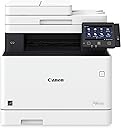
The Canon Color imageCLASS MF743Cdw is a versatile all-in-one laser printer designed for small to medium businesses and home offices. It delivers high-quality color and black-and-white prints at up to 28 ppm, features a 5-inch intuitive touchscreen, supports wireless and NFC mobile printing, and includes automatic duplex scanning and printing. With a 3-year warranty and advanced security features, it combines professional-grade performance with cost-efficient operation and easy maintenance.


| ASIN | B07QBR85G6 |
| Additional Printer Functions | All In One |
| B&W Pages per Minute | 28 pages_per_minute |
| Best Sellers Rank | #210,374 in Office Products ( See Top 100 in Office Products ) #238 in Laser Computer Printers |
| Brand | Canon |
| Built-In Media | MF743Cdw Product, Cartridge 055 CMY: Starter 1,200 Yield / K: Standard 2,300 Yield, Power Cord, Telephone Cable, Starter Guide, User Software DVD‐ROM, Warranty Card |
| Color | MF743Cdw |
| Color Depth | 24 bpp |
| Color Pages per Minute | 28 |
| Compatible Cartridge | Color |
| Compatible Devices | Laptops, PC |
| Connectivity Technology | Networkable , USB |
| Control Method | Touch |
| Controller Type | Android, Vera |
| Customer Reviews | 4.0 out of 5 stars 1,197 Reviews |
| Display Type | LCD |
| Duplex | Automatic |
| Global Trade Identification Number | 00013803307603 |
| Hardware Interface | Ethernet |
| Ink Color | Color |
| Item Dimensions D x W x H | 18.8"D x 18.8"W x 18.4"H |
| Item Type Name | Laser Printer |
| Item Weight | 64 pounds |
| Manufacturer | Canon USA |
| Maximum Copies Per Run | 200 |
| Maximum Copy Resolution Black and White | 2400 x 600 dpi |
| Maximum Copy Resolution Color | 2400 x 600 dpi |
| Maximum Copy Speed Black and White | 28 pages_per_minute |
| Maximum Media Size | 8.5 x 14 inch |
| Maximum Print Resolution Black and White | 2400 x 600 dpi |
| Maximum Sheet Capacity | 300 |
| Maximum print Resolution Color | 2400 x 600 dpi |
| Model Name | iC MF743Cdw |
| Model Number | MF743Cdw |
| Model Series | iC |
| Number of Trays | 2 |
| Other Special Features of the Product | Auto-Duplex, NFC, One Pass Scan |
| Paper Size | 3 x 5, 8.5 x 14 |
| Power Consumption | 1470 watts |
| Print media | Paper (plain) |
| Printer Connectivity Type | Networkable, USB |
| Printer Output Type | Color |
| Printer Type | Laser |
| Printing Technology | Laser |
| Processor Count | 1 |
| Resolution | 2400 x 600 |
| Scanner Type | Document |
| Series Number | 743 |
| Special Feature | Auto-Duplex , NFC, One Pass Scan |
| Total USB 2.0 Ports | 1 |
| UPC | 013803307603 |
| Unit Count | 1 Count |
| Warranty Description | 3 Year Exchange / Carry In |
| Warranty Type | Limited Warranty |
| Wattage | 850 watts |
M**J
Incredible, most perfect all-around printing wonder!
I have been printing professionally with low and high end printers for over 3 decades. I deal extensively with documents, graphics, brochures, photographs, etc., and knowing what inkjet, laser and expensive print shop commercial printers are capable of, and getting the max quality from them is something I'm really expert at. I recently began to need a low cost printer primarily for printing high quality wine labels on custom, die cut 8.5 x 11, soft gloss, specialty label paper. This Canon MF743Cdw was the 5th printer I tried, and it literally blew me away. The Old Mill photo I posted here is a photo of how the Canon printed that image on 8.5 x 11, ordinary, cheap copy paper. The print out is brilliant, great contrast, beautiful color repro and super hi rez. The photo I uploaded here doesn't do justice to the actual Canon printout, but I hope you can at least see the fantastic detail in the tree leaves, and the Canon print quality was just as outstanding on every paper type I tried printing on. And that's only the beginning: Print and scan speeds are excellent, it will print and scan double sided, really well and really simple, it will handle thick and other special papers perfectly, does both letter & legal size, everyday document prints look especially crisp and professional (with 600 dpi minimum print quality), you front feed special papers rather than back feed like many other printers, it will print booklets and collate them, other reviewers report success with 3rd party toner cartridges, initial set up went well, and all for only $404! I have a $10,000 commercial grade laser printer that doesn't work quite this well. The cons: A very minor issue is that the MF743Cdw won't do borderless printing. That is, it won't print a graphic or a background color all the way to the 4 edges of the paper, though I have other printers that will and that isn't much of a problem anyway, and (2) the printing function set up is very complicated because there are literally a hundred or more options to choose from. There are a great many different things the printer can do that many other low end printers can't or don't address, but man! is it complex. So this "con" is both a curse if your needs are simple and a blessing if you have some really special printout combo. Even though it's complex, once you get whatever basic set up you will primarily use, you're done and don't have to deal with it ongoing. As for tech support, I didn't need any, so that rates 5 stars too. I did not experience a single negative that other reviewers reported, maybe because I'm more accustomed to getting printers set up and solving their problems. Take it from an expert with printing and printers: Buy this machine, you won't regret it.
D**N
If you homeschool or need quality color printing without the ink expense, this is for you!
As a home school family, we were searching for a cost effective, high quality printing option. Space was also a factor. After reading the reviews, we settled on the Canon MF743CDW due to it's features and cost of replacement toner via aftermarket sources. Given the amount of pages we can print on a toner cartridge, it actually becomes much cheaper in the long run than a typical inkjet printer. As far as space, we have it on a 19x19 platform I built to nest on a two-drawer filing cabinet. It did not take up a great deal more of real estate compared to our previous all-in-one inkjet printer. When I first began the setup according to the provided quick start guide, it did not let me perform the calibration option. It turns out this was due to the paper settings not being correct. You have to choose your paper size and type in the "Paper Settings" option, then it will load the paper and begin operating properly. After this issue was resolved, I updated the firmware due to concerns in the reviews with the sleep function. The process took about ten minutes but went off without a hitch. Then we installed the applications and drivers on two separate computers for a wireless connection. The process was flawless. We tested scanning and printing to both computers. Zero issues. Color printing was also sharp and beautiful, arguably as good as our 8 year old inkjet printer on standard printer paper. I also downloaded the Canon Print Service to my Android 10 device and did a test print from it. It worked flawlessly. I did not install the required app for scanning to the phone, so I have no comment there. It also produces quick and good looking copies. I do believe copying from the flatbed scanner produces slightly better image quality on color copies, so if quality is what you are looking for, do your copies from there. But for just standard black and white copying, that works fine from the top tray and will be satisfactory. All in all, this is the first time I've bought a color laser printer for home use. My wife is using it like crazy, she's thrilled to prepare for home schooling with the new printer. We are both impressed and would recommend this if you're looking for cost effectiveness when printing a lot of paperwork for home schooling or the home office.
R**Y
Very Difficult to Set-up and Use
This printer is very difficult to set-up, and even after it's set-up it often will still not print when you send it a job, leaving you to surf through its control panel to figure out why it's unhappy this time. You can usually get the job to eventually print after enough messing around with it, but it's a hassle for something that should be easy. The set-up instructions are not written for a home user. Every second sentence seems to include the clause that you should "contract your system administrator" to solve an issue. So you go to Google and after a couple of hours, some YouTube videos, and trail and error, you figure out what you need to do. But then even after you have the printer set-up, it still refuses to print sometimes. It often seems confused about which tray it should printer from, even though you have tried to tell it to print from the main tray, which is loaded with paper, and not attempt to print from the auxiliary tray, which is closed. But to get your printout, you'll open the auxiliary tray and put a sheet of paper in it. But then the next time you print it does pull from the main tray - with no changes in any print settings. I'm writing this review now because the printer, or the printer driver - all the same to me - doesn't seem to want to send files to the printer. It tells me that there's an error when I look up the job in the print queue, though no clue as to what the error is. Interestingly, there wasn't an error when I printed from the same computer three days ago, but now for some reason there is. And if you Google all of this you will find lots of other folks going through the same thing. If you can get it to print, the print quality is fine. Maybe this is Canon's solution to extend the life of the partially filled toner cartridges that the printer ships with. Overall though, find another printer to buy. The set-up, driver reliability, and overall user interface is so bad that there's got to be something better.
A**R
Surprisingly good multifunction printer
This printer replaces a Epson multifunction machine I had for about 10 years. I have had this printer for about two weeks and like all of the functions so far. While the price point is on the higher end you get what you pay for with this printer. I tested the color printing ability with various complicated multi color photos and they all printed fast and look stunning. As a joke I printed the Mona Lisa, it came out so good I framed it and placed it on my desk 😉. Overall excellent printer, would recommend and buy again. 10-7-2019 Update: While the printing isexcellentt not everything is perfect, Canon you have some work to do The printer does not easily connect to the computer on wifi network, you have to restart the computer at times and even then it is iffy. The scan and print to computer option is not working, a message on the computer says to reinstall the software and the scan job on the printer/ multifunction Cannon imageClasss MF743Cdw errors out. The Cannon MF network scanner selector software this paragraph references needs to be updated to be compatible and error free with windows pcs ( I am using the latest home version of windows) There is the option to scan and send to email is on the printer but it does not work, the printer says the network admin has to adjust the setting... I am the network admin and printer owner, I expect to be able to use all of the features and all of the settings on the printers for home & home office/ business purposes, Cannon please correct this. The ink status monitor software on the computer does not work, Cannon please look into improving your drivers and printer communication over Wifi. This is a top of the line printer on the higher end of the price spectrum, as such I expect the drivers and software to be fully functional. In the real world drivers and software are second priority to getting product out to market. So overall great printer but improvements are really needed by Canon.
N**I
This thing is a wonderful monster!
I bought this after my 10+ yr old Dell MFP (xerox internally) printer died for my small business. I did a lot of research on this printer and found out that it is basically the same as the MF733Cdw with some minor software based tweaks to support extra fax functionality. I think the reason that the MF743Cdw was released was for Canon to put more strict DRM on the replacement toner. There is currently (02/2020) no after-market toner available for the MF743Cdw that registers as legitimate with the printer. On the other hand the technology used for the MF733Cdw toner "chips" was recently broken and the market flooded with cheap after market toner. Currently the best available toner replacement for the MF743Cdw relies on taking the "chips" out of the spent OEM toner and placing it into the new after market toner cartridge. This allows for printing but does not allow for accurate toner levels to be displayed, as they will always read as empty. The MF743Cdw goes as far as having each toner cartridge be individually serialized and logged by the printer. The communication from the toner cartridge "chips" to the printer utilizes encrypted 1-wire communication. Pros: -Fast print speed -Good quality prints -Insane am amount of features. -Works really well with latest OS X and Windows 10 computers on the network -Easy setup Cons: -Toner prices are a bit much -The printer weight /bulk requires for 2 people to move this (expected) -Low amount of capacity in the normal paper drawer, and requires the purchase of a $200 extra paper cassette in order to put a normal stack of paper into
D**E
Best Beast Printer for the Money. Like a mini Canon Fiery (But not exactly plug and play)
Canon MF 743CDW: This printer is amazing. Worth every penny. Probably the last workhorse office printer (non photo inkjet) I’ll ever buy, assuming it doesn’t breakdown soon or a lighter one doesn’t comes out. It’s heavy. 50lbs? It was definitely not a straightforward experience setting up the advanced features up but the basic stuff was pretty easy out the box with the wizard. The power user features take some tech saavy and patience. For example this thing can make scans and copies that are directly sent to your email address. This procedure takes configuring of SMTP settings and changing Port numbers. If this is Greek to you then you should definitely learn or google how to. The manual will not tell you how. Because when you get it these advanced features will turn this printer into a professional beast that is basically capable of what the things the big brother Canon Fiery’s can do. I will not write an installation walk through here but want to mention some important notes that I learned that may not be apparent to those that buy this. First I feel it’s worth mentioning that this unit was brand new, not used, from Amazon. I say this because judging from a lot of the reviews people have had problems setting this up. There are some updates to the firmware, driver installation and admin settings that make this printer work properly. Take your time. Research. Getting this right makes the difference of being frustrated and super happy. If your up for the task of trial and error, and tinkering it out, it will be worth it. I have a theory people are returning products where settings were previously made to the unit, there is a possibility that they are returning it with those software settings still made to the unit that the non physical inspection will miss this before it gets put back on the shelf for resale…but this is just IMO. Toner is crazy expensive. I was running a MacBook Pro so I will not speak to the experience of a PC user. This unit DOES NOT COME WITH A USB cable to link directly to a computer, you probably won’t need it but I suggest you have one handy as it may help with setup if you run into issues before it starts to work wirelessly. That is not clear when receiving the unit. The manual shows the cable as included in the diagram but mentions later in the setup instructions that it is indeed not included which is a problem if you plan on having it permanently connected to a workstation. Also using a dedicated LAN connection vs Wi-Fi is something to plan ahead before setup. Notable Key features I love: Seamless Mobile Printing ( no proprietary app), Duplex Scanning, Copying, Print/Scan Direct to Email address, Thumbdrive or Computer. Address book sync. AirPrint that actually works. Important! Before turning on unit to begin don’t link to computer via cable. Be sure to install on your computer all the drivers and queue software needed for your machine. Make sure your computer is sharing same internet as what you plan for the printer. Restart YOUR COMPUTER after installing. Turn on Printer for the first time and go through the initial setup wizard walk through carefully. Take your time. Be sure to setup that security PIN. You’ll need it for the advanced setup. Also important. A lot of the advanced settings, are accessed much in the way you setup a router. 192.168.1.??? There is an admin config accessible via the network address on your browser once you have the network up and running. I find this better than using the touch screen. This is where all the features can be customized after basic setup. And just like a router these updates you make in this admin area will not take affect until you do a hard Reset. When you make a change to the setting always turn the printer off and on. Can’t stress this enough. If you’re like me, much of the use of this printer goes beyond just sending files to the unit to be printed to paper, but also the reverse. Into the realm of facilitating digitization and file sharing/management. good luck. Hope this helps.
A**R
4-1/2 years in and still working just fine
Bought back in October 2019 to replace a failed Xerox MFP (lasted just over a year before one of the scanner components failed). Have replaced the toner that came with it one time, so far, and it's running very well. Prints fast, clean, and does what I need it to. I mostly print on Hammermill paper, but have also run adhesive labels through it (for either shipping labels, or beer can labels). Zero issues provided I use the correct settings for the labels (hint, there's an actual 'label' setting in the menu). I run it wired for my computers and such since it's fast and stable. I don't recall if I've set my phone to use the LAN IP address to connect or not (since it's going through my router, that works just fine). Scanning to USB device is easy to do and reliable. Running a duplex copy is also easily done. I actually copied a quilt pattern for my mother this way. Removed the stable from the pattern, let the ADF do it's thing and the copy came out duplexed without any real effort on my end. Biggest item was removing the staples and then putting new ones in. I don't scan to my computer with the unit, since it doesn't make any sense to me. Especially with the easily accessed USB port and the number of thumb drives I have that just work with that. IME, easy to get a solid enough thumb drive that works well. I installed whatever the current drivers were for my current laptop (about three years ago now) and those have been issue free. Since everything just works, I've not looked for any newer ones. I occasionally log into the printer's web page to look at things, but since there's no issues, it happens rarely (maybe a couple times a year). BTW, the three year warranty gave me a peace of mind when making the purchase. Considering how the previous MFP I bought died just outside of it's one year warranty. Only 'negative' I have is the price of genuine Canon toner cartridges. BUT, with how little I print, that's really not an issue. I COULD try one of the clone/fake sets, but I don't know if it's worth doing. Since if the printer complains, or won't work with those, I'm out MORE money since I doubt those places will accept returns. Better to just get the ones you KNOW will work and move on. Giving serious thought to getting the MF656Cdw for my mother since her old HP [st]inkjet MFP has a bad cyan cartridge port now. With how little she prints, it will be at least a couple/few years (or more) before she needs new toner.
V**D
Fast and reliable so far. Like it.
We previously had Brother DCP-7030 printer which was working flawlessly. However, it was close to the end of its service (got it 11 years ago), so print quality was dismal, and the drum was near its end for the third or forth time. My daughters are students and they print a lot. My wife also prints a lot, so after some research decided to get this Canon MF device. The print speed is very good; at 28ppm, and fast jobs start it is very convenient. Scanner and copied are good too. Very convenient to scan multiple double-sided pages. There is a catch though: with the driver from the included disk, scan driver sometimes (often) did not work spitting error messages that the scanner is not attached etc. With the driver from Canon website, everything works as it should. So the first thing to do is to update the firmware and use the latest driver from Canon's website. Then there are no regrets. All in all, a solid good machine. A bit bulky and heavy, but we had room for it.
E**N
Excellent product in general.
Excellent product. Good connectivity. Quality of print not as good as I expect but works better than others that I've tried before.
L**E
Canon sigue sin decepcionar!
Es mi segunda impresora Canon MF. La primero tiene 15 años trabajando. Ésta es de la misma calidad a la viejita pero a color. La usaré poco hasta que los cartuchos genéricos estén a precio razonable.
A**T
Easy to setup! Looks Great! Works really well!!
Perfect
D**S
DO NOT BUY THIS PRINTER!
I have had this printer for almost 2 years and I wish I returned it from day one, it never works correctly and drops Wi Fi connection everyday. What a waste of space and money in my house.
P**L
Great printer, but not without flaws
Set-up of printer drivers on computers using the printer is slow and difficult, fails often and only succeeds in downloading on some of the networked machines. Despite having an optic fibre network connection, this is slow and troublesome. I gave up on several machines. The print quality is good, but odd documents come out very faint on the black ink, not the colours.
Trustpilot
3 weeks ago
3 days ago