Buy anything from 5,000+ international stores. One checkout price. No surprise fees. Join 2M+ shoppers on Desertcart.
Desertcart purchases this item on your behalf and handles shipping, customs, and support to Spain.
โจ๏ธ Ultra-slim, ultra-light, ultra-readyโyour mobile productivity just got a serious upgrade!
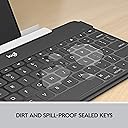
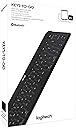
The Logitech Keys-To-Go is a sleek, ultra-portable Bluetooth keyboard designed for iOS devices including iPad Air 5th Gen, iPhone, Mac, and Apple TV. Weighing just 6.24 ounces and measuring a mere 0.24 inches thick, it fits effortlessly into any bag or pocket. Its durable, spill-resistant fabric skin ensures longevity, while a rechargeable battery delivers up to 3 months of use per charge. Featuring well-spaced, full-size keys with iOS shortcut functions and quick Bluetooth setup, itโs engineered for professionals who demand seamless, on-the-go typing performance.


| ASIN | B00R0I71S4 |
| Additional Features | Rechargeable |
| Antenna Location | Everyday Use |
| Best Sellers Rank | #1,326 in Computer Keyboards |
| Brand | Logitech |
| Built-In Media | Item |
| Button Quantity | 6 |
| Color | Black |
| Compatible Devices | iOS Devices (iPad, iPhone, Apple TV) |
| Compatible Operating System Family | MacOS |
| Compatible Tablet Computer Models | Apple iPad Air (5th generation) |
| Connectivity Technology | Bluetooth |
| Customer Reviews | 4.4 out of 5 stars 1,684 Reviews |
| Enclosure Material | Fabric |
| External Testing Certification | Nรฃo aplicรกvel |
| Global Trade Identification Number | 00097855110442, 10097855110449 |
| Hand Orientation | Ambidextrous |
| Item Dimensions L x W x H | 9.53"L x 5.39"W x 0.24"H |
| Item Type Name | Keyboard |
| Item Weight | 0.39 Pounds |
| Keyboard Backlighting Color Support | Single Color |
| Keyboard Description | Wireless |
| Keyboard Layout | QWERTY |
| Manufacturer | Logitech, Inc |
| Mfr Part Number | 920-006701 |
| Model Name | Keys-To-Go |
| Model Number | 920-006701 |
| Number of Keys | 3 |
| Power Source | Battery Powered |
| Recommended Uses For Product | Everyday Use |
| Special Feature | Rechargeable |
| Switch Type | Scissor-Switch |
| Theme | Mobile Productivity |
| UPC | 807030487586 097855110466 809190589575 097855110442 809387574612 |
| Unit Count | 1.0 Count |
| Warranty Description | 1 Year Limited Hardware Warranty |
| Water Resistance Level | Not Water Resistant |
A**N
WORTH IT to do multilingual work during a trip
(I did NOT receive this product for free or at a discount, like many reviewers somehow do. I paid full price, dangit!) A friend and I have been planning a month-long trip through Europe. My boss agreed to give me the days off IF I could be available to translate documents during the trip (i'm a translator). I accepted the compromise, figuring that I could use my T-Mobile hotspot and WiFi at hostels to connect to the Internet. I thought about bringing my 15" MacBook, but the darn thing is so heavy/expensive that I would hate to lug it around or leave it at a hostel. It was probably a better idea to bring my iPad instead. But, as anybody who's ever used an iPad's onscreen keyboard knows, it would be a pain in the butt to type long documents without a separate, physical keyboard. So I started doing my homework, researching all sorts of bluetooth keyboard cases and accessories. Some of them had excellent battery life. Others had a great feel to them. Others were really classy. Others were inexpensive. Others were super portable. But one... one of them had EVERYTHING. The Logitech Keys-To-Go. So I bought it. And it arrived the next day. And I used it. And....OMG. PROS: -It's ridiculously light and outrageously good-looking. -The clicking of the keys is comparable to a regular keyboard. I was afraid that it would feel like typing on a flat surface, with no feedback. But nope. It feels great. -The spacing of the keys is spot-on. I can type with about 90-95% the precision of a regular keyboard. -The back is a rubbery eraser-like material that, while not completely slip-proof, provides enough friction so that the keyboard won't move around. -Battery life claims to be a superb 3 months between charges (I'll update when I know for sure) -Bluetooth connection was quick to set up and has given me no problems so far (I'll update if anything changes) -The shortcut keys at the top are AWE-SOME. It has keys for home, multitask app picker, spotlight search, show/hide keyboard, camera, media controls (back, play/pause, skip), and volume. There is a problem with the Language key. See below for more information. CONS: -It's ridiculously thin. This makes me a little nervous about sticking it in a bag and traveling with it. (I'll update after my trip) -The Language key doesn't work. When you click the globe key, it's supposed to change the language of the keyboard. But instead it just takes you to spotlight search. That's not Logitech's fault though. It's Apple's. With iOS 9, Apple changed the code for the language shortcut in bluetooth keyboards. But there is a workaround! Ctrl+Space will give you the language picker onscreen. Hopefully Apple will address this. -I may be wrong, but it seems like the battery on my iPad drains super quickly with the keyboard connected. (I'll update this if I notice something different) I am extremely happy with my purchase so far. I'll update this review after my trip, and hopefully it all turns out okay. For anybody who wants to type with tilde (accent marks) in Spanish, press option+E and then the letter you want to have a tilde (same shortcut works with OS X). Also, note that when you first connect the keyboard and select the Spanish language, the layout will be all wonky and you'll get symbols you don't want when you hit some keys. To fix this, go to Settings>General>Keyboard>Hardware Keyboard>Spanish and change it from SpanishISO to just Spanish. Then the keyboard should function just as you expect it to. TL;DR After much research, this seems to be the perfect portable keyboard to do work on an iPad during a month-long, lightly-packed trip to Europe. It has all the features and the looks that you want. Buy it.
C**Y
Great Travel Keyboard - Light and Super Thin
I'm a bit of a keyboard snob. All keyboards are different. I started back with a manual when I was a kid and now of course use keyboards with electronic devices (iPad, phone, Samsung tablet). I have a few bluetooth keyboards and each has a different purpose or feel. This Logitech Keys-to-go Ultra Portable is meant for exactly the purpose it is named for - an ultra portable keyboard. While it has some great function keys, and has a durable finish it isn't going to satisfy every use. What do I mean? Well, if you need a keyboard that can be tucked in a bag for meetings, flights or trips to the coffee shop - this is a great keyboard. It is light, stays charged for a while, is super thin, durable covering - just perfect for travelling about with you. They typing is actually nice on it too - you actually do need to press the keys for them to take (so if you float your fingers on keys like I do, you will be fine). It comes with a small plastic device holder that attaches to the top edge and can hold up to an iPad Pro 9.7 (which is what I am using right now). BUT... it will only hold it all up on a solid surface like a desk. If you are looking for a keyboard to use on your lap this probably isn't for you (check out the Logitech K480 - great for lap, but not portable). I have found this Keys-to-go to be best for use on a desk. Perhaps it can also be velcro'd into a folio case - it is that thin. Also if you like the feel of desktop keyboards this one isn't for you either as it has the feel of the surface or apple lightweight keyboards. There is hardly any noise with the key presses which some will really like. There is no backlight. There is a power switch or the device will shut off after 2 hours of non-use. Great keyboard for those who need physical keys, will use it on a solid surface and need something very portable. This review was written on the keyboard.
L**B
Very, very good (almost great)
Very good but just a few little issues compared to my other Logitech K811 keyboard that's better in lots of ways. Pros: Super slim and lightweight. Long life per charge. Great responsiveness. Impressive key feel in spite of the small (slim) form factor. Easy and accurate pairing. Great standby performance. โ Other Bluetooth keyboards I've used take several seconds to reconnect when they power down to save battery, but this keyboard is always immediately responsive. Logitech does Bluetooth keyboards BEST! Cons: No "esc" button. Can't turn off the iPad screen from the keyboard. No CapsLock LED. Strange choice of iOS function keys. โ The first function key is like a home button. Fine. The second function key is a double-press version of the Home key. Really? That makes as much sense as having a "77" key for those times you need to type seventy-seven, but just want to press one key. Why no esc function key? You know how to program an esc key because I have one on my other Logitech keyboard. My favorite Bluetooth keyboard is my Logitech K811. It can pair with my iPad, OR my iPhone OR my Mac by just pressing the appropriate button to switch between Apple devices. AWESOME! And it has an esc key which allows me to turn off my iOS device screens from the keyboard. The reason I bought keys-to-go too, is the super small form factor for travel with my iPad, and so I can take my iPad and keyboard on the road and still have a keyboard with my Mac. But when all my iOS devices are on my desk/workspace at the same time, I can use the Logitech K811 and easily, quickly switch between devices with a simple button press.
T**L
Thin as hell, but you can still feel the key throw, incredible as that may seem
I am suffering from ALS, and my DVA-issued iPad is my constant companion, my only efficient means of communication. However, I don't want to drag both it and the computer around, this so I can work on writing articles while stuck at the hospital for an appointment. So, I went shopping for a keyboard, ideally one that would mate with the iPad as a cover. I tried out four different ones, but settled on this one for several reasons: * The weight. This little wonder is a featherweight compared to all of the others. Thin as an after dinner mint, it fits well in the Case Logic Case that I tote the whole affair in. Not as convenient as a hinged case cover keyboard, but easily half as light. * The operation. Like most other keyboards, it is charged through a USB to mini-USB cord. One control, an on-off slide switch. (The switch is well recessed in the edge of the 'rubberized fabric covered" case.) * The comprehensiveness of the thing. In addition to the classic 'QWERTY" arrangement, there is also a row of "function-like" keys above the number row, enabling one touch access to such iPad operations as pulling up the cameras, going to the home screen, search and God alone knows what for several of them. As there is virtually no documentation with your purchase, you have to figure those out by hit and miss. Also, you get an arrow key cluster, command, option and control keys, and a function key, although I have yet to test that out. The one thing missing here is a way to lock the keys into a numeric keypad configuration, something perhaps not in great demand with an iPad but still nice to have if it's available. * The key throw!!! On a keyboard of ยผ" thickness, Logitech has managed to provide keys tha actually have "throw". While not up to IBM Selectric standards, you still get positive feedback that you have hit the "G" key when you intended to. * The battery life. I've bee using it pretty heavily for five day, and the indicator light still shows a full charge. Now for the (very few) 'negatives": *The covering, while excellent as far as a protectice cover is concerned, does not have enough 'tack' to hold it stationary under the impact of your piston-like fingers. On any surface other than a dead-flat surface, it will move and shift. Small patches of 'tacky' material would overcome this easily. * Size. The keys at the margins have been scaled back, but you are still operating on a surface the size of the ancient Apple Newton system keyboard. But, it's unavoidable if you're going to scale a keyboard to the size of an iPad. Your hands enter the keyboard in a very tight arrangement, one that you need to learn to maintain. This too works against using the keyboard on a lap or anything other than a flat, stable table. * No carrying sleeve. However, the keyboard's surface takes storage in a carrying bag well. * The 'heat sealed' edges of the keyboard. While efficient and done well, it give the board a 'cheaper' feel. * The friggin' Caps Lock key. On a tight keyboard like this, providing a Caps Lock key without some means of disablement or locking it out altogether is a recipe for typing frustration for a touch typist. I have hated the Caps Lock key ever since the early 1950s, and I was sorry to see it here in classic form. Logitech, give us a way to null this key out! Would I buy it again? In a New York minute, without a doubt. But, if you take the plunge, make sure of your typing surface, or you will find yourself slip slidin' away...
S**A
Wonderful!
Wow! This product is amazing. It improves the productivity and utility of my iPad Air 2 exponentially! Pairing was a snap. Keys are well-spaced and feel natural, just like typing on a standard computer or laptop keyboard. Even though it is so thin, I still get a satisfying press and click from the keys as I type. I did notice a bit of fatigue at first, as noted in other reviews, due to they keys being a little more resistant than a standard keyboard. However, I forgot about the extra pressure very quickly. Additionally, all they hot keys are super handy and allow me to mostly control my iPad from the keyboard. I put this keyboard to my coffee shop test today, and it passed with flying colors! More portable than my laptop, the keyboard and iPad in my bag felt like nothing as I biked over. They set up and paired like a charm, and I was quite comfortable the entire time I was note-taking and researching. Added bonus - I discovered that this keyboard supports quick Command-Tab switching between apps, which was very handy. I was also pleased to be able to pair the keyboard AND my wireless headphones with my iPad simultaneously. It was very satisfying to work with no wires whatsoever and the freedom to move things about! To sum, I love this keyboard. I am writing this review only out of the newfound passion in my heart, because I have so enjoyed my experiences with this product.
S**O
Great little keyboard that touch-typists will like.
These keyboard reviews have a very limited value because theyโre all so unnecessarily subjective. For example, the distance between the center of adjacent keys is never mentioned, even though this particular measurement is what determines whether or not a keyboard will provide maximum typing agility as provided by the standard size keyboard. This distance is 19.5 mm on the standard keyboard. The term โmini keyboardโ has been introduced to connote โportability,โ where the numeric keypad has been removed, AND where โ in some cases but not all โ the keys are also smaller. Removing the numeric keypad, and the keys to the immediate right of the letter keys, significantly reduces the size of the keyboard, but taking the extra step of making the keys smaller seems to offer little more advantage in portability while at the same time creating a big DIS-advantage: a cramped, compromised typing experience. I would expect โminiโ keyboard to exclusively describe this inferior, cramped experience, but unfortunately โminiโ is also used to describe keyboards having keys that are the full size and distance apart, 19.5 mm. This makes shopping for a keyboard almost impossible, if one is to realize their expectations of typing nirvana, without any buying and returning. It would make more sense if the industry simply described keyboards with full-sized keys but without the numeric keypads as portable, in which case โmini portableโ would have the additional meaning of the keys being reduced and therefore cramped, which would be useful to those whose priority was extreme lightness, where one simply can not afford the extra baggage. In which case a portable keyboard would be useful to anyone who simply wanted to reclaim some desk space without sacrificing typing agility โ which is a lot of us โ while at the same time being compact enough to pack in a small bag. In fact it seems that such a portable keyboard would be small and lightweight enough even where extreme portability is essential โ in which case the โmini portableโ keyboard would be relegated as useless to literally anyone. Because no matter how big or small the keyboard is generally, I need full-size keys. And itโs amazing just how small the keyboard can be while maintaining full-size keys! But without a standardized way to indicate these properties of a keyboard, what should be a simple thing becomes a journey, in which one needs to buy several keyboards to try for oneself. Along this journey I discovered that I might actually prefer a keyboard with keys as close as 17 mm apart (measured from the center of adjacent keys), as found on the Logitech Keys-to-go. This is still much further apart than on all of the โmini portables.โ But it makes me think that even the standard keyboard should come in different sizes, since the size of our hands plays a big part in keyboard ergonomics. This is ironic because I was the fastest typist ever in my high school, including my typing class and all previous years. So you would think that the IBM Selectric was designed for someone with exactly my hands, but now I discover that 17mm is just as good or better? Note that I wear a large size glove, and my hands are 19.2 cm, exactly average for an adult man (measured from the tip of the middle finger, across the palm, to the right side of the wrist). Now that keyboards come in different sizes, with no standard key size or spacing, other factors determine success with any one model: size of hands, Typing skill, the keyboard one is already accustomed to, and the extent to which a keyboard would be in the way when itโs not actually being used. With that in mind Iโd like to compare 3 keyboards that I recently bought to use with my new iPad mini 4. They all worked for the few days I was testing them side by side. I kept the Logitech Keys-To-Go and returned the other two, mainly because the โkeys-to-goโ offers a full-size typing experience but is also whisper quiet. Itโs also practically weightless but that was not a factor in my decision to keep it, since my priority was whatever keyboard provides the best typing experience with my iPad mini 4. 1. The Logitech Keys-To-Go Ultra-Portable Bluetooth Keyboard for iPad, Black (920-006701). The keys are 17mm apart and is WHISPER quiet. If youโre typing in bed and your spouse is already asleep this wouldnโt wake them. This offers a โfull-sizeโ keyboard experience and also EXTREME portability. Only if you have thick fingers might this not be a good choice, unless extreme portability is the priority. The keys move downward about 1mm, but with no clickity-clack, more like a click as it might be heard through a layer of thin rubber, which is the case, so there is both a tactile and an auditory feedback, just much less than with a regular keyboard. Due to its unibody construction itโs quite durable and can be casually put on a bookshelf or in a backpack or suitcase, ready to grab when you need to do some real typing. Note that itโs not intended to replace the full-size keyboard you already use with your desktop computer. 2. Logitech K810 โ 19.5 mm between the center of adjacent keys, which lends itself to the FULL typing experience. This is as noisy as, and possibly more than, a regular keyboard. Nothing special, but it does look nice, so if noise isnโt an issue this would look very nice on your desk. I would consider this to be a full-size, regular keyboard but that uses Bluetooth. Could be a desktop replacement. 3. Anker Ultra Compact Slim Profile Wireless Bluetooth Keyboard for iOS, Android, Windows and Mac. 19.5 mm between the center of adjacent keys, so calling it โultra compact slimโ is outrageously misleading, hence my call for a less subjective and more standardized nomenclature among keyboard manufacturers. This is twice as noisy as the Logitech K810. This is a noisy keyboard. It made a thumping sound on the kitchen countertop. If someone is typing on this in the next room you will hear them. You canโt use this if someone in the house is trying to fall asleep or is sleeping. Even the Logitech K810 makes above average noise for all keyboards but the Anker is twice as loud as this! The biggest difference among these three keyboards is the clickity-clack noise they make. The Anker is just plain noisy. Of the three I kept the Logitech Keys-To-Go and returned the other two. I would even consider getting a second Keys-To-Go, for the sake of being future-proof. At $49, this seems like a very good price, considering it retails for $69 and higher elsewhere. It seems like a โvery goodโ keyboard for anyone who wants the full-size keyboard experience in a reduced form factor, and a โmust haveโ if you travel a lot or only use a keyboard infrequently and prefer a really clean desktop. Hopefully this will make your keyboard buying decisions easier.
P**E
Fantastic slim lightweight keyboard for travel
I've owned four of these awesome keyboards, pairing them with mostly Apple products, iPads Macs and iphones. I travel for business and vacation a lot, and these little guys can definitely take a beating. If you're wondering why I bought four. I lost one (left it on an airplane and just had to buy a replacement). I keep one in the car (just in case), one in my iPad case and another in the office. It's not my primary keyboard for sitting at a desk...I have two Logitech K760s for that. But for chucking in a bag and typing on the go, this is the one to get. The good: - Theyre super thin, yet you can still feel a little throw on the keys - Easy to slide into an iPad case. I have the bookbook case for my iPad pro and I can easily carry the keyboard around inside - They weigh almost nothing - Rubbery covering stops the keyboard sliding around and protects it - Battery lasts forever - Highly intuitive and simple setup - iOS special keys The not-so--good: - After time (1 year+) the rubbery covering becomes separated from the keys, so it sort of floats above. It doesn't affect the function at all, just doesn't lookme as sleek
N**E
Great keyboard, a bit small but does the job
Had to buy one to replace my other keyboard, they really need a locator on these things they are so light weight and compact they are easy to lose! -----UPDATE----- Spoiler after 2 months the replacement keyboard dies at the end.. Here is the hell you have to go through to get the replacement. Background: bought their ultra thin keyboard called keys to go from amazon. Unfortunately I get forced into updating my ipad (another rant) and low and behold the keyboard no longer is discoverable, rendering a less than 2 months old keyboard into a s***e paperweight. I don't understand why Logitech doesn't upgrade their products in advance of these upgrades. People use their blue tooth devices regularly, and shouldn't have to dispose of them every time apple sends out an update which is like every other month. I tried to return via amazon but they declined as I was outside of the return window. I have jumped through their multi step warranty replacement system, only to have to have a customer support specialist email me back. Which when they do it is only to redirect you to their useless self support page. WTF I have a warranty, why am I getting the run around. I am tempted to just go through american express purchase protection, but that is a whole other set of hoops. Seagate hard drive warranty is a lot more direct, like amazon return. Fill out a form with your credit card info. They send you a new product, you have a window to return with defective product before they charge your card. Here is the disheartening Logitech warranty steps. 1) https://support.logitech.com/en_us/contact-warranty 2) enter the barely recognizeable SN on the back of the product 3) describe your problem. 4) enter in your contact info. Hit send.. Then get the auto confirmation email below. 11/03/15 Dear Onika Thank you for contacting Logitech. The details of your case are shown below. You can update your case anytime on the web by logging into the Logitech Customer Support site at support.logitech.com or by replying to this email. We are currently having high call and email volume, we appreciate your patience we will attend to your issue as soon as possible. 5) wait to get a generic stalling response about troubleshooting, knowing darn well you have already scoured google for days looking for a fix waaaay before getting to this point of complete and utter despair. below: 11/04/15 Dear Onika, My name is Amphie M., I understand that you would like assistance with your Keys-To-Go keyboard for iPad, iPhone, Apple TV and more. Please refer to this link to further isolate the issue. http://support.logitech.com/en_us/article/Resolve-connectivity-issues-with-the-Keys-To-Go-keyboard?product=a0qi0000006CLUeAAO For future reference your case reference number is XXX. This will allow us to quickly find the contact history when you need additional help. If we do not receive a reply, your support request will eventually be closed and set to "solved". A survey will be sent to you to gather your feedback. To contact us by phone or obtain additional information (FAQ's, Forum, Manuals, etc.) please visit support.logitech.com Best regards, Amphie M. Logitech Customer Care 6)Then prepare to become incensed by aforementioned patronizing response to trouble shoot, instead of an email about the RMA and procedure to get a replacement. I am a product of the tech generation. I'm not my mom who you would have to send such a n00b response to R.T.F.M. 7) reply to let them know you are insulted annoyed and want to skip the BS and get down to the warranty coverage part and that they can forget about closing your ticket... 11/05/15 I have already googled and trouble shooted to no avail. Please replace product. 8) Then wait 5 days basking in the radio silence that is Logitech's customer service. rinse, wash, repeat. ....next and final attempt before going through AMEX. 1) repeat steps 1-4 this time while banging your head against the keyboard for good luck. 11/10/15 Dear Onika Thank you for contacting Logitech. The details of your case are shown below. You can update your case anytime on the web by logging into the Logitech Customer Support site at support.logitech.com or by replying to this email. We are currently having high call and email volume, we appreciate your patience we will attend to your issue as soon as possible. Name: Onika Case: XXX Subject: Logitech Support: Keys-To-Go keyboard for iPad, iPhone, Apple TV and more Description: Product serial number: XXX Purchase Date: 8/26/2015 not discoverable anymore. Regards, Logitech support.logitech.com ref:_00Di0j2Ck._50031W5Plo:ref Not holding my breath. I will NEVER buy another logitech product knowing that they give out warranties they have no intention of ever filling.
J**.
Ideal para Ipad
Ahora que mude de computadora a Ipad, me costaba trabajo entender como escribiria en la pantalla, por lo cual me decidi por este teclado. No lo he explotado al maximo, pero las veces que lo he usado ha sido ideal, primero por el tamaรฑo y peso, que lo hacen portable y MUY ligero, casi como si fuera parte de tu ipad. Eso si, la reduccion de tamaรฑo es algo que necesitas acostumbrarte, pero nada que no puedas sobrevivir. Segundo, su funcionamiento; se conecta inmediatamente, y desde que llego (cargado) no me he visto en la necesidad de cargarlo nuevamente. Finalmente, la apariencia y calidad es muy buena, y el hecho de que sea plastico en una sola pieza facilita la limpieza, incluso liquidos. Eso si, cuidado con la parte donde se carga porque esa no tiene cobertura.
C**L
Meh ...
This is the third one of these keyboards I've bought. Some of the keys on the first one became unresponsive, and the on-off switch on the second one died. In my view, neither of them lasted as long as they should have before developing mechanical problems. Neither had been abused in any way - I tend to look after my devices. Shortly after I bought the third one on impulse, I did a bit of research and decided that the iClever folding keyboard might be a better fit for my purposes. I've been using the iClever keyboard since it arrived in lieu of the Logitech one, and the Logitech one is sitting unloved in its box in a drawer. If I'd done my research before buying it, I probably wouldn't have bought it. Maybe I'll sell it on eBay, or maybe I'll just keep it as a back-up if the iClever one gives me grief. The iClever device folds down to a smaller footprint, is much sturdier, and the keys are much more responsive - like the keys on a real keyboard. It is, however, a bit bulkier and you can't sit it on your lap like the Logitech device. Whether you pick one or the other will depend on your circumstances. If the Logitech device hadn't been so prone to failure I may not have bothered to go looking for alternatives. It's a pity, because, generally, it's been a useful little device that I carry with me when I'm travelling light and need to be able to type something more than a few words on my phone. Its all-too-ready inclination to fail has been its downfall.
T**O
Worth the money
Does what it says - very compact and useable in an emergency but not ideal for day to day use if you have big hands. Overall still recommended
S**.
This is what you want!๐
Love this keyboard ๐. IT IS AMAZING! Very thin, 100% spil proof, though I brought one for iPhone (ios) I can still use it for android tablet and phone. And it is even smaller than my Samsung s6 lite tab. 10,000 rs worth it! Very portable also. And comes with a stand for phone and tab.
T**K
WINNER HERE!!
This product is awesome! I purchased this to use primarily with my iPad Pro, but find that it also connects easily and reliably with my iPad 2, iPad Mini, iPhone 5, Apple TV and even my MacBook Pro. The Fn shortcut buttons and IOS 9 context sensitive on-screen hints (hold the cmd key down momentarily to see) and app switching via cmd+tab (the power move ;) make short work of text entry, editing and overall productivity. At a fraction of the price of the Apple Smart Keyboard and the ability to use it without having to physically connect to the device and also use in both portrait as well as landscape mode makes this a slam dunk! I am a long time touch typist and have been looking for a practical/portable solution and have found it here! While it is somewhat smaller than a full size keyboard, I find the layout very useful and the key action excellent! The fabric covering took a bit of getting use to (feels like the keys have dust on them) but once you do, it's a joy to use. Haven't had it long enough to comment on battery life, but from what others have said, it sounds like it won't be an issue. The lightweight compactness and portability of this keyboard are outstanding, making it easy to slip into your shoulder bag with your iPad, ready when you need it (you will), but not a burden if you don't. If you keep the rubbery coated bottom clean, as well as the surface you intend to use it on, it doesn't slip. I can't say enough about this keyboard! Very happy, highly recommend!! Good job again Logitech.
Trustpilot
5 days ago
3 weeks ago