

📡 One remote to rule them all — smart control, zero hassle!
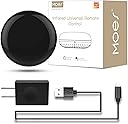
The MOES WiFi Smart IR Remote Controller is a universal infrared blaster that transforms traditional IR devices like air conditioners, TVs, and fans into smart home gadgets. Compatible with Alexa and Google Assistant, it offers voice control and remote access via the Smart Life app without needing a hub. Featuring DIY IR learning and a simple plug-and-play setup, it’s perfect for millennial professionals seeking seamless, centralized control of their home electronics.


| ASIN | B07QH1X7PX |
| Additional Features | Universal |
| Battery Type | Lithium |
| Best Sellers Rank | #32,009 in Tools & Home Improvement ( See Top 100 in Tools & Home Improvement ) #48 in Home Automation Hubs & Controllers |
| Brand | MOES |
| Button Quantity | 12 |
| Color | IR+USB+Cable |
| Compatible Devices | Television |
| Connectivity Technology | Infrared |
| Controller Type | Amazon Alexa, Google Assistant |
| Customer Reviews | 4.3 out of 5 stars 1,142 Reviews |
| Item Weight | 3.52 ounces |
| Manufacturer | WENZHOU NOVA NEW ENERGY CO., LTD-Hangzhou Tuya Information Technology Co.,Ltd |
| Max Number of Supported Devices | 1 |
| Maximum Number of Supported Devices | 1 |
| Maximum Range | 15 Meters |
| Model Name | WR-TY-THR-BK-MS |
| Model Number | UFO-R1 |
| Special Feature | Universal |
| UPC | 703931915244 |
L**N
Easy to set up easy to hide
Great to control TVs, audio types of devices links well with Alexa to allow for SELF home automation.
X**R
Great to have!
I love this product! It has turned all my non smart IR devices into smart devices I am able to control from my phone anywhere such as a window ac unit, tower fan, sound bar and projector, and all my tvs(although they are smart tvs it was still nice to have this option because the app is easy to use and you can access your devices quickly, some quicker than the manufacturers app) the only downside is the device can only control items in the same room it wouldn’t be able to reach things in a room it isn’t in however for the price it’s a great and helpful device. I recommend!
K**H
Does what it's supposed to. Good for the price.
Overall review: It works pretty good. You don't need the manufacturer's app - you can just use Smart Life, etc. In my case I got this in hopes of controlling some LED puck lights I have mounted under my kitchen cabinets. I wanted to be able to use a motion sensor and voice commands with Alexa. Before this device, I always had to use an IR remote or turn each one on individually - which was annoying. Initial Installation and Setup: So, I got this unknown brand (to me), inexpensive IR blaster device and set it up in the Smart Life app with no real issue. This didn't come up in the list of brands and devices so I chose Other and then universal remote to do the DIY set-up. I programmed just the On and Off buttons from the original remote, and that all worked just fine. I could now control all of the puck lights at once with just On and Off buttons in the app. Now, onto my real plan to automate them with Alexa... Integration with Alexa: The main issue I ran into was that, no matter what, I couldn't get this to load into the Alexa app under Devices. After some reading online I decided to try setting each button up as its own Scene in Smart Life first - in this case it was just On and Off - so, no big deal. Well, sure enough, the Scenes I set up in Smart Life were immediately discovered and useable in Alexa - so it was a good workaround. From there, I added a motion sensor and now the kitchen cabinet lights turn on and off automatically when someone enters and leaves the kitchen. Perfect home automation. Final Thoughts: I imagine if you were using a device that was in the large list of brands and not a DIY setup the device would be easily discovered in Alexa without the Scenes workaround. This wasn't what I needed it for, so I haven't tried that part. Again, overall I think this device works fine and suited my needs of getting LED lights smart enabled with Alexa. At any rate, I hope this may help someone who may be thinking this IR blaster device is not useable or broken for their needs and didn't know about the Scenes workaround. When it doubt - first try setting up Scenes for each remote button and see if that works in Alexa.
L**S
My Vizio TV can be controlled over WiFi with Vizio App, this device and it's app are faster
I bought this so that I can control everything in my entertainment center on my phone. The funny part is that I can launch the Smart Life App and control my Vizio TV over IR faster with this device than I can launching Vizio's SmartCast App and control the TV over WiFi. Here's an illustration of how good this device and app are: Vizio SmartCast TV using SmartCast App (after having set up the app, app not running): 1. Launch SmartCast App (wait a few seconds for the app to say: "Welcome to SmartCast, Tap Devices above to choose a TV, Sound Bar or other device to set up or control") 2. Do not follow the instructions displayed in the app, if you do you will never be able to control your TV as it won't let you set it up if it is already set up and it won't load the remote interface if you are on the set up screen, instead you just have to wait patiently without interacting with the app in any way. After what feels like a minute, the remote interface appears in the app with all but the power button grayed out/inoperable, it will never appear if you are out side your home LAN, native WiFi control does not work over the internet, only works within the same LAN that the TV is connected to. 3. After what feels like another minute, the buttons are no longer grayed out and I can finally tell my TV what I want it to do. (Rarely can you switch inputs or adjust volume in under a minute if you didn't already have the app up and running before you decided you wanted to control the TV) Vizio SmartCast TV using Smart Life App and this device (after configuring app, app not running): 1. Launch Smart Life (wait a second or two, often less than a second) 2. Click SmartCast (wait a second or two) 3. Click what ever button you want. (TV reacts to command in under a second), even works over internet, you can turn off TV when you aren't at home and the kids are watching TV instead of going to bed. (Worst case scenario 10 seconds elapse between deciding to control your TV and issuing the command)
R**O
Just works!
Does what it says with extreme simplicity. Much better than more expensive products in this category. Works great with Home Assistant. Brilliant product.
D**W
Does not play well with Alexa or Google.
It does not integrate well with Alexa or Google. They make you run their app so Alexa and Goole have to got to it and a lot of basic commands are missing. I got it for $15 so it works ok for controlling my stereo and portable fan but a lot of devices are missing from list and it only does the most basic commands like Power, Volume, Input select. Harmony hub works so much better and more reliable for the most part.
E**D
VERY easy plug-n-play
just insert the battery (don't fail to unrap the included batery like me), plug in the receiver in the computer and that's it. the regular mouse-click is the triger finger and it's easy to navigate as with a regular mouse. i have no need for the laser pointer so haven't tried it. recommended. i use it about 4 feet away from the computer and it's like it's plugged in with a cord; no lagg/delay.
S**S
Not working with Alexa
Main reason for buying was to have a simple mechanism of controlling one device through Alexa. Setup was easy, despite lack of instructions, and this does work with my smartphone, albeit a rudimentary interface. However, I could not get Alexa to discover the device after multiple times trying, whether linking the Smart Life app or the Tuya app. It simply does not discover the device, which means I have no voice control. I wrote to customer service and explained my issue several times and they were frankly not helpful; they kept telling me to check all the things that I had been successful with and did not specifically address my issue. I bought this because the overall Amazon reviews were good. In hindsight I should have checked the reviews on the Smart Life app through Alexa, because there it seems many people are having the same trouble as me. So overall, for my purpose, this only gets 1 star; if I was not wanting Alexa integration, then would have been higher. It also bothers me that Amazon allows such the manufacturer to claim integration with an Amazon product when that is clearly highly variable, and certainly not consistent.
Trustpilot
1 month ago
2 weeks ago