๐ Cool your rig, light your vibe โ RGB fans that mean business.
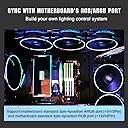
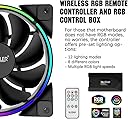
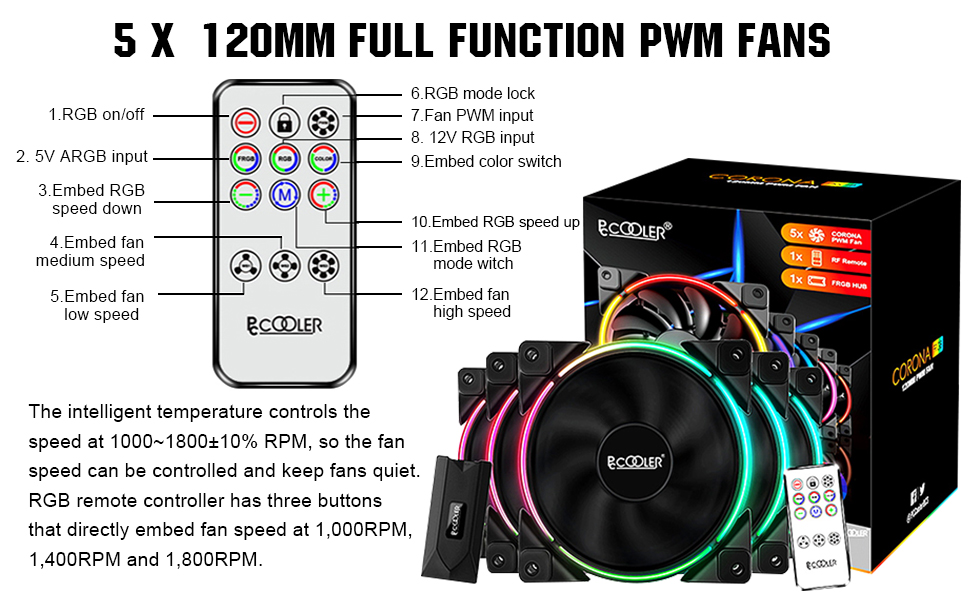
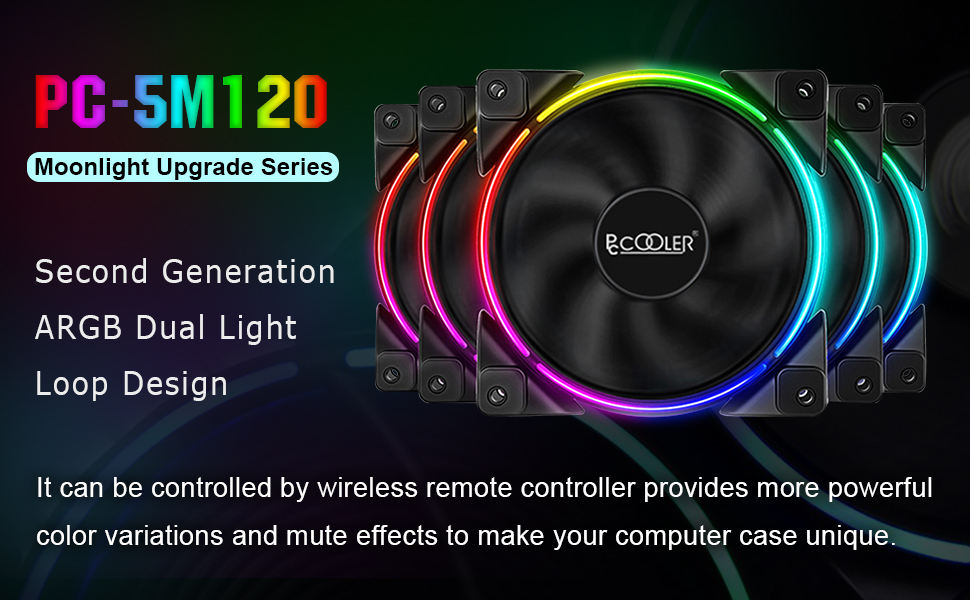
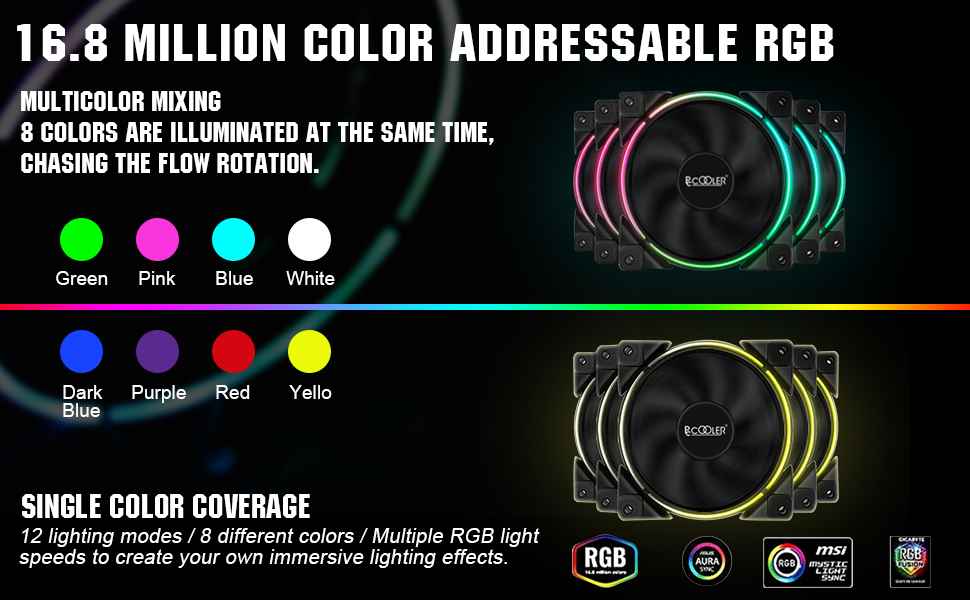
The PCCOOLER 120mm 5-pack case fans deliver high-performance PWM cooling with intelligent speed control from 1000 to 1800 RPM, ensuring efficient airflow at 54.51 CFM while maintaining a quiet 28-31.4 dBA noise level. Featuring dual light loop addressable RGB LEDs with 12 modes and 8 colors, these fans come with a wireless controller for effortless lighting customization. Shock-absorbing rubber pads minimize vibration, and compatibility with motherboard RGB sync systems makes them ideal for professional-grade PC builds seeking both performance and style.


| ASIN | B07QFX1RV1 |
| Air Flow Capacity | 54.51 Cubic Feet Per Minute |
| Best Sellers Rank | #4,550 in Computer Case Fans |
| Brand | PCCOOLER |
| Brand Name | PCCOOLER |
| Compatible Devices | Desktop |
| Cooling Method | Air |
| Customer Reviews | 4.5 out of 5 stars 2,534 Reviews |
| Item Dimensions L x W x H | 4.72"L x 4.72"W x 0.98"H |
| Item Weight | 2.05 Pounds |
| Manufacturer | PCCOOLER |
| Material Type | PBT Engineering Plastic |
| Maximum Rotational Speed | 1800 RPM |
| Model | 5in1 KIT |
| Noise Level | 28 Decibels |
| Number of Items | 5 |
| Part Number | 5in1 KIT |
| Power Connector Type | 4-Pin |
| Product Dimensions | 4.72"L x 4.72"W x 0.98"H |
| UPC | 749390629353 |
| Unit Count | 1 Count |
| Voltage | 12 Volts |
| Wattage | 2.4 watts |
A**R
Great RGB LEDs, good airflow
Great kit. In the 5-pack (but not the 3-pack) the fans use the normal 5v ARGB addressable "3-pin" SIGNAL type. BUT they actually use a 4-pin connector like the old 12v RGB system. This sounds bad and proprietary at first, but this is really cool though, because with 4-pins you get data-in and data-out on the LED signal lines, so you can run multiple fans in serial instead of parallel. Each fan LED in the line is actually uniquely addressable. All these 5v "3-pin" RBG devices are really just WS2812B devices under the hood, just like the common 5v addressable LED strips that are 5v 4-pin ARGB. So you can use much more exotic effects if you wire up your fans in serial, which you can do if you have all 4-pins available. Do note that this requires some custom wiring and associated skills, but its great that these fans include all 4-pins so you can connect them in serial. Otherwise, like most motherboard "5v 3-pin" all the fans do the same effect, which is fine, but already dated compared to what you can do if each LED on each fan is uniquely addressable down the line. It makes sense they force the "3-pin" paradigm to try to help people from accidentally plugging in an older 12v 4-pin RGB fan into the newer 5v 3pin standard. But the 5v 3-pin standard actually SHOULD have that 4th pin to connect these things in serial; just like the RGB led light strips they are built with. Great fans too, high pressure, high CFM ratings. The included controller is a little intimidating to figure out the wiring for novices, but is simple enough. The FAN controller is great too. It passes through the motherboards PWM signal to all attached fans, but the power comes from the SATA connector to avoid over-loading the single motherboard output. The RPM reading is read only from the 1st fan in the chain, but since all these fans are identical, the reading the motherboard gets will reflect all the attached fans. This is the right way to wire up multiple fans to a single header, good to see they've done it right in the controller. You can also bypass the PWM entirely, and just use the High-Med-Low control on the remote. This is a high-end fan kit at a great price. I highly suggest the 5-pack for advanced usage and possibilities with the 4-pin fans connections for the ARGB (which is technically seen as proprietary in the PC world, but is actually the standard for 5v ARGB LED light strips). And I suggest the 3-pack for beginner and normal ARGB usage because of the normal "standard PC 3-pin 5v ARGB" connections on all the included fans. But note these will forever be limited to parralel wiring where each fan's LEDS will always be doing the same thing relative to each other. No option for individual addressing across fans. You can convert the 5-pack's 4-pin connector to a 3-pin connector just fine, but not vice-versa, so the 5-pack would be recommended if you think you'll ever want to start doing more advanced ARGB setups and effects. Take note the controller by default starts up each time with its internal default settings. You can override this and "lock" your settings for each startup. Hold the Lock button on the remote for 5 seconds, then set your settings how you like, then press "lock" again on the remote. Now it will retain your desired boot-up settings. In my final setup I'm actually bypassing the motherboard and this ARGB controller entirely, and controlling these with custom ARGB wiring in serial, which was easy to do since all 4-pins are available at each fans 5v ARGB connector. The 5v ARGB input connects to an ESP32 running WLED software which uses the FastLED library for TONS of advanced effects compared to what motherboard software lets you do. This custom controller combined with custom wiring, allows for 100% unique RGB layouts, and no modifications to the actual fans was needed either. Just how they all wire up. ESP32's are about $10, and the WLED software is opensource/free. So go to town and do something unique with all these addressable LEDs!
L**N
Good customer service
Comprehensive review below, if you want it short - good performance and appearance for a reasonable cost, along with a good customer service team. Recommended. Had to contact seller to get a replacement controller box and cable - turned out to be the cable not the box. It did take them a about a week to get a replacement to me, but they did and everything works great now. The email support was helpful, responded quickly when contacted and solved my issue without any problems. Really, what more can you ask for when it comes to customer service. A+ As for the fans themselves they are quite good for the cost. They have a quality feeling to them, heavy, well made, have some type of nylon around the cables, thats a nice touch. The controller on the other hand is a bit cheap feeling but it does the job. They blow a reasonable amount of air, especially considering the cfm most argb fans have, which is the most important part. I'm using them on an air cooler without any issue. They can unfortunately get a bit loud at higher rpms. At lower speeds they are pretty quiet while still doing a fine job. aesthetically they look fantastic and work great with asrocks argb utility. The stock settings using the controller are actually pretty good too surprisingly. They have a bit of a unique look that I really like personally over the full ring from other brands. The transitions aren't as good as say corsairs, but they're also half the cost so there's that. Cost is what it really comes down to with these fans. They are very reasonable for what you get. They aren't the quietest fans, but they aren't annoyingly loud even at full speed. Along with customer service that actually responds and tries to rectify issues I can absolutely recommend getting these. The box is a bit cheap but considering the quality of the fans and the fact that it does work pretty well its not difficult to overlook that flaw. Original review : Well the controller box on the 5 pack of mine is busted. 2 of the ports cause flickering and two don't work. Tried contacting seller to see if they'll send me a new controller box, if not I'll be returning. I'll say the ones that do work look good, but pretty pointless if they don't all work...
L**Y
The Best for the price, BUT you have to do a little work that's all.
Hands down for the price there is nothing out there that comes close. Quality solid build even on cables. The little hub is also good could be better but it's also pretty solid. trust me i jammed it then took it out then jammed it again forcefully and still solid. Now here is the DEAL super cheap great quality but there has to be a catch right? There is...if they don't work 100% on first try. Sometimes you are going to have to do a little work!! I know a little trouble shooting soooo hard!!!! Hook them up- Led's on but no spinning: possible solution cables, ok take all cables and push in the cable ends into the connectors, then plug all in again make sure all the ends are ok in the connector, bingo fans spinning! Fans spin but out of 5 only X turn on Led's- Maybe cables are in the wrong way turn them around (only the ones not on) Freaking cool effects but won't work with MoBo software- I have Asus but should be the same basics. Header does not show ram and header is not registered and if I apply an effect the back glow on mobo and fans Led's shut off- Well cables wrong way let's try that turning them again 4pin(12v) and or 3pin(5v) connector, now try again now should see on MoBo software Mem, Aura and Header pick an effect and test that is working. Now on to speed These are dead silent at stock low by mobo not remote) but when at 60%+ yes they can get loud but the thing is they are so good you don't need to bring them up that high,only times I heard them is when doing the Aida stress test and they didn't even go full because they cool the noctua NHu12s so good they barely need to ramp up. I used MoBo's Bios and set a PMW fan curve. But you can also do this by software on most motherborads. KEY!** For it to work when you log in to windows press the top right button on the remote ( the fan blade icon) once the fans blink it means it relinquished the control and gave it to the MoBo, now on the Mobo apply your fan settings and they should ramp up and down as you set it. Hope it helps! Remember all you need to do is a little work that's all i know in this day and age we all expect plug in play but hey stuff happens and for this price hell i can overlook that.
C**L
Cable Management Skills are a must.
So I bought these fans to replace the stock fans in my NZXT h710i. I went with these instead of the NZXT fans simply based on price point. These fans cost me $57.xx, the NZXT AER 2 RGB 120mm fans are 27.99 each. The math made it easy for me. $57.xx or $139.xx. I was a little worried about quality initially but after opening these up and feeling how well made they feel, I was colored impressed. I have to admit I was expecting a much worse installation experience after having delved more deeply into the reviews post purchase. It all turned out for naught though. The installation process was truly painless outside of one caveat; the 3 pin 5v RGB Header from the included fan hub to my MSI b550 Gaming Plus JRAINBOW (3 pin 5v ARGB Header) is too high quality. I know this sounds weird but because of this you can't see clearly enough to finagle the pins into place and have to crapshoot about 40 tries till it fits solidly. Bravo to PC Cooler, boo MSI and about every other Mobo manufacturer. All in all I would say this is truly a wonderful product that I believe will shine in anyone's PC as long as they take the time and energy to research what they are doing first, take it slow, and flip the directions over for English!!! The worst part of the build experience for these though is definitely the cable management aspect. Each fan has 2 cables, one for power and 1 for ARGB Header. This basically creates a mess of cabling to work with. Remember zip ties are you friend and take it slow....this is a tedious process for most anyone. Definitely would recommend this product to anyone interested in some on the cheap nice quality ARGB fans that move some serious air and look great to boot. Thanks PC Cooler for such a cheap quality product.
K**.
I really like these fans
So far, I would have to say these are my favorite fans out of Thermaltake (TT-1225) and Corsir (LL120). Installation was really easy. I like all the extra ARGB adapters/hub/remote they sent with the packaging for the different mother boards (headers) and I ABSOLUTELY LOVE the way LOOK. These are exactly the look I was going for and was it most compatible with my rig (and future initiatives). Pros: - 5v pins but do your research to make sure you are hooking things up right. 12v argb MB header support for the Hub - Looks tight - Remote LED control if you are doing any kind of unraid/freenas builds and motherboard headers wont work for you. - Very well priced against the competitors IMO - Noticeable quieter and cooler internals with the fans (compared to the other ones I had mentioned above) - "Decent" selection of ARGB LED display modes - Fan quality feels good and hefty IMO - Feels like its pushing through the radiators just fine Some negative (area for improvement): - When selecting the Motherboard PWM setting it seems like everything just went full blast even though my GPU's and CPU's were not even breaking 90F. (weird) - Maybe more LED selections (low priority) - Build quality on the hub and LED connectors themselves feel a little cheap. Also, the indicators on the LED (pin out) connectors are hard to read at times and maybe the documentation (or the connectors) should really indicate the 5v and swiggily line to protect against inserting them wrong into the hub. Summary: I'm pleased and really happy with these fan aesthetics and performance. I might get a couple more just to have some on backup. Suggestion: Maybe make this line in 80MM as well for persons who would want a extra fan by the mother board (low priority).
P**F
Excellent halo effect ARGB fans
Found these after hours of searching for reasonably priced addressable rgb fans (5v 3 pin). Pros: 1. they work flawlessly with Asus Aura on my Asus x570 TUF motherboard. Aura isn't the most straightforward app, but I figured it out. 2. they look awesome. Colors are saturated, there is a nice opaque white housing over the LEDs that makes the colors very smooth. I was looking for the halo effect and these are exactly that. 3. I am new to RGB case accessories, and one thing that wasn't clear but that I am thankful for is that brightness is controllable. 4. they are true PWM fans and are quiet 5. Install was straightforward, but there are some caveats which I will get into below. Cons 1. all of the fans have both the PWM connector and the ARGB connector bound together until they split about 2 inches from termination. This means you cannot easily connect fans to different PWM connectors on your motherboard - they assume you want to controll ALL case off of one, presumably the CPU, PWM connector to control all case fans. This is a BIG assumption to make. I like to run with negative pressure (top and back case fans set to higher fan speed than front intake fans, and the CPU cooler fans controlled completely independently). 2. the controller box defaults to running in independent mode - ignoring the motherboard argb signals. I understand that not everyone is using these as ARGB and instead as standalone rgb controller, but they are an ARGB set, so I'd like the control signal input to be honored by default. Either way, it's a simple fix and is well documented int he manual. Use the remote to set the controller to ARGB mode then hit the lock button. Overall I'm extremely happy with these fans. They are half as expensive as some big name brands on the market (corsair, nzxt, thermaltake) it comes with enough fans to fill an entire build. I'm ordering one more so I can have a push+pull fan setup on my cooler master hyper 212 CPU cooler. I wish there was a 140mm size available from pccooler that was otherwise exactly the same. I love the ring/halo LED ring and would like to be able to put bigger fans in that spin slower for same amount of air flow.
M**S
Works well, with a few complaints (UPDATED 7/31/2021)
To start with, they look good. The LEDs are bright, the fans move air. With the remote, and you can set it to a bunch of different effects. My only problem is that I cannot get the controller to sync to my MOBO (Aorus X570 Elite WIFI) for neither the ARGB or the PMW. I don't know if I got a defective controller, but nothing I've tried, including replacing the included ARGB cable the came with it. The lights come on and the fans spin, but the only way to change any of it is through the remote (to the credit of the product, the remote control works well). This is mainly annoying because every time you reboot your computer, you have to reset the lights for the fans. The fans get loud at 100%, noticeable without music/gaming sounds at 50%, and barely a whisper at the lowest setting. For what you're spending, these are a good value. But, like the old quote says; you get what you pay for. UPDATE 7/31/2021: So I've been using these for a while now. I got a Phanteks 719 case, and needed to buy another fan to fill out the slot on the bottom. I bought the single fan that is labeled as a replacement fan for the 5 pack w/ controller that I had originally bought. Word of warning, the single fans CANNOT BE PLUGGED INTO THE CONTROLLER. The single has a standard ARGB connection as opposed to the proprietary connections that the fans that came with the bundle have. Another complaint that I have is that for some reason if I try to run the LEDs through the motherboard control, instead of the presets on the controller, there is a flicker that makes software control unusable. I've bought different ARGB wires and tried plugging it into different controllers, only to get the same result when I turn it to software control. All that being said, the fans are still quiet and move a good amount of air. I love the subtle and tasteful aesthetics of the ARGB, enough to buy another. I will be removing a star, due to a lack of ease of use and the cheap controller that has to be used. It also seems greedy to make a 3 and 5 pack that come with a controller, and then the single replacement pack can't be used with either of them.
L**L
Amazing product for the price.
In The Box: 3x Pc Cooler Rgb Fans 4x Male to Male rgb couplers 1x 3 way fan header 1x 3 way rgb header 1x Rgb controller 1x Instruction booklet Build Quality: These fans have some weight to them for sure. When I first opened up the package and pulled one out I could tell they weighed more than my Corsair ML Pros. This is not a bad thing however as they seem to be made out of a high quality plastic. The fan blades are on the thinner side compared to other fans but seem to be able to keep their structure. The fan headers, rgb headers, and respected splitters seem to be well made and all braided with a black cover. Keeps the cables neat and from getting tangled. Rgb: These fans have 10 modes that you can cycle through. This can only be done on the controller though however. The colors are very vibrant and bright and with the 2 rings make them great to see on both sides. Most rgb fans the LEDs can not be seen well on the back side. You can also change the color and speed of the leds. Performance: For my use which is cooling a 5930k and using a 360mmx56mm radiator these fans just do not have the pressure for this use. They are not bad and push a good amount, but they max out at 1800 rpm with a low cfm. This is not good for this purpose. However if you have a thin rad or aio it would be perfect. And if you are air cooled you do not need to worry about any of this since you do not need this high amount of pressure and such. Overall: Overall I think these fans perform great, look great, and feel great. For the price you can't beat the quality they give you. With so many rgb options and the great rings on these they are priced amazingly.
ๆ**ใณ
ๆใฃใฆใใใๆใใใใช
ไธญใ ใชใณใฐ็ถใง่ฒๅคใๅบๆฅใใๅฎใ็ฉใ็กใใใกใใ่ณผๅ ฅ ใชใณใฐใจ่จใฃใฆใ4็ฎๆใฏๅใใฆใพใใโฆ ๅฎ้ๅใไปใใฆใฟใใใพใ่ฒใ็ถบ้บ๏ผ ๆใฃใฆไปฅไธใงใใใญใ็ดฐใใใๆๅพ ใฏใใฆ็กใใฃใใใฉ่ฏใๆๅณใง่ฃๅใใใพใใ๏ผ็ฌ๏ผ ๅใไปใใฏๆฅฝ ็ขบใใซใณใณใใญใผใซใฆใใใใจใฎๆฅ็ถใ็ทฉใ ใใกใณใฎใณใผใใ็กฌใๅ ใ ใไบ่กใชใฎใงใฆใใใใจใใถใใฎๆใๆใ้ ใๅ ดๅๅณใใ ใชใขใณใณๆผใใจๅๅฟใใฆ็ฝLEDใๅ ใ ใใกใณใฎ้ณใฏMAXใ ใจๆต็ณใซ่ใใใพใใๆฎ้ใชใใใใพใงๆฐใซใชใใพใใ ใพใ่ฒใ ๆใใพใใใใใใชไบใๅนใ้ฃใฐใใใใๅไบบ็ใซใฏ็ถบ้บใงๆบ่ถณใงใใญ ๆงใใใซใฑใผในๅ ใๅ ใใใใๆนใฏๆใฃใฆๆฅใใใใใชใใงใใใใ๏ผ ใชใณใฐ็ถใง่ฒๅคใ้ขจ้ๅคๆดๅบๆฅใๅๅใใฃใจๅขใใใฐ่ฏใใฎใไฝๆ ๅฐใชใใฎใ ใใใ๏ผ ้ธๆ่ขใๅฐใชใใใโฆ
C**R
Awesome fans, would buy again. Poor instructions.
These Fans come with a lot of connectivity options which is great for different boards, this also means it's confusing once you open the box. The instructions are almost useless at first. Rest assured it's doable, at least it was for me. There was some YouTube review I watched which helped get some understanding of what it looks like wired. I connected these to an Msi B550 A-Pro board via ARGB. Worked great I must say and all fans worked well, great air flow, and completely silent. Awesome colours and patterns using the remote and included controller. I would recommend using the daisy chain setup/cord that is included. (it looks like spaghetti once all hooked up but it seems to work great). Just choose the cord for your board, read your board manual (ARGB or RGB), connect this from board to controller. Connect power from PSU to Controller. Fan connection on board to controller. Then just connect the daisy chain to all the fans starting at 1-5 marked on controller. The controller ports are clearly marked and only fit one size so not hard to figure it out after you look at it for a few minutes. Now that I know how these are wired, function, and look; I wouldn't hesitate to buy for a future build.
L**G
Beautiful RGB with Excellent Cooling and Minimal Noise
They keep my PC cool and without loud noise, unlike my old PC did, they are amazing to look at with their nice and clean RGB and at a decent price.
F**D
ููุณ ู ุง ูู ุจุงููุตู ูุงู ู ุงูุตุญ ููู
J**S
Great quality and functionality for the price!
Warning this is a long in depth review! Appearance - 4.5 of 5 stars These fans look great! They are not too in your face like some LED fans that light up the entire fan but they also aren't boring like traditional non-LED fans. These fan sit right in the middle with the ability to be accent lighting, full on RGB unicorn vomit, or completely inconspicuous with the LEDs off. The color quality is great, they have a clean color pallet including a Sharp white that I'd say is even whiter than Corsairs! There are two things I think could improve the appearance of these fans. The first is if the LED halo was one continuous halo and not broken up into 4 sections. Even if the deviders are small they are still visible. The second is the black and white stickers that they use for their logo in the center of the fan. The static logo on the back of the fans was upside down in many situations and also not perfectly straight. I had to flip many of these stickers and straighten them. This is an extremely small problem that I'm sure wouldn't bother 99.9% of builders and would likely still looks great without any adjustments. Functionality - 3 of 5 stars There are a few things that I wish was capable on these fan. First of all the PWM setting on the remote doesn't appear to actually take the motherboards PWM signal (or if it does the signal saturates) and instead seems to turn the fans on to full speed. Luckily the remote has slow (ws1), medium(ws2), and fast(ws3) fan speed settings. The medium fan speed setting at first sets the fan to full speed but then slows the fan down after a few seconds. The fans seem to run suprisingly well in a static pressure situation. Three of these fans are on my NZXT Kraken X73 cooler and they keep the CPU cool to nearly the same temperature as the original fans. The aRGB controller has all the basic settings you would expect from an aRGB unit, however there are some functionality that I would like to see. The first is that the aRGB has some noticeable artifacts when using the aRGB signal from the motherboard. A slow transition on from the motherboard is a blocky transition from one static color to another, when the speed of the transition is increased the effect becomes less apparent but is still noticeable. Similarly when the motherboard attempts to dim the LEDs the color flickers, it appears that you are unable to dim these LEDs without color transitions dispite the ability of the controller to fade in and out without color transitions. These are common problems for most aRGB units on the market so it shouldn't be overbearing on your decision to purchase or not (especially at the price of these). The pre programmed aRGB (fRGB on the remote) is much more refined than using the motherboard and I find myself using these setting more frequently. Unfortunately though there is no internal memory for which setting you used on your previous session so you will be flipping through the pre-programmed settings each time you power up your machine. One other thing to note is that even though there are 7 spots on the 5-pack control module to plug in aRGB components (including these fans), some of these ports are linked in parallel resulting in only 3 serial sequences being programmed. That is ports 1,6,7 are linked together as are 2,5 and 3,4. This means that components in ports 1, 6, or 7 will all show the same effect at the exact same time and can not be separated like 1, 2, and 3. In doing so 4, 5 and 6 will experience effects in reverse order of 1,2, and 3. This is not a problem for most applications and is quite standard for aRGB controllers but it's worth mentioning. Noise - 3.5 of 5 stars These fans are undoubtedly noisier than I would like (although I like almost dead silence). Since the PWM signal from the motherboard isnt getting communicated to the fans correctly I have been using the slowest speed setting from the controller. Even on the slowest setting the fans are still auditably louder than the NZXT ones that came with the Kraken although these do appear to be spinnig faster. I'd place them comparative to the stock fractal fans that came in my case. Although they are far from the loudest fans I've heard they are definitely not the quietest. I'm assuming that if the controller actually used the PWM signal from the motherboard they would be much quieter. They do have good size rubber vibration isolation so that is great. Quality - 4.5 of 5 stars The quality of these fans surpassed my expectations being that they are at a low price point compared to the rest of the fans in the same market. There are no inconsistencies with the fan surfaces on any of the 10 fans I ordered. The vibration isolating rubber inserts are some of the better ones I've seen on the market, I dont even feel a hum from them on the case. The plastic fan casing has a seam down the middle where the front an rear sections meet but unlike a parting line from an injection molding process this connection seems mechanical and not bonded. I'm guessing the front and rear portions of the fan casing are formed individually and then has the addressable LEDs installed on each side before being clipped together. This isnt a problem but fans that are screwed through only one face has a larger gap than those whose screws go through both (like on an AIO cooler). The size difference is less than a millimeter but still visible upon a close inspection. Instructions - 4 of 5 stars These instructions are short yet they are very clear and informative. The simplicity of setting up the fans and controller is largely attributed to the fact that the connectors are unique and clearly labeled but so too are the instructions. The only potential area of improvement I can suggest is increasing the font size especially for the serial and parallel ports for aRGB and to make clear distinctions for Asus vs asrock motherboard users. Overall - 4 of 5 stars It's hard to argue with the price of these fans and the look of them is fantastic. Everytime I show off my build these fans are one of the first things people comment on dispite the hardware being no slouch. These are great fans that I do not regret purchasing at all. They stepped up the appearance of my workstation from bland to eye catching without costing an arm and a leg. The price I saved on fans compared to others allowed me to justify aRGB RAM. All this being said in the future I will likely consider making or purchasing controller(s) that are capable of full motherboard fan PWM support, memory for aRGB settings, more serial port capabilities, and freedom from remotes.
Trustpilot
3 days ago
3 weeks ago