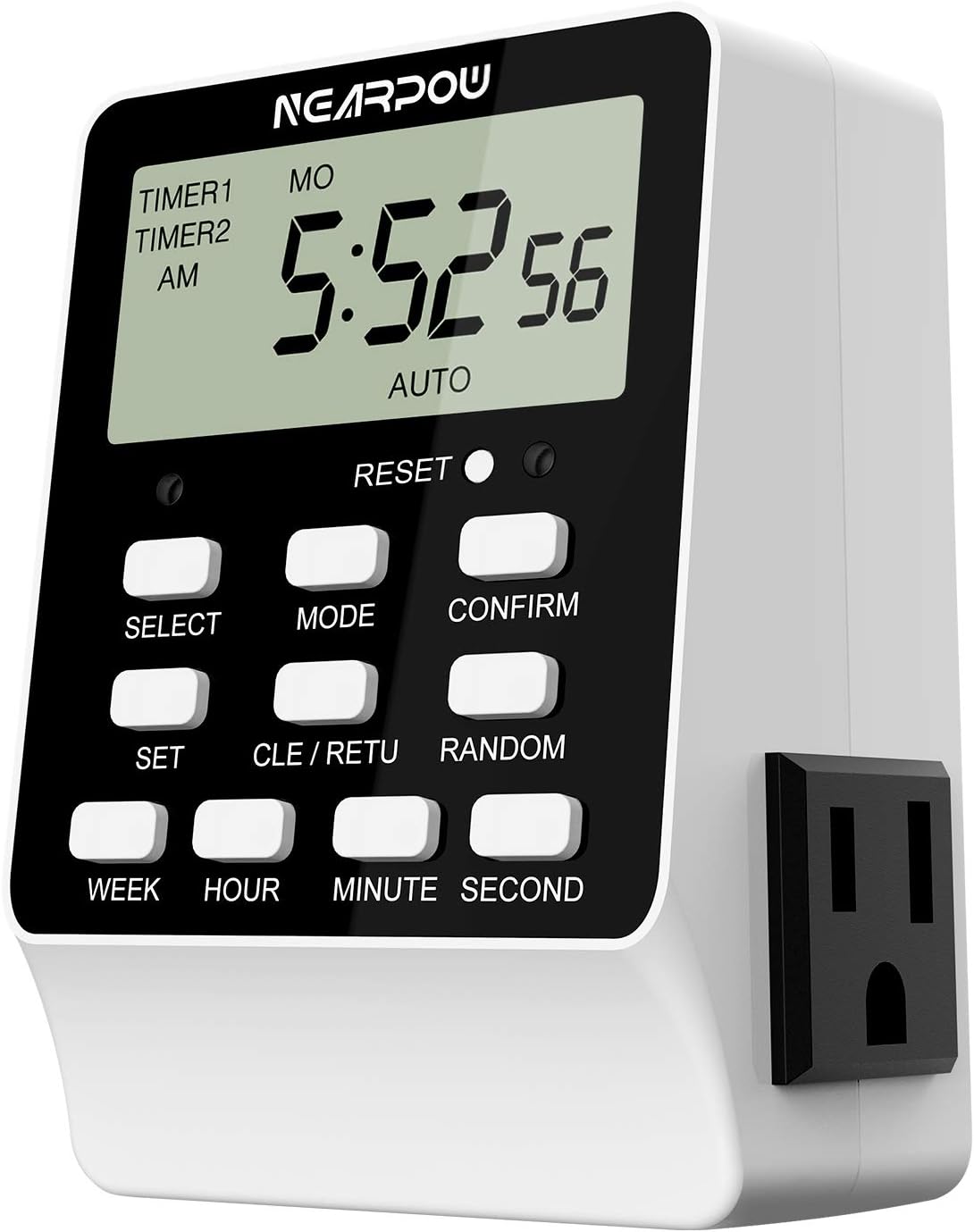
⏳ Take control of your time and power—because your smart home deserves smarter scheduling!
The NEARPOW Dual Digital Light Timer features two independently controlled grounded outlets with up to 18 programmable ON/OFF schedules, precise to the second. Designed for indoor heavy-duty use, it supports 15A/1800W devices and includes smart functions like random vacation mode and child lock. Its battery-backed memory ensures your settings stay intact during power outages, making it a versatile and reliable solution for managing multiple appliances efficiently.


| ASIN | B07H1D267F |
| Batteries | 1 CR2 batteries required. |
| Best Sellers Rank | #113,543 in Tools & Home Improvement ( See Top 100 in Tools & Home Improvement ) #96 in Wall Timer Switches |
| Brand | NEARPOW |
| Color | White |
| Date First Available | February 18, 2019 |
| Is Discontinued By Manufacturer | No |
| Item Weight | 7 ounces |
| Manufacturer | NEARPOW |
| Material | Acrylonitrile Butadiene Styrene |
| Number of settings | 18 |
| Product Dimensions | 1.89"D x 2.64"W x 4.02"H |
M**N
Great timer, but it helps to know some key things the manual doesn't tell you.
Once I understood how this time really worked, my feeling afterwards was, "geesh, this really is a good timer". But it's important to know some key things because the timer's programming, doesn't really support how human's think. It just wants to be programmed and it lets you worry about all those requirements you may have that don't fit. I'm a former IT Systems Engineer, and I had some trouble with it, but my background help me understand how it works a lot easier than some others might. Hopefully by sharing some of the questions I ran into, will help others understand and use the Nearpow more easily and effectively. So my requirements centered around purchasing a timer to turn off and turn on an Internet Router, so that when I wake up the next day, the router's settings will have been refreshed. I also want to save electricity because I don't need my router on when I'm sleeping, and it also reduces the probability of hackers tapping into my network. I want the router to go off at 1am and go back on at 5am in the morning. So I get my Nearpow one afternoon and I try to set it up. The first thing you'll notice is that while it may be seemingly logical to set up (even with the lousy instructions), most people setting up a router like this will want to program their Nearpow, but continue using whatever it's programmed to turn off/on NOW. The instructions don't tell you how to do this. In my example, when I set up the on/off times, the timer was OFF, and there's no way to turn it manually ON (believe it or not). So even though it seemed easy enough to program, I had 2 very basic questions. QUESTION 1: HOW IN THE HECK DO YOU PROGRAM THIS THING, BUT BE ABLE TO USE THE DEVICE YOU'RE TRYING TO TURN ON/OFF, NOW????? QUESTION 2: HOW DO I TEST WHETHER I SET UP THE PROGRAM CORRECTLY? QUESTION 3: THE OUTLET WHERE I NEED TO PLUG THIS INTO IS TOUGH TO GET AT. ISN'T THERE AN EASY WAY TO SET IT UP, THEN PLUG IT IN WHERE I NEED TO? The answers to these questions are that you can plug this in the wall and program it wherever it's easier, then plug it into the wall socket where it needs to be working. In fact, because it has an internal battery to remember it's settings during a power failure, you can actually program the Nearpow without it even being plugged in. But I recommend that you program it with it plugged into some socket, because I believe that when it's unplugged, you will NOT be able to test your settings properly (Question 2). So with it plugged into the wall somewhere convenient, now you have the satisfaction of knowing that you can program the Nearpow somewhere where it's easier. So the majority of the customers who buy this timer, you're probably like me. You're trying to turn something on/off that you want to be able to continue to use NOW. Well, the Nearpow (believe it or not) has no manual way to turn your device on or off. Now each outlet has 9 programs where you set on and off times. When you're setting up your on and off times, the manual does NOT tell you two very important things: 1) Whichever of 9 programs you decide to set up for a given outlet, you must enter an on AND off time. 2) Secondly, for each on/off program pair, you can set up the on time to be BEFORE the off time. These two items are important because the way the programming works, you cycle through each of the 9 programs and the ON position is presented first. For some, it's logical to assume that if you wish for the outlet to go OFF first, then you might think you need to skip entering the ON time for program one, and instead just enter the OFF time. Then continuing this thinking, because you want the device to be turned ON next, you should enter your ON time next in program 2. Setting up the Nearpow this way, will NOT work. Each program must have an on and off pair. The other reason this pairing is important to understand is that if your requirements are to turn OFF the device first and then turn ON the device back on later, by setting the program pair with the ON time AFTER the OFF time, will tell the NEARPOW to turn that outlet on NOW! So now you should understand that if your requirements are like mine, you can program the Nearpow to execute at later times, but have that specific outlet turned to the ON position NOW so that you can use the device NOW. This answers Question 1. And understanding that you can program your Nearpow at a convenient outlet and turn one or both outlets ON now, aids you in being able to test whether you programmed the Nearpow properly. Simply plug in the Nearpow in any convenient outlet. Program your Nearpow with the lousy instructions but take into account the observation I've mentioned above, and you should be able to test whether each outlet works and can be programmed to go ON or OFF at a specific time. As an example, program your Nearpow to turn a device OFF ten minutes from now. After you set up the program, if set up properly, as I mentioned, that outlet's red light should be on already because your OFF time is set for a time BEFORE the ON time. Now simply wait for the OFF time to occur and the red light should go off. For those of you whose requirements are to turn something ON first, then your ON time would be BEFORE the OFF time. This case is much easier to test. You'd simply program you ON/OFF pair (say 10 minutes from now) and then wait for the red light to go on at the ON time, then go out at the OFF time. One final note: Once you program your Nearpow, if your requirements are such that your OFF time is BEFORE your ON time for an outlet, when the outlet is plugged in the socket where you programmed it, the red light will be on. But once you unplug the Nearpow to move it to it's final outlet location, the red light will go out briefly until you plug it back in. But all of your programming will still be intact, and as I mentioned before, because the outlet is ON, you can plug your device(s) in the Nearpow and continue to use them. Hope this helps others to use this device. It's great for turning a router on and off at a specific time because the timer doesn't require a WIFI connection to run properly. It simply runs off of a program that is powered by the electrical socket or a backup battery.
K**R
It doesn't get any better
The Nearpow T19S is a steal. This is an extremely versatile programmable timer. It has 2 electrical outlets. Each can be controlled separately and independent of the other outlet. Not only can you set separate timers for each outlet but each outlet can have multiple on/off times programmed each day. Each day of the week can be programmed differently if you want. The attached pics show the position of the outlets as well as the wall plug in. I believe the outlets will accomodate most wall wart electrical plugs. There is a bright red indicator light that shows which outlet is currently receiving power. The programming instructions aren't as detailed as they should be. If you sit down and study them for a few minutes it's not too hard to understand what they mean. Once you figure it out it's very easy to set. Don't be afraid to play with the programming functions. If you make a mistake there is a reset button that clears whichever outlet you were programming and you can start over. I use this to control the waterfall feature in my yard. One outlet controls the water pump and the other outlet controls the lights on the fountain. They timed differently and the timer works flawlessly. For the price this timer is a real steal. I highly recommend it
E**T
It works as designed.
It works as designed. The manual not clear on random functionality. I had discover how it works.
P**.
Dual Outlet Timer Independent Schedules
Excellent timer, many options for two separate outlets including independent scheduling.
S**B
The NEARPOW Dual Digital Light Timer with 2 Independently-controlled Outlets just what I needed.
I hope this switch can handle my Router and Modem. Fits what I'm trying to do which is turn the 2 units OFF and back ON to get a new IP address and fresh connection to my ISP. Was a little hard to catch on to setting ON/OFF times. Trying to enter times and read the steps, unit times out. Suggest first, Set the current time per instructions. Second, do 1 side first that start the process (Select Button). Then just spin through 1 through 9 (bottom left) using SET Button and watch AM/PM and On/Off as you go along. Press CONFIRM to exit when it wraps to 1 or when your done. Empty Hours start with an 8/_/_. I found it simple after doing this. While spinning through, press the CLR button if any times exist. This will give you a clean slate. I'm powered by a computer backup unit. If we have lightning storms here in Florida I can kill power on everything. I don't know how long the timers internal battery lasts. It was a weird feeling trying to enter the OFF time second in the early AM morning. Update Jan. 13 2024. I was awakened by heavy rain and decided to see the timer do its job. Well sure enough it turned my router and modem OFF right at 3:15 and turned them both back ON at 3:30. So its been working for a few days. Great.
D**E
way more complicated than it needs to be.
seriously!? i need a PHD in vintage VCR/Stove clock setting to just have the basics of setting this thing. why can't it just have basic navigable minus with a proper UI as apposed to guess work as to what sequence you need to push buttons to get things to do what you want. i didn't have too much issues setting the time, but programing the actual on-off function... GOOD LUCK! i tried fallowing the instructions to no luck. watched a YouTube tutorial. useless. i would HIGHLY suggest avoiding this and just get 2 separate "egg timer" style ones with the pins you pull. yea you have to reset it with every power outage situation but at least you don't need a PHD to operate it.
J**7
Reliable and easy to use.
I have three of these timers from the same brand for time-sensitive tasks, where even a second counts. They haven't failed once, and they are precise.
A**R
Works great ,easy to use
D**E
Would recommend easy to use and I need Love that.
D**L
I use it to start my pool pump and salinator simultaneously twice a day for 4 hours per interval. Works great. Easy to program.
G**E
Read the manual carefully to change the settings. Very easy to use. Little expensive.
B**E
Works like it is supposed to.
Trustpilot
1 month ago
1 month ago