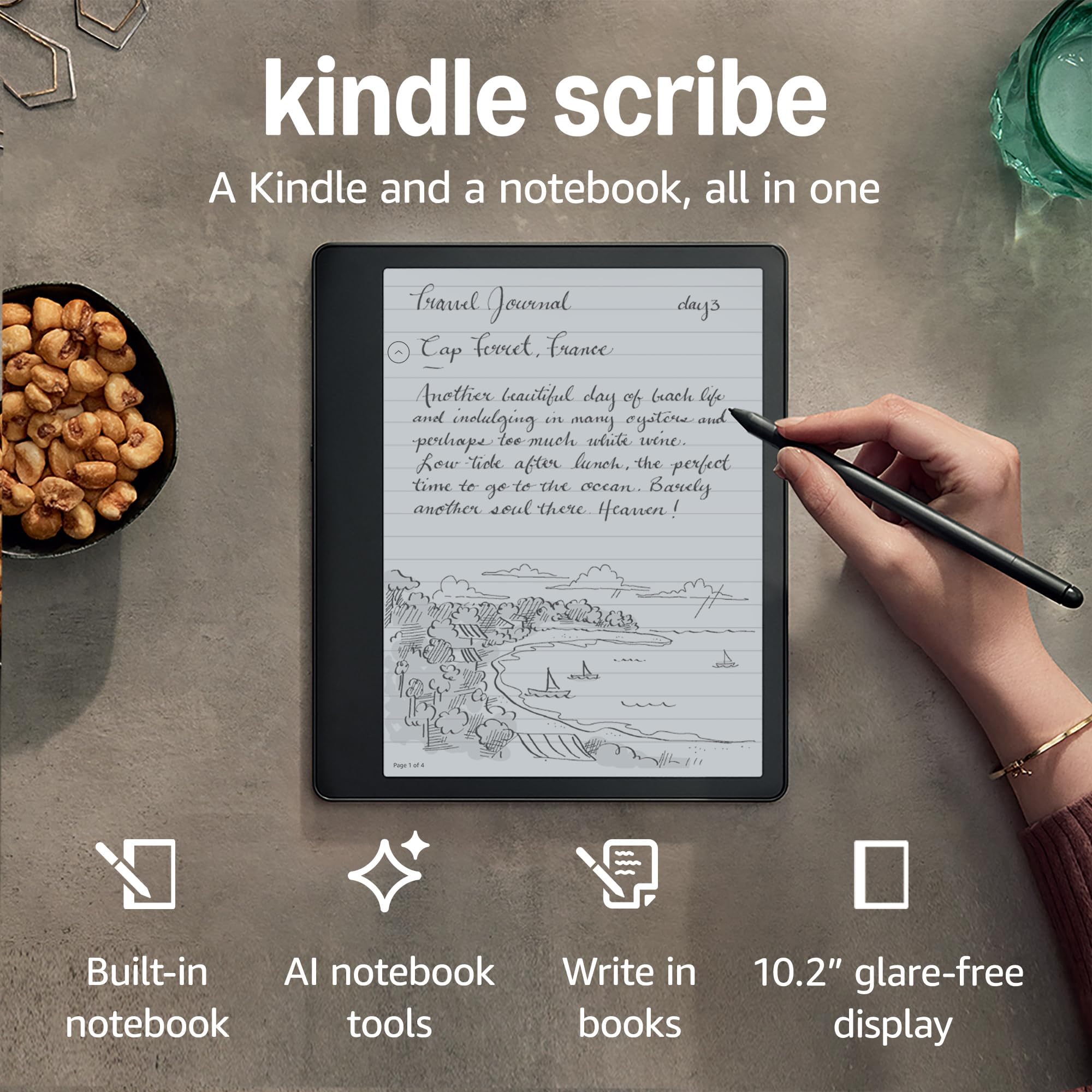
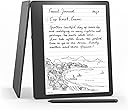



Kindle Scribe (16 GB), the first Kindle and digital notebook, all in one, with a 10.2" 300 ppi Paperwhite display, includes Basic Pen + Kindle Unlimited
Product ID: 521060678
📚10.2" 300 ppi display
🔋Up to 12 weeks battery life
🖊️Includes Basic Pen
Buy anything from 5,000+ international stores. One checkout price. No surprise fees. Join 2M+ shoppers on Desertcart.
Desertcart purchases this item on your behalf and handles shipping, customs, and support to Spain.
📖 Elevate your reading game with the Kindle Scribe – where thoughts flow as freely as words!
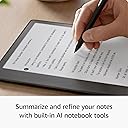
The Kindle Scribe is a revolutionary device that merges the functionality of a Kindle e-reader with a digital notebook. Featuring a stunning 10.2" 300 ppi Paperwhite display, it allows users to read, take notes, and sketch effortlessly. With a Basic Pen included, users can write directly on the screen, convert handwritten notes to text, and import documents for markup. The device boasts an impressive battery life of up to 12 weeks, making it perfect for on-the-go professionals who value both reading and writing.
| Device dimensions | 196 x 229 x 5.8 mm |
| Device weight | 433 g (device only) |
| Display | Amazon's 10.2” Paperwhite display technology with built-in light, 300 ppi, optimised front technology, 16-level grey scale. |
| On-device storage | 16, 32, or 64 GB |
| Premium Pen dimensions | 161.8 x 8.4 mm |
| Premium Pen weight | 15.1 g |
| Basic Pen dimensions | 161.8 x 8.41 mm |
| Basic Pen weight | 14.2 g |
| Wi-Fi connectivity | Supports 2.4 GHz and 5.0 GHz networks with support for WEP, WPA and WPA2 security using password authentication or Wi-Fi Protected Setup (WPS). Does not support connecting to ad-hoc (or peer-to-peer) Wi-Fi networks. |
| System requirements | None: fully wireless and doesn't require a computer to download content. |
| Content formats supported | Kindle Format 8 (AZW3), Kindle (AZW), TXT, PDF, unprotected MOBI, PRC natively; HTML DOC, DOCX, JPEG, GIF, PNG, PDF, TXT, PMP, EPUB through conversion; Audible audio format (AAX). Learn more about supported file types for personal documents. |
| Accessibility features | VoiceView screen reader, available over Bluetooth audio, provides spoken feedback allowing you to navigate your device and read books with text-to-speech (available in English only). Kindle Scribe also includes the ability to invert black and white, adjust font size, font face, line spacing and margins. Learn more about Accessibility for Kindle. |
| Warranty and service | Kindle is sold with a limited warranty of one year provided by the manufacturer. If you are a consumer, the limited warranty is in addition to your consumer rights and does not jeopardise these rights in any way. This means you may still have additional rights at law even after the limited warranty has expired (click here for more information on your consumer rights). Use of Kindle is subject to the terms found here. |
| Setup technology | Amazon Wi-Fi simple setup automatically connects to your home Wi-Fi network. Learn more about Wi-Fi simple setup. |
| Included in the box | Includes Wi-Fi-enabled Kindle Scribe, Basic or Premium Pen, USB-C charging cable, 5 replacement tips, tip replacement tool and built-in rechargeable battery. |
| Generation | Kindle Scribe 1st generation (2022 release). |
| Software security updates | This device receives guaranteed software security updates until at least four years after the device is last available for purchase as a new unit on our websites. Learn more about these software security updates. If you already own a Kindle e-reader, visit Manage Your Content and Devices for information specific to your device. |
| Battery life | Examples: a single charge lasts up to 12 weeks based on half an hour of reading per day, with wireless off and the light setting at 13. A single charge lasts up to 3 weeks based on half an hour of writing per day, with wireless off and the light setting at 13. Battery life will vary and may be reduced based on usage and other factors such as Audible audiobook streaming and content annotation. |
| Charge time | Fully charges in approximately 7 hours from a computer via USB-C cable, or fully charges in approximately 2.5 hours with a 9 W USB-C power adaptor. |
| Device colour | Tungsten Grey |
K**S
Big screen
After using the kindle oasis to read and hold like a book the kindle scribe has a larger 10.2" screen. The reading experience is excellent once you are holding the kindle comfortably. The stylus and writing experience is excellent with a nice pencil acoustic sound when moving the stylus on the screen. The software feels like an upgrade is coming to enhance the writing experience. The page turning is fast and all the usual features work well like spell check and dictionary. If you read mainly on the kindle then the price will not shock you. USB C charging is a bonus and the set up with the Amazon app is so easy and fast. My only concern is how the kindle attached to the cover also made by Amazon. The magnet's are not strong enough to secure the kindle and so I use double sided tape to adhere the kindle case to the rear of the product. Reducing the risk of breaking the screen. Overall, there a benefits to owning the stylus and I can see the software getting better over time. The screen quality is sharp and clear. Especially in dark mode. I like the kindle lack of intrusion when reading a book. The benefits of the kindle experience outweigh the weight of carrying several books around in your travel bag.
J**5
A game-changer for "notebook" people
I work in technology sales, and for the past few years many of my colleagues have made the transition from notebooks to Remarkable 2s. I've spent a lot of time with the Remarkable, and while it is no doubt an excellent device, the pricing model is extremely prohibitive - pen not included as standard, subscriptions required for cloud storage etc. Not to mention that the Remarkable is a good deal more expensive that the Scribe at the time of writing. I took advantage of black Friday to grab a Scribe with the basic pen and the Amazon folio case. I've spent a few months with the Kindle Scribe, using it every day as my primary tool for note taking. Personally, I've found it to be an absolute game changer. I have separate folders for work and personal notebooks, and I use the file structure to have notebooks for each meeting with every customer. Long gone are my days spent rummaging through several notebooks to find the specific note from a specific meeting. The writing experience is genuinely identical to a paper notebook, it has to be experienced to be believed. The ability to export handwritten notes to a text file is extremely useful, as is the ability to export documents directly from Microsoft Word to the Scribe. Transferring pdf files over (like user manuals for devices or contracts, for example) is very simple and has added to addition faff to my day-to-day workflow. Battery life is also superb - I use the device daily for work and personal use, and have had to charge it ONCE in the nearly 2 months I've had it. Personally, I wouldn't spend the extra money on the premium pen, I find the basic more than adequate and actually use the undo function more than the eraser. I would, however, highly recommend purchasing Amazon's own Folio case. It is excellent, and is well worth the cost. I honestly think any other case would significant detract from the ease of using the device. All in all, if you're stuck toiling between the Remarkable and Scribe as I was, I'd heartily recommend the Kindle Scribe. From my experience with both, unless there a serious, very specific feature that you need from the Remarkable, the Scribe is the way to go. Even then, given the rate of software updates, I suspect the Scribe may surpass the Remarkable in functionality soon anyway.
N**2
Great piece of kit, with flaws
Pros. Got this primarily for taking notes in work as I tend to scribble a lot during meetings. Have to say the feel of writing in this is like writing on expensive paper, and it picks up everything I write perfectly. Very impressed so far. Additionally; the kindle function which i use it a lot for is brilliant. Page is huge so feels like a real page, much more than the smaller version I was currently using. Battery life is brilliant and very handy for carrying around to meetings and general Cons. Price obviously is very high. Got amazon voucher for bday so was not that bad but if you paying straight up it's heavy amount to spend on essentially a kindle and notepad. The transcribe to text function is good for the most part but you still have e to review and change when sent as it will miss things especially when writing fast notes. Sending the notes as well, not as straightforward as they state, took me some goes to figure out best way and I'm not adverse to technology. TLDR: very nice, handy notebook. Feels like paper. Does what it says on the tin with great kindle function. Very expensive and not as straightforward to send notes
J**S
Impressive
For Reading books this device is superb. However, I'm not sure it would be good value just for reading as you can get a normal Kindle for a third of the price which is very good. However, there are a few advantages that I have discovered. The light is really good, with an adaptive option, a sunrise/sunset schedule and the ability to mix warm and cold light. This makes for more comfortable reading in low light. The auto-rotate is not quite what I expected. It only auto-rotates 180° so if you want to switch between portrait and landscape then it's a manual switch. For many that's preferable as it can be a nuisance if it switches between modes when you don't want it to. When in landscape mode you can switch to 2 columns which may make reading easier for some. This is a much bigger screen than a normal Kindle so can feel more like reading a magazine that a book hence why 2 column reading may be better. The real advantage of this device is note taking and notebooks. You can create notebooks and organise them in nested folders. This seems to offer a fairly comprehensive but simple way of organising your notebooks. When writing there are lots of options, pens, pencils, thicknesses, eraser etc. The writing feel is very good and I found while the side of my writing hand is touching the surface it still allows me to write with the pen and it ignores my hand's contact elsewhere, so very comfortable and easy. As I use my notebooks for work I was concerned about accessing my notebooks if I don't have access to my Scribe (e.g. battery failure, Scribe somewhere else etc). It turns out notebooks can be viewed in the Kindle app. You can't edit them but you can view them which is fine for me. Notebooks are updated when you exit them on the Scribe and become available within seconds in the app. This is an advantage over paper books which can only be in one place and can become bulky to carry. The other major advantage is security. As my Scribe is protected with a PIN which can be 1-12 digits long this offers a level of security not available with paper books. The app and online version are secured using your Amazon username and password and any second factor you have opted for such as an SMS code. It does also allow you to write on PDF files which is useful. I'm still figuring out how these can viewed online and in the App. It seems to allow viewing in the app but not online. However, annotations don;t appear in the App. Any notebooks or annotated PDFs can be emailed and there is even an option to OCR the notebook are sending which is potentially useful. I was quite surprised how accurately the OCR worked with my handwriting. The pen I opted for is the basic one. The only advantage of the premium one seemed to be the eraser (there's also a customisable button), but I'm managing fine without this as it's easy enough to use the eraser tool with the basic pen. you just select the eraser instead of the pen, then back to pen when finished erasing. It seems like a lot of extra cost for that function - the writing experience is apparently the same. Altogether a very impressive device and worth the investment if you want to switch from paper notebooks. UPDATE. Online (Web Kindle reader) notebook viewing has been disabled by Amazon. You can still view notebooks on the kindle phone/tablet app.
A**N
Joyous experience for readers, writers and drawers.
Absolutely delighted with this item. I have had a number of different kindle models over the years and always find the reading functionality fantastic. I still also use my Kindle Paperwhite, and being able to seamlessly pick up reading where I left off across multiple devices is really beneficial. Reading remains my priority on the kindle scribe, but the write on capability takes it to the next level. Note taking is excellent for work and home life, with the AI aspect really elevating the experience. Drawing / sketching is the real winner however, for a casual sketcher who hasn’t picked up a pencil in twenty years the ability to draw digitally on this device is a joy. Different drawing mediums of pen and pencil work equally well, and the beauty is you can draw anywhere, with no set up, no tidying away, and importantly, no mess! I am excitedly awaiting the new Kindle Scribe Colour, and keen to know when this will be released if anyone has any news?
I**N
It comes with the wrong charging cable
It's good reading device. Much better than the smaller Kindles. It charges via a USB-C connection on the Kindle Scribe. Which begs the question why does the charging cable it comes with have a smaller micro fitting which does not plug into the Kindle Scribe? The other end of the supplied charging cable fits the official Amazon charging plug (from my previous kindle). I suspect Amazon want buyers to buy a new charger bundle complete with the new cable that will fit. I tried customer service, it was like swimming in a vat of treakle. They did say they would refund the cost of the cable to my account so I could buy one (why not just send it). That hasn't happened. It comes 50% charged so by the time I realised the problem I had all the settings set to suit me. I am reluctant to send it back for the sake of buying a new cord. My advice if you buy one check the charging cord fits before setting it up then send it straight back for a replacement and post a review highlighting the problem. If enough customers post a bad (but honest) review about it maybe they will change it.
D**R
A little heavier due to it's size but bigger might be better and being able to write is a big plus
Kindle Scribe offers a great reading experience. The screen is large and well lit. The ability to write notes in books and create other sketched input is awesome. The writing feel is great and very natural. The fact it's large does make it heavier and a little less convenient but overall it offers a comfortable read, especially if used with the Kindle cover.
B**D
Absolutely brilliant!
I’ve been fortunate enough to have had this device for the last few weeks, ahead of the launch. I’ve used it every day for so many versatile purposes! The screen is stunning, you truly can write like paper and the pen capabilities (highlighter etc) are brilliant. The battery life is at 70% after daily use for over a fortnight. What I love most is that it’s like your smartest, most personalised possible diary, schedule, planner and a million notebooks all in one place. I have folders for work and personal and different topics, and templates to map out my monthly, weekly, daily lists. I also use the note paper for work and personal. I haven’t used it as a kindle yet. I’m an Oasis fan and I’m not sure it will replace it for me as I don’t think stand-alone I’d ever want a kindle this big. However, I’ll happily keep my Oasis by my bed and this for use on the go so I’ve got all my schedules and notes with me AND access to all my books! No, it’s not cheap but neither is the Oasis and the pen/paper functionality is just gorgeous.
O**N
Super appareil, les dernières mises-à-jours ont comblé les derniers manques
Cela fait quatre ans que j'ai la Kindle Scribe et je l'utilise tous les jours. Je fais absolument tout avec, prise de note, prise de cours, brouillon, correction pour mes élèves et bien évidemment liseuse. L'idée du Cloud d'Amazon est excellente, vous pouvez partager vos écrits par internet, vous rajoutez les mails, directement sur la tablette, auxquels vous voulez partager vos écrits et vos correspondants reçoivent alors un lien valable deux semaines à partir duquel ils peuvent télécharger vos documents au format pdf. Cela vous permet également d'enregistrer votre travail sur ordinateur dans ce format. Depuis quatre ans, l'autonomie de la batterie n'a pas diminué (environ deux semaines alors que je l'utilise tous les jours). Des mises-à-jours successives viennent améliorer l'appareil, les fonctionnalités des dernières versions n'ont rien à voir avec la première version. En mathématiques, j'utilise souvent le format "petit carreaux", vous pouvez tracer des lignes, des cercles, des rectangle, des courbes de Bézier, vous pouvez créer un chouette cercle trigonométrique etc ... Je n'utilise plus de brouillon, je n'utilise que la Kindle Scribe. Félicitation Amazon d'avoir créé un tel appareil.
L**Y
Fantastic for note taking
Have replaced all my work notebooks with this, love the write to text option as well. Use it as a diary, a tracker a doodle pad and also as my sketch pad. the fountain pen option is fantastic with gorgeous cursive writing easy to achieve. The feel of the pen on screen is close enough to writing on paper, unlike my iPad where it’s clearly a glass surface. The soft adjustable light is kind to my eyes and is like working in daylight on paper. On my Wishlist? As an amateur artist this has so much potential. It’s already great for sketching, the felt tip pens are fantastic, but some colour, even some muted sepias and blues would be nice. More pen options would be great too. The highlighter option is useful for shading of sketches. I haven’t used the book function much, but it works well.
J**E
Quick And Easy To Set Up
This Kindle Scribe is fantastic. It’s my third Kindle now. I originally had a Kindle Keyboard and then a Kindle Paperwhite. It is so quick and easy to set up. My books from my last Kindle loaded immediately when I logged into my Amazon account. The screen is huge! The pen is so nice and smooth to write with. I’m so glad I ordered this. It’s a fantastic product. Easily the nicest Kindle I’ve ever used!
D**.
Il kindle migliore di sempre lo aspettavo da tempo
Ricevuto due giorni fa come regalo di compleanno e natale :) Qualità costruttiva al top corpo in allumino e display nitidissimo e ultra rifinito in ogni condizione di luce. Acquistato per due scopi: lettura degli spartiti musicali e scrittura apputni per studio lingue asiatiche, come quaderno noted per appunmti pdf annotazioni lettura studio backup etc. In breve eccezzionale la scrittura è fludissima, non c'è mai un cedimento o un rallentamento, il feeling è estremamente naturale al pari se non meglio della scrittura su carta convincerà senza dubbio anche i più scettici. E' possibile editare i documenti direttamente previo caricamento via web o send to kindle ..nella fattispece caricate i documenti sulla pagina web amazon e saranno facilmente editabili e scinronizzati in automatico se invece vengono inseriti manualmente collegando il kindle al pc no ma il kindle Ve lo segnala per farla breve è sufficiente caricare tutto tramite la pagina ufficiale: https://www.amazon.it/sendtokindle. Per la lettura degli spartiti meraviglioso non stanca la vista una vera goduria. E' possibile categorizzare fare cartelle condividere con mail invio automatico alla nostra preimpostata in formato pdf. In clonclusione dedicato a chi lo utilizza per scopi specifici studio, musicisti, artisti etc..ma non solo resta pur sempre anche un egregio ebook anche se io per legger utilizzo un paperwite per la portabilità. Per chi chiede meglio questo o un IPAD o un TAB S6 rispondo che ho venduto il TAB S6 pur eccelso perchè spaccava gli occhi con sessioni lunghe di studio o lettura di spartiti mi veniva anche mal di testa e per disperazione ero tornato a partiture musicali stampate e block notes e matita per studiare. Questo Scribe è eccezzionale vale il suo costo anzi non costa nenache tanto per quello che offre e la longevità che garantisce non è certo un dispositivo da cambiare ogni anno ad un aggiornamento os... lo terrete a lungo. In definitiva acquisto non consgiliato ma obbligato non ve ne pentirete! Bellissimo.
A**.
Buena calidad
Adquirí este dispositivo porque necesitaba una pantalla más grande, para leer con comodidad, ya que mi vista está ya muy deteriorada. Ya tengo el Kindle Paperwhite de 6,8” y me encanta, pero se me hace muy pesado tener que pasar página con tanta frecuencia. También me gusta escribir a mano, pero tenía dudas sobre si iba a gustarme la experiencia en este Kindle. Tengo que decir que estoy encantada con mi compra. La lectura es justo lo que estaba buscando para cuando estoy en casa, que es cuando más leo, me resulta comodísima para la vista. Mi sorpresa fue que la escritura a mano también me resulta muy agradable, realmente como en papel, incluso mejor, gracias a la iluminación de la pantalla. El Kindle se nota de muy buena calidad y es un gusto manejarlo. Es un gran dispositivo, pero no para cualquiera. Este Kindle encantará a quienes leen mucho y a quienes les gusta escribir a mano, por el placer de escribir, ya que la parte de compartir los cuadernos y exportarlos en pdf es en muy baja resolución y es imposible usar las notas fuera del kindle. No es un buen dispositivo para dibujar, tanto por sus herramientas limitadas, como por esa exportación en baja resolución, que se pixela muchísimo. Algunos de los libros comprados en Amazon, libros de arte, por ejemplo, no se pueden descargar en este Kindle, solo se pueden leer en el iPad. El manejo de los documentos pdf tampoco es bueno, mucho mejor en el iPad. Por el precio que tiene, se tiene que tener muy claro para qué se va a usar, porque algunas funciones, como lectura y escritura, o bullet journal… las hace deliciosamente bien, pero otras, como dibujo y manejo de pdf están en pañales y van a defraudar. Para mí es un dispositivo que voy a usar mucho a diario. Si tuviera que pedir nuevas funciones, pediría: -exportar notas en alta resolución -búsqueda en cuadernos -poder tener una plantilla diferente en cada página de un cuaderno -importar plantillas personalizadas en los cuadernos
Trustpilot
1 day ago
3 weeks ago