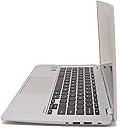
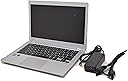
🚀 Power through your day with Toshiba’s sleek, speedy Chromebook!
The Toshiba CB35-B3330 Chromebook combines a 2.16 GHz Intel Celeron processor, 2GB RAM, and a 16GB SSD with a vibrant 13.3-inch HD display and up to 11 hours of battery life. Running Chrome OS, it offers seamless cloud integration, fast 802.11ac Wi-Fi, and essential ports like USB 3.0 and HDMI, all packed into a lightweight silver chassis designed for on-the-go professionals.
| ASIN | B00N99FV76 |
| Audio Output Type | Headphones |
| Automatic Backup Software Included | Gmail, Google Drive, Google Play, Hangouts, Microsoft Office 365, Webcam |
| Battery Average Life Standby | 11 Hours |
| Battery Cell Type | Lithium Ion |
| Battery Life | 11 Hours |
| Bluetooth support? | No |
| Brand | TOSHIBA |
| Built-In Media | USB 3.0 port, HDMI output, built-in webcam, security lock, SD Card slot |
| CPU L2 Cache | 256 KB |
| CPU Model | Celeron |
| CPU Model Generation | Bay Trail-M |
| CPU Model Number | Celeron N2840 |
| CPU Model Speed Maximum | 2160 MHz |
| Chipset Type | Bay Trail-M |
| Color | Silver |
| Compatible Devices | [Inferred: Devices compatible with Google Play, Google services, Bluetooth, and Wi-Fi] |
| Connectivity Technology | Wireless |
| Control Method | Voice |
| Customer Reviews | 4.2 out of 5 stars 655 Reviews |
| Display Resolution Maximum | 1366x768 Pixels |
| Display Technology | LED |
| Display Type | LED |
| External Testing Certification | Energy Star |
| Form Factor | Laptop |
| Global Trade Identification Number | 00022265863282 |
| Graphics Card Ram | 256 MB |
| Graphics Coprocessor | Intel HD graphics |
| Graphics Description | Integrated |
| Hard Disk Description | SSD |
| Hard Disk Interface | Unknown |
| Hard Disk Size | 16 GB |
| Hard-Drive Size | 16 GB |
| Hardware Interface | Bluetooth, HDMI, Lightning, Solid State Drive, USB |
| Human-Interface Input | Touch Pad |
| Item Weight | 2.95 Pounds |
| Keyboard Description | Compact Laptop Keyboard |
| Lithium-Battery Energy Content | 45 Watt Hours |
| Manufacturer | Toshiba |
| Memory Clock Speed | 1600 MHz |
| Memory Slots Available | 1 |
| Memory Speed | 1600 MHz |
| Model Name | Chromebook 2 CB35 |
| Model Number | PLM02U-007008 |
| Model Year | 2014 |
| Native Resolution | 1366 x 768 pixels |
| Notebook Pointing Device Description | Touchpad |
| Number of Ports | 2 |
| Operating System | Chrome OS |
| Power Device | battery |
| Processor Brand | Intel |
| Processor Count | 2 |
| Processor Series | Celeron |
| Processor Speed | 2.16 GHz |
| RAM Memory Installed | 2 GB |
| RAM Memory Slot Total Count | 1 |
| RAM Memory Technology | DDR3L SDRAM |
| RAM Type | DDR3 SDRAM |
| Ram Memory Maximum Size | 4 GB |
| Resolution | 720p |
| Screen Size | 13.3 Inches |
| Specific Uses For Product | business, personal |
| Total Usb Ports | 1 |
| Touchpad Feature | True |
| UPC | 799417561081 012304114277 022265863282 |
| Video Output | HDMI |
| Video Processor | Intel |
| Voltage | 19 Volts |
| Warranty Description | 1 YEAR STANDARD LIMITED WARRANTY |
| Warranty Type | Limited |
| Webcam Capability | Yes |
| Wireless Compability | 802.11ac |
| Wireless Technology | Bluetooth, Wi-Fi |
K**W
A great computer for what it is
This, for the money, is a great product. It is handsome with a comfortable keyboard, and seems well built. I find the processor to be very fast. In fact, I think it's faster than my iMac with the latest OS X, Yosemite. The battery life is awesome. I used it over 2 days for about 8 hrs. and had almost 40% battery charge remaining. Both the unit's construction and the 13" screen's images look great, neither too big or too small. Keep in mind that the Chromebook format is different, and a buyer should understand that virtually all memory will need to go to the Cloud, not stored in the unit. It was simple for me to set up. I already had a Google Chrome internet browser set up on my Mac with my bookmarks and favorites and other customization through my gmail account. So, all I had to do was to sign into that gmail account, and voila, my customized page appeared. Since I already had a Google Play account through my android phone, my music was readily available without having to download a single tune. My conclusion is that for surfing the web, seeking information, on-line shopping, utilizing chat/message boards, or for just checking the news and weather, the Chromebook and it's format may be just what you're looking for. I had just returned a Lenovo laptop with 4 Ram, 1 TB memory because it had a 2-3 hr. battery life, and its AMD 6 processor, I found to be very slow, for the aforementioned purposes, plus I did not need the storage or memory. From what I understand, since sensitive and most other files are not going to be stored in the unit, hacking and other safety violations are relative low on Chromebooks. With that said, Chromebooks are not perfect, and have their limitations (apps., gaming, etc.), but is a value for its price.
J**E
All the bang for your buck and more
I at first was apprehensive about the no-fan design that this Chromebook boasts, but I have been very pleased with it so far. I tend to keep a lot of tabs open and I've never had a problem with it being slow. Even Netflix and all my tabs open run well together without making the Chromebook too hot. This is a great little Chromebook for someone like me who does web surfing, e-mail checking, Netflix, and YouTube. The price is also right - you get what you pay for and more in terms of speed, functionality, and design. The keyboard was a bit hard to get used to at first since it's missing a few buttons that I'm used to (Caps Lock, namely) but it's very adaptable. And I have to say that a big bonus on this Chromebook is the fact that the battery life is AMAZING. I charge it semi-frequently but it's great not to have to lug the charger around everywhere I go. If I use this laptop, it normally keeps a charge for about 6-8 hours - and that's if I'm really pushing it with Netflix/YouTube, etc. It's really nice to have that kind of efficiency in a battery. The screen design may be smaller than you're used to but it really is optimal for Netflix and YouTube. The sound quality is nothing short of amazing and I was totally blown away the first time I listened to Spotify on the laptop. I didn't expect it to sound that loud or good! This is a product I definitely recommend for casual web browsing and Netflix.
M**W
My daughter is happy with it.
I bought this Chromebook for my High School aged daughter. It is an attractive unit with good graphics and superior sound quality (which is important to young users). As most of her homework is done in Google Docs and other online applications, this computer works fine for her. It is very light and easy to carry, feels sturdy, and the battery lasts a long time. I would recommend a Chromebook for this type of user that doesn't need a full blown operating system and doesn't need major storage or peripheral devices. She can do research, do homework, and watch Netflix and such with no problem. FYI: I originally purchased the ASUS Chromebook and was not happy with it. I purchased one unit, it failed, replaced it, the second one failed. Then I got this computer and was pleased with it. It provides excellent value for the dollar and has performed well for several months. I would recommend it to a friend.
R**M
Great product: Thanks Amazon for a great price too
It is a great product that does what at promises. It starts up real fast, and connects to the Internet super fast. It is light weight. It can be used by multiple users - in my home 4 currently! I was able to take it out of the box and be online in less than 3 minutes. That too because I did not enter the password for the Home WiFi correctly 2 times. Amazon/Chromebook manufacturers should run a video contest on how fast can one users get connected and start using their Chromebooks the first time. Positives: Great price Great looks Instant startup from sleep mode Good sound quality on speakers Recognizes my old external HDD (at least 5 years old) Cons: I am still getting used to the keyboard, which is not the normal laptop keyboard one is used to. The lack of a Delete key is quite painful to me when I am typing. Yes, the Backspace key works - thank you very much - but it is just that Google is asking me to change the way I type, and I find it somewhat painful. Same goes for the missing Page Up/Page Down, Home/End keys. Anyone who uses they keyboard to navigate documents or web pages knows what it means. Again, yes, I am aware of the work arounds, but that is exactly my point...why are you making me do things differently? The double tap on the shift key should give CAPS LOCK...but it does not always work in popup windows that expect me to type in text information. I have kept one tab open with the keyboard shortcuts for Chromebook, and hope to master them sometime soon. Overall, a great product for those who spend a vast majority of their "computer time" on the net.
D**S
Very Solid
First impressions: -Excellent battery life. As of now, at 86%, it has more than 9 hours remaining. Also charges very fast, 0 to full in under two hours. -Screen is solid. Not excellent, but it does the job. Fairly sharp and doesn't have any glare in the sun. -Keyboard's pretty good. Keys feel solid, not sticky or soft. -Trackpad is pretty good. Responsive, works well with ChromeOS's gestures. -Sleek and lightweight. Still feels solid, though--the hinges are a bit soft but the screen and body are fairly rigid. -Textured exterior makes for good grip, but the palm rest is smooth and comfortable. -Boots and shuts down very fast. Restarting for updates is a painless process done in under 20 seconds. -Even when I'm pushing the resources it still has a battery life of around 6 hours or more. -Edges are a bit sharp if you press on them, but this isn't a problem if you rest your palms on top of the palmrests. Might dig into the wrists a bit in that case but not badly. -RAM is a bit on the low end; regular browsing frequently uses upwards of 75% of it, but it hasn't seriously impeded me beyond some minor lag when something's making it work extra hard. -Screen can seem a bit washed-out at high brightness, but not too bad. I've used it for normal web browsing: email, news, social networking, etc. I've been able to do most of the same day-to-day stuff I'd do on my more powerful Windows/Linux laptop without any problems, though advanced stuff like programming causes problems, likewise with more resource-intensive applications like gaming (even Flash games can put a bit of a strain on the memory). I know you can dual-boot Ubuntu on here but the RAM would be a serious problem for heavy-duty work. Overall, it's very solid, especially for a $250 laptop. The only serious complaint I have is the RAM, but that's what you can expect with just 2GB, and just fine for a cheap computer. It's still new, so if I have any complaints down the line I'll update this.
J**Y
Limited in what it can do. Likely useful if you don't travel much ... or use open-source programs ... or use common programs
I bought this because I needed an inexpensive system with a solid-state drive. Currently, I am doing volunteer work in Cusco, Peru, and I could not find a system in Cusco with an SSD. Anyway, the Chromebook keyboard has a nice feel. Also, it is obvious that Toshiba was consistent in its training of support staff, as the two people I contacted assured me that, "Chromebooks are not for everyone." (Right, unlike air and water ... good to know.) I was so focused on getting a system with an SSD (as these drives apparently are less likely to have problems at high altitudes) that I did not realize Toshiba and Google do not want me to store anything on the drive. No, because a Chromebook is a portal to the Google universe, and everyone everywhere has or should have Internet access. (I will be sure to scold the governments of Peru, Nepal, and Bolivia about this, as appropriate.) Yeah, as it turns out you CAN store files on the hard drive or a flash drive. But you can't use Skype or Libre Open Office. The wordprocesser is Google docs, a clunky "guess how this works" application, and there's something called "Hangout" or "Hangup" or "Go Hang Yourself" to take the place of Skype. (Can't wait to try it!) So, I take responsibility for my inadequate research, but I will be buying a real computer as soon as I return to the United States. Update 5 days later: This poorly documented faux-puter is such a mess, I can't even tell where I am storing my photos or files. And the online instructions rarely provide useful results. Eight days later: Looking for the damn "Downloads" section. It was there yesterday. Of course, today is a new day, and I hate this piece of crap even more than I first did. Still, I think what prospective buyers need to know is What Does Not Work on the Chromebook: to confirm, no Skype, no Libre Open Office, no Microsatan products--although there are Google versions for Word, Excel, and Powerpoint, these knock-offs don't have the same functionality. For example, if there is a way to copy the contents of a table but not the grid itself, I have not found that yet. Also, the mouse is so super-sensitive, you get to do each action two or three times, while wondering, "Didn't I just do that?" Google, if Chromebook is your attempt at world domination, you are likely to be as disappointed as some of the people who use your products. 3 July 2015. Now the screen has horizontal lines through the display. Seriously, Toshiba? This is your idea of quality? I have used this for less than one month--and not every day, as I was in the jungle outside Puerto Maldonado, Peru, with no Internet access. Looking forward to ordering that well-reviewed Dell with the SSD in September.
E**A
the quality of the Chromebook was good! Good Design Good Monitor Amazing Battery Amazing speed ...
the quality of the Chromebook was good! Good Design Good Monitor Amazing Battery Amazing speed IS SUPER LIGHT i love it! Now when we talk about Chrome book we need to say a couple of important things: You can't install a lot of App/program! you want have Skype? you can't I'm sorry! You can only use this nice piece of Hardware when you are online, if you are offline and you want change your doc , I'm sorry is not so easy. IF YOU BUY THIS PRODUCT TO GO ONLINE AND READ NEWS OR YOU USE THIS IN A PLACE WHERE YOU HAVE WI-FI is perfect if you want use this like a laptop be careful probably is not the right laptop. before to buy this Chromebook try to understand what app you need on your laptop and make a double check to be sure that are available for this format!
J**N
I made the jump and have NO REGRETS!
I absolutely love this chromebook! Everything about it is excellent! This chromebook has excellent battery life. I do not know why some people say it doesnt. Unless they are comparing it to a $1500 laptop or something. But that wouldn't be a fair comparison considering this is only a $300 one. I have used mine away from home many times and have not had it die yet. And I have used it for 8 or more hours on a single charge with 3 hours left of browsing power. Watching movies, surfing the internet, checking emails, it does it all! Paired with a google chromecast, this can become a home entertainment hub. It will stream anything onto the chromecast seamlessly. Yes, it may not be compatible with microsoft products yet, but I foresee it in the future. Even so, there are many work-arounds already.These laptops have alot of potential! The storage space is a bit small, but the sdcard slot will except up to a 1TB card for additional space. Plus, you get two years of google drive space free. The laptop advertises 100 GB, but I received 1 TB when I logged in. And the Skullcandy sound system works very well. It has great, in depth, sound. All in all, for $300 I couldnt be more happy and would recommend this chromebook to anyone that needs a good laptop alternative. Did I mention that chromebooks are 100% less susceptible to virus and malware than windows pc's are? No need to constantly have to purchase and update your anti-virus programs, and then have them running constantly in the background using up your precious system resources. This chromebook even in its early stages is better than any windows pc I have ever owned! I have grown so sick of windows and their buggy system updates and software and have successfully rid my household of them. Ubuntu is an excellent replacement for windows and can also be sideloaded on to this chromebook with relative ease. These chromebooks have a bright future!
J**A
Excelente
Excelente computadora. La use para enseñar a mi abuelo a usar una computadora y todo ha sido muy sencillo debido a su facilidad de manejo.
A**R
Chromebook
Mejor de lo que esperaba, precio increible. Gracias amazon ! Definitivamente no es para power users, pero es una alternativa increible para nosotroa los mortales que usamos la pc, con un uso de tablet.
Trustpilot
1 week ago
3 weeks ago