Some deliveries may take a little longer than usual due to regional shipping conditions.

Descargar la aplicación


Servicios al cliente
Sobre nosotros
Copyright © 2025 Desertcart Holdings Limited
Descargar la aplicación
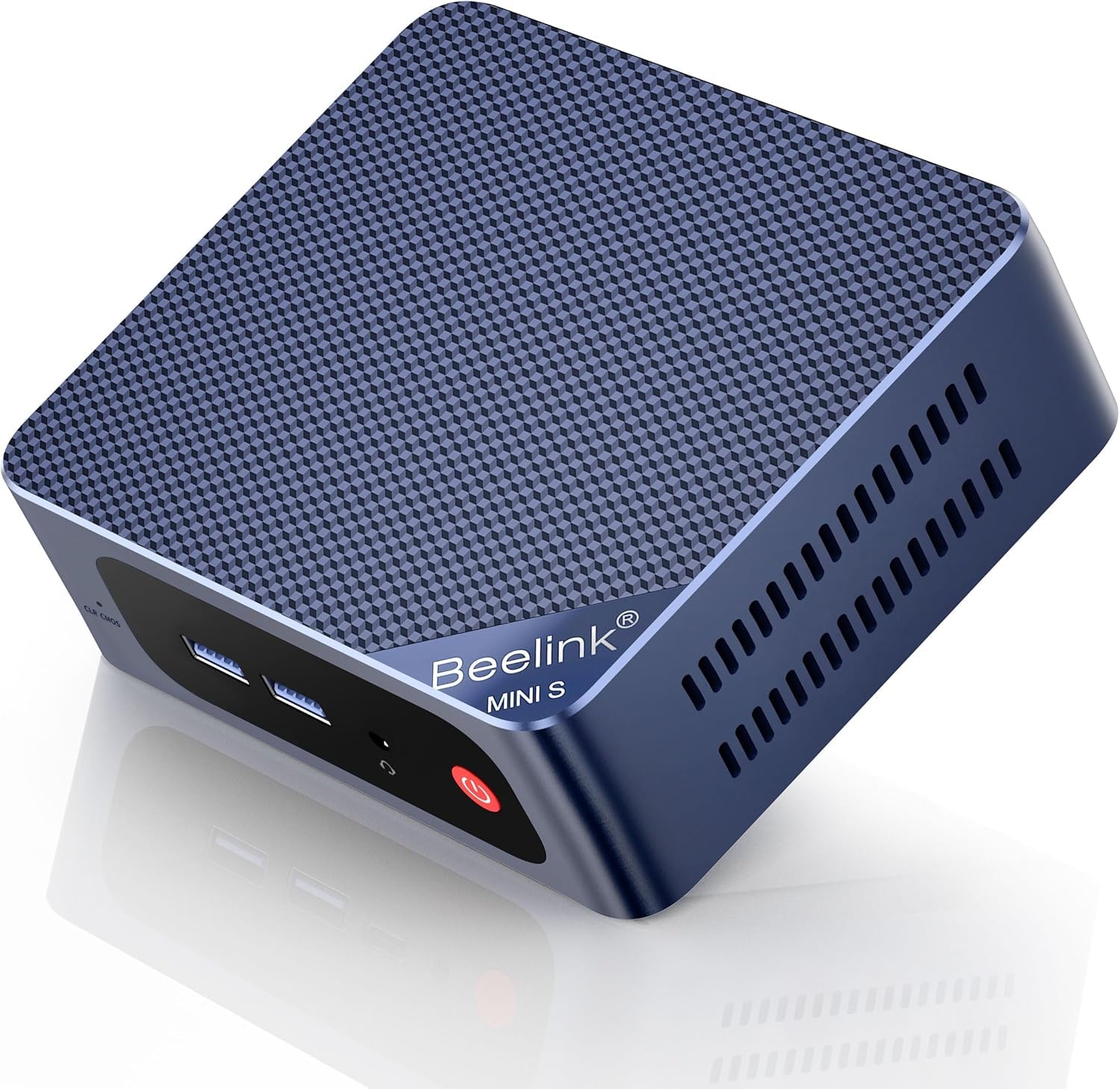



🚀 Mini PC, Mega Power – Elevate Your Workspace Instantly!
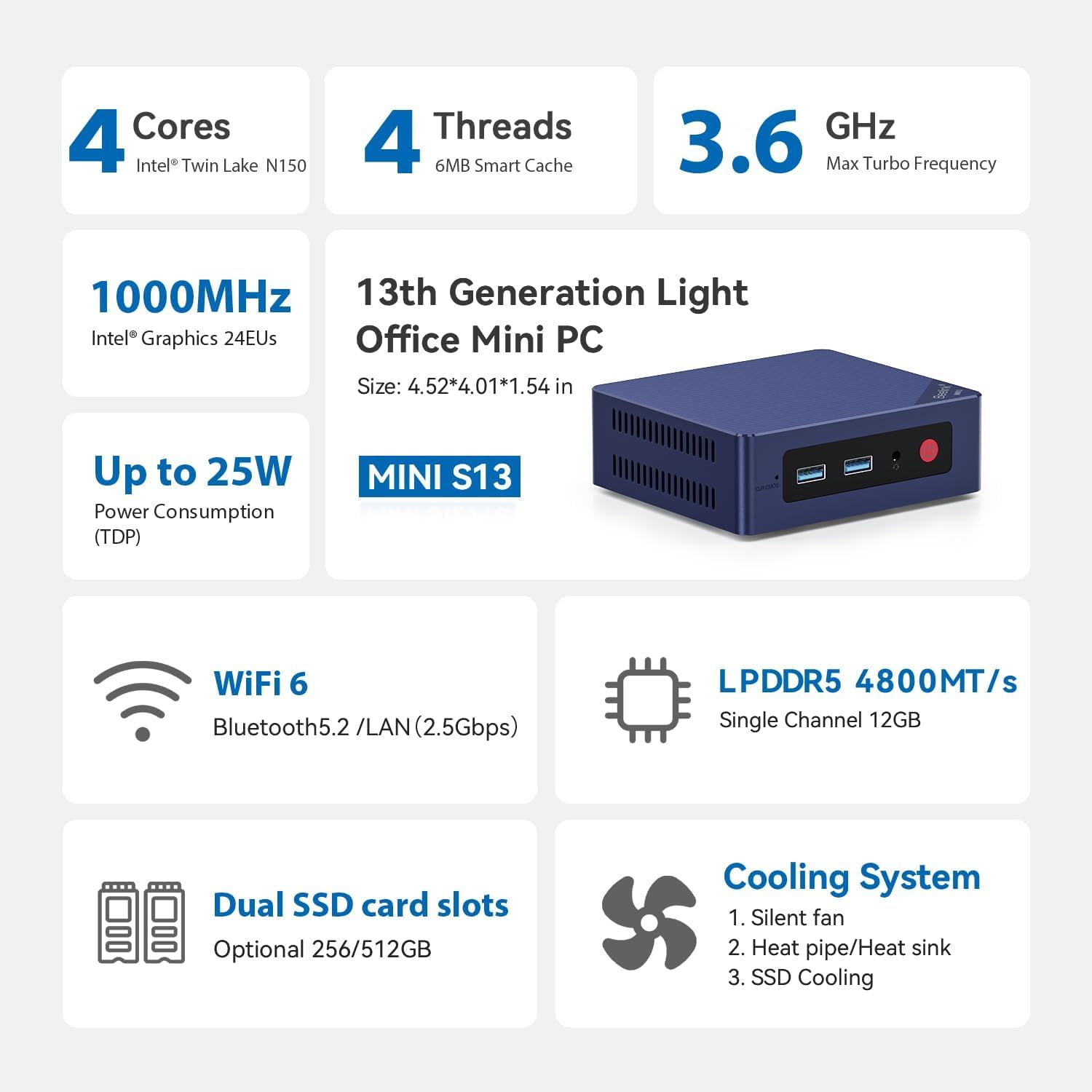
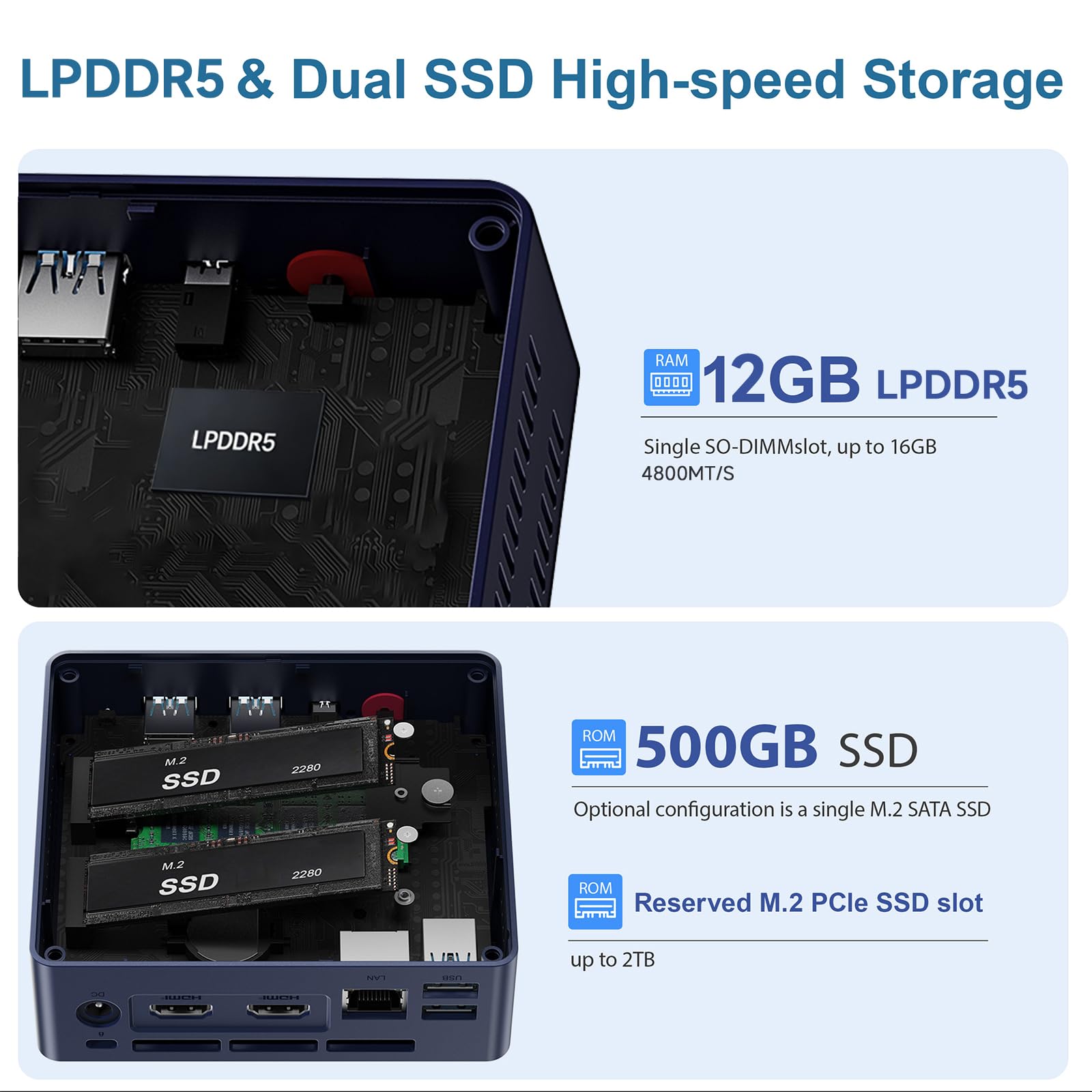
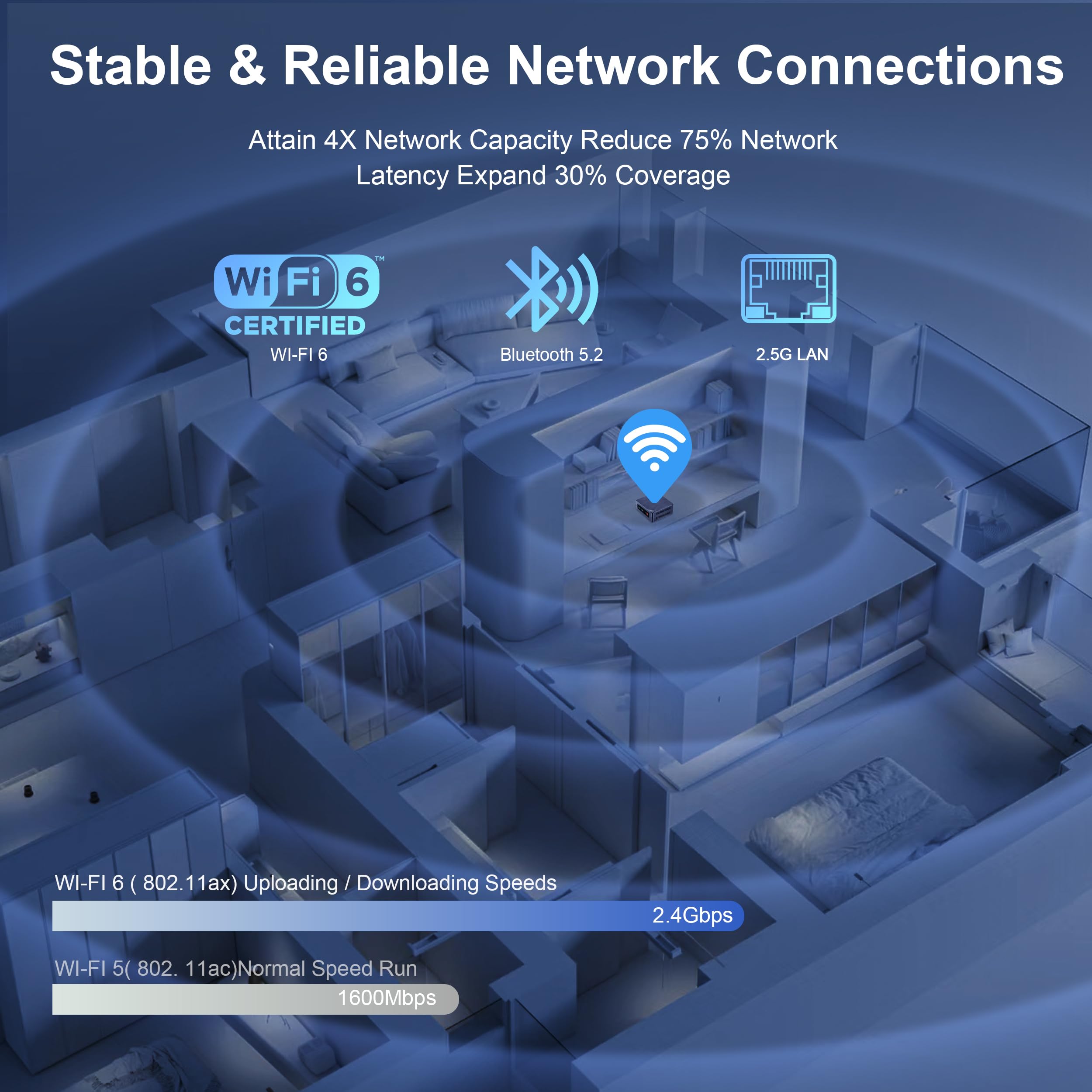
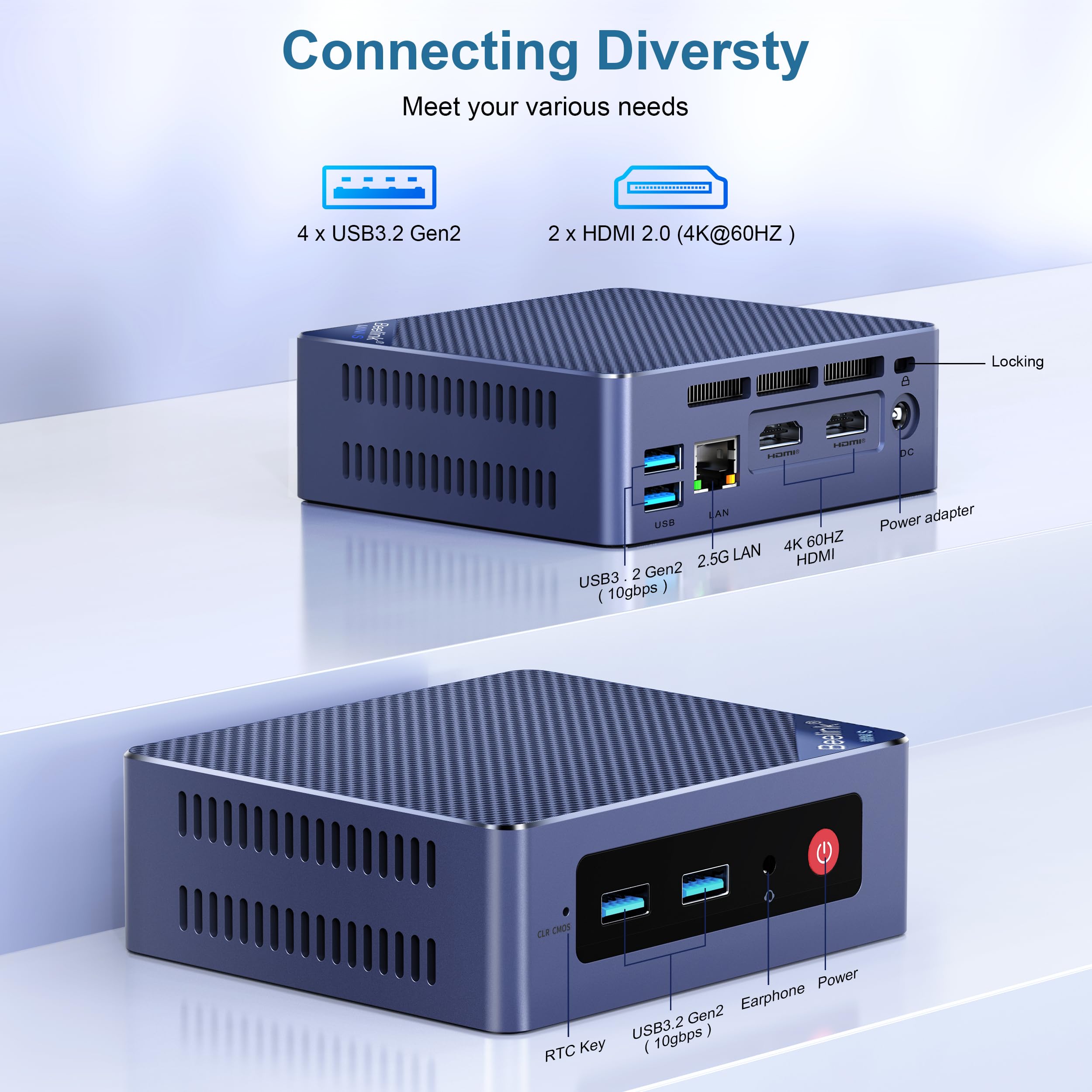
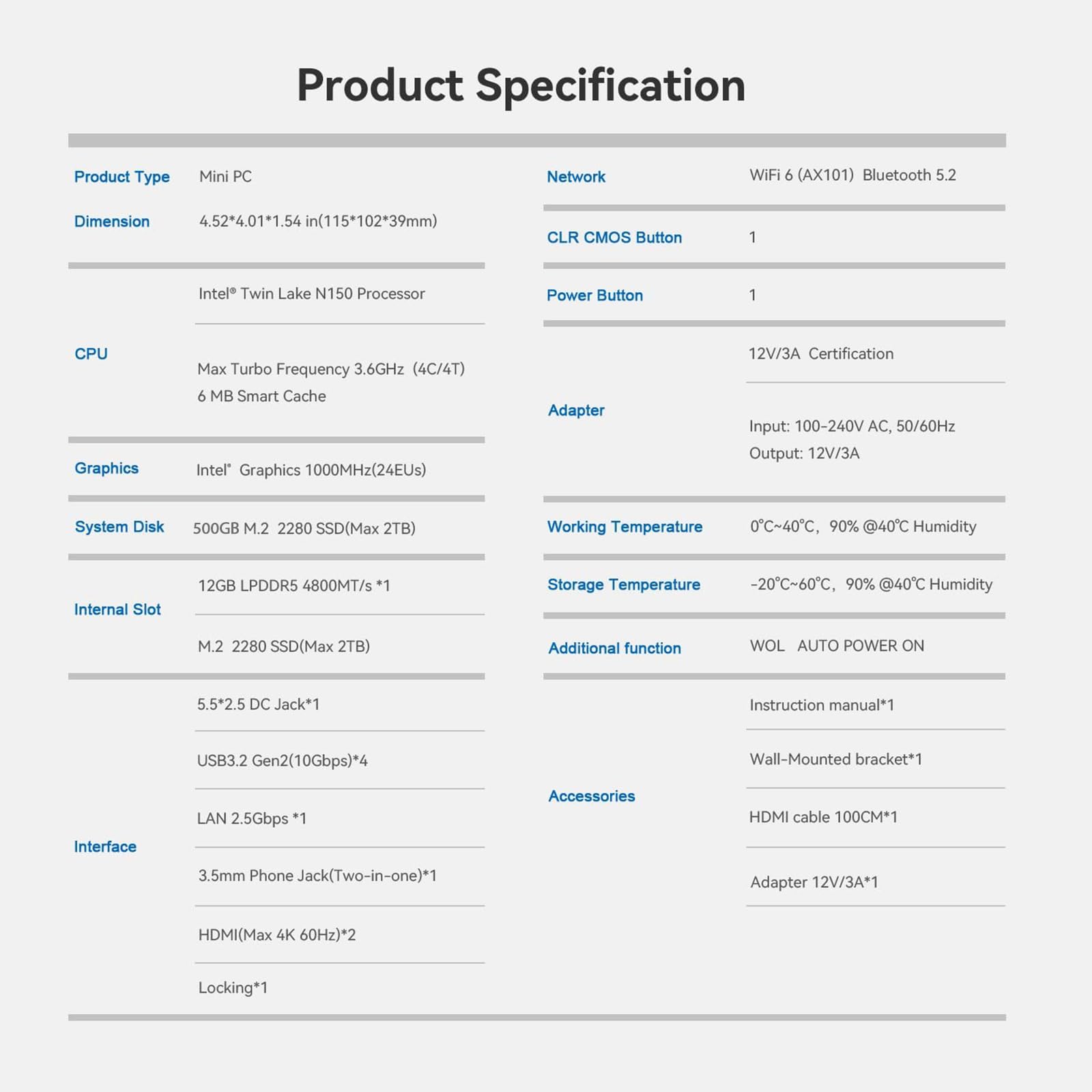
The Beelink Mini S13 Pro is a compact powerhouse featuring a 13th Gen Intel N150 quad-core processor clocked up to 3.6GHz, 16GB DDR4 RAM, and a speedy 500GB M.2 SSD. It supports dual 4K HDMI displays, WiFi 6, Bluetooth 5.2, and multiple USB 3.2 Gen 2 ports for ultra-fast data transfer. Designed for professionals craving high performance in a sleek, portable form factor, it’s perfect for streaming, office productivity, and multitasking with reliable wired and wireless connectivity.


| ASIN | B0D5QXTFHH |
| Are Batteries Included | No |
| Brand | Beelink |
| Colour | Black |
| Computer Memory Type | DDR5 RAM |
| Connectivity Type | Wi-Fi |
| Customer Reviews | 4.4 4.4 out of 5 stars (151) |
| Date First Available | 17 December 2024 |
| Graphics Card Description | Integrated |
| Graphics Card Interface | Integrated |
| Graphics Card Ram Size | 16 GB |
| Graphics Chipset Brand | Intel |
| Graphics Coprocessor | Intel Graphics 24EUs 1000MHz |
| Graphics RAM Type | Shared |
| Hard Disk Description | SSD |
| Hard Drive Interface | PCIE x 2 |
| Hard Drive Size | 500 GB |
| Included Components | 100CM HDMI cable x1, Beelink Mini PC EQ13 N200 16/500GB, Power Cable x1, User manual x1, Wall mounted bracket x1 |
| Item Dimensions LxWxH | 11.5 x 10.2 x 3.9 Centimeters |
| Item Height | 1.54 Inches |
| Item Weight | 699 g |
| Item Width | 4 Inches |
| Item model number | MINIS |
| Manufacturer | Shenzhen AZW Technology Co., Ltd. |
| Maximum Memory Supported | 16 GB |
| Memory Clock Speed | 3200 MHz |
| Memory Technology | DDR4 |
| Number of HDMI Ports | 2 |
| Operating System | OS |
| Processor Brand | Intel |
| Processor Count | 4 |
| Processor Socket | FCBGA1264 |
| Processor Speed | 3.6 GHz |
| Processor Type | Celeron |
| Product Dimensions | 11.48 x 10.16 x 3.91 cm; 699 g |
| RAM Size | 16 GB |
| Resolution | 3840 x 2160 Pixels |
| Screen Resolution | 3840 x 2160 |
| Series | Mini S13 Pro N150 |
| Wireless Type | Bluetooth |
M**D
I found that 90% of the time I was using my gaming PC for simple things like browsing and excel. I got this for those tasks to minimize the power used. This one had great reviews and seemed like it would work well. I chose this model over others because the price was under $200 and it also had a full 2280 m.2 drive. I was hoping to find one that would have space for a 2.5" laptop SDD but no luck for the price point. Other specs were perfect and I made the purchase. Setup was very easy. It came with the power cord, HDMI and even a mount for your monitor if you wanted (I did not use it). It was up and running in 5 minutes. It had to do a bunch of windows 11 updates. It get updating and restarting as normal. I did notice that the PC would slow down pretty bad when doing a windows update. I was a little concerned. It also kept failing at one big windows update. It never worked even after 5 attempts. The next day the PC stopped working all together. I would turn it on and get a blue screen from windows saying something had failed and I needed to fix/repair but it could not. I was about to return the item but decided to try and format everything and install windows 11 fresh. Took about an hour but the PC is running so much better. Even after updates and installs, the PC is perfect for my needs. Runs browsers well and office products like excel too. No issues. I stream movies on this as well. If you get this, I would highly recommend formatting and installing your own OS. I am not sure if there was bloatware or other programs running from the manufacturing but it is significantly faster with a clean install.
D**R
Better than I thought. Got it for my wife who just uses it for Amazon, paying bills and email. Replaced her old Dell since it was Win 10 and got VERY SLOW! This Beelink is so much faster - boots quickly, silent, runs old Dell programs just fine. Takes up little space which is remarkable. Only concern after having it a month was update from Win 11 ver 24H2 to 25H2. Unsuccessful first couple attempts then a window popped up in the updates section to repair existing version. Clicked on it, seemed to clear everything up and the ver 25H2 was ready to install. Took a long time to install but turned out OK and works perfectly. Highly recommend this product.
S**G
UPDATE 02/13/2025. AGAIN, DO NOT BUY BEE-LINK. Bee-link had me send all units back, at my cost. Bee-link does Not have a RMA (Return Merchandise Authorization) account for shipping back bad units. They were supposed to reimburse me for the shipping, but I am still waiting over (2) months for reimbursement. They were supposed to send me all new units, but I am still waiting on the completion of that promise. I definitely will not be holding my breath. UPDATE 12/19/2024. After Beelink told us to perform (4) tests per unit ( 4 tests x 6 units ) to see if these fix the problems vs. issuing a RMA (Return Merchandise Authorization) for the (6) defective units (@ $300 in IT man hours).....Beelink has the audacity to request that the Customer (me) mail back to (6) defective units to their facility (no RMA) at my expense. We have just LOST over $1,620 in expenses to Beelink + $300 in IT man hours = $1,920 total. AND they want us to send back the DEFECTIVE units at our cost. THAT'S A JOKE! This is NOT a company that anyone should do business with. No one should buy from Beelink because of this interaction and BAD customer service. We will NEVER buy from Beelink again. BUYER BE WARE!!! We will also be filing a USA BBB. Beelink is a CHINA Company (MONOMARK HOUSE 27 OLD GLOUCESTER STREET, LONDON, ENGLAND WC1N 3AX) and everyone should be CAREFUL. Their customer service does NOT care about the customer and defective products. They only care about profits and how much they can get from the US Clients for their defective products. I have seen numerous complaints on REDDIT, Trustpilot, TomsHardware, etc. PLEASE BE CAREFUL and buy from a USA Manufacturer or a more trusted brand. BEELINK EQ13 Mini PC Intel N200, 16GB, DDR4, 500G is defective. We bought (6) of these units, and they all have FAILED. We paid $270 apiece for each one. $270 x 6 = $1,620 total. HDMI ports are not responsive. Blue screen of death. Periodic shutdowns. Running HOT. Our IT Department has spent countless hours trying to keep these units running for our office, and we cannot afford to continue with these specific units. These (6) units are still under the manufacturer’s warranty. We are looking into other manufacturers to replace these units. We will be filing a BBB Complaint against Beelink. We have a solution to the replacement these (6) defective units, with higher quality units or a full refund, and hope that Beelink reach out to us to resolve this issue.
G**T
The specs are great and it has worked fairly well. About 2 times per month for some reason, it stops sending input to my monitor. I switch the HDMI to the other port, and it is good for a few weeks then I have to do it again. Now for the really bad part. I am somewhat of a power user and if I exceed the memory using a local LLM or whatnot, it just reboots. I have never had a PC that did that, they would just slow down, not reboot out of the blue. I can't seem to find new fans to purchase for these Beelinks, I have 3 but Beelink did send me a new one for one that failed after 3 months so that was a plus. Overall, I am still happy with it.
W**E
The good: Power supply is internal. Larger heatsink than EQ12's. Good cooling. Dual NVME slots. Dual NICs Room for improvement: In my opinion, the EQ 13 should have included dual 2.5G ethernet. Included SSD is only good for about 500 MB per second. EQ 13 probably should have used DDR5 instead of DDR4. Performance as is: Performance out of the box is very satisfactory for a quad core with 16G ram. Video output streaming is better than the EQ12's in N100 / N305. Improvements that one can perform yourself: Replace the SSD with a decent quality NVME can boost speeds from 500 MB per second to about 3500 MB/sec in slot 1. SSD does not apparently work in NVME slot 2. Second NVME slot tops out at about 900 MB /sec ; still quite an improvement over the included SSD drive. While the specs suggest that 16GB DDR4 is the max, I put in a Corsair Vengeance 32GB SODIMM and so far it recognizes it and works under Windows and Linux. Tested speeds of 1GB ethernet was satisfactory and works good enough. My intentions for the device may include using it as a virtualization host but primarily for testing linux distros, and acquainting myself with Linux as a platform moving forward. Would I buy again: Possibly. I do really like having the power supply in the chassis. For most things, the 1GB ethernet is satisfactory, although I would have preferred 2.5 GBE. System has been quite stable and works well. If the N305 version came back as the EQ12 Pro or EQ13 Pro, I'd buy 3 in a heartbeat. As the N200, if I need a unit or two, I would not hesitate to purchase even this N200 EQ13 . Amazon Listings: The Amazon listings for the EQ13 are all over as far as accuracy is concerned. So instead, I went to Beelink's own site to get specs; The EQ13 is 16 GB DDR4, with dual 1.0 GB ethernet included plus a Wi-Fi adapter included. The included power supply works well. The temperature that the fans turn on can be controlled within the BIOS and works well. The two NVME slots have an included heatsink. The NVME's do not get particularly hot. The primary NVME slot is 3 lane PCIE 4.0 which can max out at Gen 3 speeds ( about 3500 MB per second ) and the second slot is limited to 1 lane and tops out at about 900 MB per second. The included UHD graphics works well with streaming services like youtube; Intel UHD graphics are somewhat less robust than integrated AMD graphics; Occasional dropped packets with Youtube is normal, but this version does seem to fare better than the EQ12 and EQ 12 Pro. Still, even the EQ12 and EQ 13 are perfectly OK for normal day to day use. I would not consider this platform a gaming system; although it may run emulation for other platforms OK. The N200 gives the end user a little more headroom than the N100's do. Still, I'd buy again if I needed an additional unit or two. What features I found attractive: Integrated power supply is a very nice feature. N200 - a little more headroom. N100's can bog down during Windows Updates a bit. Dual NVME slots. Dual network adapters. Overall, it's a good little computer for the price and features included. FWIW: The reason that the NVME slots are 3 lane and 1 Lane is an Intel limitation on these lower end processors. It's not really a Beelink design fault; but a limitation of the intel chipset. It works the same on many N100's / N200's, and N305's as well, Beelink and other brands.
Trustpilot
Hace 2 semanas
Hace 2 días