We remain fully operational. Our teams are working around the clock to ensure your deliveries continue safely.

Descargar la aplicación


Servicios al cliente
Sobre nosotros
Copyright © 2025 Desertcart Holdings Limited
Descargar la aplicación
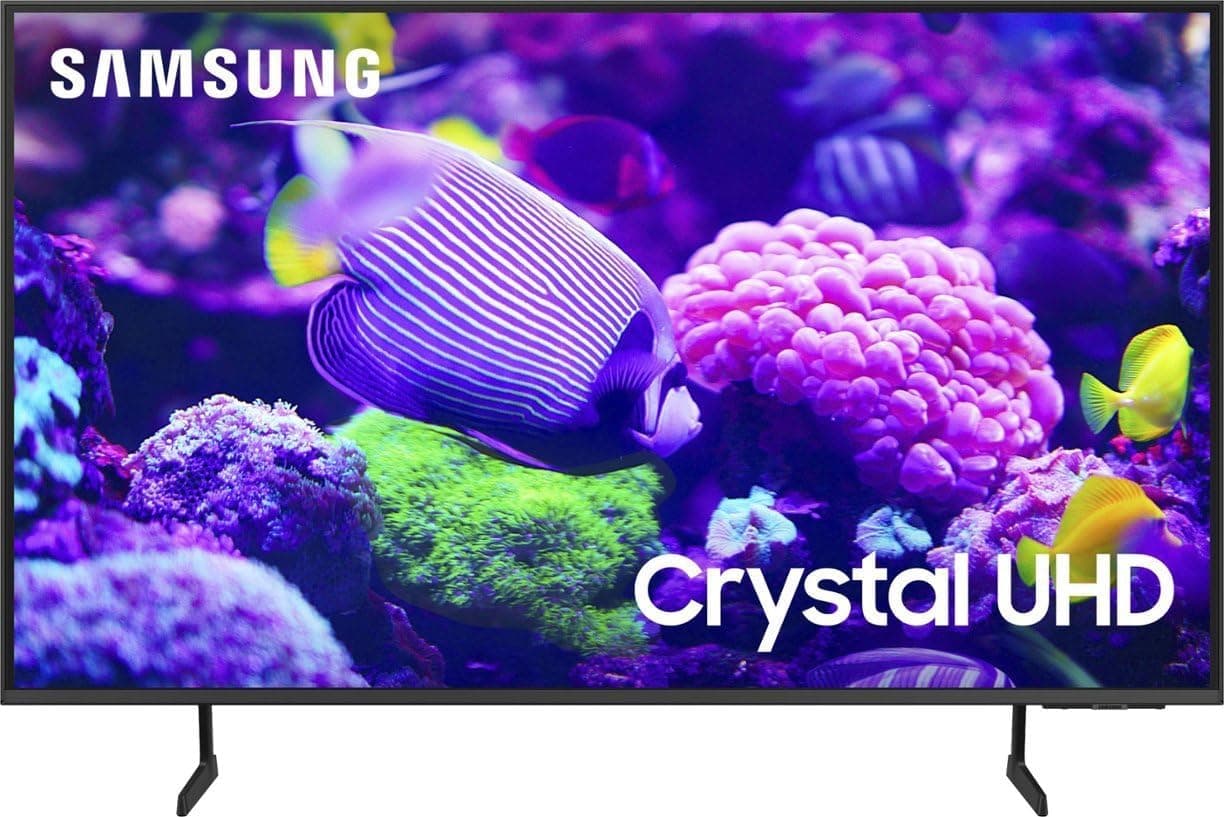
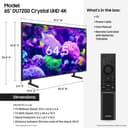


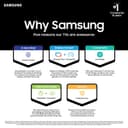


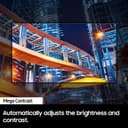
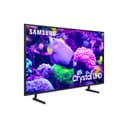
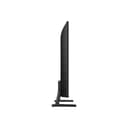

🔥 Elevate your home cinema game with Samsung’s 65" Crystal UHD brilliance!
The Samsung 65-Inch Class Crystal UHD 4K DU7200 Series (2024) Smart TV combines advanced 4K upscaling, PurColor wide color technology, and Motion Xcelerator for smooth visuals. Featuring Object Tracking Sound Lite and Q-Symphony compatibility, it delivers immersive audio. Powered by Tizen OS, it offers seamless streaming and smart connectivity, making it a premium choice for millennial professionals seeking a vibrant, cinematic home entertainment experience.


| ASIN | B0CVS1XHJL |
| Additional Features | PurColor; 4K Upscaling; Motion Xcelerator; HDR; Crystal Processor 4K; Contrast Enhancer |
| Annual Energy Consumption | 266 Kilowatt Hours |
| Antenna Location | Home Viewing |
| Aspect Ratio | 16:9 |
| Audio Input | HDMI |
| Bluetooth Version | 5.3 |
| Brand | Samsung |
| Built-In Media | Power Cable, User Manual |
| Color | Titan Gray |
| Connectivity Technology | Bluetooth, HDMI, Wi-Fi |
| Connector Type | HDMI, USB |
| Content Sharing Direction | Mobile to TV |
| Contrast Ratio | 4000:1 |
| Control Method | Remote |
| Controller Type | Voice Control |
| Customer Reviews | 4.3 4.3 out of 5 stars (5,039) |
| Display Backlight Configuration | Edge LED |
| Display Backlight Technology | LED |
| Display Language Options | English |
| Display Refresh Rate in Hertz | 60 |
| Display Size Class | 65 Inches |
| Display Technology | LED |
| HDR Format Supported | HDR, HDR10 Plus |
| Hardware Interface | Ethernet, HDMI, USB |
| Has Color Screen | Yes |
| Integrated Surround Sound Format | Dolby Digital or DTS |
| Internet Applications | Netflix |
| Item Dimensions D x W x H | 26.7D x 145.3W x 87.9H centimeters |
| Item Weight | 16.42 kg |
| Line Voltage | 110 VAC 60 Hz |
| Manufacturer | Samsung |
| Maximum Display Brightness | 300 Candela Per Square Meter |
| Mfr Part Number | UN65DU7200FXZA |
| Model Name | SAMUN65DU7200 |
| Model Number | UN65DU7200FXZA |
| Model Series | DU7200 |
| Model Year | 2024 |
| Motion Enhancement Technology | Motion Xcelerator |
| Mounting Type | Wall Mount |
| Number of Audio Channels | 5.1 |
| Number of Component Outputs | 3 |
| Operating System | Tizen |
| Picture Quality Enhancement Technology | Crystal Processor 4k |
| Refresh Rate | 60 |
| Remote Control Technology | Bluetooth |
| Resolution | 4K |
| Screen Finish | Flat |
| Screen Mirroring Technology | Samsung Smart View |
| Screen Size | 65 Inches |
| Signal Format | digital |
| Size | 65-Inch |
| Speaker Description | Built-In Speaker |
| Speaker Maximum Output Power | 20 Watts |
| Specific Uses For Product | Home Entertainment |
| Total Number of HDMI Ports | 3 |
| Total USB 2.0 Ports | 1 |
| Total Usb Ports | 1 |
| Tuner Type | ATSC |
| UPC | 887276830780 |
| VESA Mount Standard | 400 x 300 mm |
| Video Encoding | HEVC |
| Water Resistance Level | Not Water Resistant |
| Wireless Technology | Bluetooth |
D**3
One week's initial impressions: Pros: price was only $227.99 on sale which is a bargain for a 43-inch Samsung even if it is a "2024 model". Color is great out of the box, picture is great AFTER I turned the MOTION CLARITY option off (see cons below). Sound quality is excellent. Made in Mexico which I can live with (better than the usual alternative who is our main global competitor). Overall, a fine 43-incher. Cons: not all that simple to set up. I had to play with the little Samsung remote (see pic) and go thru several screens and options and streaming services offers, etc. Gripe: there is an annoying VOICE assistant you cannot get rid of on the ACCESSIBILITY menu screen where I go if I want to shut off the picture and leave audio on only. The voice is irritating and says, "ACCESSIBILITY SHORTCUTS, EIGHTEEN ITEMS, PICTURE OFF, OFF" every time I use that screen to shut the picture off and leave audio on. So I just turn the volume down first. The USER GUIDE found in the on-screen menu and the Samsung rep I sw both say you cannot shut the voice off WHEN YOU ARE USING THE ACCESIBILITY screen. Why did Samsung do this? Gripe - the TV comes with "PICTURE CLARITY" ON, but it is easily disabled in the on-screen settings menu. PICTURE CLARITY "ON" is supposed to stop motion blurring on sports or fast action scenes according to internet, but it makes some shows look unnatural like old soap operas. I googled "Samsung PICTURE CLARITY" on the net and that's what the AI responses said, and so I toggled PICTURE CLARITY "off" and now the picture is 100% GREAT. Small gripe: there is a 1/4-inch wide black border around the picture (see pic I supplied) and I thought it was a defect, but I see the same border in the Amazon pictures for this tv and for other sizes of this model, so it's normal. The Samsung rep I sw verified it is normal also. It's so minor and almost un-noticeable and I thought it was the bezel until I looked real close at the screen. CONCLUSION: great picture and sound, great looking TV with that really thin bezel, and great price. Another Samsung TV perfect for our needs. So far we have had all Samsung TVs the last 20 years and none have disappointed. And each lasted over 10 years with lots of use. Side note: I went from a business-required IPHONE to a SAMSUNG Smartphone almost 5 years ago and it has been the best phone I've had. I'm sold on Samsung.
N**L
The Samsung Crystal UHD 55-inch TV is so good, I think I’ve accidentally become a professional binge-watcher. I turned it on once, and I’m pretty sure I haven’t left my couch since. This thing sucks you into content like it’s a portal to another dimension—where Netflix asks, “Are you still watching?” and the answer is always yes. Picture Quality: The 4K resolution is so sharp, I swear I saw every individual pore on an actor’s face during a close-up—though I’m not sure I needed that level of intimacy with my favorite sitcom stars. Colors are so vibrant it feels like a Pixar movie exploded on my wall, and now I can’t go back to reality. Seriously, the grass on this TV looks greener than my lawn, and now I think my grass is just being lazy. Sound: The built-in speakers are surprisingly good! But do they make me feel guilty about not upgrading to a soundbar? Of course. It's like the TV is whispering, “I’m good, but imagine how much better I could be...” Sneaky. Smart Features: It’s got all the apps you can dream of—Netflix, Disney+, HBO, and about 12 others I didn't even know existed. My Roku looked at this TV, packed its bags, and left because it knew it wasn’t needed anymore. Also, the remote is so sleek that I lost it within 20 minutes, but it felt like a good excuse to try Samsung’s phone app remote control—turns out, that works like a charm too. Verdict: This TV has become the MVP of my living room—whether I'm watching a blockbuster or just admiring the menu screen because I can't decide what to watch. It's elegant, ridiculously clear, and smarter than me (but that's not saying much). 5/5 stars! Just be warned: once you turn it on, you may find yourself saying, “Just one more episode” until 3 AM rolls around... at which point the Crystal UHD is still looking perfect, and you’re looking like a raccoon with no regrets. 🦝
C**L
Bought this TV for our home movie theater room to replace an 11 year old LED projector. Amazing TV. I can't believe how far TV tech has advanced in my lifetime (45 years old). I went with Samsung because our other smart TVs in the house are also Samsung, which means my family members all know how to use and navigate the same user interface software. I watched Thursday Night Football on it on Amazon Prime the other night and it was so immersive and beautiful. So much more vibrant and sharp than a projector. I also recommend the Echogear tilting wall mount for TVs up to 90" if you will be hanging it on a wall. It was easy to install myself. The TV weight is about 72 pounds, so I was able to lift it from the middle, my 13 year old daughter on the left, my wife on the right to balance it steady, and it hangs right on the wall mount and snaps into place very easy. Just take your time, follow the instructions, have at least 1 person to help you lift/mount, and you'll be good to go. I loved the price, too. Hope this review helps you out!
H**R
Bought the 55". Sound is okay, not too loud and not high definition. But it's not losing a star because it's a great buy on a Samsung and pretty much everyone uses some sort of external sound device. I stick to Samsung because I can easily connect a Samsung phone or tablet for screen mirroring. I spent a day setting this up: a couple hours on putting the bracket on the wall. About 3 hours hunting down all the apps and signing in to everything. And a couple more on tuning all the tv features and picture quality the way I like it. After all is said and done, it's very user friendly and has a great picture quality. The remote has no microphone but I happen to like less spying devices on me, just like I bought a laptop that doesn't even have camera, that's just me.
M**A
Latest update. All the same problems as before, but now the home theater doesn’t work with this tv at all and I moved it to a fire tv in the basement. Also had frequent problems with Prime and a few other services. Prime will frequent lock up, turn on and a bunch of blank panels will show up but no pictures, words, etc. , will show up. Checking other tvs in the house and everything works fine. Customer service had me run through a bunch of algorithms that fixes it for the few days and then, boom. Bottom line, this tv sucks bad and I recommend that you buy anything but a Samsung. Bottom line up front: great picture, everything else sucks. When we purchased this TV, I was excited. Picture quality was great. But things started going south pretty quickly. The remote is wonky. You click a button and nothing happens, you try again, and nothing. You contort yourself to get different angles and finally it scrolls forward or raises the volume or whatever you wanted. But then it keeps going, like it stored all those button presses and ran them all at once. It is marginally better using my phone app to do these things. It has the same problem only less often. The problem with the app is that sometimes it randomly severs the connection and you can’t turn it on. It then wants you to go through a whole diagnostic process which took about 15 minutes. Unplug it, plug it back in, check the WiFi, check some other crap. I am starting to get nostalgic for the days when I got up pushed the button on the tv to turn it on, turn the channel with a knob, even old tube tvs which took a few seconds to warm up are faster than this crap sometimes. The external speaker feature is also crap. I have a home theater than is a few years old, that works perfectly on my old tv or when I listen to music via Bluetooth, but only randomly works with this tv. We will be watching, and it works great. Turn off the tv and turn it on later and no sound. Play with the settings for a while and eventually you just use the tv speakers. But the next time you turn it on, it decided to use the home theater and maybe sound comes through the home theater but mostly it doesn’t. Their tech support is useless here. They have a list of algorithms for you to walk through, and when those don’t work, they give up and tell you it’s not the TV but the home theater. Finally the “Smart” features are anything but Smart. Trying to add apps, put them on the screen in some semblance of order is not intuitive with this machine. This is such an ugly process that I guess enough people complained, that tech support actually has an effective algorithm that they can help you set it up. I recommend that you write it down, because next month when you want to add Hulu, and put it on your screen in a convenient place, you’ll need to call again to wind your way through the process.
Trustpilot
Hace 1 mes
Hace 2 meses