We remain fully operational. Our teams are working around the clock to ensure your deliveries continue safely.

Descargar la aplicación


Servicios al cliente
Sobre nosotros
Copyright © 2025 Desertcart Holdings Limited
Descargar la aplicación





⚡ Compact power, seamless Apple magic — your desk’s new MVP!
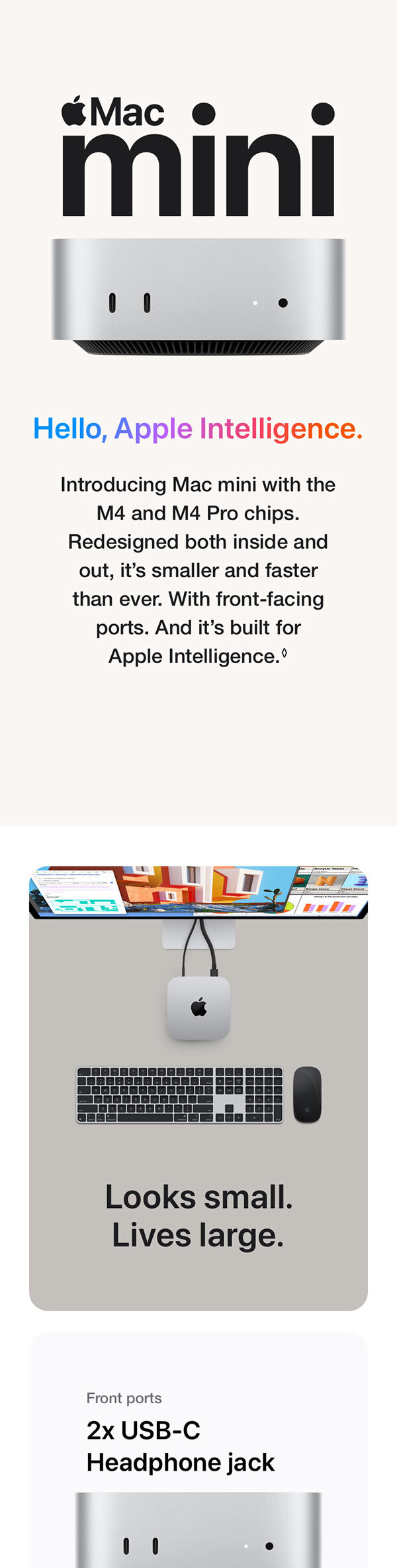
The Apple Mac mini with M4 chip packs a 10-core CPU and GPU into a compact 5x5 inch chassis, delivering exceptional speed and efficiency. Featuring 16GB unified memory and 256GB SSD, it offers lightning-fast performance for professional multitasking and creative workflows. With versatile Thunderbolt 5, HDMI, USB-C, and Gigabit Ethernet ports, it integrates flawlessly with your Apple devices, enhancing productivity through seamless ecosystem connectivity. Designed to be carbon neutral, it’s a powerful, eco-friendly desktop that fits anywhere and keeps you ahead in style and performance.



| Brand | Apple |
| CPU model | Apple M4 |
| CPU speed | 0.01 |
| Graphics card description | Integrated |
| Included components | Mac mini, Power lead |
| Model name | Mac mini M4 |
| Operating system | Mac OS |
| Personal computer design type | Mini PC |
| RAM memory installed size | 16 GB |
| Specific uses for product | Business, Everyday Use, Multimedia |
L**H
Excellent upgrade for non-technical users – base model is more than enough
I bought the Mac mini as a gift for my girlfriend’s dad, who isn’t tech-savvy at all, and it’s been a really positive experience so far. He was upgrading from an older Mac with the built-in screen, and the difference for him has been night and day. Everything feels faster, smoother, and far more responsive, without him needing to understand or change anything about how he uses a computer. From a usability point of view, it’s been completely straightforward, which is exactly what you want when buying tech for someone who just wants it to work. It uses thunderbolt 5 too so that makes connectivity easy with just 1 cable, looks so sleek and when paired with the right screen, basically just turns it into an iMac screen. One of the biggest strengths of the Mac mini is the value it offers for everyday use. The base model is more than sufficient for typical tasks like browsing, email, documents, and general day-to-day computing. In my opinion, this is where the best value lies. Once you start adding extra storage or memory, the price climbs quickly, and that’s where buyers are more likely to question whether it was worth it. For most people, buying the base version and seeing how you get on makes far more sense. It’s also worth mentioning the size and flexibility. The Mac mini is compact and easy to fit into almost any setup, and there are VESA mounting options available if you want to attach it to the back of a monitor for a really clean, uncluttered desk setup. After a couple of weeks of use, feedback has been consistently positive. It’s easy to use, reliable, and feels like a machine that will comfortably last for years without becoming frustrating or outdated. Overall, this is a great option if you’re upgrading an older Mac or buying for someone who doesn’t care about technical specs but wants something fast, simple, and dependable. Stick with the base model unless you know you genuinely need more, and it’s hard to go wrong. Great buy!!!
A**L
Incredible Power in a Compact Package – A Must-Have Mac!
I recently upgraded to the new Apple Mac mini with the M4 chip, and I’m absolutely blown away by its performance! The 10-core CPU and 10-core GPU handle everything I throw at it – from heavy multitasking and coding to video editing and graphics work – without breaking a sweat. The 16GB of unified memory is more than enough for all my productivity needs, and the 512GB SSD is lightning-fast, making boot-ups and file transfers incredibly smooth. It’s also whisper-quiet, even under load, which is a huge plus if you're working in a quiet environment. One of the best features is how seamlessly it integrates with my iPhone and iPad. Handoff, AirDrop, and Universal Clipboard all work flawlessly – it truly feels like the Mac mini is the brain at the center of my Apple ecosystem. Also, it's already optimized for Apple Intelligence, which makes it feel future-proof and ready for the next generation of smart features and AI-enhanced workflows. The Gigabit Ethernet gives me fast and stable internet for remote work and streaming, and the overall design is sleek and minimalistic – it fits perfectly on my desk without taking up space. If you’re looking for a desktop that offers premium performance, tight Apple integration, and incredible value for its size and power, this Mac mini M4 is the way to go. Highly recommended!
F**T
My First Mac
I purchased the Mac Mini M4 as a replacement for my old windows computer. - I decided to buy it without ever having tried the Mac operating system or having owned a Mac before. - Firstly, the hardware/build quality is first class; a premium metal construction with a neat small design. - There are several usb c ports as well as a lan port for networking and hdmi port for video out. - I was and remain extremely impressed with the processing power of the M4 chip; which smashes through anything I throw at it, including gaming (cyberpunk 2077 and others); and its fast at video editing (faster than my windows pc by far). - The Mac operating system is intuitive and responsive and the updates are handled so much better than a windows computer. / So much so m, I can’t see myself returning to windows now I have this Mac Mini. - lastly - it’s so portable- and I carry an iPad which I use as a portable monitor if I’m going away.
A**D
Powerful, Compact, and Excellent Value for Money.
I recently picked up the Apple Mac mini with the M4 chip, and I have to say it’s an impressive little powerhouse. Despite its small size, the performance is top tier, the 10-core CPU and 10-core GPU handle multitasking, creative software, and productivity apps with ease. It runs whisper quiet and stays cool, even during heavier workloads. The integration with my iPhone and iPad is seamless, as you’d expect from Apple. Handoff, AirDrop, and Universal Control all work perfectly, making it easy to switch between devices without missing a beat. The M4 chip feels like a big step up in terms of speed and efficiency, and macOS runs incredibly smoothly. Design wise, it’s as sleek and minimal as ever, and it doesn’t take up much space on the desk. Despite the compact build, it offers solid connectivity, including Gigabit Ethernet for stable networking.
G**A
تحفة فنية رائعة! الجهاز صغير بشكل مذهل، ويعمل بمنتهى الكفاءة بدون أي صوت. أنا بستخدمه استخدام خفيف، يعني مفيش مونتاج فيديو أو ألعاب تقيلة، فمش عارف هيكون وضعه إيه في الحالات دي. جبت معاه شاشة BenQ موديل GW2790Q وكانت النتيجة رائعة.
L**S
I received the mac mini very quickly, in two days. Good packaging. I am satisfied with the purchase. I recommend it.
E**S
I've just ordered my second MacMini M4 from Amazon. The first was ordered from Apple as a refurbished Mac Mini for the same price as the brand new one just ordered from Amazon! Anyway they work super fast, and are incredibly small in physical size. A complete no brainer if you're in the market for a new computer! I've ordered base models and after market I TB SSD's. There are a number of videos on youTube that show how to install the upgrade SSD's.
ا**ي
تحفه فنيه من ابل اقوي جهاز كقيمه مقابل سعر
P**.
Bought the mini Mac m4 and I could not get the wifi to work. I have a lot of experience with mini pcs and have never run into problems with the wifi. If you check online there are lots of negativity around the wifi on this m4 Mac. In my opinion this should not have been released in its current state. I have returned this to Amazon and have received a refund.
Trustpilot
Hace 1 mes
Hace 2 meses