We remain fully operational. Our teams are working around the clock to ensure your deliveries continue safely.

Descargar la aplicación


Servicios al cliente
Sobre nosotros
Copyright © 2025 Desertcart Holdings Limited
Descargar la aplicación


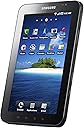
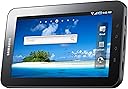





🚀 Elevate your mobile lifestyle with the Galaxy Tab – where power meets portability!
The Samsung P1000 Galaxy Tab is a sleek 7-inch tablet featuring a vibrant TFT LCD with 1024x600 resolution, powered by a 1GHz ARM Cortex A8 processor and 16GB storage. It runs Android 2.2, supports 3G and Wi-Fi connectivity, and offers dual cameras for video calls and photography. Designed for professionals on the move, it integrates multimedia, productivity apps, and social communication hubs into a compact, lightweight form factor with up to 8 hours of battery life.
| ASIN | B0042D75TU |
| Audio Output Type | Speakers |
| Available Memory Slots | 1 |
| Battery Life | 8 Hours |
| Best Sellers Rank | 405,716 in Computers & Accessories ( See Top 100 in Computers & Accessories ) 4,582 in Tablets |
| Brand | Samsung |
| Brand Name | Samsung |
| Camera Description | Front, Rear |
| Cellular Technology | 3G |
| Colour | Black |
| Control Method | Touch, Voice |
| Customer Reviews | 3.5 out of 5 stars 159 Reviews |
| Display Technology | TFT and Capacitive Touchscreen |
| Display Type | LCD |
| Form Factor | Convertible |
| Front Photo Sensor Resolution | 3.2 MP |
| Global Trade Identification Number | 08806071041056 |
| Graphics Coprocessor | ARM Cortex A8 |
| Hard disk size | 16 GB |
| Hard-Drive Size | 16 GB |
| Hardware Interface | Sim Card |
| Has Color Screen | No |
| Human Interface Types | Buttons, Touchscreen |
| Item Weight | 0.66 Pounds |
| Lithium Battery Energy Content | 20 Watt Hours |
| Manufacturer | Samsung |
| Model Name | P1000 |
| Model Number | GT-P1000MSAXEU |
| Model Year | 2016 |
| Model name | P1000 |
| Native Resolution | 1024 x 600 |
| Network Connectivity Technology | Bluetooth,WLAN,USB |
| Operating Systems | Android 2.2 |
| Operating system | Android 2.2 |
| Other Special Features of the Product | Lightweight, Touchscreen |
| Processor Brand | ARM |
| Processor Speed | 1 GHz |
| RAM Memory Technology | DDR4 |
| Resolution | 1024 x 600 |
| Screen Size | 7 Inches |
| Screen size | 7 Inches |
| Total USB Ports | 1 |
| Video Processor | ARM |
| Wireless Technology Type | WiFi, 3G |
M**R
Wifi only Samsung P1010 Galaxy Tab -- Poor Wifi, Mixed up Reviews
The first thing to note is that Amazon seem to have mixed up the reviews for this WiFi only P1010 tablet and it's brother the P1000 3g / WiFi / model. The p1010 wifi only model was introduced this year, whilst the more expensive P1000 was introduced last year.Amazon have been told about this on at least one occasion.When you read the review note which model it is referring to. Other things to note are; The specifications of the two tablets are different and the P1010 has no 3g and a slower processor (although it does not have to handle the 3g coms). There are a few other differences which can be seen on the Samsung UK site (comparison page). There is a WiFi problem that has effected many people who own either tablet -- however the problem is more acute for the WiFi version because there is no 3g backup. (which must explain the high satisfaction rating for the P1000) This problem manifests itself by constantly dropping connections or not connecting to certain routers. Many solutions have been offered but there is no one solution that has solved every-ones problem. The solution that works for many people involves rooting your tablet , deleting files and adjusting your router settings.This voids the Tab warranty. I tried various solutions, however all I achieved was a temporary fix until I tried to reconnect. From the forums the problem seems to be more prevalent when the Tab is working with TP-Link routers, followed by Linsky's and D link. There seem to be relatively few complaints from Netgear users. My router is TP- Link and it connects fine with every-thing else. Even if you solve the problem for your own router you are likely to find that the WiFi will not work on the go ---work, McDonald's etc. All this and the attendant frustration is vented on many forums from many parts of the world and it is quite frankly a disgrace that Samsung launched this version knowing the problem existed on the P1000 and also knowing the complaints would rise on a wifi only version. Just type "Galaxy Tab WiFi problems" into Google to see the time and effort that customers have wasted trying to get their Tab's to work properly. Alternatively click on one star reviews here at Amazon and you will find many relate to the P1010 and mention the WiFi problem. If you read the forums you will also note that there is little confidence that the next version of Android (Gingerbread) will solve the problem , or indeed that Samsung will bother to roll it out for the P1010.(The UK rollout for P1000 has started and there's no word about the P1010). The reason people try hard is that the Tab is in most other respects a fantastic piece of kit; the form factor, display, apps and functionality are all great, but theres not much point selling WiFi only kit if the WiFi does not work very well or indeed at all. The WiFi on mine seems to work less well that that on the well starred imports selling for 70% less!. I really wanted mine to work but in the end I sent it back as "Not fit for purpose" , hence the single star.
F**P
Even or better than IPad
I would like to mention the pros and cons of GalTab here comparing the IPad, which I've been using since last month. 1. Running speed and performance - Galtab is generally a little bit slower than the IPad. I guess this is caused by the unstable OS - the froyo. The new OS version - gingerbread(?) - will improve the response speed. Otherwise, the performance of apps, widgets, sycronising and internet connecton in Galtab is fantastic. This would be from greater hardware spec. of Galtab. 2. Battery and portability - The battery is going all day with full brightening and consistant web browsing. Respectively satisfied. I wish the battery would be exchangable, but the Galtab isn't. The weak point of the battery is that it makes Galtab burn. I mean Galtab is getting hot when I played films and browsed webs for a long time. This made me buy a leather case, which solved the hitting problem of Galtab. Mabybe, this problem would be solved after upgrading to new OS version. And 7 inch Galtab is amazing in carrying outside. I am using it as mobile phone and mobile broadbanding device. The Galtab is the best suitable for businessman. 3. Screen and extension - a bit disappointed with TFT LCD screen of Galtab. We know Amoled is much better than the TFT. But, respectively good sizing and looking. This would be because of expensive price of Amoled panel. Fantastic indoor and night vision and bloody hell in sunshine outdoor same as IPad. And I am using a 8 GB micro-sd card for memory extension in Galtab. This is one of the good points of Galtab comparing IPad. Easy to input and manage music files, films, pictures, etc. It's like a common mp3 and mp4 player. This point makes people enjoy multimedia easier than ever. 4. Camera and sound - Good positioning 2 cameras on front and back. Nice performance in video chatting. Picture quality is good on back side of Galtab. But do not think the quality is better than common digital cameras. And, the soudn quality is awesome. Especially, it's the best if you are using headphones. My sony bluetooth headphone makes me take into another world of music, with pairing Galtab. Sound's good. 5. Android market and apps - The market is relatively good as Appstore, but the Appstore is much better in the quantity and quality of the market. I hope the Android apps would have stable and excellent apps in the future. So far, the Appstore and apple apps are the winners. 6. Touching and typing - Touching sense of Galtab is a little bit worse than IPad. Some delays and mis-touching happen occasionally. The new OS version should solve these problems. On the other side, typing is good and easy. You don't neet any keypads. I think this point would kill netbooks. To be honest, typing is so easy and accurate. 7. Price and 3G networking - The price of Galtab is a bit quite high. But, if you can use the device usefully and effectively, the price doesn't matter. Enjoy the high performance of Galtab. And you can choose 3G data networking by buying a new sim card or by using your current mobilephone sim card. Amasing performance in 3G, but remember high-cost in 3G data usage. To sum up, At present, Galaxy tab is 8.5/10 points. IPad is 9.0/10 points. In the near future, Galasy tab will have more than 10 points because of the possible firmware upgrade and development of Android market. I would like to say that Galtab is the frontier of the Android OS device and is the best suitable for businessman and college students.
V**N
Great little tablet :-)
Well were do I start. Firsty I would like to let you know about my experience with amazon this time. I have always been very happy with amazon and am a Prime customer as I order so much. I looked through a lot of reviews for lots of differnt tablets and decided on the Galaxy Tab P1010. I had read all of the 100 reviews and decided this was the one I wanted to go for. It wasn't until it arrived that I realised that most of the reviews under the product don't relate the P1010 they related to the Galaxy P1000. I requested a call from amazon and they called me straight away I explained what had happened and they said they would correct the matter and I left it in their hands. Still a week later I notice that the most of reviews still relate to the wrong tablet so please be careful when you are reading the reviews that you look at the top to check it is the right Tablet. Now for my review about this great little tablet!! I love it. when I took it out of the box I charged it for a while but once it was charged I was ready to have a play!! I connected it to my home wifi very easily and even though the modem is upstairs it works great in the kitchen or living room. I mainly bought it to use as an e-book so downloaded the kindle app first and have loaded on 4 free books from kindle store and bought one it is great you can even change font size, colour and colour of pages. After a little trial and error I have worked out some great things. I have also downloaded some game app from android market. The Smiths book shop is per-loaded on it. It hasn't got as many apps as the ipad but it is great and there are more all the time. The only couple of things about this tablet I don't like is: 1, for some reason I can't get the facebook app I can't find it in the market, but I can use it on google. The second thing is that you can't plug in a USB dongle or use a sim card which I thought I would be able to do after reading reviews but you can only do this on the P1000. I have managed to get round this by getting a 3mobile Pay-as-you-go dongle modem which work brilliantly so I can now use it on the move. The modem easy fits in a pocket or handbag. At home though I'm connected to the wifi. So to sum it up this is a great little Tablet which is a great size and weight to read books on, play games and research on the internet. I would recommed it to a friend. I going to try out the iplayer, music and up-load some photos. Hope this review has been particulay helpful about researching different products and looking at reviews because I wouldn't want to make the same mistakes as I have.
L**E
Great product but needs more work
First of all this is a review of the product. The seller was polite and delivered the product quick and kept me informed at all times. The product even second hand is a little over priced. A quality notebook will cost less and as long as you have a smart phone you can link to the net for email as ahub. The hard drive will be larger. Having said that.... The product is ok to use,i am using it now. Battery life is good (i play music for 5 hours a day 1_2 hours of sat nav and can still read emails and take notes in meetings) and it's very functional for email and diary work. You can take good notes on it our record whole meetings. Samsung could have put some more work into the screen layout but with a new third party app that is all solved. Samsung take a look at htc they know how to make a phone/pad look smart, their widgets sit in the centre of the screen for instance Will I keep it yes, if I needed a better way to spend my money I think a notebook and a smartphone may make more sense
J**K
The tablet has a good display, with crisp image even after 4 years ...
The tablet has a good display, with crisp image even after 4 years of use. Right, I've been using it for whole 4 years, which brings me to another point: app-wise and performance-wise, the tablet went from bad to worse over time. For starters, every other morning I found it with the battery drained, icon layout reset and the best of all, an unresponsive Home button. I typically managed to fix the Home button by plugging the tablet to a PC. I suspect that the culprit was the firmware (Kies). As time went by, other apps started to die one by one: Netflix, Youtube, Safari Books. They just don't start start up even after waiting several minutes. The rest is sluggish. Maybe Samsung wants me to upgrade to a newer model, but that's not going to happen.
P**N
Nice Android tablet but sluggish?
Compared to an iPhone the UI or the apps are not as slick, but the 7" screen is what I wanted. Didn't really want a 10" device. The Samsung Galaxy Tab is a nice device to use... but sometimes it feels a little sluggish. I'm guessing there's something running in the background that's doing this. Very buggy however, some apps simply hang and I have to power down the phone and cold start. I've had it just over a year and it's very sluggish at times, disappointingly so, and there are frequent reboots. I'm wondering if I should root the device and install one of the custom ROMs out there. Battery life seems to be around two days of average use - drops to about a day if you use it heavily. I bought mine SIM free, so the Samsung apps don't work (needs a contract with someone!), however it is quite usable on wireless alone. I went for a network Three monthly renewal contract for about £5 a month that gives me a couple of Gigabytes of non-wireless access. The USB cable is a custom SHORT cable (why can't they be a lot longer!), and it won't really charge from a PC USB port (it pulls 2A from its own charger). The screen gets greasy VERY quickly but not too hard to wipe it clean.
A**A
I have been unfaithful to my Kindle . . .
I feel so guilty. It was all that talk about the Kindle Fire. It got me all het up, and then let me down by saying that I couldn't have one here in the UK. I felt rejected. :( So my thoughts turned to finding consolation elsewhere . . . Galaxy Tab 7 Wifi plus 3G Love it! And the full extent of my Kindle-infidelity is revealed further down. Spent more money, of course; a new love needs to be pampered if the romance is to blossom and last. Vierra G-STAND Black Case Cover with Adjustable Stand for new Samsung Galaxy Tab P1000 & FREE Screen Protector, Samsung 7 inch Tablet, ARM Cortex A8 1GHz / 16GB / 7" Touch Screen / Android 2.2 Froyo / Tablet Excellent, good quality, effective in use. Then I read a Graudian review where the cable got lost, so bought these too: Samsung Galaxy Tab Car Charger Black, 5V, 2A (Detachable Type) UltimateAddons Extra Long 3 Metre Sync, Data and Charge USB Cable for Samsung Galaxy Tab 7" GT-P1000, GT-P1010 And then I travel a lot, so I needed: UltimateAddons Worldwide Dual USB Mains Charger for Samsung Galaxy Tab (GT-P1000), with 2 Metre USB Cable, Charges 2 Devices at same time, including other Tablets, i.e. Apple iPad Over the top, I know, but when the heart rules the head . . . And finally : Usb Adapter For Micro sd Card - Supports Up To 32gb Micro sd Card by Serena SanDisk microSDHC 32GB Card Our romance was now perfectly equipped to begin, and also to last, I hoped. I can get wifi with no trouble - and downloaded a WiFi Finder Free App for when I am out and about. 3G - got a T-Mobile rolling 30-day Sim Card with 100 minutes and 300 texts plus unlimited internet for £10 per month. Unlimited with an asterisk saying that it isn't actually unlimited but subject to fair use, which means that you can browse and e-mail with no limits, but streaming video and downloading or uploading large files will come up against a ceiling. Fair enough - you can do that at home on the WiFi. BBC i-player and watching videos is superb. The only glitch was that the ear-phones provided were fiddly. You had to wiggle them in or out to hear, otherwise 1mm difference either made it blare out so everyone heard, or gave complete silence. Plus the wiggling, 9 times out of ten, stopped the playback. Solved by using a cheapo pair of ear-phones given free on an AVE train in Spain to watch the film. The other slight drawback, also solved, was that while on the internet, some sites where you were required to sign in (e.g. Which magazine), the browser wouldn't let you. There's Chrome for you! Tried a number of browsers from the App Store. Finally discovered that sign-in was possible with Opera Mini browser, although I prefer Dolphin HD for general browsing. Being an Android novice, I am still learning. The context-sensitive menus, while perfectly logical, are an occasional source of frustration as where you end up in the menu depends on where you start from, so I sometimes cannot find something I had before me 2 minutes ago. Still learning, and getting better at it by the day. I find it excellent for browsing the internet; responsive, pages well-formatted (thanks to Dolphin - some in the in-built Chrome browser weren't so good and I needed to zoom in and out). A great experience overall, highly recommended. E-mail (Yahoo) was set up with no problem; my contacts came over straight away. I am not a Facebook or Twitterer, so cannot comment on those, but text messaging is fine. The camera - with lens both back and front, for self-portraits, seems good too. And now I reveal the full shame of my infidelity. The first App I downloaded was, of course, the Kindle. Took a few seconds to register my device with Amazon, then I was able to download whatever I wanted from my Kindle Archive on Amazon. I was flabbergasted by the download speed - it took me longer to click on a book than to download it. I was also able to download from my computer via the USB lead. It IS nice to see the book covers, rather than just a sterile list, and in colour too . . . an attractive way of selecting what to read. Pity Amazon can't do it like this on its Manage My Kindle page for our Kindle Archive library. The Kindle reading experience is very good; you can GoTo, consult the dictionary, change the font size, and have the option of changing the page from white with black text to black with white text, or sepia with brown text; the latter seems kinder on the eyes. The "Does the Kindle have a backlight for reading in the dark" is solved here, of course, but Mr Bibliofila find it more distracting in a darkened bedroom than when I use the Kindle with lighted case. Haven't yet tested the Galaxy Tab outdoors in the sunlight for obvious reasons. But . . . The Galaxy Tab also has a built-in e-reader, which is e-pub. It gives you one book for free, and then you can log on to a bookshop to buy more. Haven't tested the purchase option, but downloaded from my computer some e-pub books (non DRM) left over from when I had the Sony e-reader. Yes, I'm afraid that I'm a serial adulterer in the e-reader world . . . Sony to Kindle to Galaxy . . . Here the page is sepia too, although paler, and there's an interesting page curl when you turn the page. I really liked that. No way of changing font size that I have discovered yet, but there is an in-built dictionary. Page numbers on bottom of screen. But the big thing is . . . Well, I am not only fickle, I am also shallow. Easily impressed by external appearances. Fall in love with a pretty face. What I really love about the e-book reader on the Galaxy is . . . the way it looks when you open it. It shows you open shelves in an attractive wood finish, with the books displayed cover outward. Just like in your local Library where they have some special section. You can browse the covers on the shelves to select your book. It's cute, I love it, I am so shallow. Now actually this is more than shallow, it's daft, to like, to LOVE, a book reader because of this trivial point. It only lasts a few seconds, for goodness sake! Pull yourself together, woman. The actual reading experience is better on the Kindle App (unless you miss that attractive page curl - a bit as though the e-pub reader is winking at you . . .), because it has greater functionality. But I do like those lovely bookshelves. Overall verdict: the Galaxy Tab 7 is a great device. Does masses more than I thought it would, does it fast and effortlessly, and I still have a lot more to discover. I wouldn't dream of giving up my Kindle, which is just perfect as a reading device, but my Galaxy, as well as offering so very many other things, will be a handy Kindle back-up. If only Amazon would call in a carpenter to set up some shelves . . . :)
D**W
Samsung Galaxy Tab
There was so much hype surrounding this product when it was first released and admittedly i was caught up in it all, I even stupidly sold my APPLE IPAD to subsidise the cost of this. The first Galaxy i owned i found extremely laggy and would constantly freeze whilst in the middle of internet surfing and then it would vibrate and then return to the main Android home screen, this with the periodic message alerts informing the programme is not responding!!! I eventually got rid of this but within a few months decided to purchase this product again in the hope that i had been just unlucky with the first purchase! Needless to say this second TAB was worse than the first, it would seem like there is a problem with the android 2.2 software which is effecting the way it runs the Galaxy Tab! Once i can understand but twice is too much of a coincidence! The apps dont sit symetrical on the screen its either to the left or to the right, they can not be centered for a better look! They are in my opinion to large and oversized for the screen and are ugly, the samsung site looks appealing until you see what the prices are that you have to pay to purchase a film. I guess its a personal opinion but APPLE have so much more over this with their Ipad, never once did i experience any of the problems with that as i did with this product, IPAD 2 where are you??? Freezing and having a mind of its own, switching itself off dead completely whereby no amount of on/off button pressing will make any difference, The TAB will switch itself back on in its own sweet time when its good and ready. The fact there are no physical buttons on the screen has also added to why i totally dislike this product so much. I definately will not be recommending this product to anyone!!
Trustpilot
Hace 1 mes
Hace 1 mes