We remain fully operational. Our teams are working around the clock to ensure your deliveries continue safely.

Descargar la aplicación


Servicios al cliente
Sobre nosotros
Copyright © 2025 Desertcart Holdings Limited
Descargar la aplicación

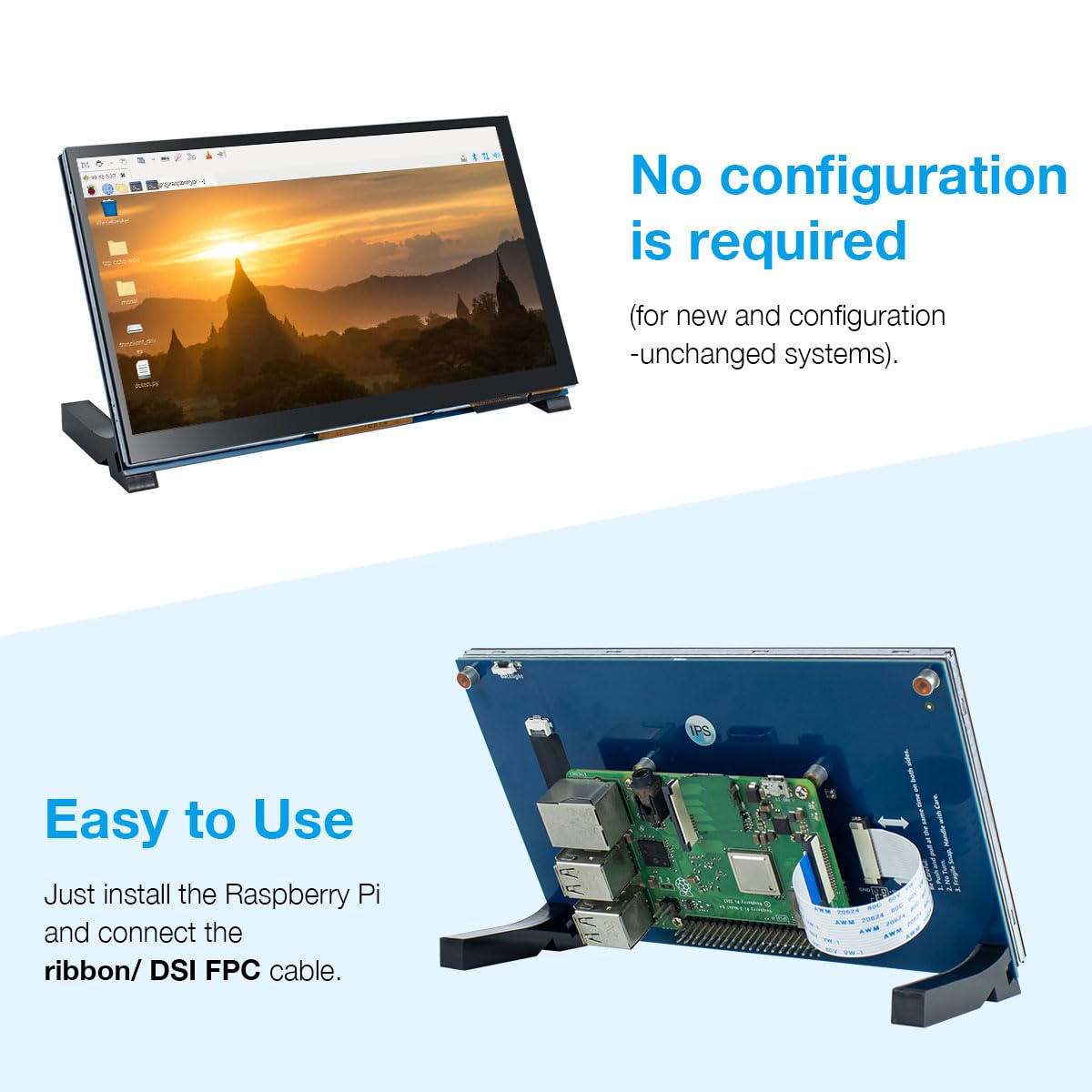


🖥️ Elevate your Raspberry Pi setup with touch—because your projects deserve the best screen experience!
This 7-inch IPS touchscreen display offers a sharp 800x480 resolution and 5-point capacitive touch, designed exclusively for Raspberry Pi models 1 through 5. It connects directly via the DISPLAY port, eliminating the need for HDMI or additional adapters. With wide viewing angles and plug-and-play ease, it’s ideal for developers and makers seeking a sleek, responsive interface. The package includes all necessary accessories and free technical support, making it a turnkey solution for enhancing your Raspberry Pi projects.


| ASIN | B0D3QB7X4Z |
| Are Batteries Included | No |
| Best Sellers Rank | #80,232 in Computers ( See Top 100 in Computers ) #2,101 in Computer Monitors |
| Brand | Hosyond |
| Color | black |
| Customer Reviews | 4.1 4.1 out of 5 stars (151) |
| Date First Available | 20 May 2024 |
| Item Weight | 331 g |
| Item model number | 7 Inch Touchscreen IPS DSI Display |
| Manufacturer | Hosyond |
| Package Dimensions | 21.11 x 15.19 x 5.21 cm; 331.12 g |
| Resolution | 800x480 |
| Screen Resolution | 800x480 |
| Series | 7 Inch Touchscreen IPS DSI Display |
| Standing screen display size | 7 Inches |
S**Y
This touch screen is excellent for trouble free interface with Raspberry Pi5.
D**E
It does in fact run kali but you have to modify files and update some thing’s if you want the startx command to work The 1 star is for: 1. The misleading advertisement that Kali Linux works on it out the box 2. The instructions that come with it lead you to their website and are for a raspberry pi 4 so the screen display cable is going to be different and it matters which display port you use on the raspberry pi 5 3. The feet are brown and black not completely black as shown 4. It’s not a screen used commonly on the raspberry pi from what I could find so using AI to troubleshoot it is going to be a headache (it’s literally just 2 updates and adding nomodeset to the cmdline.text file nothing else)
K**A
Works perfectly with RP4b. Powered by a pin contractor which connects to the back side of the GPIO connector of the RP4b, so no cable was required for power. Product comes with multiple length ribbon cables for attaching the video to the RPi. No printed instructions were included, but there was a card referencing a website. Not hard to figure out how to put it all together, except for the legs. Had to this about how to install the, but they work just fine. No drivers required, just worked out of the box.
M**T
I was skeptical at this price point, I wanted a 7” touch screen for my Raspberry PI5 with a DSI or ribbon connector, HDMI cables are bulky and put stress on connectors. Product was very simple to assemble, ( pictures on Amazons product page) no drivers needed, loaded right up on Ubuntu Dragon OS. Nice resolution, touch screen works, comes with all necessary parts, ribbon cables for 3,4,5 Pi’s. Love that it’s powered by the 2 pressure gpio pins, so you don’t need a USB to power. Using SDR++ with a RTL dongle to monitor Ham frequencies. Only had it for a short time but if it holds out I’m definitely buying more. Just remember to remove the protective plastic from the mount holes on the back of monitor, and use the gold screw spacers before you mount the Pi to keep it the correct distance from monitor.
C**N
I LOVE this item. Here's my story... I'm retiring this year. And I wanted a fun (nerdy) way to display a retirement countdown for my co-workers so they'd know when I plan to depart. I am a huge raspberry pi fan, so I installed RP OS on the SD card, mounted the raspberry pi on the back of the screen, attached the legs and booted it up. I had an external keyboard, so I disabled the onscreen keyboard that I didn't need. I found a python script that would do the countdown and Bam! I'm the queen of the nerds! I can't wait to think of new things to try once I'm retired in 81 days!
Trustpilot
Hace 1 semana
Hace 1 semana