We remain fully operational. Our teams are working around the clock to ensure your deliveries continue safely.

Descargar la aplicación


Servicios al cliente
Sobre nosotros
Copyright © 2025 Desertcart Holdings Limited
Descargar la aplicación


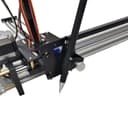
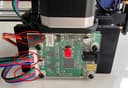
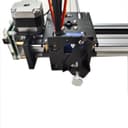


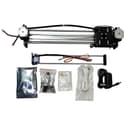
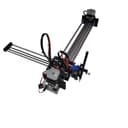
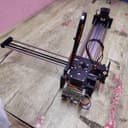
✍️ Elevate your workspace with precision-crafted creativity on a grand A3 scale!
The A3 Pen Plotter is a semi-assembled XY drawing robot designed for professionals and creators who demand precision and scale. Featuring a 0.2mm positioning accuracy, high-precision 42-stepper motors, and USB serial communication, it supports multiple graphic file formats and mimics authentic handwriting. Ideal for detailed artwork, note replication, and automation research, it requires a final assembly step and runs on Windows and Mac with lifetime software support.


| ASIN | B07FPL6R6F |
| Item model number | ROB-045 |
| Product Dimensions | 35 x 35 x 17 cm; 2.44 kg |
D**N
I'm working on a show this coming spring, and I needed something to boost my production time. I didn't want to do photocopies but something that was more original. I wanted to give my customers an original piece of work that wasn't copied a thousand times but looked hand done on quality watercolor paper. I was so happy to find this A3 Drawing arm. Most others were only an A4 which was too small for my uses. The added bonus was that it was partially built. All I need to do was add the arm. Of course, with every product, there are pros and cons. I will give you the cons first. Cons: You have to put the arm on. It was difficult because the belt kept twisting. Once I was able to fix that problem it worked fine. You have to use Windows 10 only. I have tried on many of my older computers of which I love much better than Window 10, but this was the only solution to the problem. Getting the machine to work took some doing. I had difficulty getting the arm to lift and set down. I contacted the company and they were very fast in response and we were able to solve the problem. Inkscape is not user-friendly. I found using Illustrator and then placing the drawing into Inkscape was the best solution for me. There is no pause button. If your pen is not set correctly and needs to be adjusted, you need to start all over. I hope in the future they fix this problem because I plan to purchase several more. Pros: Once I found the best pens for my drawings everything went smoothly. Although the machine works slowly because of the drawing pens so drawing time is the same as when drawing from scratch, but I can be working on another drawing at the same time. I was amazed at how beautiful my first drawing turned out. I showed them to others and they couldn't tell the difference between my hand drew and the machines. Nice work Robot House. Production time is slow, It can draw about 2 to 3 drawings a day, but that is because of how intricate my drawing are. Your experience may vary. All in all, I'm very pleased with my purchase. If my show does well this spring, I will be purchasing several more. Thanks Robot House.
B**C
Before I purchased, I specifically asked the seller a question prior to purchasing, "is this an A3/V3?" Ie - is it an axidraw v3, and will it plot at an A3 sized paper. They answered my question saying that it would. But it won't. This plotter is amazing - plots gorgeous images (as seen in the photo provided) and capable of handling amazingly complex art - but when I try to print at an A3 sized paper, it plots at 80% of an A3 size, ie 9x13.5. And it doesn't cut off the print, it compresses it down to that size. It's terrible in every way. To try and solve the issue, I have updated the axidraw drivers. I have updated the version of Inkscape. I have updated python. I have changed the plotter version in inkscape. I have mapped the plotter's capabilities, and it doesn't matter where I move the pen to start, it will only print at this size, no bigger. And this is a very major flaw seeing as though the A3 is in the title. I will happy change this rating if the company supports me in finding a solution. But right now? It isn't doing what it is advertised it will do and the main reason I purchased this plotter was for the A3 support. I will keep you guys updated if I learn more.
J**S
The iDrawHome A3 Plotter Printer arrived well-packed, assembled partially. The further assembling was easy, the illustrated instructions are easy-to-follow. You need to make sure the belts go straight to the pulleys, inside the black box. A bit non-obvious part was about attaching the circuit board, I made an intermediate image. I attempted to use the AxiDraw original software, and it worked, however the image came to be smaller. It turned out the iDrawHome is more precise than AxiDraw, it makes smaller steps (provides higher DPI), so that I needed to tweak some parameters, according to what is written in the iDrawHome. When using the files provided with iDrawHome it would work as is. I am impressed with the quality of the product.
A**R
SOLUTION TO NOT GETTING FULL PRINT SIZE: LINUX: in /home/username/.config/extensions/axidraw_conf.py there is a variable named native_res_factor. That needs to be set to 1270. Not the default of 1016 MAC There are TWO extensions folder. I was changing the one inside the application and was getting no results. When I changed the one at the following path it worked: /Users/username/Library/Application\ Support/org.inkscape.Inkscape/config/inkscape/extensions WINDOWS C:\Users\TitsBcGheeNoThatsNotMyRealUserName\AppData\Roaming\inkscape\extensions
J**R
This doesn’t work I have tried and tried waste of money
Trustpilot
Hace 1 día
Hace 1 mes