
Descargar la aplicación


Servicios al cliente
Sobre nosotros
Copyright © 2025 Desertcart Holdings Limited
Descargar la aplicación
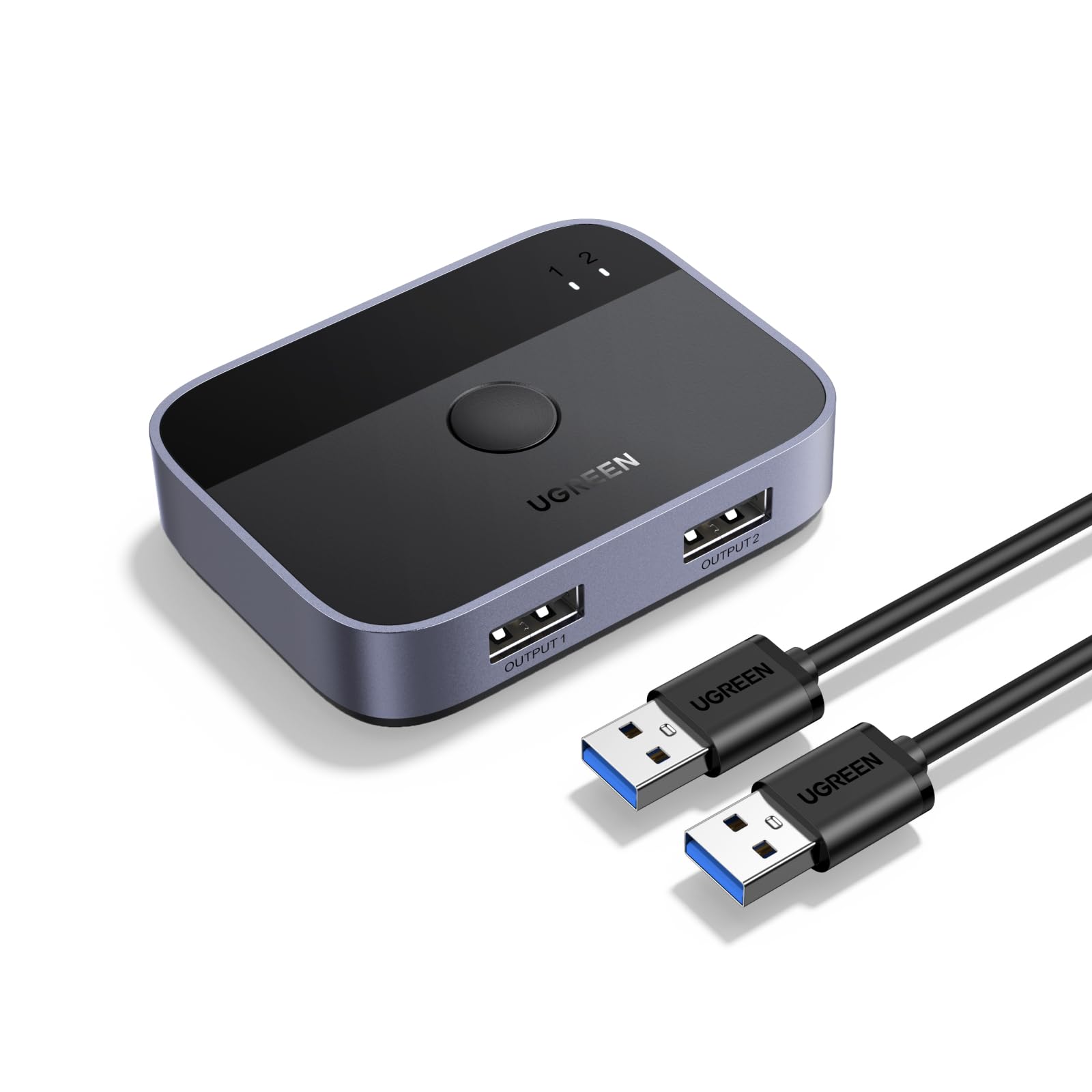
🔀 Double your productivity, halve the clutter!
The UGREEN USB 3.0 Switch 2 in 2 Out lets professionals effortlessly share two USB devices between two computers with ultra-fast 5Gbps transfer speeds. Its plug-and-play design supports all major operating systems without drivers, while a simple push-button and LED indicators provide instant control and status visibility. Perfect for multitasking managers who demand efficiency and seamless device sharing.


| ASIN | B0CLXYVM36 |
| Actuator Type | Push Button |
| Best Sellers Rank | #14 in KVM Switches |
| Brand | UGREEN |
| Brand Name | UGREEN |
| Circuit Type | 2-way |
| Color | Black |
| Connectivity Protocol | USB 3.0, USB 2.0 |
| Connector Type | Usb 3.0 (Type-a) |
| Contact Material | Aluminum |
| Contact Type | Normally Open |
| Control Method | Push Button |
| Controller Type | Amazon Alexa |
| Current Rating | 2 Amps |
| Customer Reviews | 4.5 out of 5 stars 700 Reviews |
| International Protection Rating | IP40 |
| Item Dimensions | 27.56 x 15.75 x 9.45 inches |
| Item Weight | 0.5 Pounds |
| Manufacturer | Ugreen Group Limited |
| Material Type | Aluminum |
| Model | UGREEN 2-Port USB 3.0 Switch (35313) |
| Mounting Type | Surface Mount |
| Number of Items | 1 |
| Number of Positions | 2 |
| Operating Voltage | 5 Volts |
| Operation Mode | manual |
| Specification Met | Partial |
| Switch Type | Usb Switcher Button |
| Terminal | Physics |
| Unit Count | 1.0 Count |
A**A
Share external Soundblaster between 2 computers
Exceeds expectations. They provide 2 nice USB cables so setup is fast and easy. I use this to share my external Soundblaster X4 and keyboard between 2 computers. Works great, simply press the button to switch, green light for one computer, blue light for the other.
A**I
Easy to use
I don't know why it took me so long to get one, but J desperately needed to quickly switch my mouse and keyboard (USB wireless) between my work and personal laptops. Easy to use, durable cords, and works exactly as intended.
P**S
Works perfectly switching between my TWO Macbooks Pros!!
I work remote as a Product Designer on a dual monitor setup (Dell U2719DC and U2719DX monitors) and I was looking for a way to easily have both of my Macbooks connected to both of my monitors (my personal laptop 2019 Macbook Pro and my work laptop 2023 Macbook Pro) to be able to switch between both laptops without the hassle of unplugging/replugging as well as being able to use ONE keyboard and trackpad/mouse for BOTH Macbooks!! (rather than switching out peripherals). After doing endless research on deciding whether or not to go with an expensive KVM switch and the possible roadblocks I may have faced including: - Two Macbooks possibly only producing a mirrored display on dual monitors - Not being able to wake my Macbook up while it's in clamshell mode (or having to never put my Macbook to sleep) I decided to go a cheaper route with investing in this Ugreen USB Switch and it works FLAWLESSLY with my setup. Switching between both of my Macbooks is pretty simple. For example, in the photo, I have my personal Macbook on the left and my work Macbook on the right. When on my work laptop, to switch over to my personal Macbook, all I have to do is change the input on both of my monitors to HDMI or DisplayPort...which ever cable you are using for each laptop. In my case my work laptop is connected using an HDMI. And my personal Macbook uses a Displayport cable. I then click the button on the USB Switch to switch my keyboard and magic trackpad (or mouse) over to my personal laptop and after a few seconds, I have the desktop of my Personal laptop displayed on both of my monitors :) Best solution if you want to easily switch between twp computers.
L**1
Great, with a couple minor caveats
Picked up this pup to share my keyboard and mouse between my home tower and work laptop. As others have noted, the "inputs" and "outputs" appear to be labeled backward, so if it's not working when you first give it a go, try reversing your cables. Also, I was a bit crestfallen when I shut down my work machine for the day before switching the keyboard and mouse to my home computer. That's when I discovered the switch needs power from both machines to work, but my ancient work computer does not keep any USB ports hot when powered down or in sleep mode. I remedied this by buying a powered USB Hub for the laptop, which I sort of needed anyway, and now all is well. This is the only reason I deducted one star. It does take a few (3 to 4) seconds for the mouse and keyboard to switch after you click the button. Not a big issue for my use case, but it might be for you. Lights on the unit are on the small side, but one is green and one is blue, so it's relatively easy to tell which machine has the input. Note this device is for keyboard and mouse only. You'll need a full KVM if you wish to switch your video, too, or one with more ports if you wish to switch printers, webcams, and such in addition to the keyboard and mouse. Overall quality seems decent enough for the price, especially since it includes two 5-foot braded USB cables of better-than-average quality. Other than the power issue mentioned above, it works great for my needs. Since both my keyboard and mouse are wired, I don't know how well it will work with RF devices, but I see no reason why there should be a problem. I will update my review accordingly if it dies or exhibits problems before it ought to. For now, however, I am a happy camper.
M**E
Reliable and convenient
I activate the switch several times a day, almost every day and so far it has been reliable. I have had the devices glitch out two or three times and have had to unplug or reboot. Switching is a bit slow as others have mentioned (1-2 seconds). I don't like that is uses type A for all connections. There is also some power leaching. My desktop is in "1" and a laptop in "2" and I use this to connect a keyboard & mouse. If I have the switch on "1" and shutdown my desktop, but leave the laptop on, the keyboard still has some power (the indicator lights stay on, but not the back lighting).
S**P
Works for me!
I have this setup so I can use one keyboard and one mouse between my personal PC and my work laptop. I work from home and something that's been annoying me is having two keyboards on my desk. My laptops have gotten progressively smaller and smaller. it was fine when I had a 10 key on the laptop but now that's gone. I needed a full keyboard to use and this little gadget lets me toggle between my machines with ease. Be sure you have power being supplied to the switch by at least ONE of the USB's. It needs power from one of the computers in order to work right. There is also a slight delay when switching. My Logitech G502 Hero has lights on top that I watch before I do anything. Once they start to glow I know that it is connected and ready for work.
R**9
Works great! Two color led indicator light is awesome!
Works exactly as describes, my favorite feature is the two different color lights which is incredibly helpful for knowing which device is actively connected! They have a larger model with a usb-c that for whatever unfathomable reason does not have different color led’s! This is a good value but we will see about durability.
S**E
Worked great for me - but a word of caution for new buyers
This device was easy to install and works magically to switch between two computers while using one keyboard and mouse. What the product description does not state clearly enough is this: both computers must be directly connected to your monitor. My monitor can accept HDMI, VGA, DVI, and DisplayPort input cables. I connected my old computer running Windows 10 to my monitor using a DVI cable. I connected my new computer running Windows 11 to my monitor using an HDMI cable. The device switches between the old and new computer. My monitor has a button that allows me to switch between the HDMI and DVI inputs. If your monitor accepts only one computer connection, this device will NOT work for you.
Trustpilot
Hace 2 meses
Hace 3 semanas