We remain fully operational. Our teams are working around the clock to ensure your deliveries continue safely.

Descargar la aplicación


Servicios al cliente
Sobre nosotros
Copyright © 2025 Desertcart Holdings Limited
Descargar la aplicación
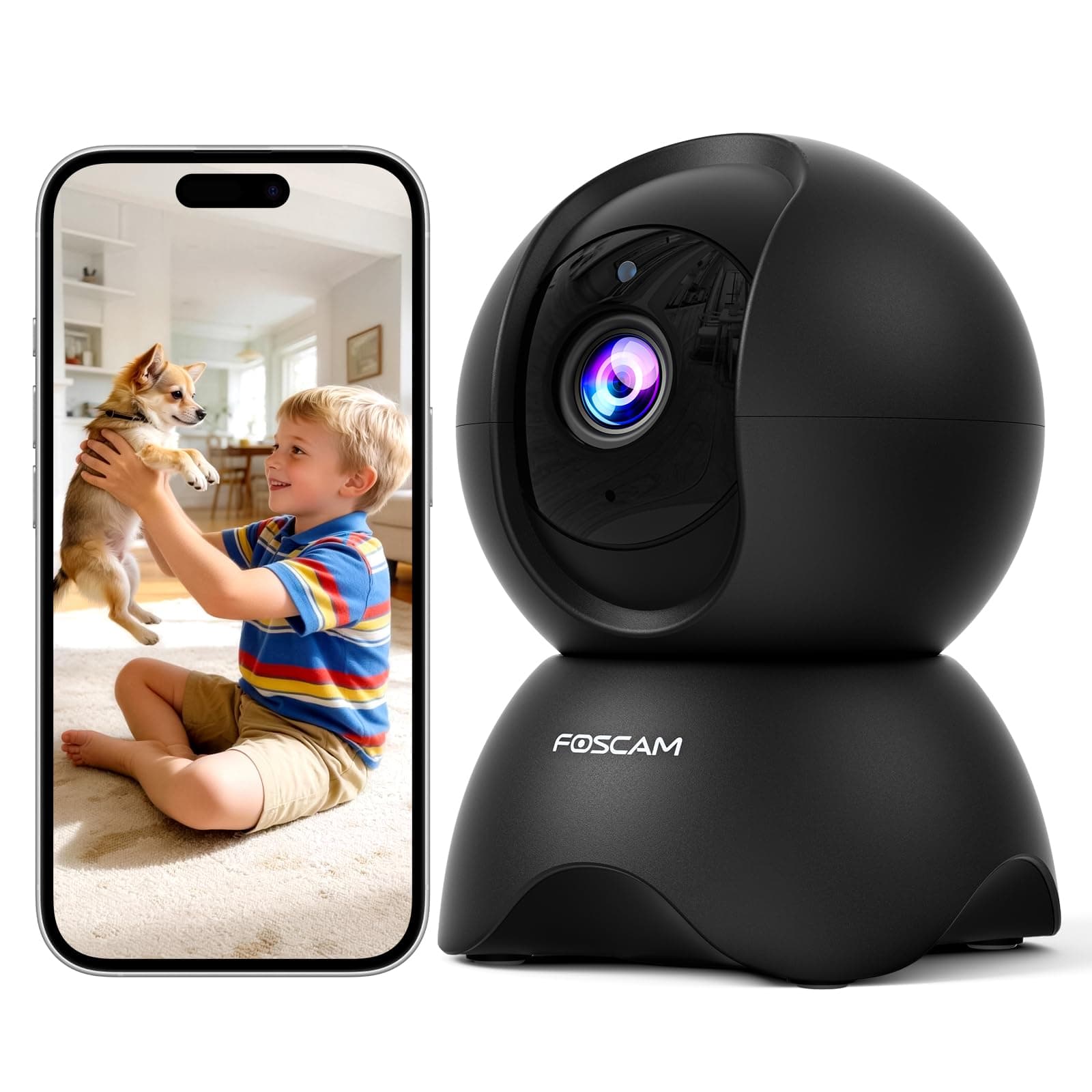





👁️🗨️ See Everything, Miss Nothing — Your Smart Home Guardian
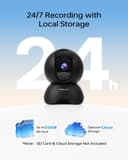
The Foscam R5 is a cutting-edge indoor security camera featuring a 5MP sensor with 3K video clarity, 360° pan-tilt coverage, and advanced AI for human and pet motion detection. Equipped with night vision up to 26 feet, 6x digital zoom, and 24/7 recording capabilities via microSD or cloud storage, it offers comprehensive home monitoring. Designed for easy 2.4GHz Wi-Fi setup and remote control through the Foscam app, it doubles as a baby monitor and pet camera, ensuring your home stays secure and connected at all times.


| ASIN | B09QW2TGC9 |
| Alert Type | Motion Only |
| Antenna Location | Baby Monitoring, Home Security, Indoor Security, Pet Monitoring |
| Batteries are Required | No |
| Best Sellers Rank | 133,450 in Pet Supplies ( See Top 100 in Pet Supplies ) 171 in Pet Cameras |
| Brand | Foscam |
| Colour | Grey |
| Compatible Devices | Smartphone |
| Connectivity Protocol | Wi-Fi |
| Control Method | Remote |
| Controller Type | Android |
| Customer Reviews | 4.1 4.1 out of 5 stars (457) |
| Effective Still Resolution | 5 MP |
| Effective Video Resolution | 5 MP |
| Field Of View | 360 Degrees |
| Flash Memory Supported Size Maximum | 512 GB |
| Form Factor | Dome |
| Frame Rate | 15 frames_per_second |
| Included Components | 1 x FOSCAM 3K Indoor Camera(Black), 1 x Mounting Plate, 1 x USB-C Cable, Instruction Manual, Power Adapter |
| Indoor Outdoor Usage | Indoor |
| Installation Type | Freestanding |
| Item Dimensions | 8.3 x 7.6 x 11.4 centimetres |
| Item Weight | 0.37 Kilograms |
| Light Source | Infrared |
| Material | Plastic |
| Model Name | FOS-R5 |
| Model Number | R5 |
| Mount Type | Surface Mount |
| Network Connectivity Technology | Wireless |
| Night Vision | Night Color |
| Night Vision Range | 26 Feet |
| Number of Channels | 2 |
| Number of Items | 1 |
| Other Special Features of the Product | Night Vision |
| Photo Sensor Technology | CMOS |
| Power source | Corded Electric |
| Rear Webcam Resolution | 5 MP |
| Room Type | Nursery |
| Shape | Dome |
| Unit Count | 1.0 Count |
| Upper Temperature Rating | 50 Degrees Celsius |
| Usage | 360 Degree Coverage, Surveillance |
| Video Capture Format | MP4 |
| Video Capture Resolution | 5 mp |
| Viewing Angle | 89 Degrees |
| Voltage | 5 Volts |
| Waterproof Rating | IP65 |
| Wattage | 7.5 watts |
| Wireless Technology Type | Wi-Fi |
| Zoom Ratio | 6x |
| Zoom Type | Digital Zoom |
P**A
Nearly perfect!
As per Foscam usual: Reset... Then connection to the network at the first attempt. Everything works as promised. The only gripe I've got this time is, that the USB power supply doesn't have a UK plug and that the cable is nowhere nearly as long as the one from the same camera I ordered in Germany a few weeks back. The price is about the same, though. So why the short cable?
S**G
Useless
It came with very short usb cable and US plug. No warning, no information. What is the point? I don't know if it works - I returned it
M**R
I have a love-hate with my Foscam cameras. They are cheap and the hardware is fine. The software is always sloppy. But I have a love-love relationship with Blue Iris, which tends to drive my camera selection. This R5 is the cheapest but the sloppiest yet. It no longer has a built in web server so you have to use the phone app to get it on your WiFi network and the app wants all kinds of permissions. You have to use the QR code method as near as I can tell. I did get it to work, although you have to be patient. But once on the network, I could not use the phone app to configure it - kept getting a temporary "Logging in..." tiny banner flash when selecting advanced options and the options would never come up. But I found I could configure it using the Windows app, which I had to update to get it to work - my version of the Windows app may have been a year old. Once on the network I delete the phone app because I am not high trust with Foscam. I will reinstall it just as necessary and remove it afterwards. In the Windows app, I could turn on ONVIF (make sure to change the port to 888). Then, in Blue Iris I could find/inspect and pull it in. It pulled in the video at a 5x4 aspect ratio, which in the app, under the main stream is listed as QHD with the option to change it to FHD and 1080p. But there was no effect when I did that - I could not seemingly force the camera to 16x9 natively and instead had to do that in Blue Iris, which is a stretch rather than a crop. As I trust Blue Iris more than Foscam, I'll call that a bug; I'd be fine with a crop - after all that is what most cellphones do to take 16x9 photos. In my router I then force it to the static IP address I wanted it on using my DHCP settings, and then I always block these cameras from internet access using the MAC address - I am not high-trust with Foscam (didn't I already say that?). But when you pay 3 times the price of this you get the same quality of hardware with better software, but for 3 times the price I am tolerant of the foibles of Foscam. Particularly because these days cheap cameras also try to lock you in to a proprietary cloud solution and they don't have published APIs. ALWAYS get an ONVIF/RTSP camera if you want flexibility down the line so you can mix cameras over time. I give it 4 stars because of price - at $100 it would be a 2 star camera. How is the picture? Much better than the VGA camera circa 2013 I replaced it with.
A**R
I bought this mainly to alert me when packages were delivered so I could grab them before they got stolen; I also wanted to track animals (mostly feral cats to catch for a trap-neuter-release program). The camera takes okay photos but the software is a mess and rendered it useless for my purposes. It wasn't able to detect a single delivery person, and it only detected me walking in front of it about half the time. I received so many alerts because it would trigger on falling snow, but the next day it wouldn't detect any of the animals or people that walked through that snow. The PC software and the Android app don't completely match up, so some settings from the app show up differently on PC - while some settings on PC don't show at all in the app. Zone detection didn't work at all - if enabled it wouldn't detect anything, period. There are spelling mistakes throughout the PC software, and conflicting descriptions in the app, which didn't instill much confidence that the developers were staying regular on updates. But I finally gave up and returned it after contacting customer support - after a night of heavy snow, and a day of people and animals walking through it all without a single event detected by the camera, customer support's response was for me to hand over the password for my account/device and the *specific times* of all the missed events - not seeming to understand that if it weren't for the disturbed snow, I wouldn't have known that things were being missed. I should have paid more attention to all the negative reviews about this camera.
J**F
Very easy to setup and they work great! I already had the foscam app for my other cameras, so all I had to do was click the plus, scan the qr code, click next since my wifi info was prefilled, then hold my phone up to the camera to show it the qr code for the wifi. Easiest setup ever. I love the PTZ so I can look around and see where my dogs are. The resolution seems great. I don't think my eyes could even tell if it was improved. We added a sd card to ours and we do continuous record which works great. We never have issues with running out of storage with the 512GB card.
D**D
The R5 isn't an upgrade or improvement from the R2 or R4 in just abut every area. Per the title, the zoom and image quality does, yes, seem better (and the zoom, being digital, is much smoother than the optical zoom from the R2 and R4 models). Also per the title, that's where it ends. The camera, stationary and not connected to, would periodically reboot (I assume this because it gave the audible, "Wifi Connection... succeeded" and then went through a pan/tilt cycle like it does on a hard power-up), despite having power connected to it consistently. Power has one minor improvement - it no longer requires a proprietary AC adapter; Foscam now includes a USB to Micro-USB cable in the box, along with an AC adapter that will provide up to 7.5w of DC power output. Foscam has, for some reason utterly unknown to me, removed the web interface entirely. Configuration REQUIRES the Foscam mobile app. Absent a web interface to connect to? There's no other clean way to connect to the camera and connect to it and tell it what network to use (if you have multiple) or how to configure the network interface (spoiler: you CAN'T. DHCP is the only option for this camera). This is not an IP camera, save for the fact that it connects to your network via an IP address. You cannot access the camera through a web interface. you cannot connect to the camera via any method other than the VMS software that Foscam produces, or the foscam mobile app. Foscam claims ONVIF support but I didn't bother to test it after.. well, read on. The foscam mobile app saves images to... I have no idea. Nowhere standard, on my Android 12 phone, that's for sure, because I spent several minutes looking for screencaptures to add to this review. The image of the television shows image quality out of the r5; I had to download and use their VMS app to capture that to my laptop. Blurring is done for security purposes, via an external image editing application. The camera doesn't have the previous 1/4-20" screw adapter (which is standard for most photography equiipment) and they've included a 'mount' but I quote that because it's some custom silly thing that has to be screwed into whatever you want to mount it to, and it has only a friction fit to the camera - very little physical contact with the camera would easily shake it off the new 'mount' style. I did not test the SD card slot. Half of an IP camera's name is about network connectivity... why would I want to use onboard storage? I tested the audio... meh, at best, like just about every other camera on the market. Then again, this is an ip CAMERA, not an ip PHONE or an ip SPEAKER, so, I don't expect to use that much. Night vision was okay, but it's the same IR-based sensors that most IP cameras use. It's okay, but don't expect anything impressive. Security alerts? No matter how much I experimented, I couldn't get the motion detection to work. Then again, I tend to prefer a centralized solution like iSpyConnect to run multiple cameras, and the motion detection on that system is easier to configure and simpler to use, with better alerting. If you ONLY need a single camera, and if you're okay with using Foscam's proprietary software, and the camera can sit on a desk or a shelf... this MIGHT be okay for you. If you want a true IP camera with full 'normal' connectivity options? This won't work for you. If you want to use your own app for camera viewing and storing video/photos? This won't work for you. IMO, Foscam's cameras hit their peak with v1 of the R2 camera... and started to go downhill after that. If the R5 is any example of the direction they're headed, that downhill speed is increasing. For reference, I have 9 IP cams located around my home, facing both indoor and outdoor (although the cameras are all inside). I use iSpyConnect to connect all 9, and I can access a feed either through iSpyConnect, or through the "IP Cam Viewer" app I have on my phone. Those cameras, up until recently, were all Foscam - initially, model FI8920 and then adding in R2 and R4 cameras. With the web interface 'crippling' that Foscan did with the R4 version, I've started looking at other manufacturers, who offer a more full-featured method for configuration and more flexible use.
D**.
NoranChau did a great job helping me with the setup.
Trustpilot
Hace 3 semanas
Hace 1 mes