We remain fully operational. Our teams are working around the clock to ensure your deliveries continue safely.

Descargar la aplicación


Servicios al cliente
Sobre nosotros
Copyright © 2025 Desertcart Holdings Limited
Descargar la aplicación

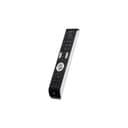
📺 Master your media kingdom with one remote to rule them all!
The Best Price Square Universal Essence 3in1 Remote (BPSCA URC7130) by ONE FOR ALL is a versatile infrared controller compatible with TVs, set-top boxes, and Blu-ray players. Featuring a 41-button ergonomic design, it supports up to 10 meters of wide-angle control and runs on 4 AAA batteries. Its unique combination button allows simultaneous device control without mode switching, while volume control is optimized to always adjust the TV. Durable and easy to set up, this remote is a reliable, pet-proof solution for managing multiple entertainment devices seamlessly.


| ASIN | B003NSIE54 |
| Battery Types | AAA |
| Best Sellers Rank | 177,223 in Sports & Outdoors ( See Top 100 in Sports & Outdoors ) 4 in Remotes |
| Brand | Best Price Square |
| Brand Name | Best Price Square |
| Button Quantity | 41 |
| Colour | Black |
| Compatible Devices | TV, set top box, DVD/Blu-ray player |
| Compatible devices | TV, set top box, DVD/Blu-ray player |
| Connectivity technology | Infrared |
| Controller Type | Button Control |
| Customer Reviews | 4.1 out of 5 stars 688 Reviews |
| Global Trade Identification Number | 08716184043185, 08944467916608 |
| Item Part Number | URC7130 |
| Item Weight | 222 g |
| Manufacturer | KOMQI |
| Manufacturer Part Number | URC7130 |
| Max number of supported devices | 1 |
| Maximum Number of Supported Devices | 1 |
| Maximum Range | 10 Metres |
| Model Name | URC7130 |
| Model Number | BPSCA URC7130 - HS01766 |
| Network Connectivity Technology | Infrared |
| Number of Batteries | 4 AAA batteries required. |
| Product Features | IR, Universal |
| Special feature | IR , Universal |
| UPC | 777004581988 |
| Unit Count | 1.00 Count |
A**T
Fantastic product
These remotes are superb - as simple to operate as you could wish for, very ergonomic and easy to set up. Almost all our remotes have had their buttons chewed off by our pet rabbit and so I've now bought three of these. They work fine with everything from a 90's Bush VCR to a 50" LG plasma TV and Humax satellite box. If you have an LG TV then you'll be right at home with this remote as it is quite obviously modelled on LG TV remotes (same shape and size and almost identical button layout). One of the best features of this remote is the "Combination" button which allows it to control a couple of devices without having to hit the mode button to switch from one device to the other (some of the keys will control the TV while some will control the Sat box). Better still the remote can be set-up so that the volume button ALWAYS controls the volume on the TV rather than the volume output on the satellite box or DVD player. The remote has a high power, wide angle output so you do not need to aim the remote precisely at the device being controlled which makes it even nicer to use. We got our first one of these about two years ago and the third one about 6 months ago. All three are still working perfectly - the lettering hasn't got rubbed off and all the buttons work as well as when the remotes were new.
J**K
Great
Great controller, very easy to connect with your tv, even a simpleton like myself can do it! Will work with what seems like every television under the sun by the looks of the list of them in the manual. Works from about 5 meters away as long as there is nothing in the way. Only down side is that it's a bit bulky!
S**M
Excellent quality
Bought mine as a graded good for a replacement controller for my son's bedroom telly as I didn't want to spend a fortune as, like most kids, mine don't look after things. I immediately swapped it for the one I'd ordered new the week before because I was so impressed, it was in as new condition for under a fiver. It is an excellent 3 in 1 controller, the metallic controls give it a nice tactile feel, it is good quality for an inexpensive item and I expect it to last. I haven't tested it on my sky or dvd yet but I don't tend to use the multi device function. The Magic button was easy to use and set up worked immediately. I spent a lot of money and time a few years ago on a full screen controller, which was a mystery to work out and is now gathering dust in a drawer. This is a simple product which suits this simple man
M**S
Excellent product and dead easy to set up
I bought this as a replacement for my missing Marantz DVD remote, but have very easily set it up for a SONY A8G OLED TV as well as for SKY UK Q Box. It was very straightforward to read the product codes at the back of the manual and to follow the step by step instructions. All up and running in about 5 minutes flat. Apart from the ease of use, it is a well made piece of kit with easy to read buttons and a particularly nice touch with the main ones being metallic. It would be cheap at twice the price and I wholeheartedly recommend it.
J**Y
1 4 all remote
Ease to set up,unfortunately,even after changing the batteries and resetting, it no longer turns tv and free sat box on or off,
S**T
Simple,Cheap & Works
Excellent piece of kit for when your old original remote goes faulty. Easy to set up and a sensible price.
R**Y
100% compatible – no.
I bought the Essence 3 / URC-7130 universal remote control after having used the One For All website to confirm that my mother’s Toshiba SD-22VB combi DVD player / VHS Recorder should be compatible. Tried all the programming methods to no avail. Then used their “Looking for your setup code?” option. Step 1, select your remote control – please enter your UCR number: “7130” - There exists more than one version of your remote. Please check the label on the inside of the battery cover, and choose the text that matches best – 7130 R00, 7130 R01, 7130 R02 or 7130 R03 – 7130 R02. I went on to Step 2 and tried all the codes under this version number and the other 3 for a laugh - none of the codes worked. It also states on the choose your version number section- “To find the correct code for your device, please use the following steps; should this procedure be unsuccessful in finding a working code, please contact our Customer Service. For contact information, please refer to your user manual”. When selecting any of the version numbers at Step 2 and inputting Toshiba SD-22VB as a DVD player you get codes to try as above. If you say it’s a Video cassette recorder instead at Step 2, it will then state - “Video Cassette Recorder: Toshiba SD22VB (Device Key: DVD) We have found the correct code for your device, but it is not in the memory of your remote. You can: Contact our Customer Service by e-mail or phone. For contact information, please refer to your user manual”. In both the online and printed manual there is no contact email address. You can contact customer service on the UK telephone number at 50 pence per minute! I don’t think so as I could see the total cost of the call exceeding the cost spent on the remote in the first place. Looks like I’ll be returning it to Amazon.
C**S
Edited review - good after all
Initially I left a negative review as I thought it wasn't working properly. I set up my Phillips TV, Sky box and Samsung blu-ray player fine, but then found that the on/off button operated both the TV and blu-ray player at the same time. I was all ready to send it back but decided to have another try at it. This time instead of using the automatic setup feature I programmed in each device individually using the codes provided at the back of the manual. Success! Everything works as expected. That said, it's not perfect. Particularly, controlling the Sky box has some annoyances. There's no button that immediately exits out of the menu option you're on and takes you back to the channel you're viewing. On the Sky remote this is the big 'Sky' button at the top, and it's really useful. On this remote you have to repeatedly press that 'exit' button. Trying to change the volume on the sky box gives an error message that your remote is low on battery (?) so I used the feature that locks the volume buttons to always control the TV, regardless of which device you have selected, which is a nice touch, and solved this problem nicely. There's also no button to quickly access the subtitles (I often watch TV with subs on) so you have to use the main menu button to scroll through all the options til you find subs, toggle it and then exit-exit-exit back out. Bit of a pain. Despite the above nigglings it's a pretty good device for the money. 4/5 for its price bracket, 3/5 overall I'd say. If you can afford it I'd go for a pricier one with more features, but if you want decent remote on a budget, this one's good enough.
Trustpilot
Hace 2 meses
Hace 3 semanas