We remain fully operational. Our teams are working around the clock to ensure your deliveries continue safely.

Descargar la aplicación


Servicios al cliente
Sobre nosotros
Copyright © 2025 Desertcart Holdings Limited
Descargar la aplicación


🎞️ Relive, Restore, and Reimagine Your Memories in Stunning Digital Clarity!
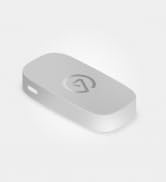
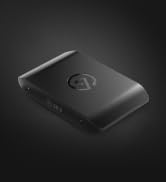
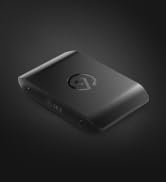
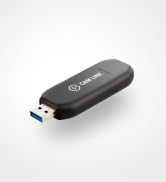
Elgato Video Capture is a compact USB 2.0 device that effortlessly converts analog video from VCRs, camcorders, and other sources into high-quality H.264 digital files. Compatible with Mac, Windows, and iPad, it supports all major global video formats (NTSC, PAL, SECAM) and includes easy-to-use software plus essential cables and adapters. Perfect for professionals and nostalgia lovers alike, it enables seamless editing, syncing, and sharing across modern platforms.






| ASIN | B0029U2YSA |
| Best Sellers Rank | 17,484 in Computers & Accessories ( See Top 100 in Computers & Accessories ) 23 in Internal TV Tuner & Video Capture Cards |
| Guaranteed software updates until | unknown |
| Item model number | 10020840 |
| Manufacturer | Corsair |
| Product Dimensions | 10.4 x 3.5 x 1.2 cm; 80 g |
B**G
Seamless, easy to use
Fantastic! Works so easily. If you have a little technical understanding, you know which cables you need to connect to your analogue device. It has RCA or S Video options so good for most devices. Software is basic but effective and I can now watch my videos from the 90s! Very very pleased with this product.
S**T
Amazing Amazon. I wish I'd bought this in the ...
Delivered next day. Amazing Amazon. I wish I'd bought this in the first place. I'd ordered a cheaper video grabber and the audio had failed, so bought the Elgato instead. Brilliant, intuitive software and excellent picture and sound quality with no dropped frames. I've bought Elgato products before, and I really wish I'd bought this first. Set up was completely painless and intuitive. The software is well-designed and does all the work for you. Would buy from this company again.
A**R
Works really well
Bought this to move old family videos on mini DV onto digital format on my laptop and ipad. Works really well, very simple to use.
K**L
Fair product but needs more options
Easy to use but little control on quality and file size could be improved but I don’t think they will
B**R
Well worth the money, easy to use and decent software
Used to transfer old VHS films onto PC. Really easy to set up software and worked first time. Remember to set the right aspect ratio and away you go. Software also allows you to adjust video in case you need to adjust saturation etc
S**R
Good quality, very efficient with storage space. Reliable
Quality very good, one of the few capture devices that gives a pretty good quality for SD video. Very efficient. I used to archive with a data video dac200.... can’t get the adapters for that to the new macs now... this Elgato is far more efficient (mpg4) 1 hour is just over one gb in size (the old sac was 13 gb for an hour at nov.) Add extreme motion, like sprinting, or tennis game, there is a bit of pixelisation, but for general video the quality is excellent. I archive quite a few tapes, and I’m very happy with it.
A**N
Did not work
Cannot get it to work. It just freezes on starting.Would give it zero stars if possible.
L**N
So easy, even on mac
This was so easy to use, I was apprehensive about transferring all my family's hi8 videos but this was a breeze. The only thing I'd note is you have to go and download the software from the website. Transferred from a Sony handycam to macbook pro
R**S
Facile à installer, efficace. Les numérisations sont parfaites. Basique mais on ne demande rien de plus. Le post traitement si nécessaire devra toujours se faire avec un autre outils que celui de la numérisation.....Mac a Imovie qui est largement suffisant. Rien à voir avec ROXIO EASY VHS to DVD.......qui ne mets pas ses programme à jour et qui fonctionne tres mal.
A**ー
VHSテープのデジタル化を考え購入。 Macで問題なく使えます。 アプリも簡単。映像を取り込んだ時点で切り取りもできます。
X**R
El dispositivo es robusto y con una buena longitud de los cables. diferentes elementos para adaptarlo a los distintos posibles aparatos, cámaras, vídeo cámaras o dispositivos con cables RCA. El que sea USB 2.0 no tiene importancia, ya que la conversión se realiza en tiempo real, Incluye software de Cyberlink (Este software se ha de bajar de su página web con el dispositivo conectado al ordenador) que nos servirá para realizar el traspaso y optando por diferentes formatos de salida. Buen producto, totalmente recomendable.
A**9
L'ho acquistato reduce da esperienza negativa con un prodotto analogo più economico. Ero quindi discretamente prevenuto, ma presto mi sono dovuto ricredere. Il software è essenziale, non aspettatevi di poter intervenire a livello avanzato sui vari settaggi. Badate bene, non lo reputo un difetto. Volevo un prodotto in grado di assicurare una buona qualità di acquisizione con pochi fronzoli, e utilizzabile da chi, come me ha poche conoscenza tecniche in materia di audio video. E così, filmati formato 8mm sono tornati a nuova vita, acquisiti e convertiti in formato mp4. La qualità è buona, per le mie esigenze e considerata l'età avanzata dei video (>20 anni) direi quasi ottima. Il prezzo non è dei più economici, ma ne vale la pena. Per abitudine leggo sempre le opinioni negative, ho deciso di provare, ed ho avuto ragione, non riscontrando nel mio caso i pochi difetti lamentati da altri. Ripeterei l'acquisto al 100%
S**I
really good love the app
Trustpilot
Hace 1 semana
Hace 1 día