We remain fully operational. Our teams are working around the clock to ensure your deliveries continue safely.

Descargar la aplicación


Servicios al cliente
Sobre nosotros
Copyright © 2025 Desertcart Holdings Limited
Descargar la aplicación


🚀 Elevate your workspace with the ultimate 9-in-1 dual 4K docking station—because your productivity deserves the best!
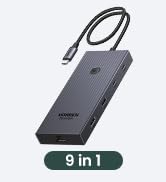
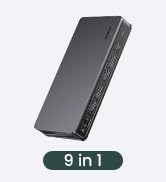
The UGREEN USB C Docking Station Revodok Pro 209 is a versatile 9-in-1 hub designed for MacBook and Windows users, featuring dual 4K@60Hz HDMI and DisplayPort outputs, ultra-fast 10Gbps USB-C and USB-A data ports, 100W Power Delivery charging, and Gigabit Ethernet. It requires driver installation for full functionality and supports multi-extended display modes, making it ideal for professionals seeking a powerful, all-in-one docking solution.














| ASIN | B0BLNCNCMZ |
| Best Sellers Rank | #12,499 in Electronics ( See Top 100 in Electronics ) #195 in Laptop Docking Stations |
| Customer Reviews | 4.0 4.0 out of 5 stars (838) |
| Date First Available | January 18, 2023 |
| Item Weight | 1.12 pounds |
| Item model number | 90912 |
| Manufacturer | Ugreen Group Limited |
| Product Dimensions | 6 x 3 x 0.9 inches |
U**D
Easy to setup, works as advertised
I'm not using this device exactly as intended, I have a somewhat different scenario so I thought I would share my success in case it helps anyone. I have an LG 5K monitor and an ultrawide, and a Caldigit Thunderbolt dock. The 5K has to be connected via Thunderbolt, there are no other options for connecting this monitor. For the M1 Air, you have two Thunderbolt/USB-C ports so you can connect the 5K directly in one port, and then this device (UGREEN's DisplayLink adapter) can go in the second port and then you can connect the monitor to that, and it would work fine (I tested this). However as you can see from my images above I wanted one cable to connect and disconnect my peripherals. So my setup has the thunderbolt wire connecting to the laptop providing power, and data. That wire goes to my Thunderbolt Dock. From there, the passthrough Thunderbolt goes to the LG 5K (on the right). The USB-C port on the Thunderbolt Dock goes to this UGREEN DisplayLink adapter. Then my second monitor connects to this DisplayLink adapter. I've connected it with both HDMI and DisplayPort and both work without issue. However I'm using DisplayPort just because I feel it provides the best picture. Steps: 1. Plug in Adapter 2. Click "OK" when MacOS asks if you are fine with using this accessory 3. Find the folder in Finder or on your desktop that has the driver (see 3rd image) 4. Install driver 5. Second display should work (without restarting it). Huge disadvantage as pointed out by another user: Playing movies and TV shows from protected sources will NOT work. For example, AppleTV app, Netflix on a browser, Vudu on a browser, they will all not show any visuals anymore. I imagine this is because all that software is design to prevent people from ripping the media and this DisplayLink software probably gets flagged by its protection scheme, but I'm not sure. It didn't matter if I moved the video over to my 5K monitor which is connected via Thunderbolt, because the DisplayLink is turned on, the visuals don't work. Now what's nice is, if I do want to watch a movie, I can simply hit the power button on this UGREEN DisplayLink adapter and it turns off the device, and then the movies work. So if you watch a lot of movies and TV from legit sources, then this will not help unless you're willing to turn it off and just have one monitor work, which is possible in my setup because the first monitor doesn't connect through this device. It may not work for you.
A**E
Great form factor
This is not a PNP device. It requires a driver for the Synaptics chipset. If you're on enterprise IT YMMV. Love the form factor. Lightweight, small and portable. Really like the USBC pass thru power arrangement. Works 100% with my company M2 Max and my personal Win 11 laptops. Tested rock solid for Powerpoint presentation situations for feeding dual outputs. Probably going to buy a few more for work!
K**R
I had to figure out how to make the UGREEN DisplayLink Adapter work for my situation
I have mixed feelings about DisplayLink. On one hand, i am mad that Apple stinks and I needed to buy a higher level Macbook Pro than the M3 which I bought to enable the use of more than one external monitor. I paid enough for it. The other aspect is frustration from the DisplayLink side. I have two monitors connected thru the UGREEN DisplayLink device. You will find that when you log into the Macbook, initial conditions being the computer running all night and all the screens are sleeping, the two external monitors do not run back on. The DisplayLink setup does not recognize the two screens. Yes, I updated the drivers. Yes, I have turned the monitors off and on again. Yes, I also unplugged and reconnected the HDMI cables to the UGREEN from the monitors. Also, forums do not provide any good info on troubleshooting. I can unplug the UGREEN from the external power supply (because that is required for this device) and also unplug it from the laptop so it does not get any power. Upon restoring all connections, the monitors are finally recognized and they will start displaying the desktop (or whatever you are showing). I find that lame as I do not want to wear out the connectors on the laptop or any other device by unplugging every single time I get on my laptop. Finally, I noticed there is a power button on the front of the UGREEN adapter. Turn it off, then turn it back on, and the monitors will finally be recognized and will be useable. That is better and easier than messing with the connections every single time. I have only owned the UGREEN adapter for one week so we will see how it works from here. Good luck to everyone.
B**H
Revodok Pro 209 Does Not Work With MacBook Air
UGREEN Revodok Pro 209 USB C Docking Station does not work with my MacBook Air. I downloaded the DisplayLink software, checked all cables, rebooted the computer and the docking station. The docking station connects properly with the computer as it indicates charging taking place on the Mac, but there is no keyboard, mouse, or monitor activity detected on my Mac. I appreciate there could be some technical issue that customer support could help me resolve, but they have been totally unresponsive to my requests for help. I WOULD NOT RECOMMEND THIS PRODUCT for a Mac. I'm returning the product.
D**C
Solid Device for 2019 MacBook Pro to 4k@60hz
Struggled like crazy to get my mac to output full 4k@60hz through this, but buried in the release notes of DisplayLink software was the trick for getting my MacBook Pro 2019 running Ventura MacOS 13.2. Had to hold Option key while selecting the Display resolution to get a full list of possibilities. There I could select full 4k and it worked great at 60hz. "The list of available resolutions and the default resolution for 4K displays depends on the type of connection (HDMI or DisplayPort). To see a more complete list of resolutions follow these steps: - Open the Displays preference in System Preferences - Go to the preferences panel for the DisplayLink screen - While keeping the option (alt) key pressed, select the "Scaled" option for the list of resolutions."
M**.
You have to buy a power adapter separately.
My work uses these for connecting multiple monitors in the office, so I purchased it for home. I purchased the 100 watt Anker USB-C power adapter (no power adapter included) because I am just an Anker fan, but this setup is amazing. My monitors have the Digital Video connectors and the 4k video is amazing through this dock. I would absolutely recommend this product.
T**H
UGREEN markasının neredeyse tüm ürünlerini kullanmaktayım bu üründe beni yanıltmadı gayet başarılı bir ürün yazılım kullanarak monitörü extend etmesi bir sorun teşkil etmez kafanızda soru işareti kalmasın gayet stabil çalışıyor tavsiye ederim.
R**L
It was simple to install. Works instantly. Absolutely hazzle free.
A**A
I have an M1 Macbook pro ( the one with the ill fated touch bar) and while I love it for most use cases, it has the annoying limitiation of only supporting one external monitor. Fortunately DisplayLink software comes to the rescue and allows me to plug in up to three monitors with a DisplayLink dock. I had bought another brand dock before and this Ugreen dock was to replace it after it burned out. I couldn't be happier and this feels like a huge upgrade. My other dock didn't support full 4K resolution on output and the ports were also not as good. This one has all multiple USB C ports and a dedicated USB C for powering my mac so I really don't lose any conectity by using this on one of my ports.
F**E
Funciona perfectamente en mi MacBook Air M2, lo tengo con dos monitores externos. El producto llegó en perfecto estado, muy fácil de instalar.
B**E
Ich war auf der Suche nach einem Dock, mit dem ich zwei externe Bildschirme am MacBook Pro M4 zusätzlich betreiben kann. Da ich mit Icy bisher gute Erfahrungen gemacht habe, fiel die Wahl nicht schwer. Nur leider scheinen die dazu übergegangen zu sein irreführende Angaben zu machen. Somit waren statt der beworbenen 3 externen Bildschirme nur einer möglich. Ich bin letztlich nun bei diesem Dock gelandet. Es hat lange nicht so viele Anschlussmöglichkeiten, aber ich kann zum internen Bildschirm zwei externe über einen USB-Anschluss betreiben. Nachteil ist die Treiberinstallstion von Synaptics Displaylink. Dabei bitte beachten: erst Treiber installieren, dann Dock anschließen und in den Einstellungen die Bildschirme anordnen/auswählen. Ich hab es männermäßig angeschlossen, dann installiert und geärgert, weil kein Bild kam. Falls euch das auch so geht: nochmal abklemmen und neu verbinden. Treiber gibts bei Synaptics (displaylink-manager-graphics-connectivity-150) oder einfach nach Synaptics Display Link Manager googeln. In der Anleitung steht nämlich nix davon, wo man den her bekommt. Info: den Link kann ich leider nicht teilen, da sonst die Bewertung nicht veröffentlicht wird. Kurz und knapp zusammengefasst: Verarbeitung ist sehr gut, Dock lässt sich auch ohne Netzteil betreiben, mitgeliefertes Kabel ist lang genug und von guter Qualität. Preis ist mit über 120 Euro happig, aber es funktioniert halt.
Trustpilot
Hace 3 semanas
Hace 2 semanas