We remain fully operational. Our teams are working around the clock to ensure your deliveries continue safely.

Descargar la aplicación


Servicios al cliente
Sobre nosotros
Copyright © 2025 Desertcart Holdings Limited
Descargar la aplicación


🖊️ Elevate your Pixelbook experience—where smart meets stylish precision!
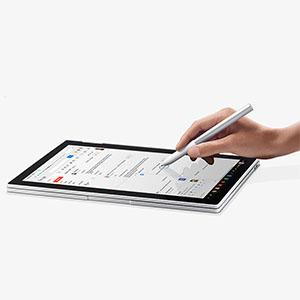
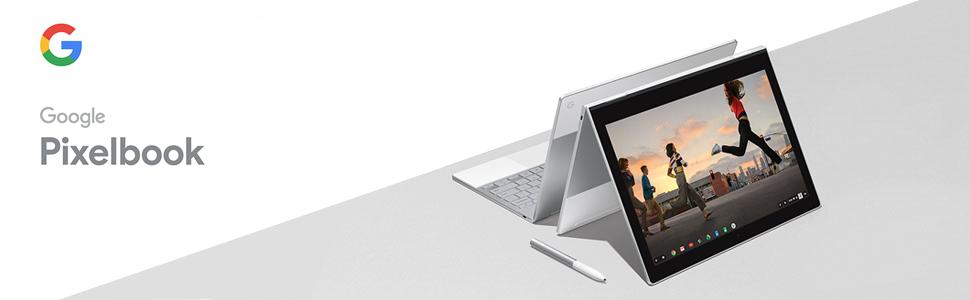
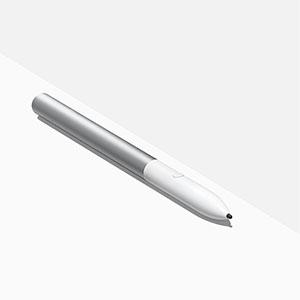
The Google Pixelbook Pen is a pressure-sensitive, smart stylus designed exclusively for the Pixelbook, featuring seamless Google Assistant integration and instant note-taking capabilities via Google Keep. Lightweight and ergonomically crafted, it offers a natural pen-like feel to enhance productivity and creativity on Chrome OS devices.
| ASIN | B075KNT5CY |
| Are Batteries Included | Yes |
| Are Batteries Required | No |
| Best Sellers Rank | #160,655 in Cell Phones & Accessories ( See Top 100 in Cell Phones & Accessories ) #3,065 in Styluses |
| Brand | |
| Built-In Media | Google Pixelbook Pen, AAAA battery, Quick start guide, Safety/warranty booklet |
| Color | Silver |
| Compatible Devices | Pixelbook |
| Customer Reviews | 3.6 3.6 out of 5 stars (355) |
| Enclosure Material | Plastic |
| Global Trade Identification Number | 00842776101860, 10842776101867 |
| Item Dimensions | 0.42 x 5.78 x 0.42 inches |
| Item Type Name | Google Pixelbook Pen |
| Item Weight | 18.14 g |
| Manufacturer | Google PC |
| Mfr Part Number | C0B |
| Minimum Required Operating System Version | ChromeOs 134 |
| Model Number | C0B |
| Number of Batteries | 1 CR2 batteries required. (included) |
| UPC | 842776101860 |
| Unit Count | 1.0 Count |
| Warranty Description | 1 year limited |
A**N
The pen is the perfect accessory for the PixelBook
The pen works perfectly. It obviously is only for the Pixel Book Chrome OS device. It works flawlessly. It is pressure sensitive, you can easily tell it is quality built. It came with a single AAAA battery for the pen. It's sturdy and easily held. The feedback from the button is thought out and well set up.
A**N
No from me
Expensive and not used. A finger works as well and does not take AAAA, hard to find, expensive batteries.
A**S
Great tool! I love this one more than the Surface Pen!
I had used Surface Tablets through multiple generations of their devices and loved them. After moving to Google Suite for work and deciding on a Pixelbook, I missed my pen, and decided to try this out. I can't believe I'm saying it, but I think I love this pen more! It is responsive and light, and I haven't seen much latency or lag on any of the apps I have used it with. The only dislikes I've had with the pen is that it is SMOOTH and therefore not very grippy to my hand. I feel like I adjust my hold on it more than I did with my previous pen-stylus. I also hit the Google Assistant button a LOT. I hope that eventually we'll be able to change the function of the button, because I have never once wanted to open Google Assistant with it (it picks up my voice...why would I hit a button to trigger that same function?), and would MUCH rather have it work as an eraser tool or 'right-click' tool. Other than that, I love it!
S**.
Useful, good accessory. Box needs a redesign though to allow easier access to it.
I have to say I haven't abused this as I should have to write a decent review, but so far so good. Works and it does what it says on the cover. Hardest part was to get it out of its box...boy, that box design needs to be improved! Otherwise a good accessory and useful for me.
I**R
Poor design and more integration needed to make this worthwhile.
This item has two problems that are suprising for a $100 item. Problem one: poor design the pen has no hook or clip or place on the pixelbook where the pen can be housed. It rolls away all the time or if you place it on the pixelbook above he keyboard, then there is a tendance to try to fold the screen down over it. Just a hassle. The pen is long, so I don't think it works well in shirt pockets. But it works well in skirt pockets and the pockets of my favorite big loose batik pants. Until you forget to take it out and have to hunt the house for a hidden item. II have a great briefcase that has an awesome set of pen pockets where it fits well, but i'm not so orderly that I always put it back in its place. It's always either in a bag or at the last table I worked at and i'm terrified of losing it. And I have come to dread that sound of one Pixelbook Pen rolling, rolling across an uneven table and hitting the floor. Problem two: and possibly more important is the lack of functionality. I don't know why I would take my hands off the keyboard to pick up--first find, oh! there it is on the floor!!-- and engage the assistant feature, which works primarily with words I could much more quickly cut and paste to search for. In my normal work I have no idea why that would be useful. It took a while and a blog post how to figure out how to trick the Pixelboook into letting me access Andorid apps from my G Suite account, which I now know how to do using search. Few items really require the pen for optimum use. I have to say that I have had good use out of it with goth Google Keep and Squid, While I prefer Keep for notaking and sharing, Squid is very powerful for highlighting text in documentsand saving the results robustly. I've almost justified the cost of this product with that one function, but I don't think it is near enough at this time. And I haven't tried and drawing programs quite yet, since that is not my work, and I prefer to doodle with my spindle or yarn. Ah Google, you always trick us into beta testing your half-baked ideas! That said, I love the Pixelbook and think it is worth every penny. I am a power user, I work full-time on my chromebook and I'm happy to have something much lighter to carry.
H**R
Comfortable to use and good touch, no holder and limited apps
This pen is used on the Pixelbook or slate. I got the Pixelbook on a Google Black Friday sale....I always wanted one but thought the price was crazy... But, now that I have one, I absolutely love it. Forget your Samsung tablet, forget a slate, this is the Chrome future. But, this review is not for the Pixelbook. It's for the Pen. And, the pen does work. Put in the weird AAAA battery and you have full control. Great touch and sensitivity on the screen. There are installed uses for "assistant,laser, mag, outline, and draw". They all work. The worst is the assistant. You draw a circle around what you want information on and the assistant gives you information. It is not a google search and is often way off in the interpretation. I circled a picture of Mitch McConnell and got a link to Forge in Fire. I have no idea how or what the connection was, but it is hit or miss. And, as has been noted by a bazillion other people. the pen has no clip and no holder. Some people have been using the pen loop. I've tried those...not the greatest and will interfere if you flip the notebook to tablet mode. They are available at The Container Store if you don't want to wait for a Prime delivery. I have a current solution for the pen. It is magnetic. I glued an N52 10x60x4 mm magnet to the upper lid side on the left. It looks nice and works great. Don't glue a magnet to the right side. It will keep the Pixelbook from turning off when closed. The off magnet on the lid on that side will not work if the N52 magnet is near it.
O**L
A great Styles Experience, Especially With Apps Fully Optimized For It
It's a great Styles, have not experienced any problems with it at all. It's based on WACAM's Reference Design, so pressure sensitivity, angle detection, traction etc. are all on point. The Styles itself is really well constructed, although get a case for it so you don't end up dropping it, as the components it utilizes, especially the tip, are somewhat fragile.
N**R
On one hand, this item is extremely overpriced. On the other hand, I have owned many pen and/or touch-based laptops over the years as well as having used both passive and active stylus' on phones and tablets - even had an external USB Wacom pad too - but this coupled with a Pixelbook is by far the best pen computing experience I have ever had. Awesome detection and sensitivity. Superb, smooth writing. Useful button. Works great with Android apps. Good size and weight compared to most others. My only wish is that it could be stored in/on the Pixelbook itself somehow, because at this price, I'm terrified of losing it. (Like I lost my Stilo 2A. Not available anymore and I really miss it.)
M**O
Pixelbook を使うのならこのペンは必須です。タッチパネルで矢印を動かすのが唯一の方法と思っていたが、このペンを使うことで使い勝手が格段に向上します。
N**I
looks great. A holder would be lovely.
T**R
Works as expected.
J**S
I wasn't sure if I needed a pen and I'd read some mixed reviews but I love it. Really enjoy writing with it on my Pixelbook using Chrome OS 85s new handwriting-to-text feature.
Trustpilot
Hace 3 semanas
Hace 2 semanas