We remain fully operational. Our teams are working around the clock to ensure your deliveries continue safely.

Descargar la aplicación


Servicios al cliente
Sobre nosotros
Copyright © 2025 Desertcart Holdings Limited
Descargar la aplicación





Buy anything from 5,000+ international stores. One checkout price. No surprise fees. Join 2M+ shoppers on Desertcart.
Desertcart purchases this item on your behalf and handles shipping, customs, and support to Spain.
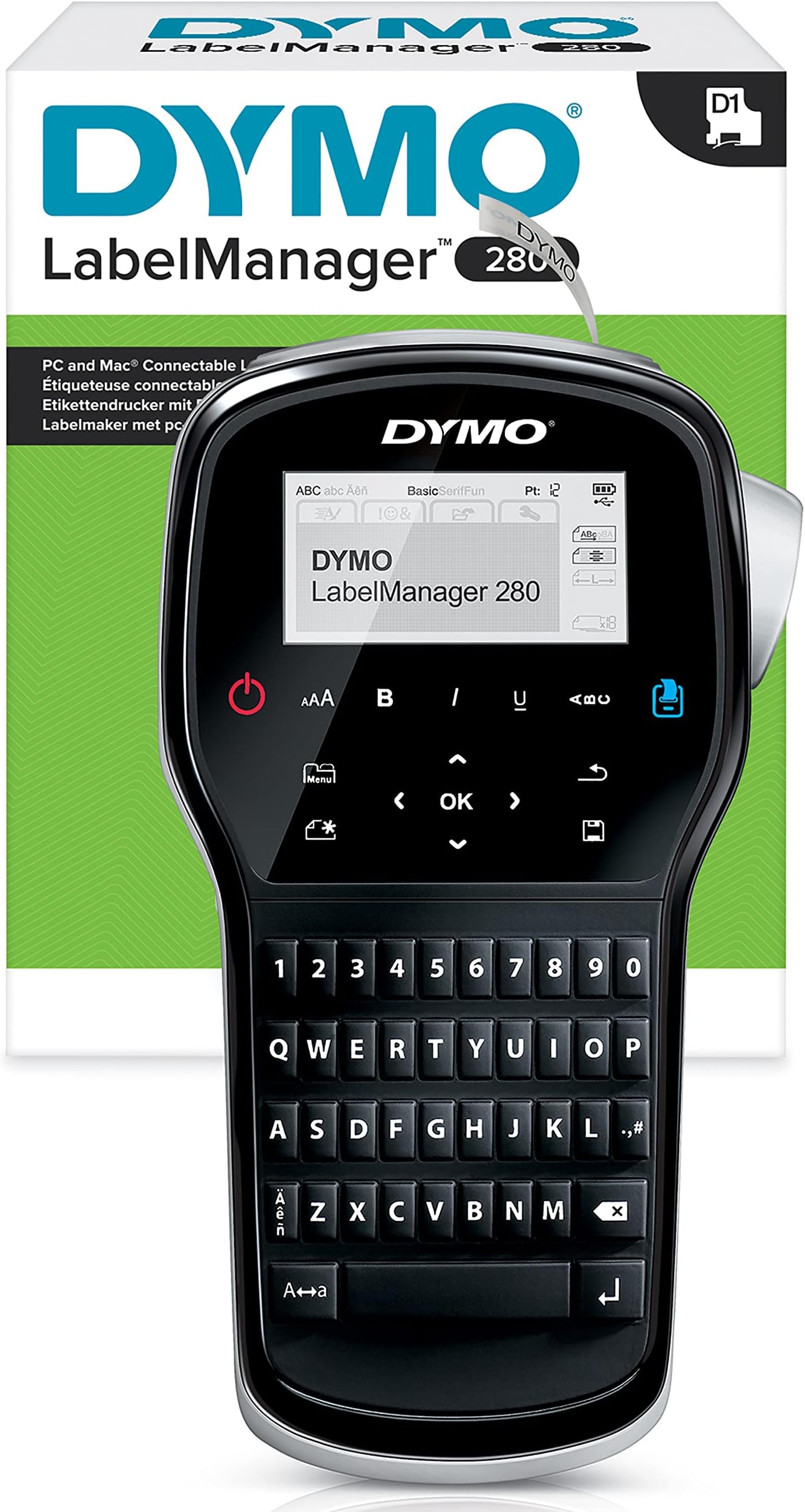
🏷️ Label like a boss—organize your world with style and zero waste!
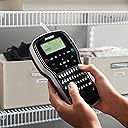
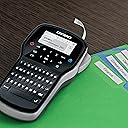
The DYMO LabelManager 280 is a rechargeable handheld label printer featuring a PC-style QWERTY keyboard, a large LCD preview screen, and compatibility with PC/Mac for custom fonts and graphics. It includes black & white D1 label tapes (12mm), a dedicated charger, and a carry case, making it perfect for professional home and office organization with eco-friendly power and precision printing.


| ASIN | B00AOHBRJM |
| Additional Printer Functions | Print Only |
| B&W Pages per Minute | 10 |
| Best Sellers Rank | 3,211 in Stationery & Office Supplies ( See Top 100 in Stationery & Office Supplies ) 20 in Label Makers 27 in Labels & Labelling Equipment |
| Box Contents | Labels |
| Brand | Dymo |
| Brand Name | Dymo |
| Color Depth | 1 bpp |
| Color Pages per Minute | 10 |
| Colour | black |
| Compatible Devices | PC |
| Connectivity technology | USB |
| Control Method | Touch |
| Controller Type | Hand Control |
| Country of Origin | China |
| Customer Reviews | 4.4 out of 5 stars 369 Reviews |
| Display Type | LCD |
| Dual-sided printing | No |
| Duplex | Simplex |
| Global Trade Identification Number | 03501170968963 |
| Hardware Interface | USB |
| Initial Page Print Time | 60 Sekunden |
| Ink Colour | black |
| Item Dimensions D x W x H | 206D x 48W x 117H millimetres |
| Item Type Name | Laser Printer |
| Item Weight | 610 Grams |
| Manufacturer | DYMO |
| Maximum Copies Per Run | 1 |
| Maximum Copy Resolution Black and White | 203 dpi |
| Maximum Copy Resolution Color | 200-300 dpi |
| Maximum Copy Speed Black and White | 10 ppm |
| Maximum Print Resolution Black and White | 203 dpi |
| Maximum Sheet Capacity | 50 |
| Maximum Supported Paper Size | 50 mm |
| Maximum print Resolution Color | [LO] |
| Model Name | LabelManager |
| Model Number | S096960 |
| Model Series | 280 |
| Model name | LabelManager |
| Network Connectivity Technology | USB |
| Number of Drivers | 1 |
| Number of Trays | 1 |
| Other Special Features of the Product | Portable |
| Output sheet capacity | 50 |
| Paper Size | 19 centimeters |
| Power Consumption Size | 48 Watts |
| Print media | Labels |
| Printer Output Type | Monochrome |
| Printer Type | Thermal |
| Printing technology | Thermal |
| Processor Count | 1 |
| Product Warranty | limited |
| Resolution | 203 x 203 dpi |
| Scanner Type | Portable |
| Series Number | 280 |
| Special feature | Portable |
| Specific Uses For Product | label printing for home and office organization |
| Total USB 2.0 Ports | 1 |
| Total USB Ports | 1 |
| Warranty Type | Limited Warranty |
| Wattage | 48 watts |
M**K
Nice Label Printer
This can print labels either when used with a computer via usb, or operate independently using its lithium battery. A downside is that its 2.5 inch two-line monochrome display screen isn't backlit making it harder to read in poor lighting. It has a physical qwerty keyboard and some touch-sensitive virtual buttons below the screen, which include on, print, menu, a d-pad, and a few others. You get three choices for fonts: basic, serif, and fun. You can also change type size, add bold or italic text, a border, add symbols & clip art, date and time, auto-numbering, or saved text. It uses a variety of tape cartridges from 6-12mm wide, and come in clear, white, blue, red, yellow, or green plastic.
J**Y
a very useful tool.
this is a great tool. I have so many different bits and bobs I needed some way of keeping track of and this has done it very well. I was able to label it all very effectively and thanks to this devices computer app I can add barcodes and other useful organisational bits to items to help me keep track of them. very pleased and definitely recommend to anyone who needs this kind of tool. however I do also recommend to get the vinyl tape to go with it as its standard tape is only really good for paper and card. Vinyl works great on tools and hardware.
J**G
Great little labeller - especially with its Mac connectivity. Shame it's not higher resolution.
Fast and easy to use with great results (once you've had a play to find the fonts and sizes that print best). It looks like it has a touch screen, but it's just a soft plastic sheet hiding real buttons which is a bit of a swizz. I'd be happier with normal buttons like its cheaper sibling. The screen doesn't light up either (as Dymo product images would have you believe) so it's quite hard reading the smaller information - type size especially... But it's its connectivity to a computer that sets it apart. The desktop software works well - but it's more Word than InDesign so the controls are pretty basic. You can't access proper weights and italics from font families, it just lists single regular weights and then allows you to choose a faux-italic or bold but this is probably ok given the unit's resolution shortcomings. Type is mostly jaggy and it can't really handle anything intricate. You can find sizes and fonts that work well with trial and error, but I'd rather have better resolution in the first place. I don't think anyone else does higher res either so it must be the 'acceptable standard' in the market place at this price point - at the moment. Over to you Dymo.
M**K
Designed to cut corners, poor recharging design.
Designed to cut corners, not to be a good product. I originally bought the more affordable version of this because the listing said it was rechargeable - it wasn't, I returned. This version (LabelManager 280) is rechargeable, but not in any modern, normal or convenient way, it comes with a propriety charger plug (in 2026), which cannot be use to power the device. I read a lot of complaints about how their products weren't rechargeable and it seems as though they have ticked off this product requirement in the cheapest way possible, it's like a mobile phone from the 90s. This is an even bigger problem when my product didn't include the charger.
A**R
This is a great label printer
Paid a little more to get this one, but it has some big advantages: 1) The re-chargeable battery lasts for ages. It seems energy use is a problem with many label printers but no problem here. 2) The digital screen is very easy to use. 3) Good flexibility with size of font, italics, bold, symbols etc. I have not needed to use the computer software it also comes with, but no doubt others will have use for that.
P**S
Great product at silly cheap money with Dymo cashback promo
This Dymo LM 280 label printing machine is high quality and prints great clear labels. Try it with Kodex replacement cartridges. The out door Kodex cartridges are great with this machine. Best bit of all is I'm getting 50% cashback via a Dymo promo making this machine a brilliant value purchase. Handheld with a great easy read screen and loads of fonts downloadable via a laptop ect. Great product at a silly cheap price.
P**F
Good quality labeling machine.
Very pleased with the printer and the quality of the labels produced. It can be a little fiddly to get the paper backing off and the adhesive doesn't appear to be that strong but I've not had any fail to stick or to come off. The manufacturer's own brand tapes are better quality than the unbranded ones but then again they are more expensive.The PC software is useful but not essential.
P**L
Quality label printer
Very good prompt delivery, and well packaged. I have a Casio machine that does pretty much the same thing, but I wanted a modern machine, and I like the Dymo brand. I was a bit disappointedly bemused at first use, because it wouldn't print, despite the 'whirring' noise of the machine attempting to do so. I snapped in the supplied cassette more firmly, but still the same. I pulled on the tape from the cassette, against a bit of resistance to make it more taught (as per the trouble shooter) although it was not slack, retried, and it worked. I don't need this for high volumes of labels, but I like a decent device to make any if and when I want them, and this is a quality machine that produces quality print on labels. I just used it from the PC as a printer with selected font(s) via its software downloadable from the Dymo website. What I did try was the 'screen grab' feature from that software of the lady with the microphone mouthpiece, and pasted it on a label, then printed it. ...I was surprised of the photo quality of the grab for a label of this type, and was very impressed. So, not only is it capable of producing superb dedicated fonts when required, it can do finer detail also. I just wish it would work with wider labels, but this is fine in every respect for shelf sized labels and other similar uses.
Trustpilot
Hace 4 días
Hace 2 días