We remain fully operational. Our teams are working around the clock to ensure your deliveries continue safely.

Descargar la aplicación


Servicios al cliente
Sobre nosotros
Copyright © 2025 Desertcart Holdings Limited
Descargar la aplicación
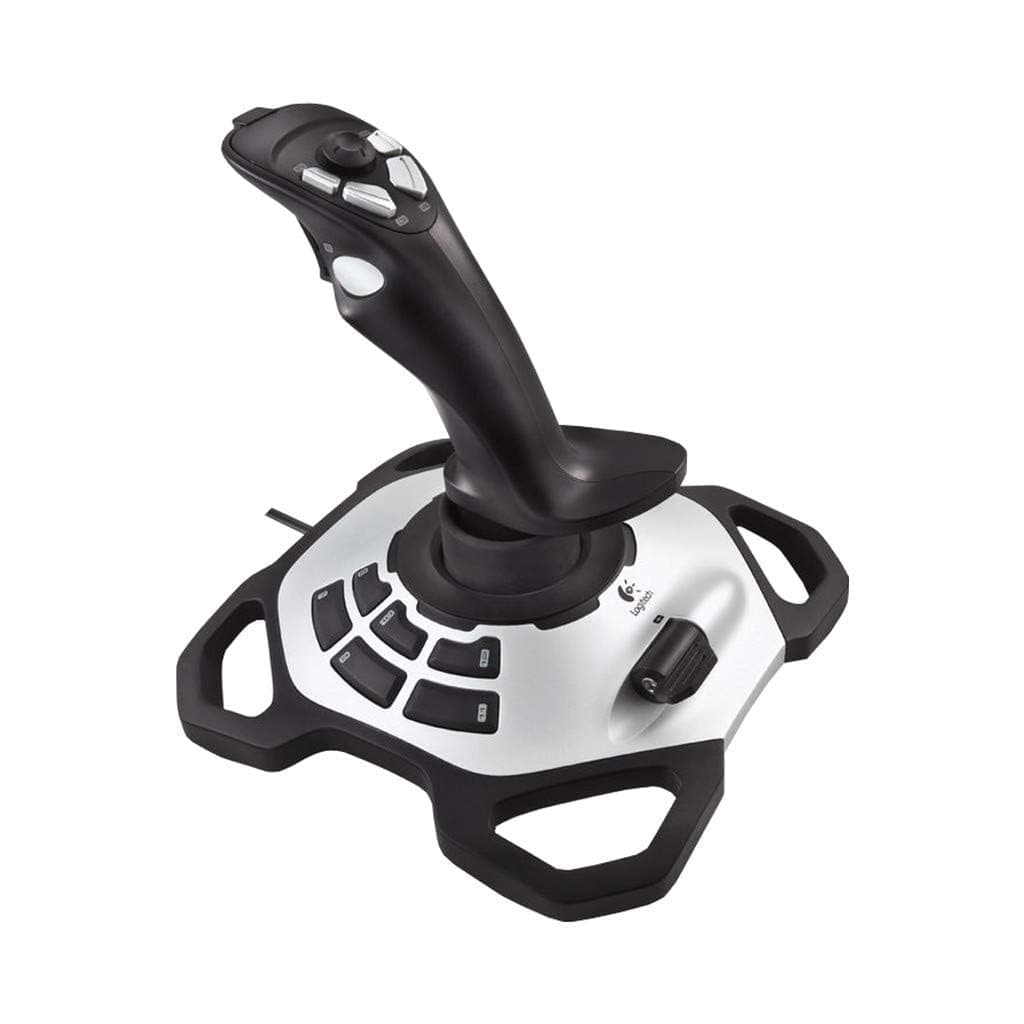




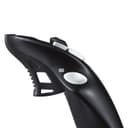
🕹️ Elevate your gameplay — don’t just play, dominate!
The Logitech G Extreme 3D PRO Joystick is a high-precision, wired USB controller designed for PC gamers seeking professional-grade control. Featuring 12 programmable buttons, an 8-way hat switch, and a stable weighted base, it delivers ergonomic comfort and rapid-fire responsiveness. Perfect for flight sims and action games alike, it’s a top-tier choice for serious gamers wanting to upgrade their setup.

| ASIN | B00CJ5FPTA |
| Best Sellers Rank | 3,579 in PC & Video Games ( See Top 100 in PC & Video Games ) 7 in PC Joysticks 308 in PlayStation Legacy Systems |
| Brand Name | Logitech G |
| Button Quantity | 12 |
| Colour | Black |
| Compatible Devices | PC |
| Connectivity Technology | USB, verkabelt |
| Controller Type | Joystick |
| Customer Reviews | 4.3 4.3 out of 5 stars (4,331) |
| Global Trade Identification Number | 05099206041912 |
| Hardware Platform | Gaming Console, PC |
| Included Components | Logitech Extreme 3D Pro Joystick, CD-ROM with Logitech Gaming Software, Installation Manual |
| Item Dimensions | 23 x 21 x 23.2 centimetres |
| Item Weight | 1 kg |
| Manufacturer | KOMQI |
| Model Name | Extreme 3D Pro |
| Package Quantity | 1 |
| Power Source | Corded Electric |
| Product Warranty | 2 Years |
| Special Features | Ergonomic |
| Unit Count | 1.00 count |
O**P
Excellent quality and functionality
I bought this joystick as a replacement of my old logitech attack 3 joystick and after using it a bit I wished I had upgraded earlier. As expected from logitech, the Extreme 3D Pro offers excellent build quality and value for money. Compared to the quality of other joysticks in this price range I can't understand why you would buy anything else. The joystick offers eleven programmable buttons as well as a trigger, hat stick and throttle control. All the buttons very really solid and the sheer number of them means you can keep your hand near the joystick as opposed to the keyboard for longer. The throttle feels really nice and has a large flap that makes it easier to make more precise movements. The stick itself feels very expensive and works perfectly in games. I know lots of people aren't keen on the yaw function being incorporated into joysticks and I was initially sceptical myself, however I have found it to be very useful and easy to use. Beneath all the buttons the joystick has a very large and heavy base making it very stable. The only downside is that it's only really practical for right handed users so left handed people are probably better off opting for an ambidextrous joystick. Overall, I couldn't recommend this joystick enough and would highly advise choosing it over other models in a similar price range.
R**L
A reasonable subsitute for a Tandy joystick
I bought this because I want to play retro computer games (intended for the TRS-80 Color Computer) using an emulator. I can't comment on its usefulness as a flight stick, since I'm not into flight simulators. I'm comparing this stick to the Tandy Deluxe Joystick (use Google Images to see what this is), and using it in place of one. It's a self-centering joystick, that is grasped in the right hand. It feels a little awkward trying to place the stick in a precise place, and it is much less useful for fine/precise work than the old Tandy joystick. It has 12 fire buttons, which is more than enough. The very small throttle control has no usefulness. It's a sturdy, heavyish base. So I plonk it on a chair that has a hard surface and play my game. It works. Of all products being manufactured in the present day, it's the best substitute for a Tandy joystick that I've been able to find. It's reasonable. That's all I can say.
S**S
Excellent Joystick.
Bought to replace same item bought years ago that has been passed on to younger member of the family. Excellent item. Used for FSX on computer.
D**E
Excellent Joystick
Purchased this to play flight sim and Elite Dangerous. I did not want one of those massive joysticks, just something fairly simple, this joystick fits that bracket nicely The joystick is well made and has 12 different programmable buttons so you can set up different actions for each button, really handy Works a treat with Elite Dangerous and Flight sim. Seems very well built, so I am sure it will last quite a while (unlike my Quickshot I Joystick from 1984!!) Pros • Reasonably priced • Well Made • Fairly Compact • Programmable buttons (12) • Ergonomic Cons • Would like removable usb wire
M**L
No calibration required. No drift!
I bought this as a direct replacement for my venerable (read: "OLD") Logitech Wingman 3D Extreme. Works great, straight out of the box. Installation consisted of plugging it into an empty USB socket and placing it in a comfy position. I had to calibrate my old stick every time I connected it to the PC. The G Extreme 3D PRO has not needed calibrating once. There is no drift on the stick. All 3 axis are responsive and the throttle is smooth, and not as peculiarly placed as I first thought. Buttons are all well placed and responsive. The stick is comfortable for prolonged use (If, like me, you're gonna use it for the "X" series space games, THAT is important!). If you are after a relatively cheap and cheerful flight stick with lots of buttons, you can't go wrong with this.
J**R
Good Value
Works well and more buttons than my original Sidewinder, used for Condor 3 soaring simulator, only downside is it gets a bit uncomfortable on the wrist after about an hour, good value.
M**K
Good budget oriented flight-stick (used for elite-dangerous)
Please bear in mind... I have used this thing for 100+ hours of Elite Dangerous but I have never used any other type of flight-stick. Pro's -All the buttons and triggers feel good and there is a handy "mini D-Pad" on top on the stick. -It's made of plastic but it has a wide base and it's fairly sturdy. It feels like a more expensive product than it is. -The stick can be "twisted" left to right to control Yaw. -You can use any of the 6 buttons at the side as modifiers giving you crazy amounts of binding options. Con's -From time to time the stick doesn't always return to neutral meaning you drift a little to one side. (Fixed by adding generous dead-zones in-game, which also makes the controls feel a bit less responsive) -The "throttle" lever works fine but it feels cheaper than the rest of the stick. -The plastic ridge you rest your hand on while flying does the job, but can get sore for long play sessions. Summary If you want to try playing games with a flight-stick, especially Elite Dangerous, without breaking the bank... This is probably the one you should buy.
J**R
Wirklich eine sehr gute Qualität so wie man es von Logitech nicht anders kennt. Er liegt wirklich gut in der Hand und lässt sich auch schon mit wenigem Kraftaufwand bedienen was das spielen sehr entspannt macht. Außerdem kann man ihn in jedem Spiel sehr gut so einstellen wie man ihn braucht. Sehr gutes Produkt kann ich nur weiter empfehlen!!
G**M
Mooie Joystick maar voor win11 geen drivers beschikbaar en werkt helaqas niet op win11. Win10 weet ik niet, die heb ik niet. Jammer, maar helaas onbruikbaar dus gaat retour
G**S
Works fine on Windows 11, but make sure you disable core isolation protection. Using for ms flight simulator, great value
Ü**T
Daha önce de kullandım amatorler icin uçuş simülasyonlarinda ideal tavsiye ederim
R**L
There is a lot of play on the joystick, making flying a pain. Every time you touch the flight stick, it translates into the movement of your aircraft or helicopter. I have sent it back for a refund and have bought a different, more expensive brand. Maybe I will be lucky with the next purchase.
Trustpilot
Hace 2 semanas
Hace 1 mes