We remain fully operational. Our teams are working around the clock to ensure your deliveries continue safely.

Descargar la aplicación


Servicios al cliente
Sobre nosotros
Copyright © 2025 Desertcart Holdings Limited
Descargar la aplicación
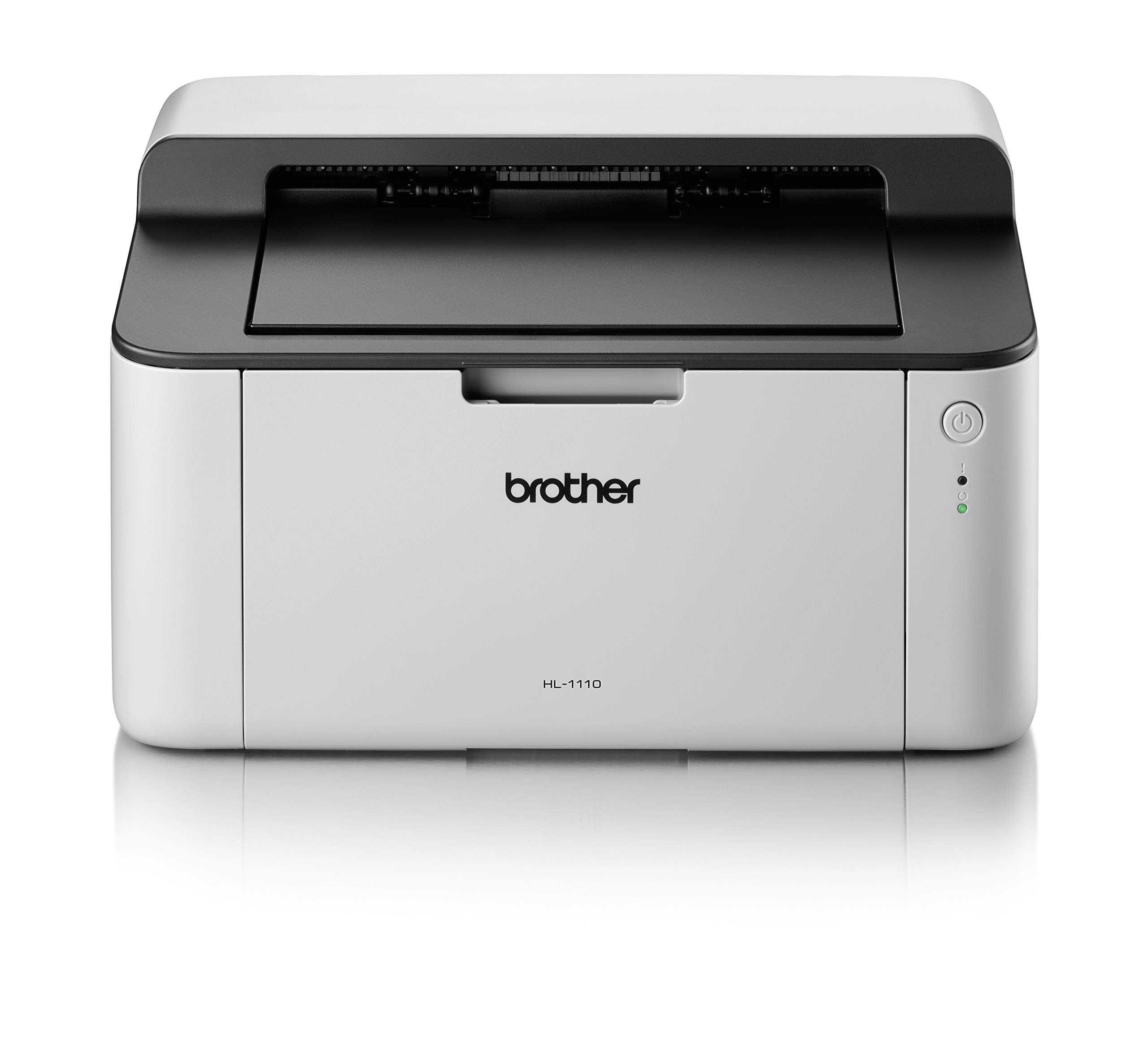
🖤 Print smart, save big, and never run dry!
The Brother HL-1110 is a compact monochrome laser printer designed for home and small office use. Delivering fast print speeds of up to 20 pages per minute and a generous 150-sheet paper capacity, it ensures efficient, hassle-free printing. Equipped with genuine Brother toner cartridges that yield up to 1,000 pages, it offers low operating costs and reliable performance. Easy USB connectivity and app control make printing from multiple devices effortless, making the HL-1110 a budget-friendly, durable choice for professionals seeking dependable black-and-white printing.


| ASIN | B00EKF2D24 |
| Additional Printer Functions | Print Only |
| B&W Pages per Minute | 20 ppm |
| Best Sellers Rank | 2,392 in Computers & Accessories ( See Top 100 in Computers & Accessories ) 6 in Laser Printers |
| Box Contents | Printer, UK 3-Pin AC adapter/power supply cable, Product safety guide, Software disc, User guide, Warranty card, Quick setup guide, Inbox toner |
| Brand | Brother |
| Brand Name | Brother |
| Color Depth | 1 bits_per_pixel |
| Color Pages per Minute | 20 ppm |
| Colour | White |
| Compatible Cartridge | Brother's genuine toner cartridges for HL-1110 |
| Compatible Devices | Laptops, PC, Smartphones, Tablets |
| Connectivity technology | USB |
| Control Method | App |
| Controller Type | Push Button |
| Country of Origin | China |
| Customer Reviews | 4.1 out of 5 stars 2,936 Reviews |
| Display Type | LCD |
| Dual-sided printing | No |
| Duplex | Simplex |
| Global Trade Identification Number | 04977766721417 |
| Hardware Interface | USB 1.1 |
| Initial Page Print Time | 3 Seconds |
| Ink Colour | Black |
| Item Dimensions D x W x H | 9.4D x 13.3W x 7.4H centimetres |
| Item Type Name | HL-1110 |
| Item Weight | 0.01 Kilograms |
| Manufacturer | BROTHER |
| Maximum Copies Per Run | 150 |
| Maximum Copy Resolution Black and White | 600 dpi |
| Maximum Copy Resolution Color | 600 x 600 dpi |
| Maximum Copy Speed Black and White | 20 ppm |
| Maximum Print Resolution Black and White | 600 dpi |
| Maximum Sheet Capacity | 150 |
| Maximum Supported Paper Size | A4 |
| Maximum print Resolution Color | 600 x 600 dpi |
| Model Name | HL-1110 |
| Model Number | HL1110 |
| Model Series | 1110 |
| Model name | HL-1110 |
| Network Connectivity Technology | USB |
| Number of Drivers | 1 |
| Number of Trays | 1 |
| Other Special Features of the Product | duplex |
| Output sheet capacity | 50 |
| Paper Size | A4 NA |
| Power Consumption Size | 380 Watts |
| Print media | Paper (plain) |
| Printer Output Type | Monochrome |
| Printer Resolution Horizontal in Black and White | 6104 Centimeters |
| Printer Type | Laser |
| Printing technology | Laser |
| Processor Count | 1 |
| Product Warranty | 1 year |
| Resolution | 600 x 600 |
| Scanner Type | Sheetfed |
| Series Number | 1110 |
| Special feature | duplex |
| Specific Uses For Product | Office |
| Total USB 2.0 Ports | 1 |
| Total USB Ports | 1 |
| Unit Count | 1.00 Count |
| Warranty Type | Limited Warranty |
| Wattage | 380 watts |
I**E
Easy, robust, reliable, cheap to run. Impressive :)
Needed a printer for very occasional use, but remember the bad experience of my previous inkjet printers.. Cartridges drying out inbetween uses, ink running out at vast expense after no time at all really put me off getting another.. until I heard of laser printers... Having a nose on Amazon, expecting to pay well for losing these inkjet hassles, I came across two Brother laser printers at under £70. This included the first toner laser cartridge (basically ink, but in dry powder form that doesnt dry out or clog) which work for up to 1000 full page prints with the starter cartridge, but offer 5000 with cartridge replacements! Supplied inkjet starter cartridges running out after a week or so, then being presented with a cost greater than the actual printer to replace them, also seems to make laser a no brainer for those wishing to print only black and white and on a budget. There were two models at the sub £70 mark, and I chose this cheapest HL-1212w one at £64. The downside was that it will not automatically print on both sides of the paper (at the £70 one does), plus for me (more critically) this one is smaller and fit perfectly my small office needs. You can manually reload on this model to print both sides if you wish, although I recycle paper anyway (plus finished documents look much nicer one sided anyway). Setup was easy. The Vine reviewer here (who was given the version with the 5 cartridges and 3 year guarantee for free in order to review it) surely must have been reviewing a different printer? Far from being flimsy & cheaply made (when compared to his more expensive and older Brother machine), I find it the opposite despite actually paying for mine. Yes, it may not be as sturdy as older and more expensive printers, and basing a review upon that might seem unfair. Just because a cheap Sekonda watch isnt a Rolex watch doesnt make it any less functional at telling the time.. From a budgetary perspective, it does what it says it does, is ridiculously cheap in doing so, looks good and completes prints quickly. Replacement cartridges (originals) cost around 30 quid. Non originals cost as little as £7. The drum (which encapsulates the toner (ink) cartridge needs replacing around every 2 years.. Also £30 for an original and as little as £7 non original... I may risk non original, as most of the reviews state no problem in doing so and similar reviews to the originals. All being well, that's ongoing printing for no money whatsoever... Setting up on pc is easy with the included disc, and despite no included usb cable, none is needed down to the wifi feature. My pc recognised and connected with it immediately. I at first wondered where the Brother printing app interface on the pc was, but printing on the pc is easy and basically down to just clicking "print" in windows whilst actually viewing the document or item you require printing. A small Brother window then opens with simplistic options, with all needing doing then pressing "print". I rarely turn my pc on these days, but forget the faff of having to do that with this printer.. Simply download the Brother printing app to your phone, and you can simply print documents that you receive via email even in another room in the house. Given that a smartphone is in fact these days what a PC is anyway, you can do everything from your phone anyway. Given the ridiculous low price, lack of problems setting up, reliability I have found already, robustness, simplicity, cheap and reliable toner (ink) and consumables on offer with this laser printer, I'm giving it five stars. I will come back to my review if there are any issues or downsides in the meantime, so you can view the date my review was published and feel confident that my printer is still going strong. I'm hoping it goes on for years, and actually suspect it will. Extremely pleased :)
J**S
Worth the MONEY!!
I’ve been using ink printers for a long time, but they always ran out too quickly and became expensive to maintain. I decided to switch to this printer, and I couldn’t be happier! It lasts for around 1,000 pages before needing a refill, which is a huge improvement. The print quality is excellent, and it handles large amounts of work effortlessly. I’m currently preparing for my GCSE exams, so I’ve been printing a lot of study materials. This printer has been a lifesaver—no more constant refills or worrying about running out of ink at the worst moments. The setup was quick and easy, and the overall performance has been flawless. On top of that, the service has been fantastic. Delivery was fast, and everything arrived in perfect condition. If you need a reliable, long-lasting printer, I highly recommend this one!
L**R
Great value printer
Wanted to get away from an inkjet printer with 5 ink cartridges, so purchased this budget laser printer by Brother. Compact and nicely designed and easy to set up and start printing, took 5 minutes at most. Good quality B/W laser copies and fast as well. Don't miss colour copies when the images are this sharp. Great buy and the toner will last alot longer without drying out.
J**L
Simple, easy to use printer at a reasonable price
My old Pantum printer broke down and I bought this Brother printer to replace it. I don't do a great deal of printing so I wanted a simply, easy to use printer which I could just plug in and go. I did not need colour printing - black and white was all I required. Neither did I want to scan or photocopy. Neither did I want to print from my smartphone or tablet - I only wanted to print from my laptop. So something simple and hopefully not too expensive was what I was looking for. This printer seemed to fit the bill. I noted what other reviewers said about it not coming with a USB cable so I retained the cable from my old printer. I encountered an initial problem in that the the printer came with a disc which was there to load the driver. The instructions showed the disc being slotted into a pull out drawer on the side of the laptop. My laptop does not have a drawer. However, I loaded the driver by going onto the Brother website. This worked ok so I was soon up and running. So far I am happy with the printer; It is perfectly sufficient for my needs. I will be interested to see how long the ink cartridge lasts and how much it costs to replace it. At this point I will investigate whether I can use compatible ink cartridges. Overall, however, I am happy with the printer.
L**I
Stay away from this rubbish!
Don't bother with this printer. We ordered it last year in February, and it worked fine at the beginning. Until we had to change the toner cartridge... the printer complained that it wasn't an original Brother cartridge (which it was) and refused to start printing again. We tried another original cartridge with same result. I contacted Brother and they replaced the printer right away (this was in May). The new one worked fine until we had to change the toner. The same thing happened, it refused to start working again. I eventually managed to get it reset with a sequence of button presses. Fast forward a good few months and guess what... yep, Brother's toner DRM struck again after changing cartridges. This time I couldn't get it reset. I contacted Brother as the printer was less than a year old after getting it replaced in May. They refused to do anything as the warranty started with the original purchase date in February, and did not start over with the replacement. I was told that it's only a £30 printer anyway and to just get a new one. Really? First off, it was a £40 printer, and then we had purchased several new cartridges which we couldn't use. Once you insert a new cartridge and it fails, you can throw it out and start over with a new one hoping that one will work. So we wasted about half a dozen cartridges since original purchase. This was the last Brother printer I ordered!
A**N
Superb Printer, What's not to like
Great little printer at a very good price, Set up was a doddle even for a 80 year old, To save time I had already Downloaded the full and latest driver/software package (37MB) on to my desktop from the Brother website the morning before the printer arrived, I also used my original USB lead off my now defunct old printer, all up and running/printing within 15mins, Considering the price I was surprised, Toner easy to fit, Quick in operation, Quite, Print quality ideal for my needs, very small footprint, what’s not to like, all in all a very good buy indeed. NOTE: Some people seem to jump in without doing any research at all before buying, For instance Printers aren’t supplied with USB cables anymore so make sure to order one when purchasing your printer they are only about £5, Cost out the price of toner/inks first, Any supplied installation CD will be old/out of date, So download the latest up to date drivers etc direct from the manufacture's website, Read good and bad comments then make up your own mind, Little things like this and researching first will make your purchase and installation journey easier.
V**E
GREAT :)
Great printer. Compact, uses cheap toners which have a good yield, drum unit lasts a long time. And it's easy to connect, just use a device with the disc to connect it to your WiFi then you can easily connect it to your phone.
B**Y
Cheaper to run I hope
Looks and feels quality printer will hopefully serve grandkids well
Trustpilot
Hace 1 día
Hace 2 meses