We remain fully operational. Our teams are working around the clock to ensure your deliveries continue safely.

Descargar la aplicación


Servicios al cliente
Sobre nosotros
Copyright © 2025 Desertcart Holdings Limited
Descargar la aplicación


🎬 Elevate your home theater game with wireless surround sound that commands attention!
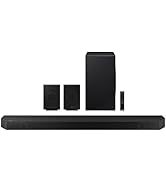
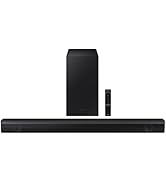
The Samsung SWA-8500S is a wireless rear speaker kit designed exclusively for select Samsung soundbars, delivering 54 watts of dynamic surround sound. Its compact, wall-mountable design enhances your home entertainment setup without clutter, while easy pairing and remote-controlled audio adjustments ensure a seamless, immersive experience for movies, music, and gaming.



| ASIN | B06XP324D7 |
| Audio Driver Type | Dynamic Driver |
| Batteries | 3 AAA batteries required. |
| Best Sellers Rank | #162,118 in Electronics ( See Top 100 in Electronics ) #294 in Ceiling & In-Wall Speakers #575 in Home Audio Sound Bars |
| Bluetooth Range | 10 Meters |
| Brand Name | Samsung |
| Color | Black |
| Color Name | Black |
| Compatible Devices | Samsung Soundbars: HW-Q70R, HW-Q60R, HW-R650, HW-R550, HW-R450, HW-N400, HW-N450, HW-N550, HW-N650 HW-M360, HW-M450, HW-M4500, HW-M550, HW-Q60T, HW-T650, HW-S60T, HW-T550, HW-T450, T60M |
| Control Method | Touch |
| Customer Reviews | 4.3 4.3 out of 5 stars (7,122) |
| Date First Available | March 5, 2017 |
| Global Trade Identification Number | 00887276209890 |
| Included Components | Rear Amplifier, Speaker (2) |
| Is Discontinued By Manufacturer | No |
| Is Waterproof | FALSE |
| Item Weight | 5 pounds |
| Item model number | SWA-8500S/ZA |
| Manufacturer | Samsung Electronics |
| Model Name | Samsung |
| Mounting Type | Bar Mount,Plug Mount,Wall Mount |
| Number of Batteries | 3 AAA batteries required. |
| Number of Items | 1 |
| Output Wattage | 54 Watts |
| Power Source | AC |
| Product Dimensions | 3"D x 3"W x 5.7"H |
| Recommended Uses For Product | Movies |
| Series Number | 8500 |
| Shape | rectangular prism |
| Speaker Size | 3 Inches |
| Speaker Type | Surround |
| Special Feature | Bass Boost, Radio, Stereo Pairing |
| Special Features | Bass Boost, Radio, Stereo Pairing |
| Style | SWA-8500S/ZA |
| Subwoofer Connectivity Technology | Wireless |
| Surround Sound Channel Configuration | 2.0 |
| UPC | 887276209890 |
| Unit Count | 1.0 Count |
| Warranty Type | Limited |
| Water Resistance Level | Not Water Resistant |
| Wireless Communication Technology | Bluetooth |
D**A
Very Happy I purchased the SWA-8500S Wireless Rear Speakers Kit.
The kit complements the HW-MM55/ZA soundbar I also own. I knew that the kit was not completely wireless. The receiver module is wireless but you have to attach the two surround speakers using speaker wire that is provided. The speaker wires and receiver inputs are clearly marked. The receiver module is paired to the soundbar. The paring process is as follows: The receiver module is plugged in, and the LINK LED indicator will blink. The soundbar should be turned off. Then, the instructions say to press the VOL button on the remote control to the sound bar for about 5 or 6 seconds until the "ID SET" message appears on the soundbar. This does not work. The button that should be pressed is the Mute button. Once the right button is pushed, the LINK LED button becomes a solid blue. At this point, the receive module is paired with the soundbar. At first, I thought the speakers were not functioning. The issue is connecting the speaker wire to the speaker. If you push the wire in too far, it doesn't make the necessary contact. Pairing the speakers to the sound bar was difficult because the instructions given in the user manual are not correct. Once paired, the rear speakers are controlled using the remote control for the sound bar. The soundbar must be set to Surround Sound using the SOUND MODE button. The Sound Control button adjusts the TREBLE, BASS, AUTO SYNC, REAR SPEAKERS ON, and REAR LEVEL. Changes are made using the UP and DOWN buttons. I turned the REAR LEVEL to max. The sound quality is awesome! Takes the sounds of Movies, Music & Games to whole other level with quality surround sound.
P**N
Awesome if You Are Planning to Use With Compatible Components
I paired these with a compatible Samsung sound bar very easily. I guess you could use the speakers with any type of home audio system, but if you don't have a sound bar (Samsung or not), this is not the surround speaker set you should be considering. If you do have a compatible Samsung sound bar, and that sound bar is connected to a compatible Samsung 4K flat screen TV, you'll probably be very happy with this set up. I need to say something to the entire home audio industry first, though. It's about damned time I didn't need to take 6 hours out of my day to run and obfuscate all the speaker wires needed for each speaker. The next innovation needs to be quicker. So, I had my Samsung sound bar and it's included wireless sub already hooked up to my Samsung TV. Consequently I spent some time being confused by the instructions included with these speakers. I highly recommend that instead of repeating my mistake, go directly to the sound bar's manual for pairing instructions. If it's compatible with these speakers, it will have a section on it. Apparently for a quick little giggle, Samsung made a funny and made the pairing process just a little different and unique for every different sound bar you can use. Thanks Samsung. Nevermind reading the listing to determine the dimensions of something you want, these are WAYYYY smaller than the picture makes then look. Imagine a rectangle version of the older Bose cubes from the 90's. This wasn't a buzzkill for me, just unexpected, like when an 85 year old farts and wasn't expecting it. Like I said, setup was a breeze, I spent the most time looking for two screws to use (each takes 1). I am OCD about things I attach to the wall from the standpoint of choosing not to hang something if a stud is not a available to anchor the screw into. That said, these are so light, you'd hand no problem hanging out of a wood screw which is just screwed into drywall. They sound pretty good, but these are satellite surround sound speakers, so when they emit a sound, it's usually very obscure, and if you don't the time and configure your audio like Jesus would, it would blend seamlessly into the what's playing on the front speakers. I'm a Samsung loyalist, but only to a certain point. Their products will usually recieve deference from me, but sometimes Allende brand has something they don't.
J**D
Good sound for sound bar speakers
Physical set-up very easy, pairing was easy, keep in mind that rear surround speakers are for accents, sound movement, and vary in volume depending on the show. The speakers are small, 3" X 5", I failed to look at the size before purchasing and was surprised at how small they were. The speaker wire is very thin attesting to the low voltage. All appropriate and typical for a sound bar system. We have our set-up in our basement living room and it's totally adequate for the space. The speaker quality and sound is good for what they're intended for. It's important to remember this type of set-up is not a high-powered, high-end system. We choose not to try and boost the volume as others have done, because they're not meant to act like the front speakers and are pre-set and balanced. Overall we're happy with the purchase but if you want powerful sound, don't even start with a sound bar, get a receiver and buy substantial front, center and rear speakers, plus the woofer. You'll pay about $1500+. So for the money, a sound bar, woofer, and these rear speakers are MUCH better than the TV speaker, and do better in a smaller space like a bedroom or small living room. If your expectations are appropriate for a sound bar system, you'll love them. If you're expecting a booming system that blows you away, you'll be very disappointed, because that's not what these speakers are intended for. UPDATE: "HOW TO": SWA8500s(ZA) "ZA" means made in America, same system, ignore it unless you live outside the US. "ZC" stands for made in Canada. Despite people saying the Samsung R60C (Costco) sound bar/woofer is not compatible with the SWA8500s, IT IS! We discovered "rear speaker" settings on our Samsung R60C (Costco) display box by repeatedly pressing the settings button (cogwheel), which is not made clear in the manual. Maxed out the rear speakers (+6), maxed out the bass (+6), maxed out the woofer (+6) and turned up the treble. Again, "changing" the settings from factory pre-sets (0) are done by pressing the top and bottom of the wheel for bass, treble and rear speakers, but adjusting the sound bar volume is done by toggling the volume switch up and down, and adjusting the woofer with the woofer toggle. So you use 3 different buttons for these adjustments. Very poor information from Samsung, and is probably the reason so many of these units are returned and the ratings are fairly poor. It's not obvious how to adjust these speakers, or the sound bar in general. Huge difference with new adjustments, much happier with the sound. Changed out the HDMI with the Optical cable which some said was an improvement, but it's' not. Went back to the HDMI because it carries more sound formats (especially with a 4K TV/DVD player) and is preferred over the optic cable if you have HDMI capabilities. Hang in there with the adjustments before you send it back, it will be worth it!
C**Z
Se instaló como complemento de una barra HW-Q60T y funciona perfecto. Son bocinas surround por lo que no va a duplicar el volumen, pero si hacen su función de incluir sonido surround al conjunto. Se instaló sin problema y el emparejamiento con la barra de sonido duró un par de minutos a lo mucho, muy fácil La mayor mejora la noté en películas desde el AppleTV, donde los efectos y el volumen resalta mucho más que en canales HD de IZZI. En ambos casos tanto el TV como el reproductor está configurado para decodificar Dolby Digital y no PCM
P**L
Completely satisfied with this product having previously tried & returned a couple of other soundbar /surround combinations. Hooked up very easily with Samsung Q70T soundbar. Great sound & would highly recommend.
J**O
Sound very good .easy to connect my Sound bar
C**N
El sonido no es muy fuerte sin embargo cumple su función para efectos especiales y sonido surround lo más relevante que trae adaptador inalámbricos sin embargo no tiene tanta potencia creo que por el precio hay mejores bocinas con más potencial aunque no compatibles con la barra sansung
V**V
Best sound quality when paired with HW Q60R sound bar amazing surround sound with clear voice and music . proud to be a Samsung buyer.
Trustpilot
Hace 4 días
Hace 1 mes