We remain fully operational. Our teams are working around the clock to ensure your deliveries continue safely.

Descargar la aplicación


Servicios al cliente
Sobre nosotros
Copyright © 2025 Desertcart Holdings Limited
Descargar la aplicación


Buy anything from 5,000+ international stores. One checkout price. No surprise fees. Join 2M+ shoppers on Desertcart.
Desertcart purchases this item on your behalf and handles shipping, customs, and support to Spain.
🔥 Level up your desk game with the ultimate hot-swap RGB powerhouse!
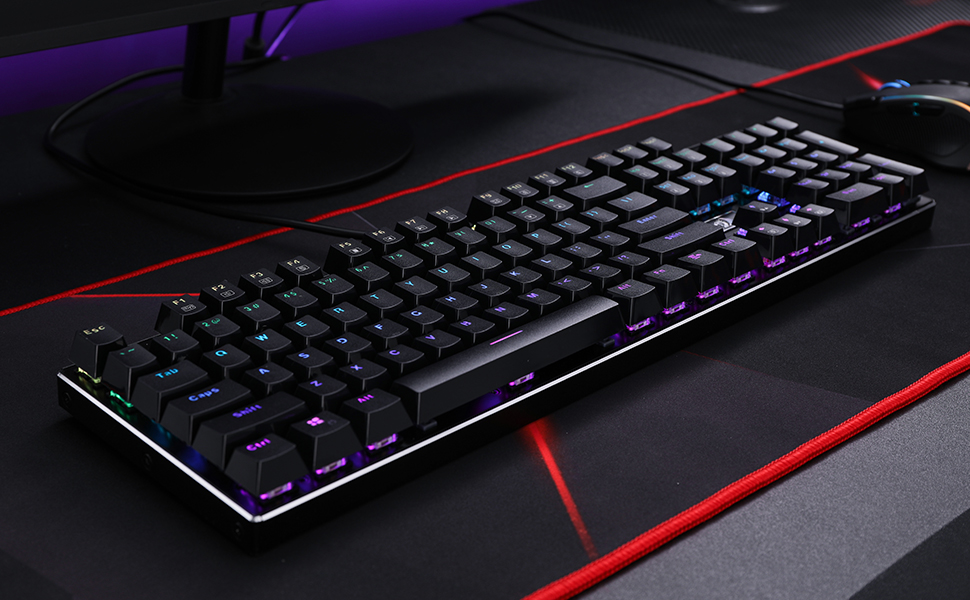
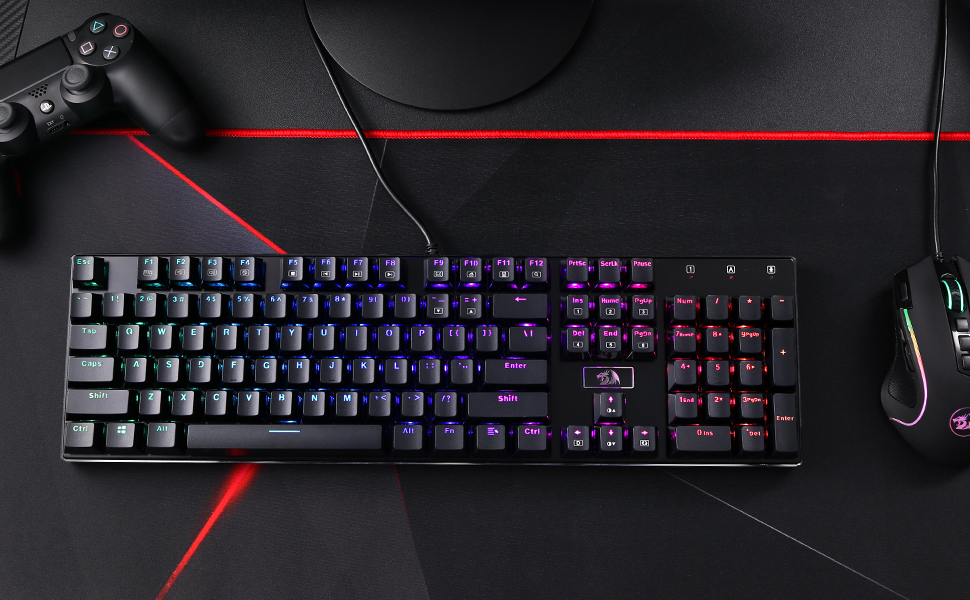
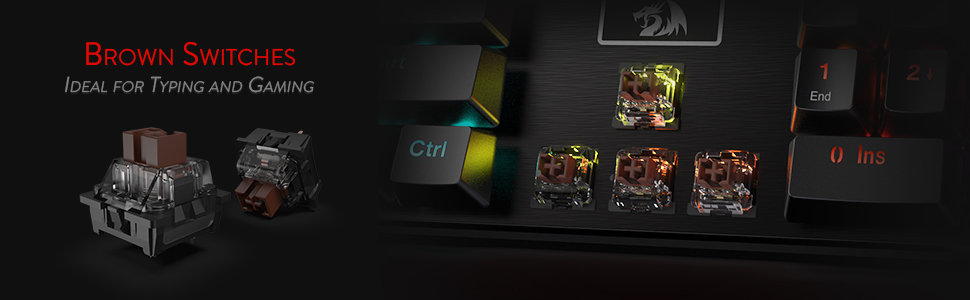
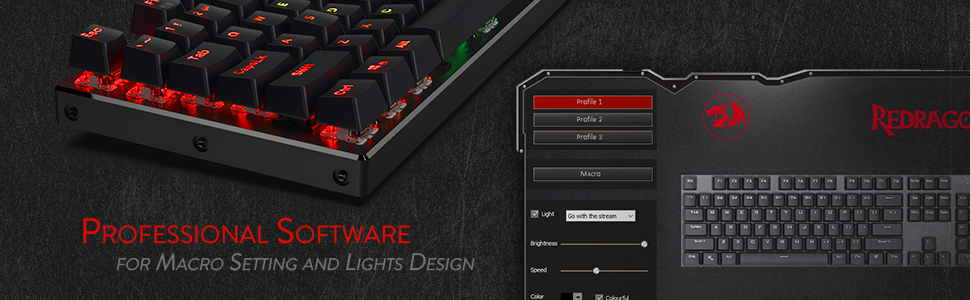
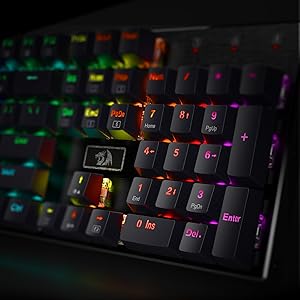
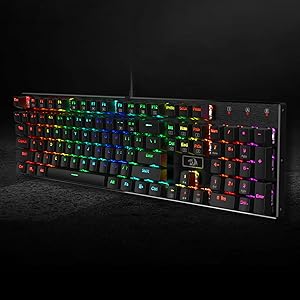
The Redragon K556 is a premium 104-key wired mechanical keyboard featuring a robust aluminum base, hot-swappable tactile brown switches compatible with 99.8%+ of market switches, and vibrant RGB backlighting with 20 preset modes. Designed for gamers and professionals alike, it offers noise-absorbing foam for quieter typing and customizable software for macros and lighting, delivering durability, versatility, and style in one sleek package.





| ASIN | B01NAI2TXC |
| Additional Features | Aluminum Alloy Board, Hot-Swappable, Noise Absorb Foams, Software Supported |
| Antenna Location | Gaming |
| Best Sellers Rank | #255 in Video Games ( See Top 100 in Video Games ) #19 in PC Gaming Keyboards |
| Brand | Redragon |
| Built-In Media | Keycap/Switch Puller, Spare Switches |
| Button Quantity | 104 |
| Color | Black |
| Compatible Devices | Gaming Console, Laptop |
| Connectivity Technology | USB |
| Customer Reviews | 4.6 out of 5 stars 8,047 Reviews |
| Enclosure Material | Aluminum |
| External Testing Certification | Não aplicável |
| Generation | 1st Generation |
| Global Trade Identification Number | 06959011595781 |
| Hand Orientation | Ambidextrous |
| Is Electric | Yes |
| Item Dimensions L x W x H | 17.13"L x 4.88"W x 1.59"H |
| Item Weight | 1000 Grams |
| Keyboard Backlighting Color Support | RGB |
| Keyboard Description | 104 Keys Wired Aluminum Hot-Swap Gaming Keyboard |
| Keyboard Layout | QWERTY |
| Language | English |
| Manufacturer | Redragon |
| Mechanical Keyboard Switch Model | Redragon Brown Switch |
| Model Name | Devarajas |
| Model Number | K556 |
| Number of Keys | 104 |
| Number of Sections | 6 |
| Power Source | Corded Electric |
| Recommended Uses For Product | Gaming |
| Special Feature | Aluminum Alloy Board, Hot-Swappable , Noise Absorb Foams, Software Supported |
| Style Name | Contemporary |
| Switch Type | Tactile |
| Theme | Gaming |
| Warranty Description | 1 year |
A**R
An excellent backlit keyboard
I am not a gamer, but I do spend a lot of time typing on my computer. I have put up with miskeying in less than ideal lighting conditions for a long time. The K556 is perfect to the task. The K556 presents an array of kinetic and multicolor options, but I like a static, subdued and monochromatic layout. This is easy to achieve via keyboard controls (see my setup below), and settings are persistent across reboots. I initially had a question about settings and contacted Redragon support, which was very responsive. The K556 is solidly constructed, the keys have a good feel and they are quiet. Now for my boring settings (“+” and “/” are not keyed). Fn+Ins Each 2-key press cycles to the next in this set of lighting modes (see the manual for other modes): Trial of Light, Breathing, Normally On (“Normally On” defaults to the color “Rainbow” – a static wash from side to side). Fn+→ (In case the ASCII glyph doesn’t render, Fn+Right Arrow) Each 2-key press cycles thru Rainbow, Red, Orange, Yellow, Green, Cyan, Blue, Purple, Violet). My choice was “Purple”, more of a fuchsia. Fn+↑/↓ (In case the ASCII glyphs don’t render, Fn+Up Arrow or Down Arrow). Each 2-key press cycles brightness Up or Down.
P**A
My first mechanical keyboard in over 20 years, and I am loving it a lot.
Very nice, super solid, not so loud with the brown switching. It took me a couple of hours to get used to it after so many years using membrane switch keyboards. Less than half a day later I had forgotten that it was a new keyboard. I am not a touch typist but thanks to 30+ years of muscle memory I can fake it. The spacing of the keys is great, the travel and the click action work really well to my typing style. And I can always switch to a different switch type if I need to. I have had a couple weird instances when keystrokes aren't registering but honestly these cleared before I could troubleshoot enough to blame either the keyboard or something going on with whatever app was acting out. I was also surprised that it shipped with 8 spare brown switches. I have a really bad luck with keyboards, I usually kill them after about a year and I always end breaking at least one key. It's nice to know that the key caps and switches are user replaceable and very affordable. Two microscopic nags: 1. No wrist rest area. This is not a deal breaker, and I never used that area to rest my wrist, but it was nice to use it to tilt the phone when I needed to do something like look up a 2FA code. Again, not a deal breaker. 2. The sticker with the dragon above the arrow keys throws me off, every now and then I look towards the keyboard and that empty area looks like it's missing keys, then it takes me a split second to figure out that's where the sticker sits. That's about the only two things I can find to complain about it. The price was excellent, the keyboard and a new Bluetooth mouse cost me less than I what I paid for each of the last three keyboard/mouse combos that I have purchased. My biggest mistake was that I should have bought two on the spot and give one to my son, he is in the Autistic spectrum and he loves rainbows and was blown away when he saw the customizable lights show. 90-day update: I have now recovered from three spills that would have ruined every single keyboard I have owned in at least a decade. I cannot stress enough the peace of mind that comes from being able to replace one compromised key switch instead of losing the keyboard. I also had an interesting, self-inflicted anomaly. During my last spill I accidentally hit the wrong thing and switched the keyboard to French Canadian layout. Then proceeded to waste an hour freaking out over why the switches themselves were registering properly, but some keys were off. I only got to calm down when I plugged in a spare and it started doing the same thing, which is what told me that I was troubleshooting Windows, not the keyboard. So yeah, if you want/need to clean the keyboard, unplug it first.
N**W
A great keyboard for a great price.
I quite literally just got this today, and hooked it up. Out of the box this keyboard feels amazing. It's impactful as well as quiet. I haven't even put in the switches that came with it and already I don't feel the need to, glad to have them, though. The keyboard color options are pleasant and I will explore all the options for sure. Typing on it feels creamy and responsive like I'm not mashing many keys at once and each click is soundful. The keyboard itself is heavy, which I enjoy, it feels like I am using a real product. The keys themselves pop, all the words and letters stand out.
D**.
Feels Premium Without the Price Tag
This keyboard is really solid. The keys feel great—nice tactile feedback without being too loud. The aluminum base makes it feel sturdy, and the RGB lighting looks clean, not over the top.
K**E
Great, solidly built keyboard. Bad software and support
This is an amazing deal for what is a really nice keyboard. Full disclosure, this is my first Mech keyboard. It feels really nice to type on and game on. Pros: I love how they give you 8 blue switches to swap out if you want. It also includes the keycap puller and the switch puller. Changing switches is a breeze. I changed out the WASD keys along with E and Q as I usually bind those two keys in most games. I have two left over. I'll likely change out R. I want to buy more of the blue switches as I've found I really like the tactile bump and the audible click. I'm happy they came with the option to change out the switches. It is a full RGB keyboard (If you use the software) and at this price point, that is a pretty amazing feature. There are a lot of options for customization. I do wish you could mix and match the presets. I like the presets that wave out or briefly light up the key you press. I wish I could have that and light up WASD full time. I've found that I just leave it on a setting that slowly rolls through all the colors. Works for me. You can customize each key color. It took me forever to find out how to do this in the software. It's under the preset "Costal". I've found that sometimes the software will show a key as being lit up on that preset, but the actual key isn't lit up. Deselecting and reselecting the key fixes that. Slight annoyance. More on how frustrating the software is in the cons section. CONS: The software looks like it was written by a 13 year old. It reminds me of the old Red Alert game. It just has some weird, old 90's software vibe with it. The version on the disc is 1.00 so I don't know if an update is available for it. Which brings me to con 2 about the software. You only get a mini disc with the software on it. For those of us who opt not to have optical drives (seriously, who puts a CD drive in a PC anymore?), this is an annoyance. No worries, Redragon has software available on their site. Oh wait, the one for the K556 isn't what is advertised. It's literally a .PNG file. That's it. No software to download from their website for the K556. Support is non existent. I filled out their form asking for a link to working software last week. Still not have heard back. Luckily I have a dinosaur laptop with a CD tray. I just popped in the disc and installed it to a thumb drive and used that to get it to my PC. Annoying for sure. Redragon, seriously, put the correct download for the K556 software and update it for crying out loud. I'm not trying to infiltrate a base with Tanya using your software. Overall, the actual keyboard is a 5. The software and the experience getting it set up was a 3. If you want the full 16 million color range of true RGB, you need the software. I would highly recommend this keyboard. I now really want one for work so I can annoy everyone I work with with my clicky blue switches. Get this keyboard and forget the rest.
A**R
Very Happy So Far!
I have only been using the Red Dragon K556 going on three days now but the seller is asking for an honest review. So far, I am very happy with the entire process. I had originally been looking for an office keyboard that had some sort of back lighting and I had gone through a couple of much cheaper options before upgrading to this one from Red Dragon. When I first opened the packaging it was shipped in, I was a little concerned due to the minimal packing materials but upon inspecting the keyboard itself, it was in perfect condition, not a dent or scratch to be found. This is the first keyboard I have used that has an aluminum casing, It is very sturdy and I like the heft of it when moving it around. It just feels like a well made piece of equipment. The keyboard stays in place on the desk and doesn't slide around. I read one reviewer who said that by sliding the keyboard on the desk, the plastic tilting tabs on the bottom tended to flip closed on one side or the other making the keyboard wobble. This, so far, has not been my experience. I am able to slide it around a bit without affecting the tilting tabs. When first plugging it in, I noticed the nice length of the USB cable. It is plenty long enough to reach my tower that sits about two feet over and one foot down and I still have a nice excess to move the keyboard around a bit. I knew before purchasing that there were many more lighting functions one the K556 but I don't think I appreciated just how many options you have with back lighting colors and patterns. There are 9 different solid color options and I have not even explored how many light pattern options there are. I can tell you that there seem to be many multi-colored options to choose from. I primarily like one solid color but it can be fun to explore all the different options when you just don't feel the work happening. All colors can be completely turned off or they can be set to any of five levels of brightness. This K556 came with brown switches which have proved to be exactly what I had been looking for previously. I didn't really know much about switch brands, such as outemu or cherry but this brown switch is much quieter than the previous blue I used. Mind you it is not silent but it doesn't make much more noise than a soft clicking. The keys are very responsive, being what I suppose is a tactile keyboard. I notice that when typing faster, I don't have to mash the keys. It's almost as if they are two stage keys where you can feel the halfway mark which is as far as I need to push to get a response. The keys spring back instantly and smoothly. I had read another review where the reviewer experiences some sort or ringing or vibrating sound (I don't remember exactly) but they thought it may have been related to the aluminum casing or something. (Again, I think I am remembering this correctly) I do not experience any other sound other that the keys making their normal soft clicking. I have not used this for gaming, hence the three stars for the gaming feature but I can't imagine it being a poor gaming keyboard. Overall, I am very happy with this purchase but again, I have only been using it for three days now. Customer service instantly emailed me to ask for a review and to assure me that they were available within 24 hours should I have any problems. Hopefully it won't come to that. All of this was to say that so far, I am very happy with this purchase am am hoping for long usage.
R**A
Really nice keyboard
Got this for a work keyboard as I prefer mechanical (the click click is always fun) and wanted a backlit keyboard just so I could be different from my coworkers :) It is a great keyboard. I have a Redragon wireless mouse both for home and one at work, which I love the mouse so I figured I'd try the keyboard. I am not disappointed. The backlighting is gorgeous, the keys are holding up to typing well, none are sticking or anything, and it's easy to type on. The brown switches are the perfect sensitivity, not too sensitive that it repeats letters on one press. All in all I have nothing bad to say after a few months of use. It's a nice keyboard to type on and works great.
H**.
Good Light/Silent Mechanical Keyboard, Silly RGB Features
I have been eyeing this keyboard for a while now. I finally got it while it was around $40 during the Prime sale. I have only been using membrane keyboard and this feels, somewhat underwhelming when I first get it. I was expecting a bit more resistance but this keyboard is made to be very light and very light click. However, after using it for a while I know that I won't be able to go back to using membrane keyboard. The light pattern that came with this keyboard is quite useless. It's pretty. I especially interested in using the ripple effect one. However, when I selected it, every key is dark until I press them. Needless to say I can't use it. I ended up using the default one it came with and be happy with it. I flows RGB slowly and makes the keyboard look pretty. I like the sturdiness and weight. I think the base is made out off metal. Overall, I grew to like it. Let's hope they keys last for a very long time. UPDATE: I've been experiencing missing keystrokes. It started with the A button. I noticed it because as I type, I had to keep going back to correct a missing A in my spelling. The thing is the button still works, it's just that it misses to register once in a while. I thought I was going crazy. The good thing is that we were given several free switches and I had enough to change them out if there were defects. It started with the A button, then the Left-Shift button. But then it goes to the SPACEBAR!! I didn't change the switch yet because I don't want to turn off my computer yet. Several weeks later, I had forgotten that I had this problem. Apparently the problem fixes itself. All the buttons that I had problem with is working perfectly now. My dodges with Left-Shift was spot on. A is working. Spacebar is working. Nothing skips.
Trustpilot
Hace 1 semana
Hace 5 días