Some deliveries may take a little longer than usual due to regional shipping conditions.

Descargar la aplicación


Servicios al cliente
Sobre nosotros
Copyright © 2025 Desertcart Holdings Limited
Descargar la aplicación

🎨 Elevate your art game wirelessly — because your creativity deserves no limits!
The XPPen Deco Pro MW is an 11-inch wireless drawing tablet featuring Bluetooth 5.0 for stable connectivity, an ultra-responsive battery-free stylus with 8,192 pressure sensitivity levels and 60-degree tilt, plus 8 customizable shortcut keys and 2 dial wheels for enhanced workflow. Compatible across major OS platforms and creative software, its slim 7mm profile houses a long-lasting battery designed for all-day use, making it ideal for professional artists, designers, and remote learners seeking precision and freedom.






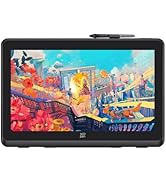







| ASIN | B098NBL22P |
| Batteries | 1 Lithium Ion batteries required. (included) |
| Best Sellers Rank | #147 in Computer Graphics Tablets |
| Customer Reviews | 4.5 4.5 out of 5 stars (330) |
| Date First Available | July 5, 2021 |
| Item Weight | 4.18 pounds |
| Item model number | Deco Pro MW-[unique-identifier] |
| Manufacturer | XP-PEN |
| Product Dimensions | 15.74 x 8.94 x 0.65 inches |
M**E
Almost perfect!
I really enjoy this tablet, I have many hours on it already. The build quality is very nice, the buttons feel good and so does the wheel and touch area. The drawing surface has nice friction, in fact initially I thought it might be too much. The pen is very comfortable to hold, very light, and the buttons are well positioned. I only have a couple real complaints, the wheel is a little too easy to move, sometimes I move it without even realizing. Also, the touch area only works as a digital wheel OR a mouse (think laptop touchpad). Regarding the touchpad, I would like to see a little more flexibility, being able to use all gestures together as well as resign shortcuts for things like swiping up would be nice. Anyway, even though I saw that as a major drawback initially I still find the tablet to be incredibly convenient, having a scroll wheel attached is a huge time saver. Edit: I forgot to mention the case that comes with the pen is quite sturdy and nice. It holds the pen very firmly, so firmly you could use it to make the pen easier to hold if you have troubles holding small items. And you might just have to use it in that case, because there is no good place to grip the pen to remove it. You have to grip it from the tapered tip and wiggle it around until it finally pops out. If I sound bitter, it's because I am. Anyway, not a dealbreaker by any stretch, but it is a painfully poorly thought out design. Actually, as I'm writing this and examining the case to be sure I didn't miss something, I'm starting to wonder if maybe there is supposed to be a spring at the bottom of the tube wasn't installed?
R**S
Better than Wacom PTH660 and Huion Q11K
I have an old Wacom PTK-840 (no longer supported by drivers = lame!). So I wanted to get the Wacom PTH660, but at 400 dollars, I instead went with the Huion Q11K. And then its side keys failed within 6 days of getting it. Maybe this was a fluke (ratings suggest it was), but I returned it and decided I would shell out for the Wacom PTH660. The thing was a piece of junk. So laggy when it would draw, but most of the time pen strokes wouldn't do anything. I tested it in Illustrator CS 5.5. Maybe Wacom doesn't support older Illustrator versions. So I returned it and got the XP-PEN Deco SW (small wireless) for 110 dollars. Loved it the moment I started using it. Just remember to click "OK" after configuring the buttons so it keeps your configuration. Love the dial. It is much better than the Wacom finger dial thingy. I've only had it about 10 days, but it is less laggy than the Huion Q11K (and a million times less laggy than the Wacom PTH660), and the dial and button and layout are much better than Huion Q11K and Wacom PTH660. It is a really great tablet, very lightweight, easy to use, great layout and interface. The driver/configuration software needs some improving, but it is easy to figure out and works (though sometimes it disconnects and reconnects the device without me unplugging it - hence why it is important that you click "OK" after configuring the buttons the way you want, which can be customized with your particular program). I have read that smaller is better in size (less strain on hands/wrist), but I think I would have gotten the Medium size, though the Small works fine - just have to get used to it after the huge PTK-840. I highly recommend the XP-PEN Deco SW over anything else out there in the small tablet category.
G**T
So it's great - when it's connected.
So, I got this tablet for myself a few months ago because I was impressed by the reviews with it and I'd been looking for a new, affordable tablet. And, for a couple months, it worked great. It's smooth as can be, the controls are super easy to adjust to, and it helped me get back to drawing! When it works, it's absolutely fantastic. However, I think a connection is damaged in it; it used to be just fine working with the Bluetooth receiver only for that to stop working at some point. I don't know if the battery is loose, if it's the receiver, or if it's where I plug in the USB cord, but my connection keeps dropping and I find myself having to press my free hand ( which would normally be using the button controls ) against my USB cable where it connects to the tablet in order to make my laptop recognize the connection between my tablet and my computer. But when it works, it's excellent! I've put it at four stars because, apart from this problem, it's honestly a fantastic tablet for such a great price. I want to see if I can get in touch with customer support to see if this can be repaired or not. If you're looking for a good tablet, I do recommend this one, but just be aware of the connection issues that might pop up.
A**R
As someone completely new to using a graphics tablet, I was honestly a bit unsure about using one for my fine art photography at first. I’ve always done my drawings, "the old fashion way" on paper and didn’t think I’d be able to translate that to a digital platform. But after hearing so many good things about graphics tablets from other artists and wanting to improve my digital photography art, I decided to give the XP-PEN Deco Pro Bluetooth Graphics Tablet a try. I’m so glad I did because it has completely transformed the way I work! First of all, setting it up was super easy, I just went on their website and downloaded and installed their software. The only issue I had was connecting it via Bluetooth. It wasn't because of the product or anything, I just always have an issue with any Bluetooth device with what button to press when paring. Once I read the instructions, I was good to go. The wireless connection is solid, and so far I’ve never experienced any lag or delays between the pen and the screen. It’s nice to not have to deal with extra cords all over my desk. It also comes with a USB connection option, which I tried out just to see if there was a difference, but honestly, the Bluetooth works perfectly, and I’ve stuck with that ever since. The pen feels natural and light in the hand, and it’s incredibly responsive. It’s almost like drawing on paper.... except with way more features. The pressure sensitivity is amazing with all the different photoshop brushes! As someone who is learning to use a graphics tablet, I can already tell how much of a difference it makes over using a mouse. I've always been hesitant about using a tablet because I've always had it in my mind that it's not "real art" if you use one but, it really mimics the traditional drawing experience, which made the transition a lot smoother for me. It comes with an extra 10 nibs for the pen too. I'm not sure how long they last yet but it seems to me that 10 of them will last a long time for me. I do have to get used to the buttons on the pen though because, I seem to accidently press them a lot when I draw and set off the programmed function. One of the things I’ve been really impressed with is how customizable the tablet is. It has a radial inner and outer dial and shortcut keys that you can map to different functions in Photoshop. I’ve started setting them to some of my favorite tools (like undo and zoom), and it makes the workflow so much faster. I’m still getting the hang of it, but it’s been fun to figure out how to make my work process more efficient. I should mention that the tablet is also very sleek and looks great on my desk. It’s thin and doesn’t take up too much space, but it still has a generous working area for drawing. I feel like I’m not cramped or limited at all when working on my projects. I did make a wood stand for it so that has helped with the desk organization a lot. Now, for a couple downsides I’ve noticed— the on/off switch is located on the back of the board which can be a slight annoyance having to pick it up and turn it over every time I turn it on and off. It has an auto shutoff feature on it too, so if you forget to shut it off, it does it for you to save battery. Again, having to pick it up and use the on/off slider to start it up again would be a little less annoying if the switch was on the top or side. The other thing may not be an issue with the tablet itself but rather, a personal preference. I ordered the larger tablet not knowing anything about using one. I find that because it is larger, I have to slide my hand/arm further back and forth because it has the bigger area. It will just take some time to get used to I expect and I won't think about it after a while but, when you're used to a mouse where you can keep it in a relative small area, it is something to get used to. It's not unlike drawing on a pad of paper so eventually it'll not be an issue I expect. All in all, the XP-PEN Deco Pro has been an amazing tool for someone like me who is just starting with a graphics tablet for art. It’s user-friendly, well-built, and incredibly fun to use. If you’re looking for a tablet that can help you ease into the world of digital drawing, this is definitely one to consider! So far, I would highly recommended it!
J**.
Es mi primera tableta grafica y la amó. Revise varias marcas, especialmente de wacom y con pantalla. Al final me decidi por este modelo por 1 sola razon y las mas importante: Durabilidad. Basicamente todas las reseñas que puedes encontrar te diran que no conocen a nadie que pueda presumir de una tableta grafica con pantalla que hayan usado por años. Y esa es la principal ventaja, especialmente si es tu primera tableta. No compras una de gama alta para que al año ya no sirva. La segunda razon y muy importante es el numero de botones y el hecho de que puedas girarla para aquellos que son zurdos, la configuras de a cuerdo a tus necesidades y su funcionalidad y gran cantidad de atajos te permiten ahorrar mucho tiempo. Al principio te cuesta adaptarte al cambio cuando toda la vida has usado un mouse, pero una vez le agarras el ritmo, no puede vivir sin el. Ademas el material es de buena calidad. No estaba seguro de si comprar un modelo mas pequeño, pero al final opte por uno que me diera la oportunidad de ser creativo sin limitarme por mi espacio de trabajo. Y me encanta. Por ultimo, la modalidad bluetooth me ha sacado de varios apuros, especialmente cuando tengo un trabajo en la laptop. simplemente la desconecto de la PC de escritorio y activo el bluetooth y listo. Nunca he probado la capacidad del tiempo de bateria, pero sin problema puedes trabajar en una tablet por horas via inalambrica. Ademas los cables que vienen incluidos son muy gruesos, de buena calidad e incluyen para dispositivos con USB normal y el tipo C. Si hay algo "malo" es que el lapiz apesar de ser funcional, la goma donde estan los botones no es tan firme, si lo usas demasiado, es facil que se arruine. El mio ya no funciona despues de 6 meses, por el precio es batante comprensible que el material del lapiz no sea de gama alta, mas bien la critica va orientada en que deberia ser facil buscar lapicez para XP-Pen de repuesto de forma simple, pues resulta que algunos no son compatibles segun el modelo de tu tableta grafica. En cuanto pueda comprare uno nuevo, pero me asombra que los repuestos sean tan dificiles de buscar.
S**L
good product for everyone for online teaching
X**W
Pad is good but pen is not working properly
R**E
Excellent basic graphics tablet for beginners. I used it for several months before buying a new high-end tablet and I honestly had difficulty getting rid of it, but I still use it for quick needs. For my part, I bought the MW (10"x6") one with wireless since it has a good format and enough space to do drawings, wireless is practical and less bulky than with wires. What's also interesting are the hotkeys and the wheel for zooming, now zooming is indispensable for me, I love it! 🙂
Trustpilot
Hace 1 mes
Hace 2 días