We remain fully operational. Our teams are working around the clock to ensure your deliveries continue safely.

Descargar la aplicación


Servicios al cliente
Sobre nosotros
Copyright © 2025 Desertcart Holdings Limited
Descargar la aplicación


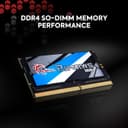
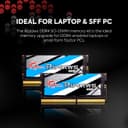
🚀 Ripjaws SO-DIMM: Power your productivity and play with elite laptop memory!
The G.Skill Ripjaws SO-DIMM 16GB DDR4 3200 MHz RAM module delivers a high-performance, low-voltage memory upgrade designed specifically for laptops. With a fast 3200 MT/s speed, optimized CAS latency of 22, and a power-efficient 1.20V operation, it enhances gaming FPS and accelerates demanding creative applications. Its compact SO-DIMM form factor ensures compatibility with most laptops, making it a top-tier choice for professionals and gamers seeking reliable, high-capacity memory.


| ASIN | B08J2WGSRZ |
| Best Sellers Rank | #17,318 in Computers & Accessories ( See Top 100 in Computers & Accessories ) #166 in Memory |
| Brand | G.SKILL |
| Brand Name | G.SKILL |
| Column Address Strobe Latency | 22 |
| Compatible Devices | Laptop |
| Computer Memory Size | 16 GB |
| Country of Origin | China |
| Customer Reviews | 4.5 out of 5 stars 463 Reviews |
| Form Factor | SO-DIMM |
| Importer Contact Information | Acro Eng. |
| Item Type Name | RAM |
| Item Weight | 17 Grams |
| Manufacturer | G.SKILL, G.Skill |
| Manufacturer Contact Information | G.SKILL |
| Memory Speed | 3200 MT/s |
| Model Name | Ripjaws |
| Number Of Pins | 260 |
| Packer Contact Information | G.SKILL |
| ProcessorSpeed | 3200 MHz |
| Product Features | Lightweight |
| RAM Memory Technology | DDR4 |
| RAM Size | 16 GB |
| Special Feature | Lightweight |
| UPC | 848354036647 |
| Unit Count | 1 Count |
| Voltage | 1.2 Volts |
| Warranty Description | 1 Year Warranty |
D**H
Best rams and performs really well, passed all stress test
I bought 16 gb module. Gskill Ripjaws. It is 3200 mhz cl22. It is dual rank ram , and it is best in class 2Rx8 memory module (meaning it's the best if u know about it). It passed all memory test, I did memtest86 for 1hr and everything was fine. It works really well , i am running it in dual channel with my other ram and total I have 32gb. It boosted my gaming performance. ( In valorant from 150 160 fps to 280 320 fps due to dual channel , in other AAA games it gave like 20 to 40 fps more (this happens because of dual channel and not just any ram)). It also boosted performance of productivity application like abode premier pro, after effects, davinci resolve and 3d softwares too . I have attached images that gives data about ram do check it. For the price (2500) these are best rams.
C**Y
Worth it.
Purchased 2 SoDIMM sticks of GSkill Ripjaws. Each having a total capacity of 16GB ( Total 32GB ). Both sticks were single rank, verified using HWinfo and CPUz, and the values associated with timings are 22-22-22-52. Each memory stick has 4 NAND Flash memory banks on each side of the stick. Thus the two sticks combined have a total of 16 black chips equally distributed on both sides of respective memory modules. This memory is Non-ECC. RAM Sticks do not have any temperature reading functionality hence you'll not be able to see the temperature of your RAM Modules once they're running in laptop. Stress testing ensures that the RAM does not heat mych even during continuous heavy usage so you don't have to worry about temperatures or overheating issues. Make sure your laptop manufacturer has clearly stated the maximum memory capacity of the laptop. Mine was 32 and I need more than 24 GB memory when working with different things so I maxed out my system. Shipping takes A LOT of time but I guess it cannot be helped. I had to return previous shipment and order it again (Waiting for refund from previous order) as those sticks were working initially but one of them was faulty resulting in memory related crashes in both Windows10 and Linux. I verified the faulty stick using MemTest86 software and placed return within 5 hours of receiving order. The faulty stick failed in Test 1 and Test 13 accumulating over 300 errors in just a single pass. I recommend everyone to fully test their memory modules independently using memtest86 to ensure they recieve correct products as sometimes the faulty RAM sticks also boot until they hit faulty addresses. Overall, very satisfied with the product. If it fails in less than 4 years from the time of this review then I'll make sure to edit this review and mention it here. Until then, assume that this particular product is working flawlessly and you can purchase it. It is a pretty good investment. My laptop is Acer Aspire 7 ( A715-42G ) with Ryzen 5 5500U with GTX 1650 and the max memory capacity is 32GB incase anyone needs the info. There are pretty good options out there in market but this gets my work done for a very reasonable price.
V**T
Working perfect .
I didn't faced any disfunctionality , working perfectly fine , good stability. 1 star less to prove I am not a robot or fake review 💀 But pls check ur laptop compatibility I would recommend to install CPU - Z software to check ur hardware specifications.
G**U
This is best ram for Your Laptop
Working properly. Value for money
M**T
Goes great with Asus TUF F15
Wanted to upgrade my 16GB RAM that came with laptop (Asus TUF F15 2023, Intel 12700h, GTX 4060) to 32 GB. Got 2x16GB sticks. I don't regret a bit. Upon first boot after plugging this new RAM, I did encounter a stuck BIOS/UEFI loading circle but did a hard reboot and worked well. Did the most useless test by opening 50 tabs of YouTube in Google Chrome. Used around 50% of the overall RAM (~8GB for Chrome, rest 8GB being used by system and other software/services). No hiccups there. Did PassMark RAM test which showed below average in some test and in one or two above average, but I don't think it really matters. I am fine with the performance. I mostly use it for photo/video editing (normal usage, nothing hardcore) and games. Usable RAM I get is 31.6 GB (rest is hardware reserved). I think getting 32 gigs at ~4000 INR is a good enough deal for DDR4 3200Mhz.
A**L
Great
great price to performace upgraded my laptop to 32gigs amazing
T**T
Paired well with my acer laptop
Nice and good in performance
S**R
Check your Ram clock speed in task manager once you install it in the system.
The Ram clock speed will require XMP settings to be enabled in the laptop Bios for the ram modules to run at their max clock speed, and will run at a slower Clock speed which will be the same as the Ram stick in the laptop/system.
Trustpilot
Hace 1 mes
Hace 2 semanas