We remain fully operational. Our teams are working around the clock to ensure your deliveries continue safely.

Descargar la aplicación


Servicios al cliente
Sobre nosotros
Copyright © 2025 Desertcart Holdings Limited
Descargar la aplicación
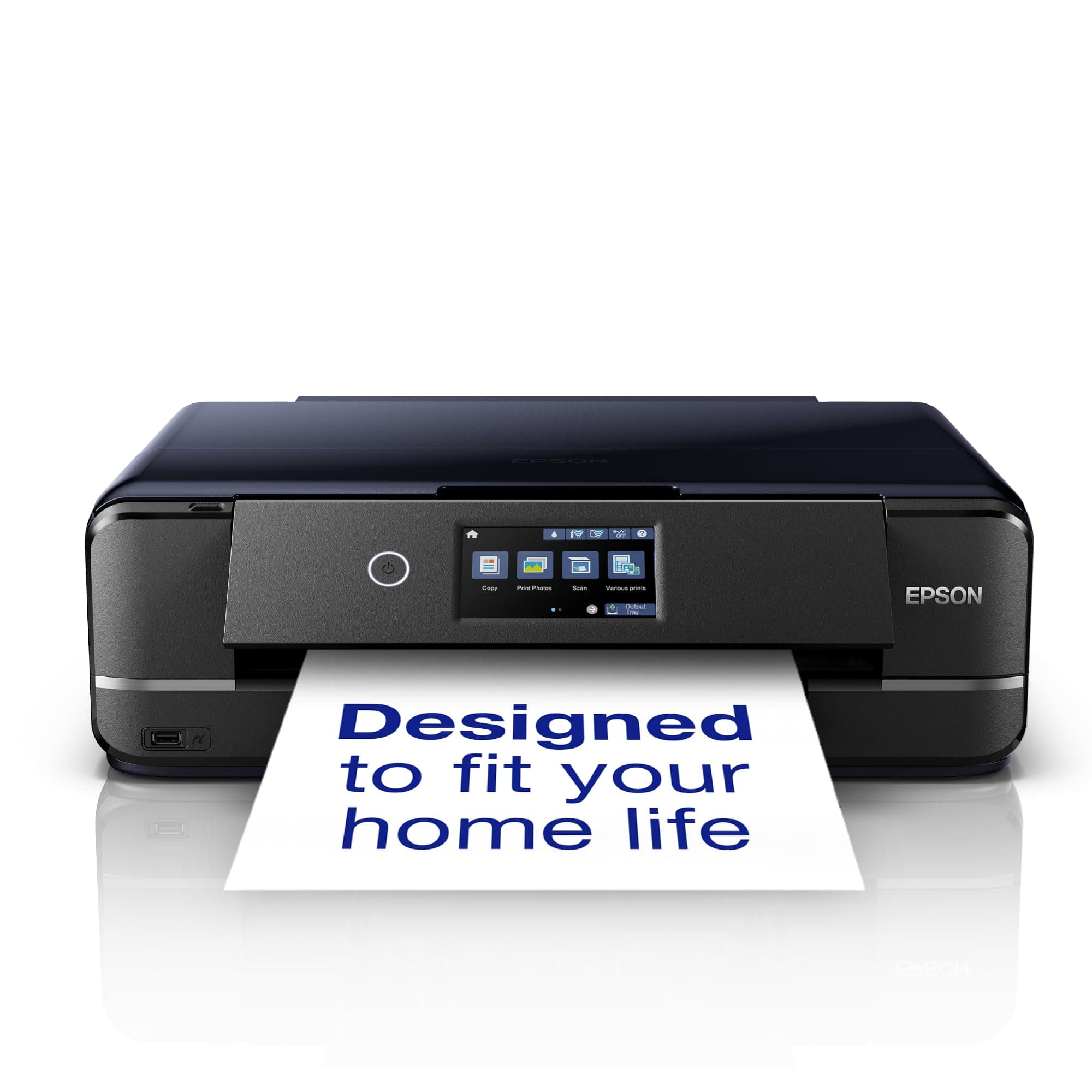
📸 Elevate your home office with pro-level photo printing—because your memories deserve the best!
The Epson Expression Photo XP-970 is a compact 3-in-1 wireless inkjet printer designed for professionals and enthusiasts who demand A3 photo printing with exceptional clarity. Featuring 6-color Claria Photo HD inks for vibrant, archival-quality prints, it supports versatile media types including glossy photo paper and CDs. With dual paper trays, a large touchscreen, and seamless smartphone connectivity via Epson’s apps, it combines style, convenience, and performance for creative and productive home offices.
| ASIN | B07XZHX1RT |
| Are Batteries Included | No |
| Best Sellers Rank | #33,543 in Computers ( See Top 100 in Computers ) #82 in Portable Photo Printers |
| Color | Black |
| Colour depth | 36 bpp |
| Compatible devices | Smartphones, Tablets |
| Connectivity Type | Wi-Fi |
| Controller type | Android |
| Customer Reviews | 4.3 4.3 out of 5 stars (631) |
| Date First Available | 14 October 2019 |
| Dual-sided printing | Yes |
| Form Factor | All-in-One |
| Hardware Platform | Smartphone, Tablet |
| Included components | What's in the box - Individual Ink Cartridges, Main unit, Power cable, Setup guide, Software (CD), Warranty document |
| Item Weight | 8.79 Kilograms |
| Item model number | XP-970 |
| Manufacturer | Epson |
| Max colour vertical printer resolution | 5760 Centimeters |
| Max copy speed (black & white) | 10 ppm |
| Max input sheet capacity | 120 |
| Maximum Media Size | A3 |
| Maximum black and white print resolution | 5760 x 1440 DPI |
| Maximum color print resolution | 5760 x 1440 dpi |
| Maximum copies per run | 1-99 |
| Number of USB 2.0 Ports | 1 |
| Number of USB 3.0 Ports | 1 |
| Operating System | Mac OS X 10.6.8 or later, Windows 10, Windows 7, Windows 8, Windows 8.1, Windows Vista, Windows XP SP3, XP Professional x64 Edition SP2 |
| Power consumption | 20 Watts |
| Print media | Glossy photo paper |
| Processor Count | 1 |
| Product dimensions | 36D x 48W x 15H centimeters |
| Scanner type | Flatbed |
| Sheet size | 10 centimeters |
| Wattage | 20 watts |
H**H
جميييله ودقة في الطباعة والسعر مناسب جدا انصح فيها وبقوه
R**H
Imprimante livrée avec un raccordement électrique non conforme, pour le marché UK et entraînant une non utilisation immédiate. J'ai été obligé d'acheter ce câble moi-même avec les inconvénients inhérents(déplacement, essence, attente,...) avec la promesse d'un remboursement que je n'ai toujpours pas perçu... Je devais imprimer 30 dessins dans l'urgence, l'exposition a été différée.
M**E
Oh wow, this is a fantastic printer. I'm the retired CEO of a hi-tech design studio. I needed a hi-res photo/graphics printer suitable for use in a home living environment and where printing volumes would not be particularly high. I also wanted a dedicated printer not one with integrated scanner and copier functions. This printer model is actually discontinued: I'll explain why you should buy it while it's still in stock. It looks like Epson has (understandably) changed its business model from selling complex hardware cheap and selling ink expensive. The replacement model for this printer uses 'cheap' ink by utilising refillable tanks. The downside is that it's a lot more expensive. Fair enough: if you need high-volume printing go for the more expensive model. OK, why is this printer so great? From the aesthetic point of view it's gorgeous and it's compact: ideal if it's on show in a living room. Everything about the design is thoughtful, ergonomic and well-engineered. The control panel is hinged: tilt it out to operate it, push it back to the neat vertical position when you're done. The control panel features a high res, back-lit LED screen. The excellent resolution means that small print is legible and a lot of information and graphics can be displayed. This makes for very intuitive operation with the well-coded UI that Epson provides. The screen isn't touch but navigation using the arrow keys makes it easy to use. All this makes for fast & easy set up, operation and maintenance/test tasks. The printer provides an integrated bottom slide-out tray for A4 paper. For media up to A3 + the back feeder is used. The pull-out paper holder/support at the back holds up to 20 or 30 sheets. This back feed is used for regular sheets, thick media, canvas etc of any size up to A3+. A great feature is that the output paper support is motorised: it pops out when printing is initiated and retracts when the printer is off. This feature contributes the beautiful design of the machine. Now the key question: quality. It's awesome. As a test, I printed a 300 dpi A3 image with solid colour, skin tones and subtle shadows (a 50MB TIFF file). The result was amazing: vibrant, solids immaculate, colour rendering excellent, blacks really black and excellent shadow detail. I wasn't seeing much difference between the image on my 27" Mac retina display and the image on paper. The colour rendering is helped by the 6 ink cartridges used: CMYK plus grey and red. Needless to say, the printing is super sharp – so regular mono printing on plain paper also looks good. For the application I've described, I reckon you'll not get better than this in terms of value for money, print quality, UI/UX, build quality, looks and compactness. If you have high volume requirement, ink cost would make this an expensive solution and you should spend more and go for the much more costly ink tank model. If you want archive printing (essentially max colour rendering fade resistance), spend even more money to get more print heads and a non-dye ink system. One last thing: I bought, also from Amazon, the flat-pack Devaise mobile 5-drawer file cabinet as the base for the printer. In black, it looks great and is the perfect base for the printer. At £67, the unit is a fraction of the cost of the Ikea equivalent and just as good in terms of looks and quality. As ever with Amazon, both these items arrived super fast and well packaged. For once, it's nice not to have to rant about design issues of a product: this printer is the "Dog's" if you know what I mean!
A**S
تندمت اني شريتها قد شعر راسي حبرها يخلص بسرعه و اذا ركبت لها حبر جديد ما تتعرف عليه بسرعه رغم ان الحبر اللي اشتريه لها حقها الاصلي و تطلع روحك لين يالله تتعرف على علبة الحبر الجديدة نصيحة نصحية لا تشتريها اذا تبي تطبع فيها صور لانها بالكثير ٤ الى ٦ صور و يخلص الحبر طابعة فاشلة
S**M
UPDATE: Everything below, I stand by. However after using this printer for a few months now it is quite frustrating how slow it is, not slow in actual printing, but slow in getting ready to print, particularly discs. After using the Print CD software, and you press print it takes a while for the printer to realise you want to print something, then it starts making noises, presumably to move internal parts to allow CD printing. Only once it has stopped making noise can you push the CD tray in and then after another adjustment of some kind it will begin to print. From clicking print, to the start of the printing takes about 20 to 30 seconds, Ok so not an absolute age but something I think worth noting. This is an amazing printer, I must confess I am an Epson fan and have never owned any other brand. I bought this purely to print A3 photos and artwork, I own 2 other Epson A4 printers and they have served me well, so stuck with the brand. This is a very smart looking printer, very clean lines, not too big, in fact only about 3cms wider than my A4 but same height and depth. Wi-Fi is simple to set up, took about 3 minutes using push button (WPS) method. Print quality is exceptional, even borderless. The LCD screen is very clear and bright, and very easy to understand and navigate. The front automatically flips up when power is turned on, the paper outfeed tray is also automatic and comes out when needed. It has 3 paper feed trays, 1 at the rear and 2 in the front, this is very useful as you could keep different size papers in each tray, saving you the trouble of swapping paper, you could keep A4 in one tray and 6x4 photo paper in the other, the rear feed is primarily used for A3 although it adjusts to any size. You will need to tell the printer which tray you want to use via the print dialogue box that pops up on your PC (after installing the supplied software) Make sure you set correct paper size. The minor gripes. When printing onto A3 using the rear paper feed, you must wait until you have sent the job to the printer, before placing paper in the feed, you can not have paper already waiting in the feed tray, you can only print 1 at a time. You can choose to print more than 1 but you have to go through the same process as printing just one, ie wait until instructed to place paper in the rear feed, this sounds like a headache, but really is not too bad, just time consuming. The CD tray is not motorised as in my (older) A4 printer, possibly lack of room because of the 2 paper trays, this is a minor gripe really as slotting it in is extremely simple, the CD tray is stored below the paper trays at the front. Again not a major issue. Features I have not used yet are printing from SD card using the onboard slot. I have not used the Photo+, nor Photo+ tool, or Scansmart. All of these utilities are on the supplied installation disc. Overall an exceptional printer, smart looking, easy to operate, great features, excellent print quality. Highly recommended.
Trustpilot
Hace 2 días
Hace 2 meses